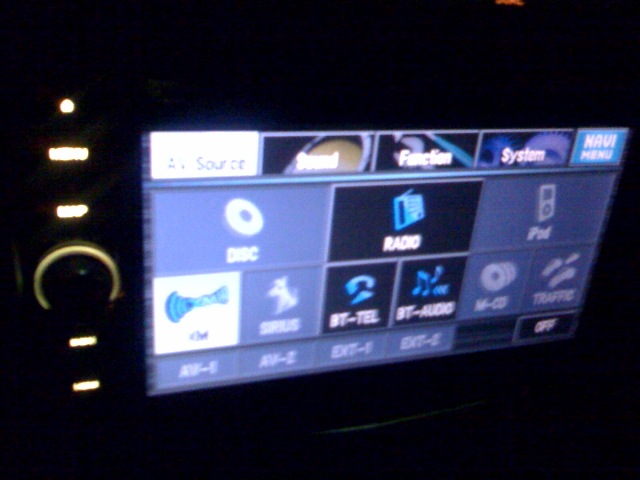
Traffic Button not highlighted in menu, this normal?
I signed for XM traffic
Traffic Button not highlighted in menu, this normal?
I signed for XM traffic
Do you have the GEXP10XMT and the data cable connected? Do you have your deck bypassed, Or the parking brake on? Do you have traffic coverage in your area? If you answered yes to ALL of those, then XM didn't activate your traffic service properly
I have XM and Nav traffic box? I had an installer do all this!
I can get Nav traffic updates, so hrmm what could be wrong?
If i HIT the traffic xm thing
Ok I called XM and they said I for sure have Nav traffic!!
And i just did a refresh and still nothing!
Do you think the installer screwed up!
Mine does the same thing. I think the button only activates if you have a route selected. (Cause that is normally how it works from the map screen,otherwise it just shows you traffic incidents in the area).
Mine does the same thing. I think the button only activates if you have a route selected. (Cause that is normally how it works from the map screen,otherwise it just shows you traffic incidents in the area).
Well even when I have a route in there it dosn't show up
I am willing to PAY someone if they can help me with this thing!
That button works even when you don't have a route plotted.
I will ask you again...Did you have the deck bypassed? If not, have you tried putting the parking brake on and pressing it?
That button works even when you don't have a route plotted.
I will ask you again...Did you have the deck bypassed? If not, have you tried putting the parking brake on and pressing it?
The bypass is working PERFECT!!!
I also would like to know how to make it "auto" tell me if there is something wrong in my route!
make sure the installer ran the data cable if using the 2 piece system
On your map screen, is the traffic button highlighted?
On your map screen, is the traffic button highlighted?
Yes, but when ever i press it .. it says " there is no information for this route"
If you mean this, then yes!

bump, anyone know?
That button works even when you don't have a route plotted.
I will ask you again...Did you have the deck bypassed? If not, have you tried putting the parking brake on and pressing it?
The bypass is working PERFECT!!!
So should that button be high lighted ?
Mine is. Did you check if the data cable is plugged in on both ends?