Search Archive

D3 and BTB200 INSTALL

By bmuhlfeld · Mar 17, 2008in General💬 9 posts👁️ 1,752 views
Posted Mar 17, 2008 · 03:47 UTC#1

Can someone take me through the steps to install a btb200..... i looked on the pioneer website, but it wasn't much help

How many connections are needed?


Where do we tap into the power wires?


Does the power wires come with wire taps?


Where should i mount the head unit? Under the drivers side seat? In the trunk? or stuffed inside the dash?


Please help answer my questions! Thanks!

Posted Mar 17, 2008 · 04:22 UTC#2
Can someone take me through the steps to install a btb200..... i looked on the pioneer website, but it wasn't much help


find where you want to mount your mic, and attach it using adhesive or clips.
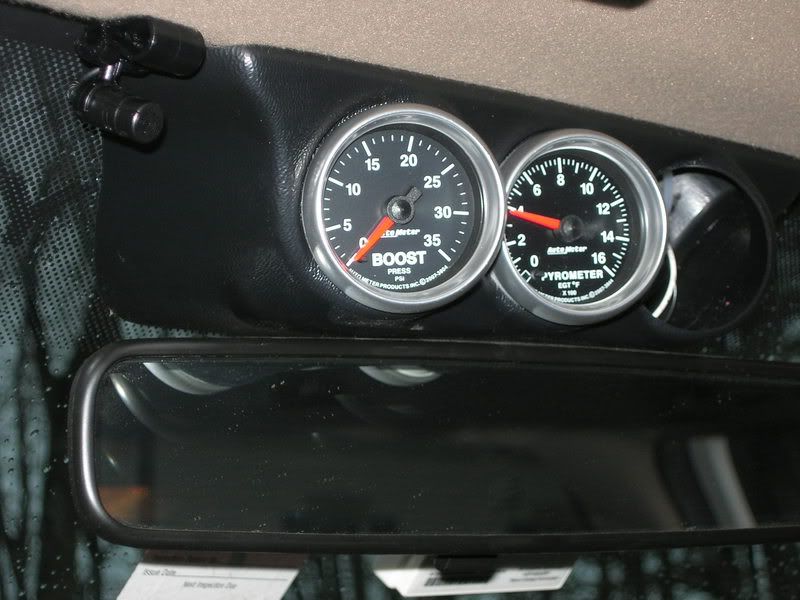
DSCN0839.jpg


run the mic lead wire to wherever you decide to mount the BT's main unit.
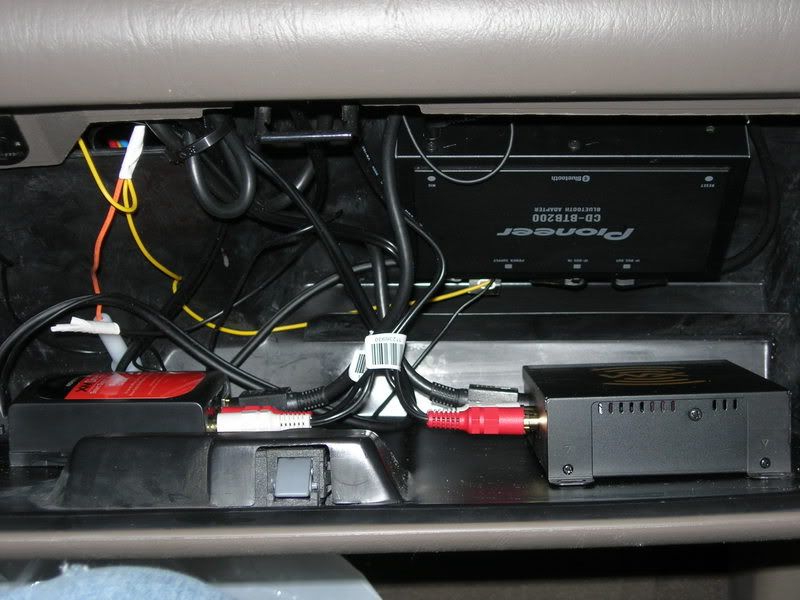
DSCN0818.jpg

(this is where i put mine in an F350..no room under dash, no trunk, and didnt want it under a seat. your opinion may differ)


tap the pos wire (yellow) into the yellow battery wire on the harness for the head unit. tap the ground into the ground wire from the head units harness. (picture shows wire being tapped into orange power wire from the XM unit, but it still has to go to the harness somewhow)


connect IP-BUS cable to back of unit.


(my unit had to be reset before my phone would connect, yours may differ. press reset button on BT unit.) follow directions in manual for setting up your BT phone.

Posted Mar 17, 2008 · 12:40 UTC#3

Should i just cut and re crimp or do the power and ground wires come with taps????

Posted Mar 17, 2008 · 13:20 UTC#4

I bought a pack of taps to do my install(s). Came in very handy...quick and painless.

Posted Mar 17, 2008 · 17:44 UTC#5

i prefer stripping and soldering, then taping or shrink wrap, but to each his own

Posted Mar 17, 2008 · 23:47 UTC#6
Can someone take me through the steps to install a btb200..... i looked on the pioneer website, but it wasn't much help


find where you want to mount your mic, and attach it using adhesive or clips.

DSCN0839.jpg


run the mic lead wire to wherever you decide to mount the BT's main unit.

DSCN0818.jpg

(this is where i put mine in an F350..no room under dash, no trunk, and didnt want it under a seat. your opinion may differ)


tap the pos wire (yellow) into the yellow battery wire on the harness for the head unit. tap the ground into the ground wire from the head units harness. (picture shows wire being tapped into orange power wire from the XM unit, but it still has to go to the harness somewhow)


connect IP-BUS cable to back of unit.


(my unit had to be reset before my phone would connect, yours may differ. press reset button on BT unit.) follow directions in manual for setting up your BT phone.


Big, how did you attach the Bluetooth to the back of the glovebox? Mine wouldn't stick, the adhesive side of the velcro wouldn't hold good to the plastic.

Posted Mar 18, 2008 · 00:04 UTC#7

Hey Luv,


3M double stick tape, the dark grey outdoor type.... Hold the world together if it had too....

Posted Mar 18, 2008 · 00:07 UTC#8
Hey Luv,


3M double stick tape, the dark grey outdoor type.... Hold the world together if it had too....


^^what he said. or scuff it lightly with some light sandpaper. i also cut the supplied strips into 7 pieces all together. 3 for the BT unit, and 2 for each XM unit so that they were smaller squares and would stick better

Posted Mar 18, 2008 · 12:10 UTC#9

Cool. I placed it under the pass. seat for the moment. I'll move it next time I'm in there.


Thanks.