When I am in 3d view mode, it doesn't show the 3d view anymore, no matter how close i zoom the map to, it just showing lines as road and the street names. Anyone can help me out here? thanks
Posted Nov 29, 2008 · 08:46 UTC#1
When I am in 3d view mode, it doesn't show the 3d view anymore, no matter how close i zoom the map to, it just showing lines as road and the street names. Anyone can help me out here? thanks
.........can you please be more descriptive? 3D view is nothing but lines and street names, so what more are you looking for?
Check your settings, Twin Map View can be viewed in 2 different modes
Check your settings, if you have a Z1, then your Twin Map view mode probably is in 2D. From your main menu screen, it should be under the MAPS tab, then Displayed Info.
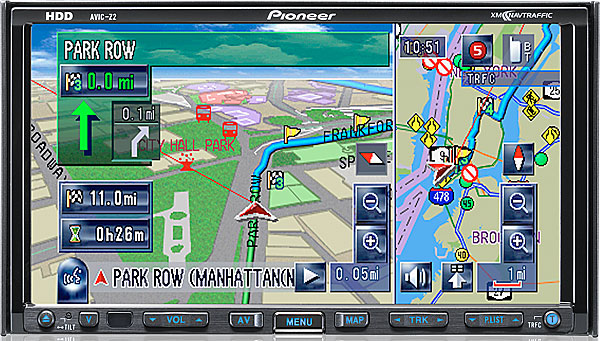
i had a z2 but upgraded to z3 drive. I already checked the setting of the view mode, and i am in 3d view mode. What i mean is before when i press the zoom + sign to 0.25mi or something, the screen will show some figures like the road (not line)i am driving, building, etc. But now it doesn't show those figures except line and street name in 3d view mode.
You must be confused with 3D map mode with Detailed City View (available in certain Metropolitan Cities).
The detailed city view shows buildings, city blocks, and other details. In order to view in city mode, you first must be in the area that has the detailed city view like LA, Seattle, NY, etc.
You can see if that option is turned on by going into the Displayed info menu in the Map tab.
i got it..thanks for your help~