Search Archive

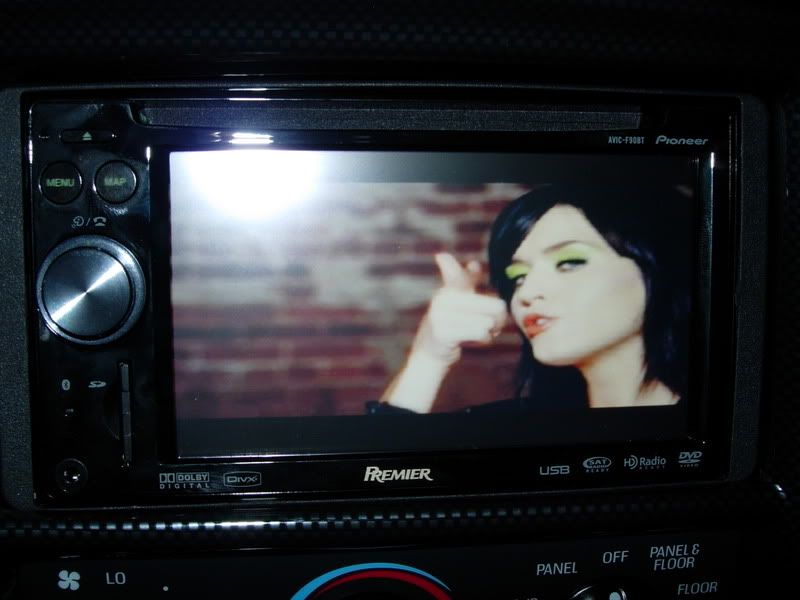
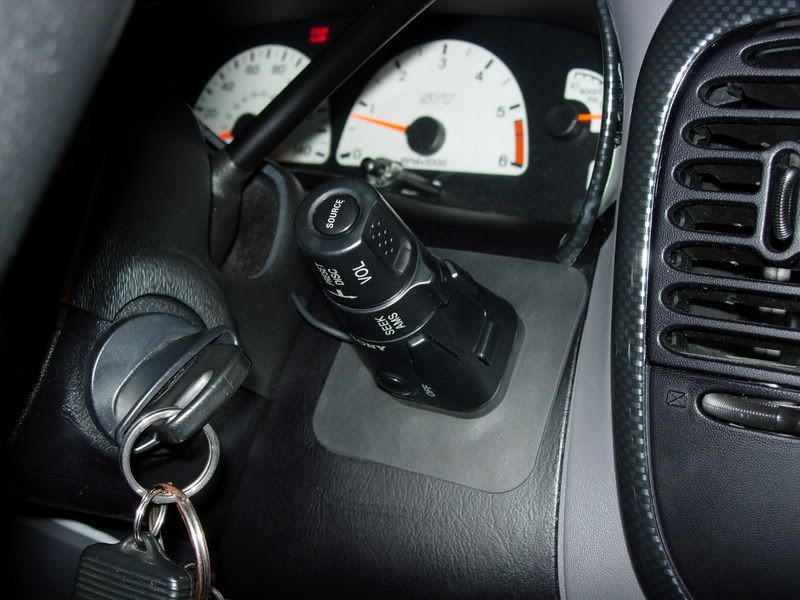
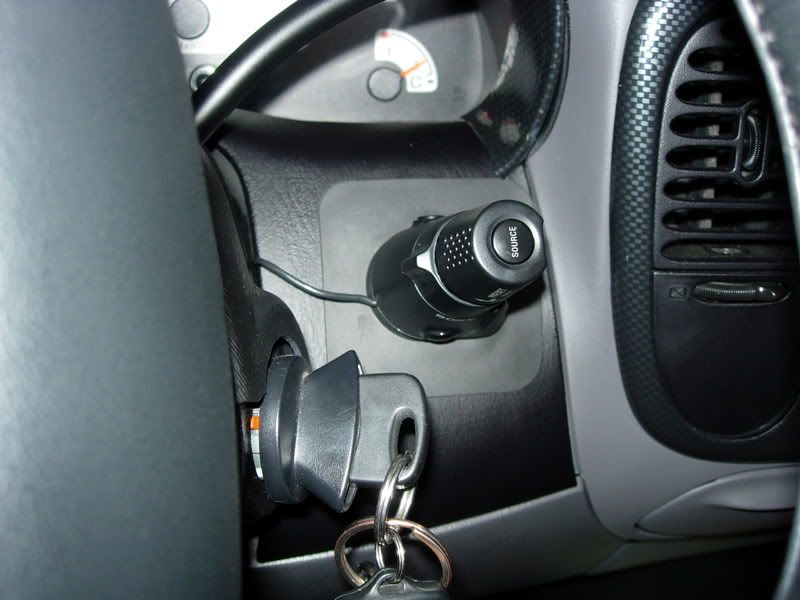
finished installing F90 on my Lightning w/sony wired remote

By svtjackal · Dec 02, 2008in General💬 22 posts👁️ 3,176 views
Posted Dec 02, 2008 · 06:19 UTC#1

I got the mounting kit and the sony RM-X4S remote today from crutchfield so I finished the install of the f-90 bt on my Lightning here are some pics and a small vid, I still don't know what functions I can control with the remote but so far I tried is volume up/down change source AM to FM to ipod and vice versa, also press a button and a prompt comes on the stereo with the letters ATT (don't know what that is), change CD tracks or seek up and down and change tracks on the ipod.


also the hardware bypass works flawlessly, thanks AVIC411 for the help on the install.
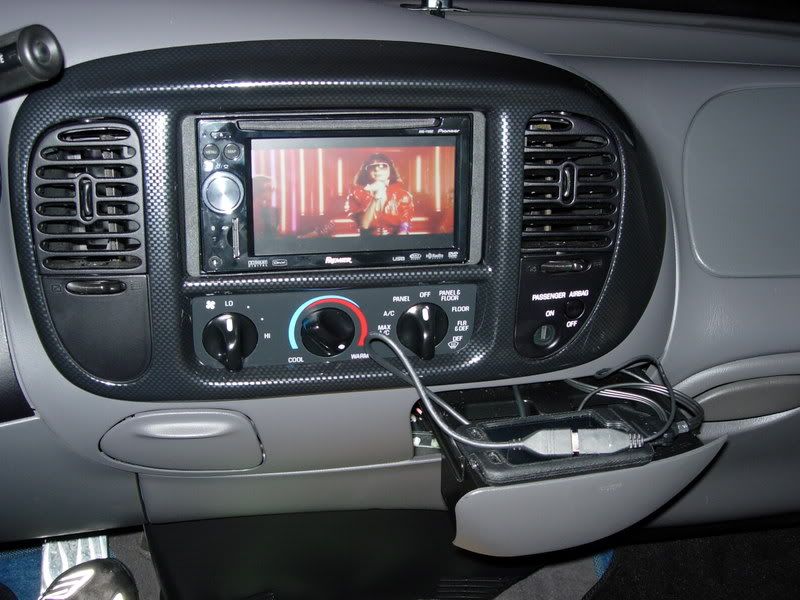


avicf90001.jpg

avicf90005.jpg

avicf90003.jpg

avicf90002.jpg

th_avicf90001.jpg

Posted Dec 02, 2008 · 06:37 UTC#2

interesting remote, how much did it cost

Posted Dec 02, 2008 · 06:56 UTC#3

Looks good.

Posted Dec 02, 2008 · 06:56 UTC#4

ATT = Attenuate. Does it actually mute the radio when this is up on the screen? Please report back when you get a hang of the remote and what all it controls properly

Posted Dec 02, 2008 · 07:30 UTC#5
ATT = Attenuate. Does it actually mute the radio when this is up on the screen? Please report back when you get a hang of the remote and what all it controls properly


it doesn't mute sound all the way it just lowers it down,


it was late when I was done, I'll play with it tomorrow and report back

Posted Dec 02, 2008 · 07:32 UTC#6
interesting remote, how much did it cost


I payed $24.95, it was on the outlet store at crutchfield

Posted Dec 02, 2008 · 07:50 UTC#7

I've posted about this previously. It controls: volume, track forward and reverse, band select, volume attenuation by 20%, source select and power off. The only problem with this remote is that the track and volume controls are arranged as if the remote will be mounted to the left of the steering column. This means these controls are reversed. Instead of turning the control to the right for up you have to turn it to the left. It takes a little getting use to. Mine is mounted on the center console so it took me a while to train myself to think reversed.

Posted Dec 02, 2008 · 07:52 UTC#8
I've posted about this previously. It controls: volume, track forward and reverse, band select, volume attenuation by 20%, source select and power off.


blah, not worth the $ just for that... I think since we spend so much for this unit with the TOUCHSCREEN portion, we should use it...

Posted Dec 02, 2008 · 15:28 UTC#9
I've posted about this previously. It controls: volume, track forward and reverse, band select, volume attenuation by 20%, source select and power off.


blah, not worth the $ just for that... I think since we spend so much for this unit with the TOUCHSCREEN portion, we should use it...


it was for me. my dash comes out far on my nissan frontier so its hard to adjust the volume. you have to do little turns at a time. also i hated having to hold in the buttons to get seek to work instead of just a one hop radio station jump. now i can easily do it with a turn on the wheel. and att is nice if you don't want to hold down the mute button to get quick lower sound or accidentally activate voice activation. plus i can rest my arm on my leg while navigation stations instead of having to reach over to the head unit. note: power button doesn't work (kind of expected though since you can't power off the unit from the base). there is a working free shipping code on retailmenot.com for crutchfield if anyone is planning on buying.

Posted Dec 02, 2008 · 16:53 UTC#10

I haven't seen one of those remotes in years. I always hated putting them in, since the customers always wanted them in ridiculous places.

Posted Dec 02, 2008 · 18:39 UTC#11

Can you go through your presets from it?

Posted Dec 02, 2008 · 19:21 UTC#12
note: power button doesn't work (kind of expected though since you can't power off the unit from the base)


Works for me, hold down the center button for 2+ seconds.

Posted Dec 02, 2008 · 19:50 UTC#13

hmm, would try that if i didn't kill my unit yesterday. ill try it when i get a new/fixed one. thanks.

Posted Dec 02, 2008 · 20:04 UTC#14

What Kitt did you purchse to install the F90 on your Lightning?

[/url]

Posted Dec 05, 2008 · 22:14 UTC#15
Can you go through your presets from it?


sadly no it won't go through presets

Posted Dec 12, 2008 · 17:41 UTC#17

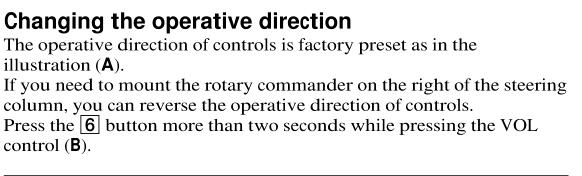
vblue - you can change the orientation of the controls... so if you have it on the right side, the controls will work as expected.


see pic.

post-25077-1287275646576_thumb.jpg

Posted Dec 12, 2008 · 17:42 UTC#18

is there any remote control than allows scrolling through presets?


that is the number one feature I miss. I am so used to having my XM remote in my hand with the ability to jump to whatever station I want.

Posted Dec 12, 2008 · 20:47 UTC#19
vblue - you can change the orientation of the controls... so if you have it on the right side, the controls will work as expected.


see pic.


Does this work for you? I have tried that a hundred times with no luck.

Posted Dec 12, 2008 · 21:01 UTC#20
vblue - you can change the orientation of the controls... so if you have it on the right side, the controls will work as expected.


see pic.


Does this work for you? I have tried that a hundred times with no luck.


I just ordered it today. I will let you know if I am successful. I saw that passage in the manual and wanted to make sure you knew.

Posted Dec 12, 2008 · 21:08 UTC#21

Yea I was aware, thanks anyway. I believe it has to be a Sony deck for that to work.

Posted Dec 13, 2008 · 02:18 UTC#22

no, that doesn't work tried it a hundred times.