Search Archive

Possible to display car MPH/Speed

By aboveallmotorwerks · Dec 09, 2008in Hacks/Mods💬 5 posts👁️ 1,872 views
Posted Dec 09, 2008 · 04:09 UTC#1

hey all.


just got my f90bt all installed, and started some simple mods. one thing i really miss from my old garmin was it showed on edge of the screen was a digital display of your speed MPH/KPH based on gps. my odometer is not as accurate as i would like and i really used to depend on this to set my speed exactly where i wanted it. this data is surely collected, but not sure if there is a way to display it.


on that same vein, i have the VSS connected,... but is there any way to determine if its working / i hooked it up correctly?


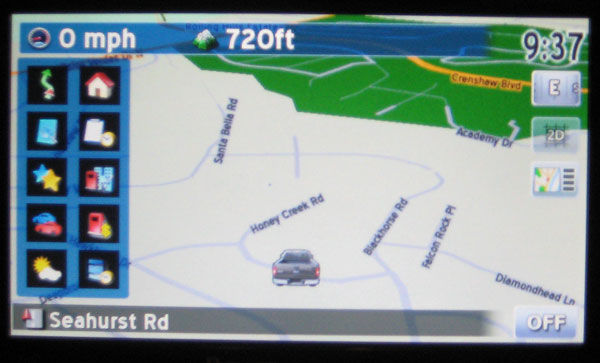
here is a pic of the garmin display with the speed.

post-25678-12872756417952_thumb.jpg

Posted Dec 09, 2008 · 04:40 UTC#2

search and read the manual it does display mph. theres a few mods out there thats displays it better here is an example

post-23483-12872756421142_thumb.jpg

Posted Dec 09, 2008 · 04:42 UTC#3

How about this:


SPEEDO/ALTIMETER/ROUTE INFO MOD


Step 1: To remove the Map Scale, open up and search through the code of every file in the DATA/ui_pioneer/common/ui folder in the DATA.zip file. The following code should be changed as follows EVERYWHERE it appears:


Replace this:


map.ZOOMCONTROL_SHOW 1


with this


map.ZOOMCONTROL_SHOW 0


Step 2: To replace the Route Info box in the bottom left corner, find the following code in the navigatemap_800_480.ui file in the DATA/ui_pioneer/800_480/ui folder in the DATA.zip file:


and replace the entire thing with the following:


;original three line nav info box
;	
;	
;	
;		
;	
;	
;	
;	
;	
;						         
;	
;	
;
;	
;modified info box

; start hidden


hide


;end hidden


;	


; GPS Status
;	


;current speed (and speed limit where present) and altitude when not navigating


;	


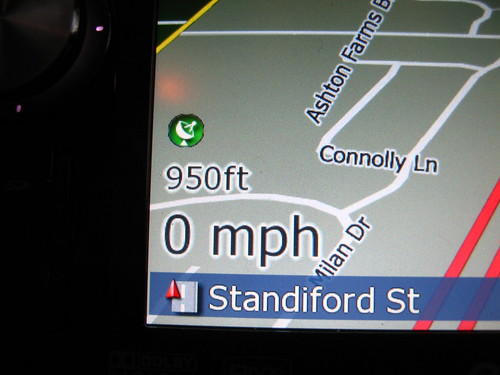
RESULT: This will result in the removal of the Map Scale. This will also result in the removal of the original Route Info Box. When no route is selected, the altitude and speed will appear in the lower left hand corner (when speed limit information is available to the device, it will also show the current speed limit). When a route is selected, a more legible version of the Route Information Box will appear.


Information Displayed when Route not Active:

3089516635_e294765c32_d.jpg


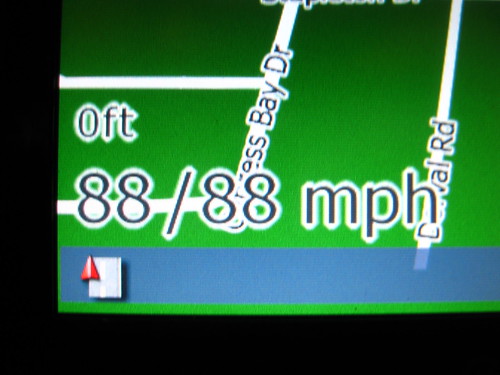
If Speed Limit Information is Available, it looks like this (1st number is current speed; 2nd number is speed limit):

3088013823_0f572fdd8c_d.jpg


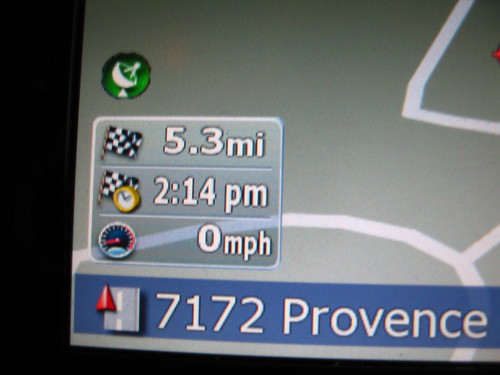
Information Displayed when Route is Active:

3090356878_b15104d70d_d.jpg


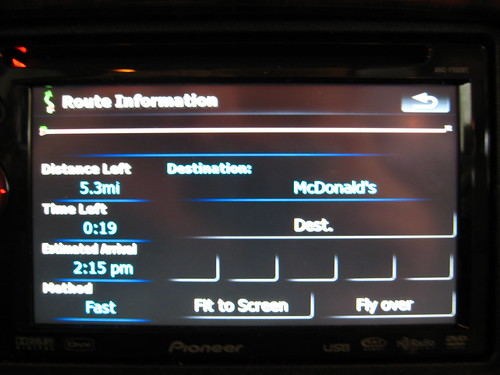
Pressing the Route Info Box brings you to this Route Info Screen:

3090359158_c135a8e821_d.jpg

Posted Dec 09, 2008 · 05:05 UTC#4

i did try a lot of searches,... unfortunately when you search for things like speed, mph etc, you get 3000 hits of hacks for speed cameras. thx everyone!

Posted Dec 09, 2008 · 18:56 UTC#5

If all you're looking to do is show the current speed, no mod is necessary. There's a setting for that in the software. Go to Settings/Navi Settings/Displayed Info and select what you want to be displayed in the box. You can also have it warn you when you are exceeding the posted speed limit (if speed limit info is then available to the unit) under Settings/Navi Settings/Warnings.


Good luck!


--Mav