that icon on the bottom of the compass and the one under it, can those be moved? is it just like changing the x and y values?
Posted Feb 26, 2009 · 04:54 UTC#1
that icon on the bottom of the compass and the one under it, can those be moved? is it just like changing the x and y values?
Yes.
so this is what i have so far
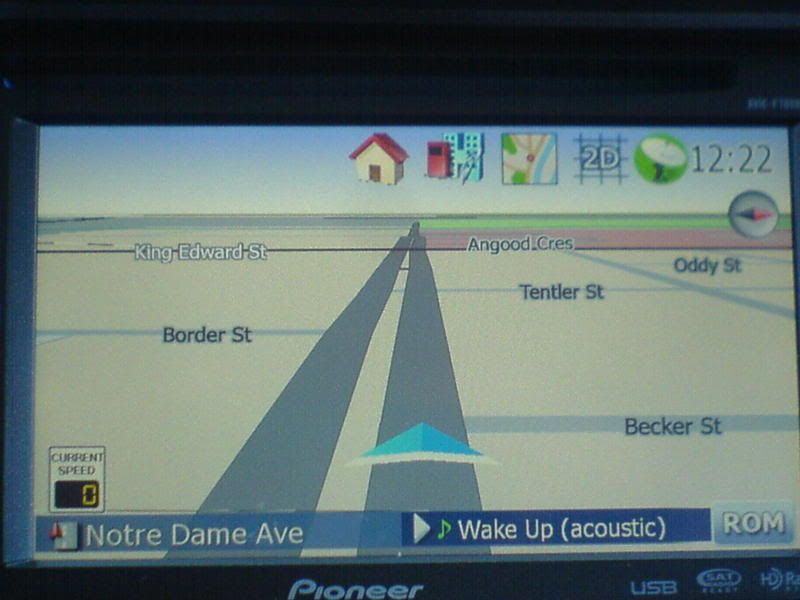
route not active
route active
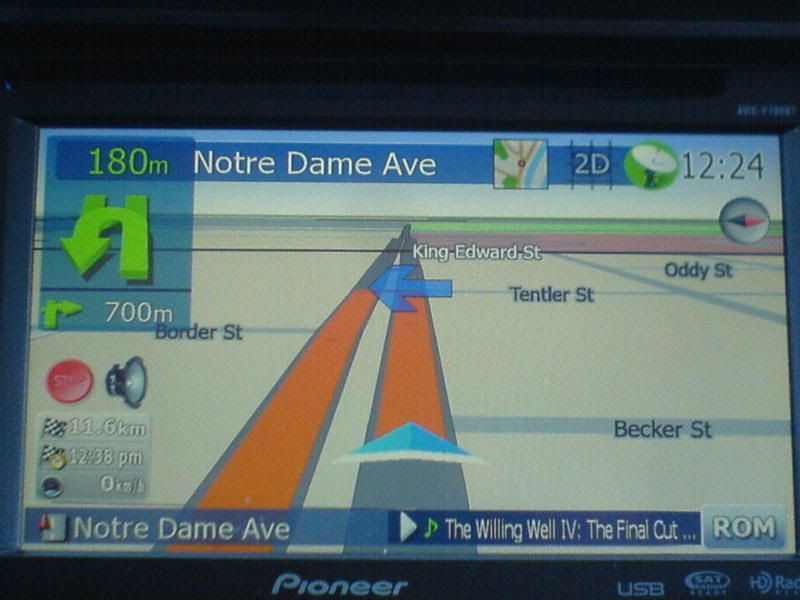
and moved the mute button and stop navigate button
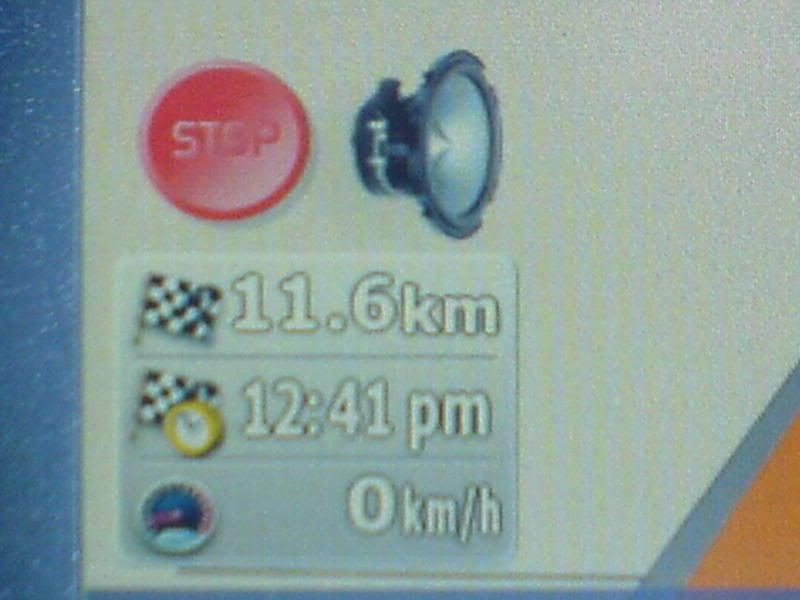
the problem i'm having right now is whenever i'm navigating the next street on the top gets covered by the buttons, so my question is where would i find the font size for the next street and what is the name blue bmp image on the background of it and where would i find it?
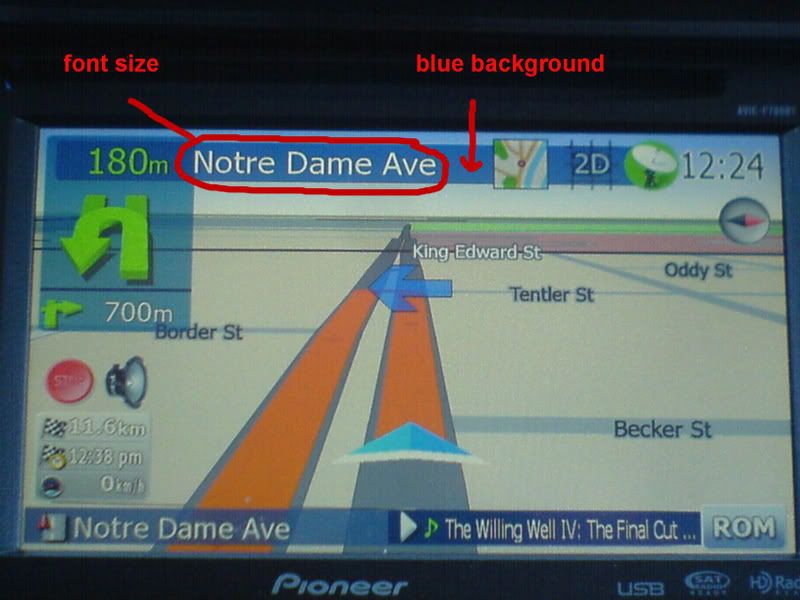
Look in > navigatemap_800_480, you will find them there, not sure if they are in any other file(s). But why did you move your buttons from the right vertical anyway?
And what is the green button/icon to the left of your clock?
Edit: um, methinks it's your sat dish? 
Look in > navigatemap_800_480, you will find them there, not sure if they are in any other file(s). But why did you move your buttons from the right vertical anyway?
And what is the green button/icon to the left of your clock?
Edit: um, methinks it's your sat dish?
that is my modified gps satelite, the only reason i moved it is cause i want it to be different, anyways, i did try to look for them but there's a couple in there,
That should be the background.
That should be the text.
That should be the background.
That should be the text.
are they both in navigate800_400 right?
Yes they are, and I think only there, so no need to search other files in ui_pioneer
the problem i'm having right now is whenever i'm navigating the next street on the top gets covered by the buttons, so my question is where would i find the font size for the next street and what is the name blue bmp image on the background of it and where would i find it?
The actual bmp is called 746_32K_OM-007_32b.bmp and is in ui_pioneer\800_480.
It is set in the following lines in naviagtemap.ui in
runif vBeta "0" 'sprNMRCockpit.bmp "746_32K_OM-002_32b.bmp",sprSecCorner.bmp "746_32K_OM-004_32b.bmp",sprNMINextStreetBG.bmp "746_32K_OM-006_32b.bmp"'
else_run 'sprNMRCockpit.bmp "746_32K_OM-003_32b.bmp",sprSecCorner.bmp "746_32K_OM-005_32b.bmp",sprNMINextStreetBG.bmp "746_32K_OM-007_32b.bmp"'
As far as the text covering your buttons, you can adjust the "w" to say 300 instead of 500. To get the correct value you'll need to calculate the space from where the text starts to beginning of your first button.
That will shrink the text and font size automatically so as to not allow the total width of text to exceed 300 pixels. Just changing the font size will not prevent the text from covering the buttons. It's the "w" you need to adjust.
The smaller buttons you have is similar to what I did, but I have additional width available so it doesn't squish as much. If it's squeezed too much after you adjust the "w" value another option is to move the clock down to next row and slide your buttons to the right.
But I'd say it's mostly a case of altering the 'x=' and sometimes altering the 'w=', that's what I found when first making my mods. But when I used a different font, each letter was slightly wider than stock Tahoma, so then I had to do a bit more work with the 'w=' values.
Basically, it's educated guesswork to start with, combined with trial and error. 
thanks a lot for all the input
No prob matey, good luck and happy modding

Looking very good and I like the aspect of reaining open space. Let us know when you are done and load up your files.
If I can help any, let me know.
Ceger
right now i'm trying to figure out the simulate controls, i was able to make it work but once the simulation is over the faster/slower button is still on the nav screen, anyone could help me out with this one? i want those button to disappear once the simulation is over just like the green stop button for the simulation,
right now i'm trying to figure out the simulate controls, i was able to make it work but once the simulation is over the faster/slower button is still on the nav screen, anyone could help me out with this one? i want those button to disappear once the simulation is over just like the green stop button for the simulation,
Not too familiar with that. Someone like mikegedge or BorisM might know.
Ceger
It probably should be controlled by ui.is_simulation_playing visiblemodel
would this be the right code if i want to add a button for settings in navigation if there is no route?
found it, sc_ShowNaviSetting
i think i'm almost done, just need to get a more unified set of icons and the route simulation hide/unhide