Search Archive

Car Arrow Color, how?

By superman8262 · May 17, 2009in Hacks/Mods💬 10 posts👁️ 1,774 views
Posted May 17, 2009 · 11:16 UTC#1

howdidi.jpg


Here is the deal, Ive done it before, and i forgot how i did it because i thought i would never have to touch that file again.


now there are updated ones out there, CMH, GTImatt's, I dietrying... and now when i put a new Data.zip it might overwrite my arrow mod ive done.


I looked at all the UI files (there is a lot and lots of code inside them) and i searched this tread using "arrows, sprite, car" maybe im not looking in the right direction? help a brother out.

Posted May 17, 2009 · 13:45 UTC#2
howdidi.jpg


Here is the deal, Ive done it before, and i forgot how i did it because i thought i would never have to touch that file again.


now there are updated ones out there, CMH, GTImatt's, I dietrying... and now when i put a new Data.zip it might overwrite my arrow mod ive done.


I looked at all the UI files (there is a lot and lots of code inside them) and i searched this tread using "arrows, sprite, car" maybe im not looking in the right direction? help a brother out.


I think it's in the color.ini of the scheme under this code (I took this from the scheme I am currently using):


; uncomment all 4 colors to change car color
; do not change the _ref values, these values are for car.mdl
car_1_ref=0, 0, 128, 255
car_2_ref=0, 255, 255, 255
car_1=0, 220, 70, 70
car_2=0, 229, 229, 229

; uncomment for black ghost car (do not change _ref values)
car_ghost_1_ref=0, 120, 120, 120
car_ghost_2_ref=0, 255, 255, 255
car_ghost_1=0, 80, 80, 80
car_ghost_2=0, 229, 229, 229

Posted May 17, 2009 · 13:48 UTC#3

hey thanks GTI for the reply. What color is that by the way?


I will certainly give that a try... but for some reason that particular direction to change the color does not look familiar to me. its frustrating knowing that you did something and not sure how you did it. ill give it another try or so.

Posted May 17, 2009 · 15:42 UTC#4
hey thanks GTI for the reply. What color is that by the way?


I will certainly give that a try... but for some reason that particular direction to change the color does not look familiar to me. its frustrating knowing that you did something and not sure how you did it. ill give it another try or so.


Should be the standard Pioneer red. The theme I used had a blue arrow and I copied that code from the pioneer scheme to go back to a red one.

Posted Jun 20, 2009 · 13:53 UTC#5

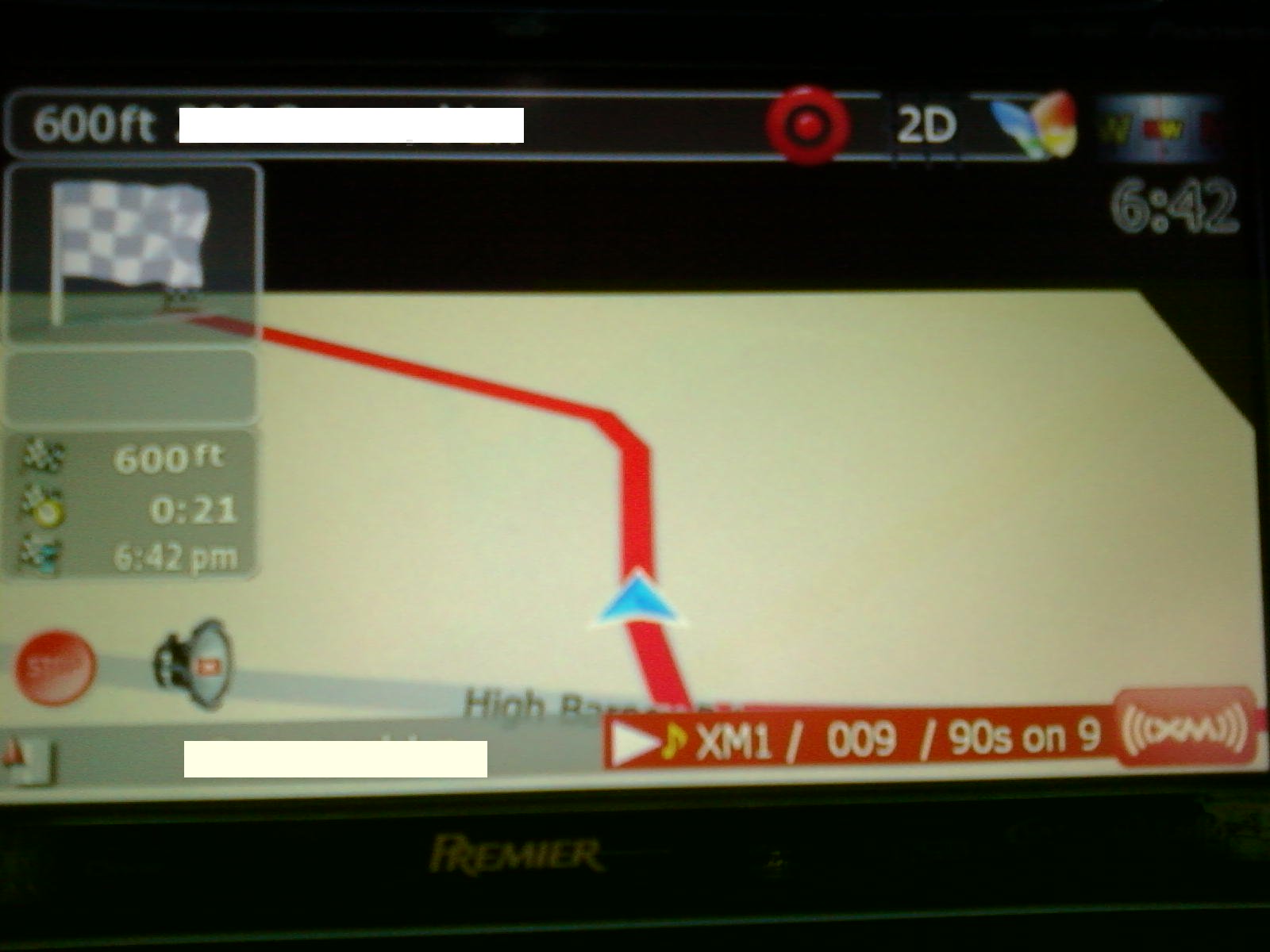
wondering if any body knows how to change the arrow color? i changed the colors for the planned roads and reloaded everything works great but the i changed the colors of the arrow/car section and no change. i have been doing all of this in the color.ini section of the scheme. is there something else i need to change also?

post-32689-12872757807225_thumb.jpg

Posted Jun 26, 2009 · 17:58 UTC#6

Anyone have an answer?

Posted Jun 26, 2009 · 19:20 UTC#7
Anyone have an answer?


Which scheme? If the scheme includes separate files for 2D and 3D color sets, you need to edit the colr3d.ini file to chnage arrow in 3D mode.

Posted Jun 27, 2009 · 12:32 UTC#8

thanks for the reply boris. i am using real view day stormy and real veiw night. i edited all the color.ini files in both.

real veiw night: color3d.ini:

carcolorint = 0,255,255,255

carcolorext = 0,50,50,50

carcolorghostint = 0, 150, 150, 150

carcolorghostext = 0, 50, 50, 50


color.ini:

carcolorint = 0,255,255,255

carcolorext = 0,50,50,50

carcolorghostint = 0, 150, 150, 150

carcolorghostext = 0, 50, 50, 50


real veiw day stormy: color.ini- this scheme only had color.ini

; uncomment all 4 colors to change car color

; do not change the _ref values, these values are for car.mdl

;car_1_ref=0, 255, 255, 255

;car_2_ref=0, 50, 50, 50

;car_1=0, 255, 255, 255

;car_2=0, 50, 50, 50


; uncomment for black ghost car (do not change _ref values)

;car_ghost_1_ref=0, 120, 120, 120

;car_ghost_2_ref=0, 255, 255, 255

;car_ghost_1=0, 0, 0, 0

;car_ghost_2=0, 0, 0, 0


Does this look right to you or did i miss something? thanks for helping me out.

Posted Jun 27, 2009 · 20:55 UTC#9
thanks for the reply boris. i am using real view day stormy and real veiw night. i edited all the color.ini files in both.

real veiw night: color3d.ini:

carcolorint = 0,255,255,255

carcolorext = 0,50,50,50

carcolorghostint = 0, 150, 150, 150

carcolorghostext = 0, 50, 50, 50


color.ini:

carcolorint = 0,255,255,255

carcolorext = 0,50,50,50

carcolorghostint = 0, 150, 150, 150

carcolorghostext = 0, 50, 50, 50


real veiw day stormy: color.ini- this scheme only had color.ini

; uncomment all 4 colors to change car color

; do not change the _ref values, these values are for car.mdl

;car_1_ref=0, 255, 255, 255

;car_2_ref=0, 50, 50, 50

;car_1=0, 255, 255, 255

;car_2=0, 50, 50, 50


; uncomment for black ghost car (do not change _ref values)

;car_ghost_1_ref=0, 120, 120, 120

;car_ghost_2_ref=0, 255, 255, 255

;car_ghost_1=0, 0, 0, 0

;car_ghost_2=0, 0, 0, 0


Does this look right to you or did i miss something? thanks for helping me out.
 

I _think_ that the later ones control the 3D car... Never tried changing the car color, really.

Posted Jun 27, 2009 · 21:02 UTC#10

maybe this has nothing to do with the actual arrow at all... i don't know. i guess i will figure it out eventually. it's not a major issue so know big deal. i just figured i would throw the question back out there and see if anybody else has accomplished it yet.