Search Archive

Anyone familiar with AVIC FEEDS Software from Pioneer?

By Kingdaddy · Aug 14, 2009in General💬 18 posts👁️ 6,933 views
Posted Aug 14, 2009 · 11:09 UTC#1

I ran across "AVIC FEEDS" software from Pioneer Electronics for the AVIC Z100BT, a free download here: http://www.pioneerelectronics.com/PUSA/ ... AVIC+FEEDS


It is described as:

AVIC FEEDS creates a link between your Pioneer AVIC navi system and your PC, that allows you to bring content from your PC and the Internet to your AVIC system. Even use AVIC FEEDS to view and edit data from your AVIC system.


?Transfer a Destination

Ever had a friend email you an address, or look up a location using Google Maps™? Easily transfer that location to your AVIC system by selecting the "Send to GPS" option, and selecting "Pioneer."


?Upload POI's from Internet Sites

Many sites on the Internet are creating groups of POI's (example: http://www.poifriend.com). They can range from utility (E85 gas stations) to vacation planning (state parks) to fun (Elvis Presley tour). The possibilities are endless!


?Import a Location from a Geo-Tagged Photo from Flickr

Ever seen a photo from a friend, and wanted to then visit where the photo was made? If the photo has been geo-tagged, it's simple to download the location.


?Back-Up & Edit Your "Favorites" Address Book

Busy drivers will end up with many locations stored in their "Favorites" address book. Now you can export those locations for a safe back up. Manage and edit them at home on your PC, and even import from your PC's address book to make this feature even more convenient.


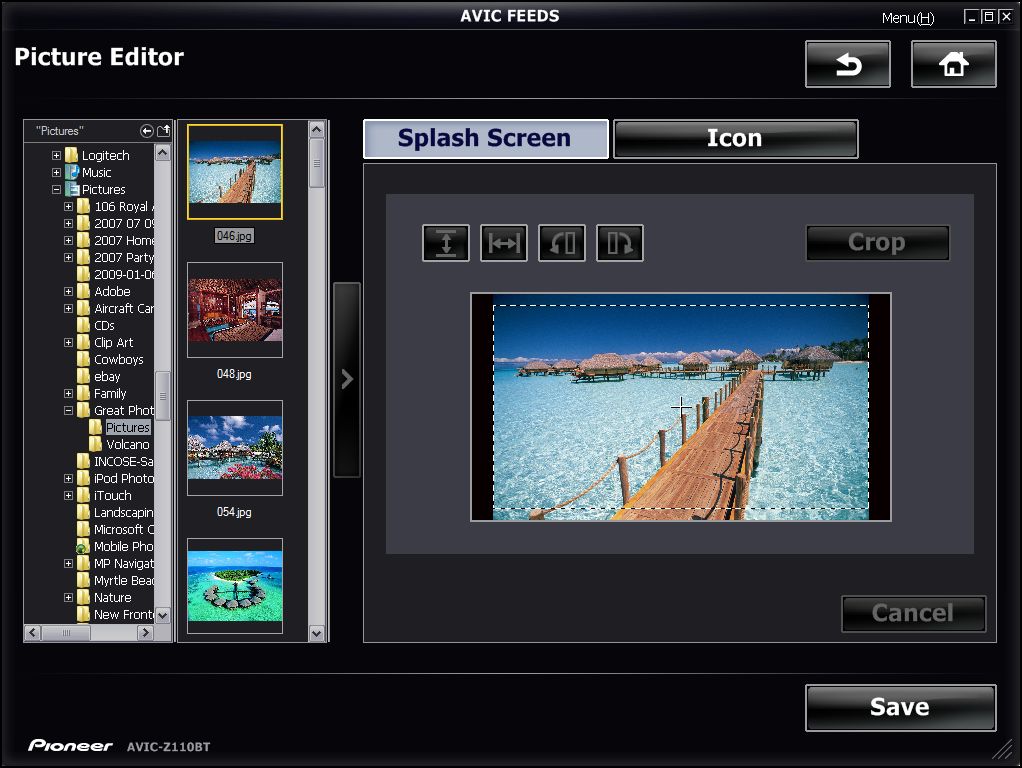
?Create Custom Splash Screen

Give your Navi unit a custom feel, with a personalized splash screen.


?Fuel Manager

Export your drive report from your Navi, and analyze it with this tool. View fuel mileage, CO2 emissions, and even acceleration & braking trends that will help you get more mileage out of your vehicle.


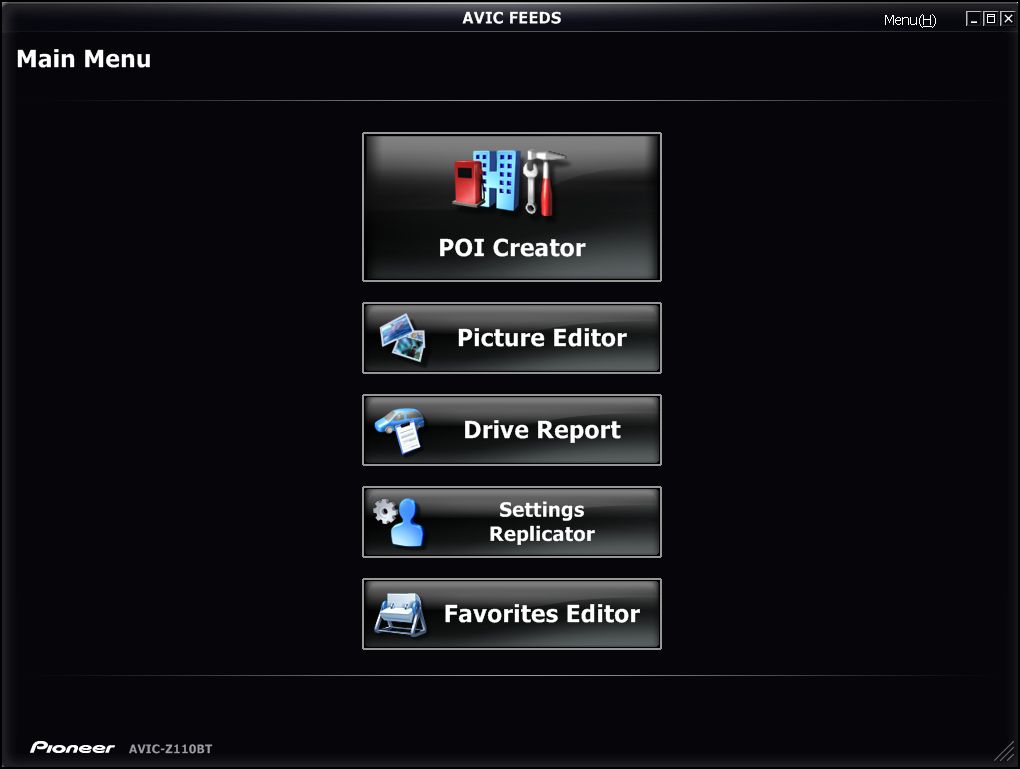
Does anyone have any experience with it? How are you using it? Here are some screen shots of it:
post-36319-12872758496625_thumb.jpg

post-36319-12872758498048_thumb.jpg

post-36319-12872758499168_thumb.jpg

post-36319-12872758500405_thumb.jpg

Posted Aug 14, 2009 · 17:00 UTC#2

Yes, we are familiar with it. Whats your ?

Posted Aug 15, 2009 · 17:47 UTC#3

My address does not show up in unit, so I am trying to manually enter it using AVIC FEEDS software. When I am in the S/W, and I click on Google Maps, IE pops up and allows me to enter my address. However, I'm not sure what to do next - can't seem to find any instructions. Save the file?

Posted Aug 15, 2009 · 17:48 UTC#4

I'm also looking for any tips anyone has found with this tool.


Thanks!

Posted Aug 15, 2009 · 22:40 UTC#5

You will input the address in Google maps. It will show the location on the map. You then click the SEND TO link at the top right of the tool bar and it will allow you to send the info to the AVICfeeds app. All this is going to do for you is create a custom POI to your home address. Do you really need a POI to your home? You can already set your home location from within the unit.

Posted Aug 15, 2009 · 23:08 UTC#6

Thanks!


However, how can I set my home location when it doesn't recognize my address?

Posted Aug 16, 2009 · 01:37 UTC#7

You can register your home location regardless of weather the unit recognizes your address. Page 96 in the manual.

Posted Sep 01, 2009 · 01:58 UTC#8

I'd like to see AVIC FEEDS work:


1) With a Mac

2) With a few less steps, for crying out loud! It's faster to just type in your destination when you're in the car.

Posted Sep 01, 2009 · 06:29 UTC#9
I'd like to see AVIC FEEDS work:


1) With a Mac

2) With a few less steps, for crying out loud! It's faster to just type in your destination when you're in the car.


Dude.... you have a MAC .... i'm sure you know what BootCamp or Parallels is ???? you can run windows flawlessly on your MAC !!!!!

Posted Sep 01, 2009 · 08:52 UTC#10
Dude.... you have a MAC .... i'm sure you know what BootCamp or Parallels is ???? you can run windows flawlessly on your MAC !!!!!


Yep, this is how I do it. It works pretty well in fact.

Posted Sep 01, 2009 · 11:57 UTC#11

I'm joining the Mac community this week - getting a new macbook pro on Friday.


I love my iPhone 3GS, and i just got rid of a wireless N Dlink router due to poor performance (I had to try to extend the network with a Hawking range extender, and the two units didn't work together very well). To solve the router problem, I tried an Airport Extreme Base Station (which also lets me have a "Guest Network", and attached a hard drive via USB for backup capability) with an Airport Express to extend the network, and it works flawlessly!


So as a result, my HP laptop with Vista Ultimate is going on reserve duty as of this Friday! Now I'll have to give "Parallels" a try to port my data and other info over to the new laptop when it gets here. Then I'll know more about what you're talking about.

Posted Sep 01, 2009 · 17:27 UTC#12

Congrats on your first mac. You will not regret it.

Posted Sep 01, 2009 · 18:27 UTC#13

Congrats on the Mac as well. Take a look at VMWare Fusion for running Windows on the Mac.

Posted Sep 02, 2009 · 11:16 UTC#14

Thanks!


My windows PC (an HP Pavilion dv6675us) crashed late yesterday, so I got it back up and running and ready so that when I got ready to work this morning I would be all set. What happens? I found it had crashed again - "Windows had to recover from an Unexpected Error".


The macbook pro I bought is the 17" 2.8g model, with Windows Vista Ultimate already installed. It also comes with Office 2008 for Mac. Question: I assume I would run Office 2008 for Mac directly on the mac side. Would the Windows Vista Ultimate side run standard Office 2007 for PC?


There will be a learning curve, but my proficiency level is pretty high in Word and PowerPoint, which I use daily for our small business customers.

Posted Sep 02, 2009 · 16:20 UTC#15
Would the Windows Vista Ultimate side run standard Office 2007 for PC?


Yes


There will be a learning curve, but my proficiency level is pretty high in Word and PowerPoint, which I use daily for our small business customers.


Not really, as far as I know, the apps are nearly identical.

Posted Sep 02, 2009 · 20:28 UTC#16

If your mac doesnt come with it, order the OS upgrade CD to Snow Leopard from 19 bucks. It speeds things up a bit and it also frees up some hard drive space.

Posted Sep 02, 2009 · 20:52 UTC#17

Thanks. It is coming with Snow Leopard - can't wait to get it going.


On the Windows Vista side, it has Ultimate. I'll upgrade that to Windows 7 next month. Hate Vista and it's UAC (which is turned off right now).

Posted Sep 06, 2009 · 13:03 UTC#18

I am a Mac and probably just not smart enough to get Windows. I am looking at the Pioneer AVIC-U310BT at $599.99. If I understand this thread correctly, I will need Parallels or VMware Fusion at $79.99 and Windows 7 Home for $199.99 for a total of $279.98 to have PC support for the GPS. Other posters are suggesting this solution as though it doesn't increase the cost of their GPS / CD Deck by 47% - am I missing something?