Okay, I had a chance to test the re-routing again today. This time the Z1 took me on a slightly different path and got me to my destination. Why different this time? The answer is my destinations are slightly different. Today I had the actual address entered in. A few days ago I had my parking spot entered in (At my job I have an assigned parking space).
When I had my other navigation systems I would sit in my parking spot and tell the system to save my current location. Then when I navigate to work the systems would take me right to my spot. The Z1 doesn't like this. I think it is because my parking spot is not a real address. To most navigation systems it is "off road". A few days ago when the Z1 was trying to route me to my parking spot it must have just given up when I was "close" to it. I guess it figured I needed to go off road to get to it even though I was on the other side of the block.
Needless to say this is unacceptable in a navigation system. If other systems can handle this then the Z1 should too. This is how my other systems handled it. They would also stop giving directions once I got close because according to the map there is no more road. However the other systems didn't say "you have arrived..." They would just stop talking and show on the screen the destination. It was then up to me to follow the line on the screen. Once I reached the destination then they would say I have arrived.
If anyone out there has the interest try going to a mall, park in the center, and save the location. Drive away (about a quarter mile) and then have the Z1 route you back. I'll bet it says "you have arrived at the destination" when you get to the mall. I love Pioneer products and have only own them for the last 20 years, but after having a taste of better navigation I can say this Z1 might "be arriving at Ebay".
Actually I am kidding, having all my music, navigation, and soon my phone integrated into one unit is exactly what I want. So I'll put up with the average navigation for now since I only have one parking spot to navigate to. 

 Why doesn't anyone talk about this? This is a huge issue. This makes Pioneer inferior to my 2000 Jeep navigation which had a screen that was less than half the size of the Z1 and it was not touch screen. I live in the Phoenix area and put a Las Vegas hotel destination in the Jeep and it took me right to the front door of the hotel.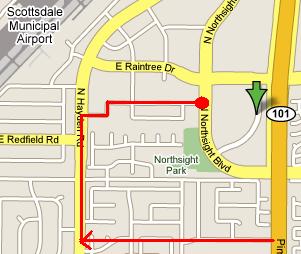
 , if it's off a block, you can adjust the location...i think.