Search Archive

About to install. Any tools, tips or advice?

By chad711 · Dec 29, 2009in General💬 22 posts👁️ 3,019 views
Posted Dec 29, 2009 · 00:06 UTC#1

My brother is great with car audio installs and car electronics in general. More or less he will be doing it for me. I will be just taking the interior apart w/ a great online picture diagram (God I love the internet!).


I will be doing it this weekend. I know what tools I need for the 4Runner. I have the kit for 4Runner, the ipod connector, the Z110 and plenty of tools.


Just wondering if any one has some tips, or some info on something I may need that I am not thinking about?


Going in a 2004 4Runner Limited.


I know how to do the E brake mod. Easy enough.


Thanks for the help! Can't wait! I'm so stoked! :mrgreen:


Edit: Oh what mods do you recommend? I see a lot of mod questions in the mod section but just wondering which ones in there are must haves.

Posted Dec 29, 2009 · 00:43 UTC#2

Well...the best advice I can give... is to make sure you have everything you want....LOL..kinda what you were asking, right?


Seriously.... the worst part about these units, is trying to squeeze everything in.... there's alot of wires and gadgets to squeeze in, and there is nothing worse than having to pull the unit back out for something that wasn't seen through...


IMO...it's worth the effort to run things like AV extension to an easily accessible area.... even if you don't have any intentions of using it... It's just better than having to pull the unit back out...


I have a 08 Tundra Limited.... and I decided to use the factory amp and speakers...so I had to use a PAC TATO... I have steering wheels controls...so I decided to use a PAC SWI-PS(v1.6.8 )... I added XM radio, IPOD cable, and HD radio... I also extended the video/audio in cables to the glove box... although I don't plan to use it, I figure why not...


The best advice is to use quick splices to test everything out.... then solder everything... again...you don't want to have to pull it out, cause you had a shoddy connection...etc

Posted Dec 29, 2009 · 00:57 UTC#3

Thanks. I also have steering wheel controls on my 4Runner and I wanted to use them as well. I guess there is not a direct connection from the factory steering wheel wires to this unit so that is why I need the PAC SWI-PS as well? Can't believe it cost $50 for it!


I may pass on that for now and do it later. I figured once I get it I will at some point need to pull it out one more time for things I want/missed on first install. One more time isn't to bad I guess.


How hard is it to install that PAC SWI-PS device? Why is that needed any way?

Posted Dec 29, 2009 · 00:59 UTC#4
Why is that needed any way?


Because it wont work without it.

Posted Dec 29, 2009 · 01:09 UTC#5

What is the dimension of the actual screen itself on the z110? I was told to buy this kit for it: http://www.amazon.com/gp/product/B0015G ... oh_product


I'm looking at it and it looks like it would be to small for the display! top to bottom is about 3.75" and side to side is around 6.875"

Posted Dec 29, 2009 · 20:40 UTC#6

bump

Posted Dec 29, 2009 · 21:01 UTC#7
What is the dimension of the actual screen itself on the z110?


Dont worry about it. It is a standard 7" so fitment should not be a concern.

Posted Dec 31, 2009 · 17:33 UTC#8

It fits alright inside as long as you keep in mind that you are adding alot to a very confined space. Do you have JBL in your 4runner? If so, you will need an amplifier interface. I used the PAC TATO and it sounds better than stock.


You will need a surround for the HU to eliminate gaps on the sides. I bought two based on feedback from the guys at 4runner.org.


The Metra Kit works with a little modification http://www.amazon.com/gp/product/B0015G6JRQ/ref=oss_T15_product


The Scoshce fit flawlessly and left me with a very clean look.http://www.amazon.com/gp/product/B001GQ2Q68/ref=oss_T15_product

Posted Dec 31, 2009 · 22:18 UTC#9

No I do not have the JBL audio. I have that first kit you linked. Might try the other one after I see results.


Thanks!

Posted Jan 01, 2010 · 00:21 UTC#10
No I do not have the JBL audio. I have that first kit you linked. Might try the other one after I see results.


Thanks!


I didn't realize that a Limited "could" come without JBL. I guess thats Toyota for ya. I'm told that the non-JBL and the JBL dash openings are slightly different, so you may have better luck than I did.

Posted Jan 01, 2010 · 01:39 UTC#11

Better luck with the dash kit? If that is what you mean I think I am not so lucky. My unit just got here and there is no way this double din dash kit will fit with this unit. Not even close. I can't get it on from the front or sliding from the back....


great start to my install! :(

Posted Jan 01, 2010 · 02:21 UTC#12

If you have the Metra kit that you linked to from Amazon, it should fit over the front of the unit.

Posted Jan 01, 2010 · 02:48 UTC#13
If you have the Metra kit that you linked to from Amazon, it should fit over the front of the unit.


It doesn't. Should it be a easy fit or a wrestling match? I got it over it some what but it seems like even if I do the front will not be able to come down when I need to input disc, etc.

Posted Jan 01, 2010 · 03:00 UTC#14

Does the face of the unit fit in the opening of the kit face?

Posted Jan 01, 2010 · 03:19 UTC#15

Not really, it's very close but it doesn't seem to want to go over it. It seems like it should go over the face and then sit behind the part of the unit face that slides up and down.


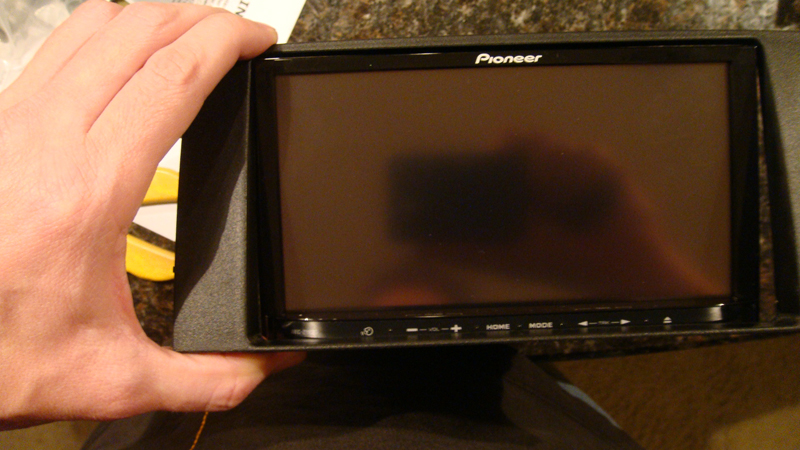
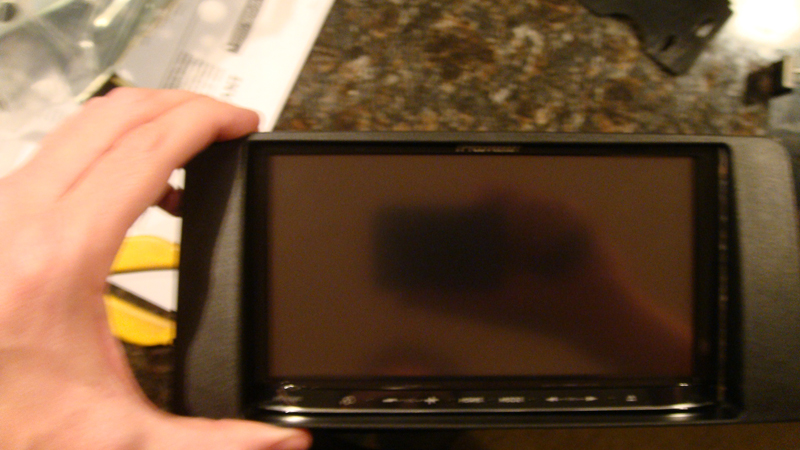
Here is some pics...if you notice iin both pics if you fit it over one end it doesn't fit over the other side (top or bottom). Should this be a easy slide over the face or a very tight squeeze?


I got one more question. I just did the mod for bypass. How does doing this mod work if that yellow wire doesn't even connect to anything? It's a mute wiring and I have nothing to "mute" on my car, as I was reading the directions.....


Just seems odd as to why that works?


EDIT: ok im looking over the peice that has the bypass wire deal on it and there is not one wire on this thing that I think I need to use?? Does this need to be plugged in for some other reason? I'm confused. Thanks for the help.

post-37956-12872760644309_thumb.jpg

post-37956-12872760645991_thumb.jpg

Posted Jan 01, 2010 · 03:48 UTC#16

Hmm, strange about the kit. It should fit easally over the face. As far as the bypass goes you to read those instructions again.

Posted Jan 01, 2010 · 05:07 UTC#17

Oh yeah step #2 I totally forgot. Thanks bud.


I was thinking maybe once I power on the unit I might be able to lower the display and then I might be able to get it to fit in the spot it needs to. If not I will just wait and get another unit

Posted Jan 01, 2010 · 06:40 UTC#18
Here is some pics...if you notice iin both pics if you fit it over one end it doesn't fit over the other side (top or bottom). Should this be a easy slide over the face or a very tight squeeze?


Yup, thats the mod that I was talking about. Most people trying to use that kit with that HU cut the bottom piece off.


The second one I linked is for JBL units, so I don't think it will work for you either. I read somewhere that there is difference in the dash enclosure and that one would be too big. Scosche makes another for non-jbl dashes, but I have no experience with it.

Posted Jan 01, 2010 · 08:30 UTC#19

I would say that the Scosche kit is probably the kit that is going to fit properly. When bought my kit, I initially got the Metra kit and had problems. I then got the Scosche kit and never looked back.

Posted Jan 01, 2010 · 19:56 UTC#20

Ok I will see what I can do on the kit.


Is there a way to test if the VSS wiring was installed correctly? The reason I ask is I have found the location of the wire however I found that same color wiring much closer to where the stereo installs and that would be easier for me to wiring from there. However there is two of these wires in this location (red/purple). So not sure which one I should use or if they are one in the same....dunno really.

Posted Jan 02, 2010 · 02:05 UTC#21

SETTINGS, NAVI SETTINGS, CONNECTIONS STATUS. Look at the SPEED PULSE value as you take your foot of the brake. A simple idle forward will increase the value. Also, make sure you are working with the right wire when you make your connection. There is no telling the amount of damage you could do to your car or the head unit if you tap the wrong wire.

Posted Jan 02, 2010 · 02:46 UTC#22

I did the install earlier today and it went well. I will try out your test method. As for the wire...nothing has broke yet! :mrgreen:


I did a search for the VSS wire for my car and found someone posting about it on the internet. It was a purple/red wire behind the glove box.