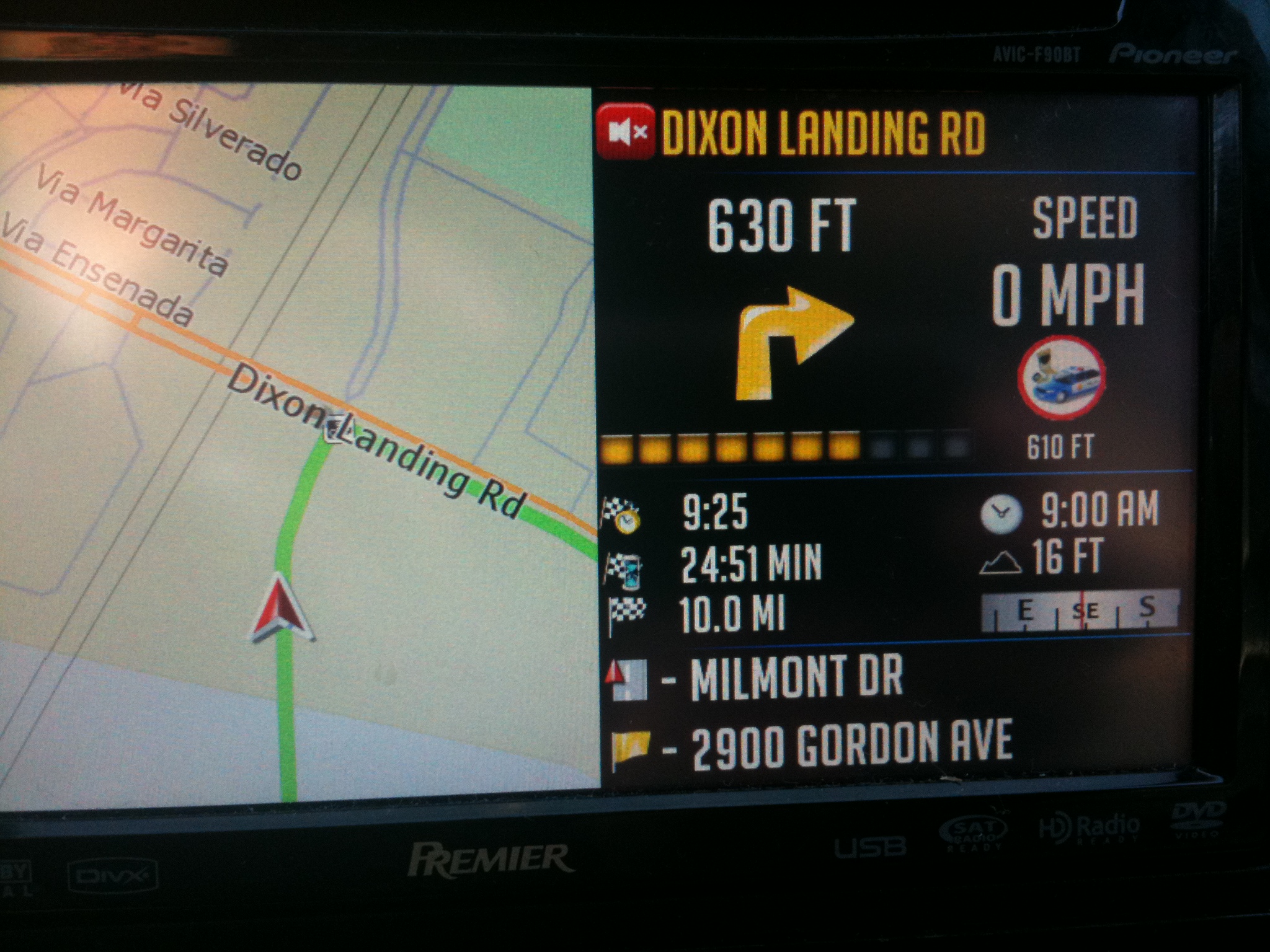
This is the instructions to add this screen into your mods:
First off this is not the easiest mod. Make sure you back up things so if you botch this in your zip file you can go back to what you had before. In these instructions I am going to ignore the paths of files that already exist. For example if you dont know where the navigatemap.ui and the navigatemap_800_480.ui file are then you probably should not be attempting this. There are a lot of scripts that need to be edited and added. You have been warned now to the good stuff.
Looking at this code you are going to have to make sure that all of the elements that exist in the splitscreenmap state exist in your mods. They might or might not. You have to remember that this screen was heavily integrated into my mods. I did the best I could to make it generic for this thread but there might be problems. Most experienced modders should be able to trace them down.
Open up the navigatemap.ui file and paste this at the top of that file in the section:
Paste this at the end of the navigatemap.ui file:
;
Find the script "sc_ShowSignpostLayer" in the navigatemap.ui file and add this line:
sprLaneInfoSignpost2.y 9
Find the script "sc_HideSignpostLayer" in the navigatemap.ui file and add this line:
sprLaneInfoSignpost2.y -500
Find the script "sc_attach_lane_big" in the navigatemap.ui file and add these lines (a note here is that you will be using your existing lane info arrows here not mine):
	ATTACH_LANEINFO sprLaneInfo2 "$laneinfo.ini"
ATTACH_LANEINFO sprLaneInfoSignpost2 "$laneinfo_signpost.ini"
Now open the Navigatemap_800_480.ui file and add this in someplace in that file.
;Background


;Lane info


;Follow button


;Street icons


;Distance to Manuver


;Destination info


;Separators


;Current Speed


;Plain Text in Route


;Actual street plain text no route


;Dir icon


;Signpost for splitscreen


;Stop Playback


;Route Info


;Posted Speed Limit


;Compass


;Speedcam


;Footer
Copy the files in the attachment to the proper directories. They are labeled in the zip file when you extract it. So make sure to extract the files to their original folders within the zip.
I believe that is everything. Hopefully someone takes a stab at this and can let me know what to update this thread with if anything. There might be some things in the map click script that need to be altered based on what is in others mods.
Alex (Diaftia)