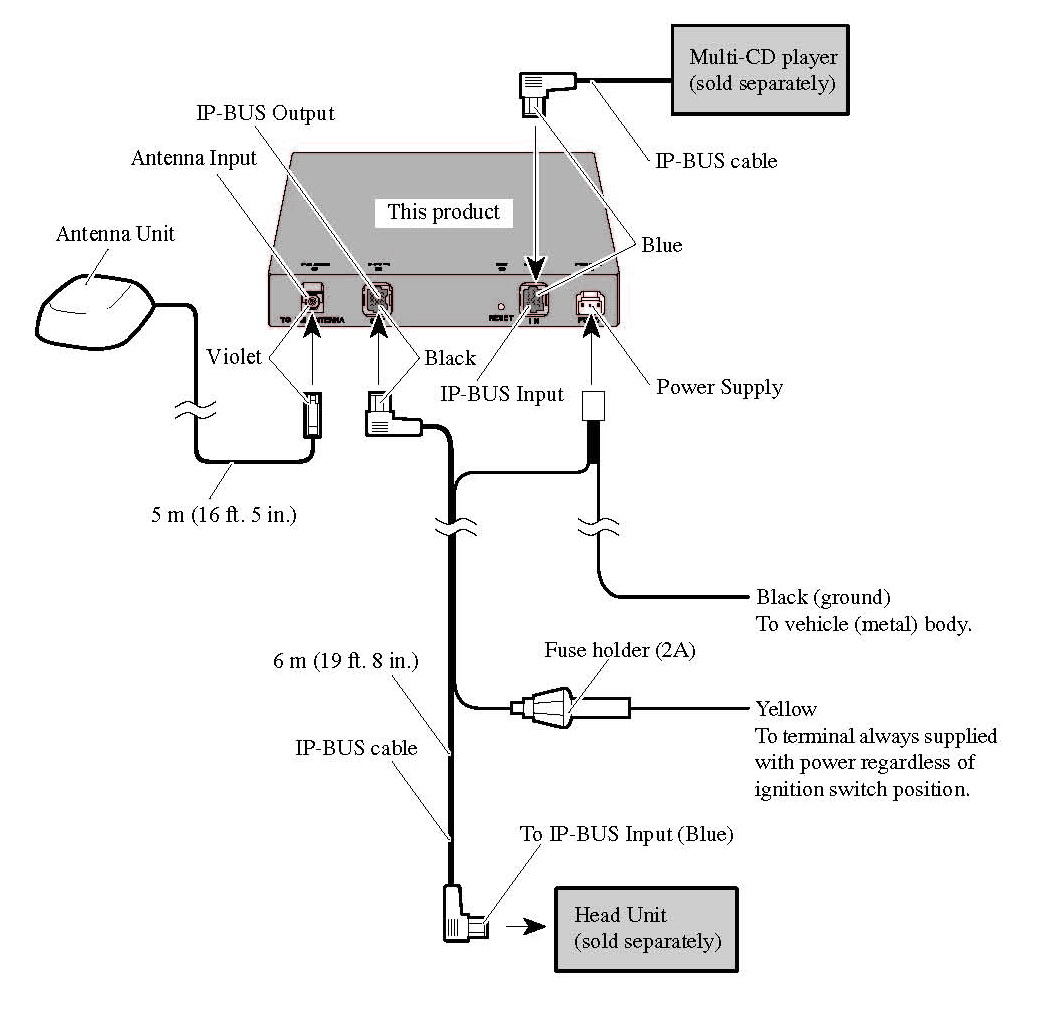
I had a Z2 in my 2003 Expedition for several years, it was stolen so the insurance company replaced it with a Z3. Then I took my Expedition to my mountain home where it is now in semi-retirement.
I now drive a 2002 Rav4. I found a nice Z2 on EBAY for $600 with everything I thought I needed. Now installed, I called XM to have my license (plus traffic) moved from my Expedition to my Rav4. I thought I would just move it back when I was at my mountain home. After all, I can't drive both cars at the same time -- they live in different states.
Almost everything seems to be OK with the "new" Z2. Looks like the previous owner had done the Bypass. The mute wire had already been moved, so I grounded it and and the brake wire. Also, I can operate the Navi while driving.
I have BLUETOOTH ND-BT1, XM GEX-P10XMT, and IPod Adapter CB-IB100.
My only problem is that I get no TRAFFIC -- I double checked with XM and they resent the signal so I should be getting it.
Even though the XM Radio plays normally and I get all normal channels, under INFORMATION, the XM Status display shows:
Status: Not Connected
Signal: No Signal
Radio ID: (blank)
Any Ideas?
Also, I show V 2.000 or Rel 02/2007
Greg