Search Archive

Recording options/Picture sizing

By dysfunkshun · Feb 16, 2012in Problems/Troubleshooting💬 7 posts👁️ 1,094 views
Posted Feb 16, 2012 · 06:49 UTC#1

Ok, Im completely new to the avic series and have a z2 installed in my explorer, and had a couple questions. Sorry for asking a question thats probably well known, but is there anyway to record mp3s to the hdd? All my music is in mp3/wma format and would like to put it all on the hard drive, if at all possible.


Second, is there any way to make my background picture fit the whole screen, or will I always have the bars on the sides? I tried resizing my images to the size recommended as maximum, but still have bars.


Thanks in advance!
Posted Feb 16, 2012 · 12:24 UTC#2

No, you can not copy MP3 to the HDD. You have to convert MP3 to WAV format on PC, then you can rip to hard drive on Avic.


Not sure what you mean about the image not being full screen. Is your original image 500 x 240 pixels? Can you post a picture of the 'bars' on your headunit?

Posted Feb 16, 2012 · 19:16 UTC#3

No, you can not copy MP3 to the HDD. You have to convert MP3 to WAV format on PC, then you can rip to hard drive on Avic.


Not sure what you mean about the image not being full screen. Is your original image 500 x 240 pixels? Can you post a picture of the 'bars' on your headunit?


A question then if I pass the music mp3 to wav format you can put on the HDD? and then to insert the HDD to Z ou can hear the music in the library?

It is so or not?

Thank you,

Posted Feb 16, 2012 · 19:25 UTC#4

No. You have to burn the WAV format songs to CD, insert in AVIC and rip. There is not a way to add music directly to the HDD, it must be ripped from cd.

Posted Feb 16, 2012 · 23:26 UTC#5

ok

Thanks

Posted Feb 17, 2012 · 02:54 UTC#6

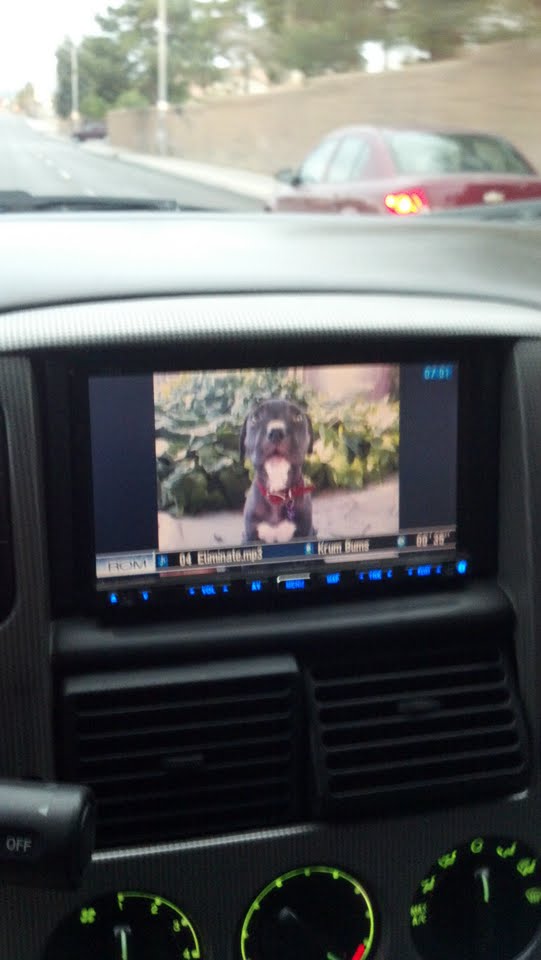
Here is how it looks as of now, with it sized at the max of 2592x1944 pixels

post-61452-0-33378700-1329447197_thumb.jpg

Posted Feb 17, 2012 · 11:19 UTC#7

Your ratio is off. The actual screen is 500 x 240 pixels.