Search Archive

Z120BH updated to Z140BT having issue with Pandora

By john0261 · Mar 20, 2013in Problems/Troubleshooting💬 10 posts👁️ 1,328 views
Posted Mar 20, 2013 · 07:51 UTC#1

I have an updated Z140BH (orifinally a Z120BT) that is giving me fits. Pandora shows as an option and appears to connect with Pandora app on my Samsung Galaxy SIII. It show the channel, song playing, etc. but I get no sound. Where should I start as I have tried everything I think might be an issue. Your help would be much appreciayed.

Posted Mar 21, 2013 · 20:30 UTC#2

Is this the first time you have tried using Pandora or has it worked before now?

Posted Mar 28, 2013 · 22:12 UTC#3

!st time as I just upgraded and went from SII to an SIII. Any help would be great, thanks!

Posted Mar 28, 2013 · 22:21 UTC#4

Did you set Settings/AV System Settings/App Connection to Bluetooth?

You need to scroll the AV System Settings menu to the right to see it.

Also, can you play audio (streaming or MP3s) from the phone over BT?

Posted Mar 30, 2013 · 05:36 UTC#5

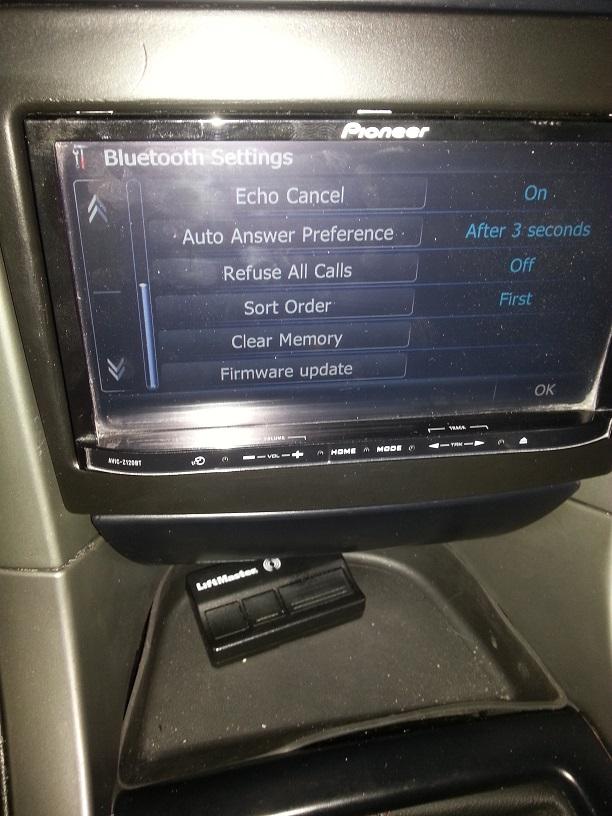
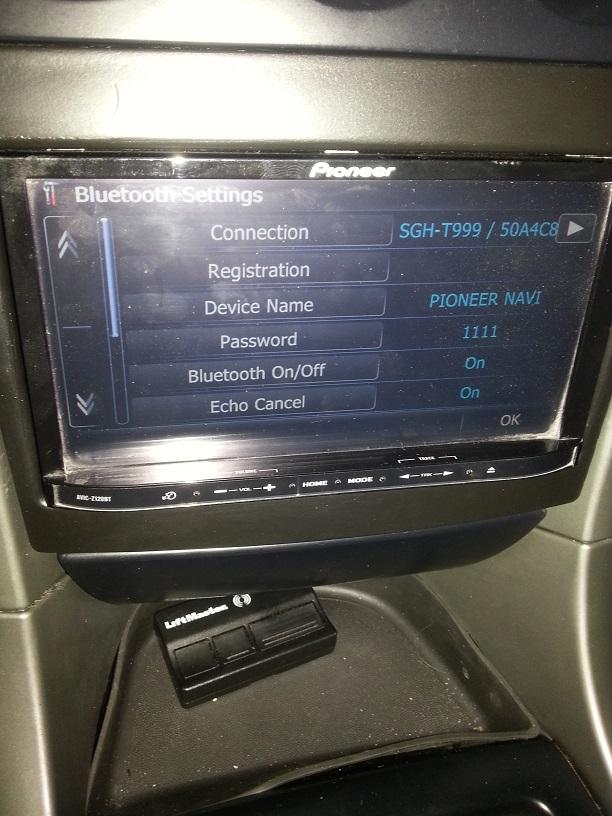
It is set to Blurtooth. I can't play any music from the phone. It say connect bluetooth, it already is but media audio unchecks itself on phone, once checked, the Z140 says connected successfully but it also says (grayed out) SGH-T999 connecting and never says connected. This is driving me nuts. I wouls really like to use the media functions of bluetooth but have not actually heard music (although the unit acts like it is playing, just no sound. And no, the mute isn't on either. ny ideas? Would you like me to take pics of the screen so you can see what i'm seeing? Let me know.

Posted Mar 30, 2013 · 13:54 UTC#6

What version of BT software are you running on the head unit? In fact, try re-installing it from the CNSD-310FM SD. I believe that also clears all the BT pairings. So delete the HU pairing from the phone and re-pair.

Since you didn't say, I'm assuming that hands-free calling works over BT. But it sounds like the stereo audio feature isn't happy.

Posted Apr 04, 2013 · 05:18 UTC#7

I am running 3.4 firmware on the unit. Would re-installing Bluetooth be possible if the unit says firmware up to date, or would it even say that? As a side, id I turn up the radio very loud when using Pandora, I can bareky hear the song playing. I have snapped pics of the Pandore showing songs being played but it still saying I need to connect the SGH-T999 (SIII)

Let me know if the pics or my added info can get me on the right path,


post-66336-0-50530800-1365052702_thumb.jpg

post-66336-0-03881700-1365052709_thumb.jpg

post-66336-0-66268600-1365052715_thumb.jpg

Posted Apr 04, 2013 · 13:51 UTC#8

I believe Android phones have a separate volume slider for BT audio. Since you say you can hear the song faintly, try hitting Vol Up on the phone a few times. If BT is connected, the Vol Up/Dn buttons affect BT audio.


You can install BT firmware at any time. It isn't like the other Pioneer firmware.  When you re-install it, all existing pairings are deleted.


You still didn't say whether hands-free phone calls work OK.


Pandora (and Aha) require additional Bluetooth protocol layers to work. It's called SPP (Serial Port Profile).  I think it is included with any Android distribution of 2.2 or higher. I assume a Galaxy SIII  has  4.1.x (or greater), so that probably isn't the problem. See manual pg 132. Also see pg 133.   I don't see a pic of Pandora saying to connect the phone. I think that "Connect" is always present on the Pandora screen, so ignore that.
Edited Apr 09, 2013 by RonS
Posted Apr 09, 2013 · 04:53 UTC#9

Uh, yeah,

Pandora requires the volume be up on the phone. I turned up the volume to mid/high and it's working. Thanks for allof your help.

Still having issues with Aha. Does this require an app on the phone to run, ie. Pandora?

Posted Apr 09, 2013 · 04:55 UTC#10

Does this require an app on the phone to run, ie. Pandora?

Of course.