Search Archive

No Pandora in App mode on AVH-5500BHS

By PBinNC · Mar 29, 2013in Problems/Troubleshooting💬 5 posts👁️ 3,122 views
Posted Mar 29, 2013 · 02:01 UTC#1

I just got an AVH-5500BHS this week and I have a jailbroken IOS 6.0.1 iPhone and the current version of AppRadio Extensions. 

I have Pandora installed on my phone. When I go into App mode there is no Pandora icon. I have gone into the AppRadio Extensions in the Settings on my iPhone and turned on Pandora in the Show in Menu section for Unsupported Apps, but I still can't get a Pandora icon in App mode.

I've also exited out of App mode on the radio, started the built in Pandora source on the HU and then went into App mode and the music stops. 

The goal is to be in App mode and have Pandora play music while I have Navigon giving me directions. I can do Pandora outside of App mode with no Navigon, or Navigon in App mode, but no Pandora. 

Please help. I have a trip out of town in the morning and it'd be great to know what I'm doing wrong.

Posted Mar 29, 2013 · 02:09 UTC#2

Just to clarify, I left out the X in the model number of my head unit. It is the AVH-X5500BHS

Posted Jun 05, 2013 · 01:56 UTC#3

I was able to get Pandora working with this Pioneer head unit.  See my notes below on how.  I can't get any other app to work though.  Can anyone help?


Background
Information


·     
Pioneer CD-IV202AV

·     
Apple Lightning to VGA adapter

·     
Pioneer Head Unit = AVH-5500BHS

·     
Apple iPhone 5, v6.1.4 (not jailbroken)

·     
Pioneer setting = RGB input = iPhone (CD-IU2015)

·     
Updated two Firmware files from Pioneer website
(PDB091 and PEH406A)


FAILURE

AV/Lightning to
iPhone 5 test

1.    
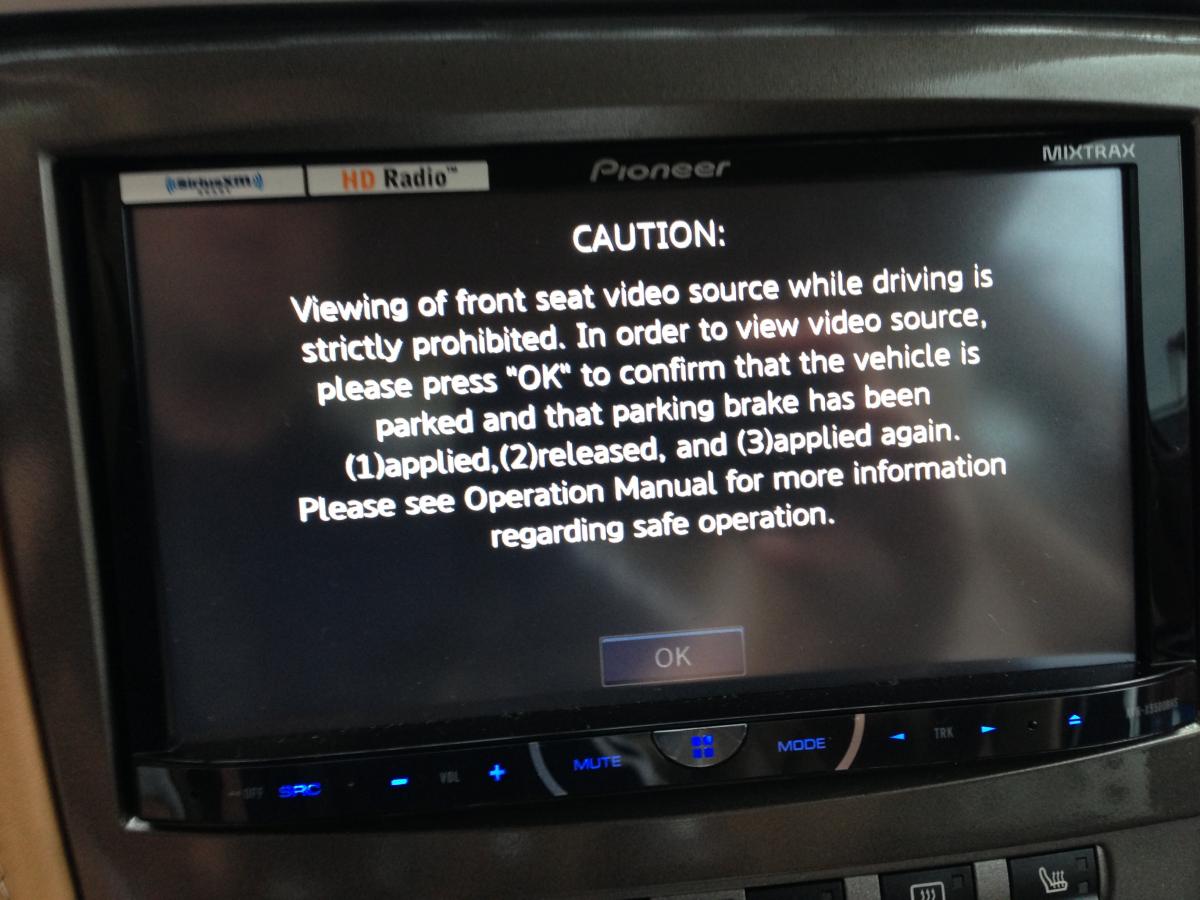
When launching AppRadio,, message appears
“Attention, Viewing of front seat video soure while driving is strictly
prohibited:


2.    
Then, “caution, viewing of front source video
source…†click ok;


3.    
then blank screen


4.    
Apps button, and Pandora never selected from
Pioneer unit; only if I plug into the USB port do I get Apps, button but
doesn’t work


FAILURE

USB to iPhone 5
AppRadio Test


1.    
Pioneer recognizd as iPod


2.    
Apps and Pandor buttons now appear


3.    
Click Apps on Pionee, “cautioin, review
instructions†and click ok


4.    
“Caution: now launching app; if it isn’t
launched in a few seconds, please park your vehicle and make sure your iphones’
screen.†Click ingor


5.    
please launch Pioner AppRafio


6.    
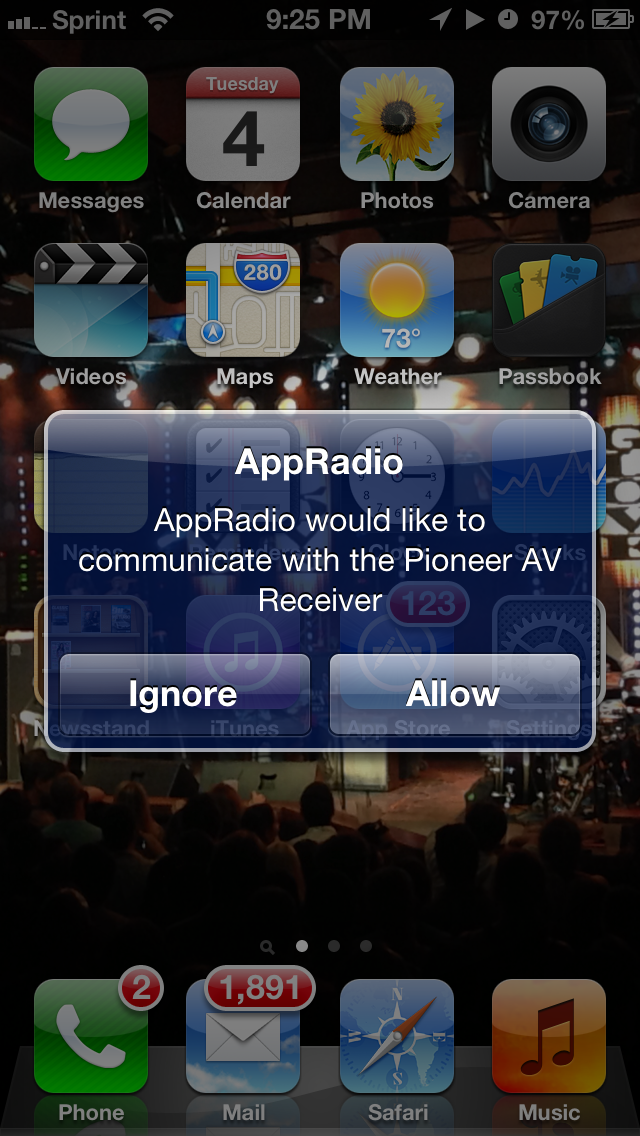
on iPhone “AppRadio would like to communicate with
the Pioneer AV receiver†then allow


7.    
Laucnh AppRadio which was already running and
nothing


8.    
Then Launch MixTrax app for instance and
nothing; same behavior for all compatible apps; pioneer blank screen the whole
time


SUCCESS

USB to iPhone for
Pandora test


9.    
Select Pandor on Pioneer; says start on iPhone


10. Launch
Pandora on iPHone, goes into Pandor screen with words pioneer


11. Pandor
successfully running on Pioneer

post-87038-0-03017000-1370397274_thumb.jpg

post-87038-0-32221000-1370397284_thumb.jpg

post-87038-0-97564900-1370397289_thumb.jpg

post-87038-0-65983400-1370397296_thumb.jpg

post-87038-0-91201000-1370397300_thumb.png

Posted Jun 05, 2013 · 03:38 UTC#4

So what is the lightning end of the Apple adapter in the third pic plug into?

Edited Jun 05, 2013 by VBLUE42
Posted Jun 05, 2013 · 03:44 UTC#5

I just got an AVH-5500BHS this week and I have a jailbroken IOS 6.0.1 iPhone and the current version of AppRadio Extensions. 

I have Pandora installed on my phone. When I go into App mode there is no Pandora icon. I have gone into the AppRadio Extensions in the Settings on my iPhone and turned on Pandora in the Show in Menu section for Unsupported Apps, but I still can't get a Pandora icon in App mode.

I've also exited out of App mode on the radio, started the built in Pandora source on the HU and then went into App mode and the music stops. 

The goal is to be in App mode and have Pandora play music while I have Navigon giving me directions. I can do Pandora outside of App mode with no Navigon, or Navigon in App mode, but no Pandora. 

Please help. I have a trip out of town in the morning and it'd be great to know what I'm doing wrong.

First of all you shouldn't be trying to launch Pandora in app mode and AppEx is not needed to get Pandora to work. There is a Pandora app shortcut already on the unit. And as I understand there is a setting to turn on the unit to get your music to play while in app mode.