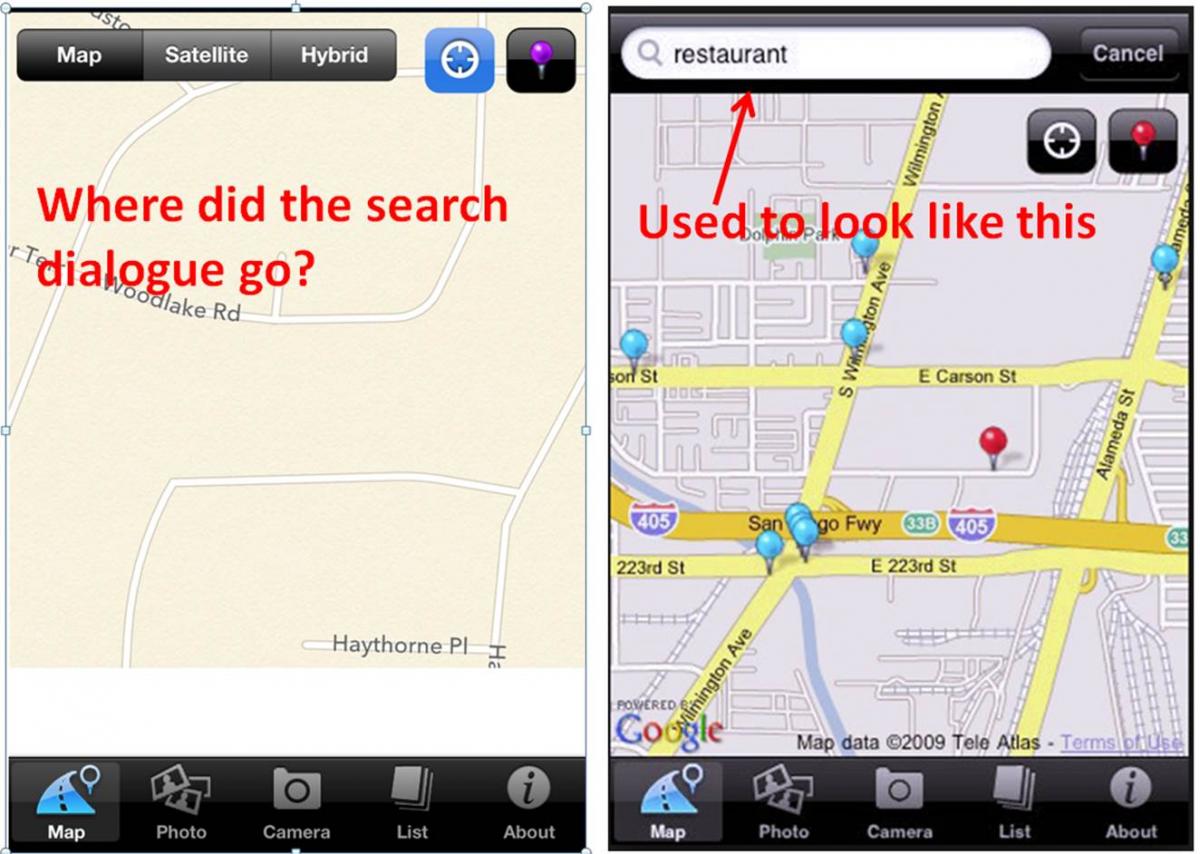
I did a lot of research before posting my question, so sorry if I missed it elsewhere. I have a AvicZ120BT and have always used my AvicFeeds iphone app to keep me connected to my head unit. I would search a location, save it on AvicFeeds and once the truck and iphone handshook, there it was in my phone list and I could simply select and navigate.
I have had my fair share of problems with AvicFeeds, but overall it got the job done.
Now, the search dialogue box is missing on the map tab. OMG, other than panning to a location and dropping a pin, this application has become useless not to mention if I knew where a location was to drop a pin, I wouldn't need to search it, right? And I know someone will suggest the 'drop a pin' method, but then the location does not show the name, but the map address. Just try and sort through your phone book for Bob's Happymart by the location address and not the name.
Anyways, any suggestions or assistance greatly appreciated. I did delete and reinstall the application. I also checked out Avic Feeds for the PC and not a fan.
Sibil