I created this for the splash screen and main screens of the Nav and Audio. If you love it, let me know. It's easy to change the name in photoshop.


I created this for the splash screen and main screens of the Nav and Audio. If you love it, let me know. It's easy to change the name in photoshop.
Hi
Got googled here and found your background pics postings. Theyre too cool. just got my d3 for my sienna and saw transformers. I was wondering if you could do one of a decepticon insignia and have a cool text of your choice that says initializing decepticon navigation system. Thank you
That's a great idea! I generally can't change a background, not skilled enough at it. But let me see what I can do. My partner is a Graphic Designer, and a big Transformers nut. I bet I can coach him into doing that.
Can you give me a few? We're off to a funeral out of town and wil be back Monday.
Thanks for responding. Please take all the time you need no rush at all and sorry to bug. I am still learning my D3 and still looking at pg66 on how to download background pics. Should be straight forward. One start up background for decepticon and one for autobot should do. Like the movie says you chose the side to protect or destroy so I can use a different background depending on the day. Some of the pics from yahoo movies are great starting points for ideas. thanks again!!
Well you have a spash screen, and AV screen, and a Navigation screen. How about doing an intialize screen for the start up splash, an Autobot for the AV screen, and a Decepticon background for the Navigation screen. I think that's near perfect, you?
Jon said he'd love to do it. He'll get right on it when we get back on Monday (7/9) night. I guess my element will have a Decepticon logo on the hood before he's done with my D3 now. lol.. THANKS a LOT! lol.
OMG! thanks . are you kidding me . thats tight. i never even thought of three backgrounds , but then again i just got the D3 over the weekend all is still new to me. I could just see the autobot or decepticon logo on your blue honda element startup screen on your previous post and one on your hood . All i could say is thats sick! I cant wait to see the finished backgrounds. Thanks again...and thank your partner Jon as well.
hey there.. just wanted to let you know that we've not forgotten about your screens. Jon's working on it today.
Startup Splash: Decepticon bakground
AV Screen: Decepticon
Navigation screen: Decepticon.
I'll have them for you shortly. What are you using now? I found a couple of really cool ones on another forum.


Okay... as promised, here's quite a few to choose from for the Transformers custom background. Jon tried not to make them TOO movie oriented, more as if your car were an actual transformer itself.
Let me know how the work for you and if you like them. If you want a certain color background, we can do that also.. just send us a photo so we can get as close as possible.


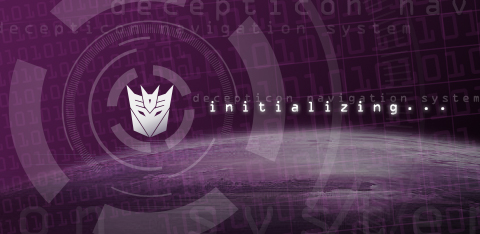


Im actually using the same backgrounds you sent from that May forum i found a couple of days ago. however it did not have the navigation loading that you and JOn included . Now it is complete. You guys rock! Im sure ill find variations for you to try. For now these are cool. Thanks again...
Actually for this one Decepticon_Initialization01.jpg. Can you make it for the autobot using the original autobot colors of silver and red. i believe theyre available on any search engine. thanks
Yo Orange, can you do a Civic Hybrid like you did for the element? Thanks
I've forwarded the request to Jon. I'm sure he can change it relatively easily. I'll let you know what he says.Actually for this one Decepticon_Initialization01.jpg. Can you make it for the autobot using the original autobot colors of silver and red. i believe theyre available on any search engine. thanks
As you wish!Yo Orange, can you do a Civic Hybrid like you did for the element? Thanks
So you have a civic hybrid, very cool! I tried to talk Jon into one, but I think we're going to wind up a two-element household. I LOVE the new burnt orange civic hybrid and the wheel covers that you can only get on the hybrid. Cheers!


Kick Ass!!! thank you. 
You're very welcome, VBlue. I'm gald you like it.
how about that same one but with integra? Since my rsx is rebadged as the Honda Integra
You want the honda logo with Integra on the text? I can do that.how about that same one but with integra? Since my rsx is rebadged as the Honda Integra
You want the honda logo with Integra on the text? I can do that.how about that same one but with integra? Since my rsx is rebadged as the Honda Integra
this is the lettering for the rsx integra. I have an eps file at work if that helps you at all.

Hello,
We purchased a 2008 Honda Element EX and have just finished the installation of the AVIC-Z2. I would love to get a copy of your cool background. Could I get a copy and how does one go about installing it into the Z2?
Thanks for your help,
Doug............
Hey Doug - you can get a copy of the background by right click save-as to your computer. Then burn the file to CD. Put the CD into the Z2 and import the background through the Settings interface. Read you Z2 owner's manual first as there is a data size minimum you'll need to be aware of.