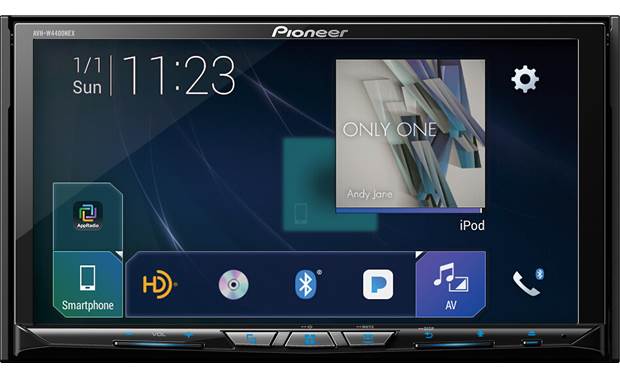
I can not for the life of me get my unit to eject. Whenever I press the eject button, it gives me 3 choices that are not greyed out on the left, while the right two choices are greyed out. Whenever I select the CD, SD, or the third button, it does not respond at all. What can I do to fix this???? The unit isn't even a year old, as its build date was May 2018.
Can't eject with AVH-W4400NEX
EJECT LOCK MODE
Reset start while pressing [EJECT] key and [TRACK UP] key
Reset is only accessible with a ballpoint pen right?
13 minutes ago, Dan84 said:Reset is only accessible with a ballpoint pen right?
pressing [EJECT] key and [TRACK UP] key
20 minutes ago, asd255 said:pressing [EJECT] key and [TRACK UP] key
Oh duh, reading is fundamental.
Thanks for the tip, I'll try it out once I get home from work and see if that does the trick. I was able to override the password entry prompt and was able to start fresh with a new password set that I could remember well the next time the battery dies or gets replaced.
On 4/2/2019 at 10:57 AM, asd255 said:pressing [EJECT] key and [TRACK UP] key
I tried to reset it last night, but obviously the Track Up key isn't on my head unit. Are you sure those steps are correct for the W4400NEX unit?

EJECT LOCK MODE for DVD MECHANISM
This model is equipped with an Eject Lock so that it can be shown in stores without worrying about it being stolen.
The Eject Lock can be turned ON/OFF as follows.
Simultaneously press and hold the [HOME] and [EJECT] buttons, and reset the product or turn the ACC ON.
When the Eject Lock is turned ON, the buttons flash yellow.
When the Eject Lock is turned OFF, the buttons flash green.
Wait 35 sec after turning OFF the ACC before turning the +B OFF
15 hours ago, asd255 said:EJECT LOCK MODE for DVD MECHANISM
This model is equipped with an Eject Lock so that it can be shown in stores without worrying about it being stolen.
The Eject Lock can be turned ON/OFF as follows.
Simultaneously press and hold the [HOME] and [EJECT] buttons, and reset the product or turn the ACC ON.
When the Eject Lock is turned ON, the buttons flash yellow.
When the Eject Lock is turned OFF, the buttons flash green.
Wait 35 sec after turning OFF the ACC before turning the +B OFF
That worked perfect! Thank you so much!
Does this apply to the 4200nex I'm having the same issue
Yes
On 4/4/2019 at 2:51 AM, asd255 said:EJECT LOCK MODE for DVD MECHANISM
This model is equipped with an Eject Lock so that it can be shown in stores without worrying about it being stolen.
The Eject Lock can be turned ON/OFF as follows.
Simultaneously press and hold the [HOME] and [EJECT] buttons, and reset the product or turn the ACC ON.
When the Eject Lock is turned ON, the buttons flash yellow.
When the Eject Lock is turned OFF, the buttons flash green.
Wait 35 sec after turning OFF the ACC before turning the +B OFF
Hi asd225,
I have an avic-mrz99 the buttons for OPEN and SD card are active but nothing happens when touched, can you help?