Search Archive

back up camera in Z1/2

By Tuning Haus · Mar 14, 2008in General💬 26 posts👁️ 3,377 views
Page 1 of 2
Posted Mar 14, 2008 · 09:18 UTC#1

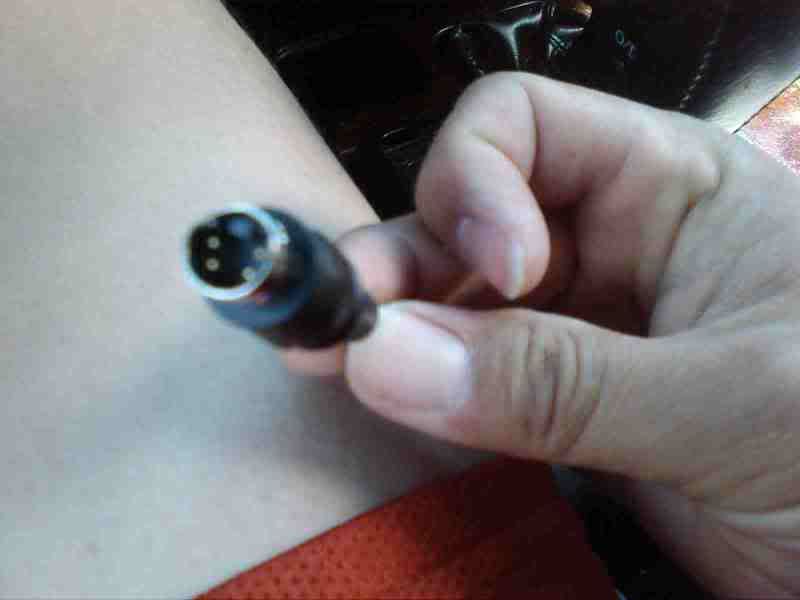
i have a back up camera (dont know what brand) but it only comes with a plug like this:


camera.jpg


there is no where or no slot to plug that into for the back up camera, to the z1 unit. any idea what i would need (some adapter)? or would this camera/plug just not work at all?


any help would be greatly appreciated. i'm looking to install this back up camera in my land cruiser asap!

Posted Mar 14, 2008 · 09:33 UTC#2

You need to buy a camera with a standard RCA plug for video

Posted Mar 14, 2008 · 09:51 UTC#3

Thats a two piece cable.There's another end that should have came with the camera and that end plugs into the end you have.The end thats missing is the RCA and power end. Mine is like that! If you bought it from someone, that end is probably still in the back of that unit.

Posted Mar 14, 2008 · 17:23 UTC#4

That is an s-video plug. You can get an adapter that would output to an RCA plug (which is what you need to connect to the AVIC).

Posted Mar 14, 2008 · 20:00 UTC#5

alright thanks guys! i'll try to go look for an adapter cable that will transfer the output to RCA so it can plug into the AVIC.


now as far having the back up camera turn on and onto the AVIC screen. how would that be done? not simply by plugging that RCA cable in right? i'd think you'd have to have the POWER WIRE spliced into the reverse light and/or separate switch to turn the camera on..


???


how do most of you guys put the back up camera? drilled into the bumper for a flush look? or however else?


thanks for all your help guys

Posted Mar 23, 2008 · 09:35 UTC#6

okay so i've bought an S video to RCA adapter and i've plugged it in the VIDEO INPUT (yellow) in the AVIC and going in reverse, still no image..


i've turned the rear view camera mode ON.


any other ideas/help to turning the camera on? thanks again

Posted Mar 23, 2008 · 10:00 UTC#7

I have a license plate frame. No drilling just take the old plate off the car attach the camera frame and run your wires.I don't like drilling into the outside of my truck.Now as far as the video is concern I have an Eclipse unit so I don't know about the Pioneer units.

Posted Mar 23, 2008 · 15:34 UTC#8
okay so i've bought an S video to RCA adapter and i've plugged it in the VIDEO INPUT (yellow) in the AVIC and going in reverse, still no image..


That's because your camera isn't outputting an S-video signal. The manufacturer just used an S-video plug as the connector because it's readily available and didn't require any extra work on their part.


As was posted above, you need the matching female plug for the male end that's on your camera. That plug will have to leads on it, one is an RCA connector for video, the other is the power and ground connection for the camera.


If you can find the specs for that camera you can build your own using a spare S-video connector. Two of the pins in the male connector on your camera are the +/- video pins, the other two are power and ground.
Posted Mar 24, 2008 · 04:41 UTC#9

okay thanks i got what you're saying. i think you're right because there are 3 thin wires to the S-video plug. i believe, ground, power and video.


i don't think i can find that direct female adapter for this specific camera. i'm not sure exactly what camera it is. i think it's just a cheaper generic camera. i wanted to see if i can make this work before i go on and spend more money on an expensive one!


any other ideas? would they sell the female adapter plug from an S-video into a RCA video and power/ground? are the power ground wire/s one wire or are there one power wire and one ground wire?


now if it is just the one power wire, where would i need to connect that to? would i need to splice it into an ignition wire somewhere? straight to the battery? (that would drain the battery i would think if the 12v power wire is connected all the time?)


okay so i've bought an S video to RCA adapter and i've plugged it in the VIDEO INPUT (yellow) in the AVIC and going in reverse, still no image..


That's because your camera isn't outputting an S-video signal. The manufacturer just used an S-video plug as the connector because it's readily available and didn't require any extra work on their part.


As was posted above, you need the matching female plug for the male end that's on your camera. That plug will have to leads on it, one is an RCA connector for video, the other is the power and ground connection for the camera.


If you can find the specs for that camera you can build your own using a spare S-video connector. Two of the pins in the male connector on your camera are the +/- video pins, the other two are power and ground.
Posted Mar 24, 2008 · 07:01 UTC#10

Do a continuity check on the adapter you bought.Check the middle pin(positive) of the video cable(yellow wire)and see where it terminates on the other end of the cable.Make a drawing so you can remember where it is.Now check the negative side of the video cable and note on the drawing.Now check where the negative wire(black wire) terminates and do the same for for the red positive wire.Now look at your second cable end that connects to the adapter.That end on the other cable is the female end.With the drawing you have, match up the male end to the adapter(female end) and see which pin is the video -/+ and the power -/+.Do a continuity check of the second cable and see where they terminate.If they're off you'll have to cut the second cable and rewire the wires thats off until they match up with your continuity checks and your drawings.If you do it this way you won't have to buy anything else providing you have a soldering gun,solder and shrink wrap or tape.

Posted Apr 23, 2008 · 15:39 UTC#11

the camera wires has a red, yellow and black wire that leads to a S-video head (as pictured above).


i also got a S-video to RCA adapter and plugged it in the VIDEO INPUT (yellow) in the back of the AVIC... but it didnt work...


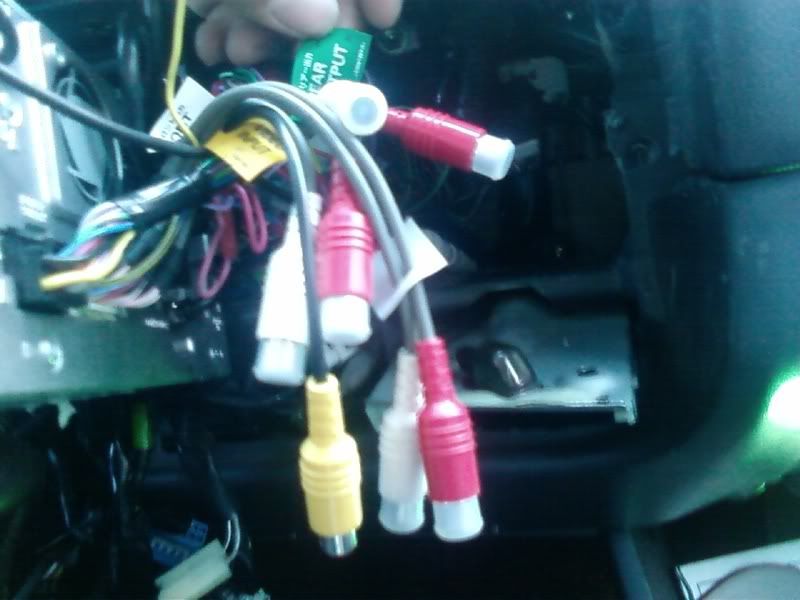
anyway here is a pic of what i have..


avic.jpg


i don't know if i plugged it in to the wrong place or if i don't have the right plug at all? or if the S-video ---> RCA adapter plug is not reading or getting power properly???


thanks for any help!

Posted Apr 23, 2008 · 17:51 UTC#12

ive been trying to find this post forever!


i wanted to tell you that i also thought it was an svideo plug. however, when i was installing my BOYO VLT420, it has a plug almost exactly like a svideo plug like that (maybe a wee bit smaller).


its not svideo, its propriatary. you need the pinout diagram from the camera manufacturer and just splice it!


Abe

Posted Apr 23, 2008 · 19:06 UTC#13

so you mean i have to just take the YELLOW wire and splice it into the VIDEO INPUT? and find power and ground from an outside source? i think the power would be from Ignition (if i can splice it in there)?

Posted Apr 23, 2008 · 19:07 UTC#14

so you mean i have to just take the YELLOW wire and splice it into the VIDEO INPUT? and find power and ground from an outside source? i think the power would be from Ignition (if i can splice it in there)?


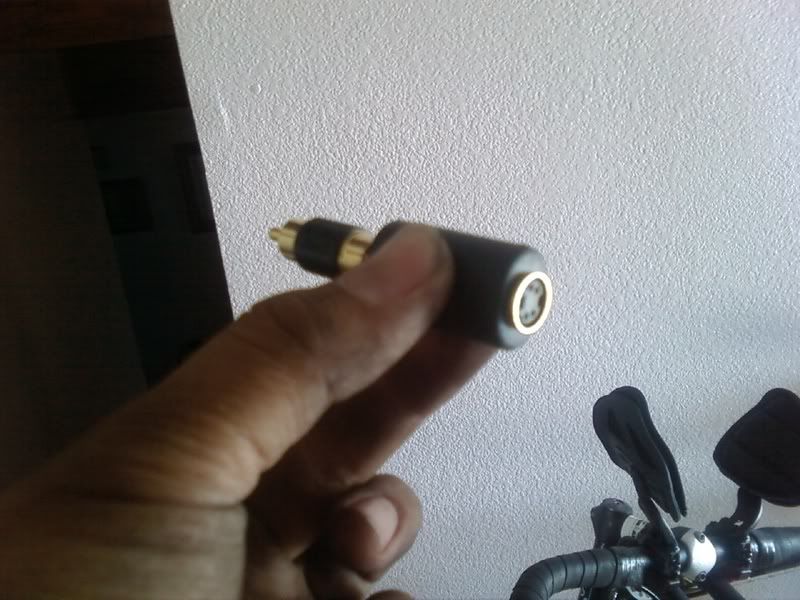
here is the "S-video" to RCA adapter (so is this pretty much useless?!) i paid $25 for it! lol


rca.jpg

Posted Apr 24, 2008 · 01:00 UTC#15

To make it easy for you take it to audio shop and pay them to do it for you.It will save you time and aggrevation.It shouldn't be that much and they can use that 25.00 plug. They have to reorientate the wires to match up.

Posted Apr 24, 2008 · 05:37 UTC#16

thanks for the tip but i know that is one of my options... i wouldn't have posted on here otherwise! lol

Posted Apr 24, 2008 · 05:41 UTC#17

Well its been about 3 weeks and you still haven't fixed it.Seems like you needed the tip. LOL

Posted Apr 24, 2008 · 17:52 UTC#18

who makes your camera?


i went to boyo's site and found their pinout for their svideo looking plug:


http://boyovta.com/products/VTL420/VTL420_Spec.pdf\


see bottom left of page


Abe

Posted Apr 24, 2008 · 20:08 UTC#19

On the very first entry he said he didn't know what model it was.

Posted Apr 24, 2008 · 20:13 UTC#20

this is true, but posting a pic of the camera itself might help!

Posted Apr 24, 2008 · 20:28 UTC#21

I applaud your help, just answering your question.

Posted Apr 27, 2008 · 17:11 UTC#22

it just seems easy enough not to take it to an audio shop... i really am a do it yourself guy, or at least i would like to find out how to do it first if i could. it just didn't seem too complicated and was hoping for a few pointers in what i was looking at.


anyway, i don't have a RCA cable (female) on the back of the AVIC to plug the camera into.. someone mentioned i needed that specific RCA cable input that says "BACK UP CAMERA"


is that true? do i have the wrong RCA cables? all of mine says, video input, front/rear output, fading etc.


thanks again

Posted Apr 27, 2008 · 18:18 UTC#23

Check the box it came it. There should be a total of three harness that pig-tail off the back of the deck. The rear camera RCA will be brown

Posted Apr 27, 2008 · 22:13 UTC#24

I take it that your Z1 must be used since you don't have all your cables.If you can't go back to the seller then you may try to see if you can buy it from ebay or Pioneer.I'm a do-it-yourself guy also.

Posted Apr 28, 2008 · 21:37 UTC#25

yeah it did't come with any of the parts because the AVIC z1 just came with the car i bought.

thanks for the help, i'll look for a harness on ebay and see if that'll work.

Page 1 of 2