Search Archive

On the fence F90BT or DNX 8120

By revo1059 · Jun 10, 2008in Pre-Release Archive💬 153 posts👁️ 40,790 views
Page 5 of 7
Posted Jun 16, 2008 · 13:04 UTC#101
Looks like I am going to be selling both of mine. The stereo shop I got them from work help me with it at all so off to eBay they go.


I am putting the Z2 back in my wife's car and I am just going to put in a basic head unit in my car for now and wait and see what happens.


Why? From what I have heard following this thread, you seemed to be somewhat happy with it. Granted, the F series gave you some problems, most of them you said where livable. Why the sudden change of heart? I am surprised, I had to scroll back a few pages to see if I missed something because you seemed to be okay with it.


Gave up for now because I keep finding more bugs every time I feel like I am ok with it. The bluetooth gets usable then goes back to crap with no link to what we are doing (driving, not, ac on, off, etc) and I just don't have the time to mess with it right now. I'll reconsider in a year if software is looking better. Not all over the place. Just had to sit down and make a list of what I was getting vs what I was losing and how much time I wasting :)


Also, Pioneer basically said they didn't care when I tried to share the list of things I had found so far and that didn't leave a great taste in my mouth. The rep actually told me some of the issues like the parking brake were as designed and that all the decks do it.


For what it is worth, I saw a demo deck at Frys electronics (F700bt) this weekend that was much faster to navigate and use the menus. I was not able to check the boot speed because of hte way it was mounted. The software revision was older than the one that shipped on my F90bt and they just got them in. I wonder if they are rolling back. Either way I am going to wait a while before playing with these again.
Posted Jun 16, 2008 · 20:36 UTC#102
Here's a small write up comparing the 8120, Z3 and F90


http://www.caraudio.com/forum/showthread.php?t=321338

i appreciate the reference to my post on caraudio.com. i am still in a terrible debate. I dont think I can decide until i play with an f series unit a little. The reports of these little problems are kinda crappy though.


to the guy that said premier and excelon couldnt co-exist, Car Toys (a national chain) caries both lines.

Posted Jun 16, 2008 · 20:58 UTC#103

That was me.


Never said they couldn't, just that I didn't think it was possible. Several local shops had said as much.


You are right. though, car toys does indeed sell both lines.

Strange how pioneer says there are no authorized internet premier dealers, yet sure as hell, car toys is on the pioneer list and sell premier products on their on-line store.


Just odd I tell ya.


* edit - just noticed that all the premier items are listed as " Store Pickup Only." Curious if you can buy excelon items at the stores that have premier items in stock? Bueller... Bueller...

Posted Jun 19, 2008 · 21:56 UTC#104

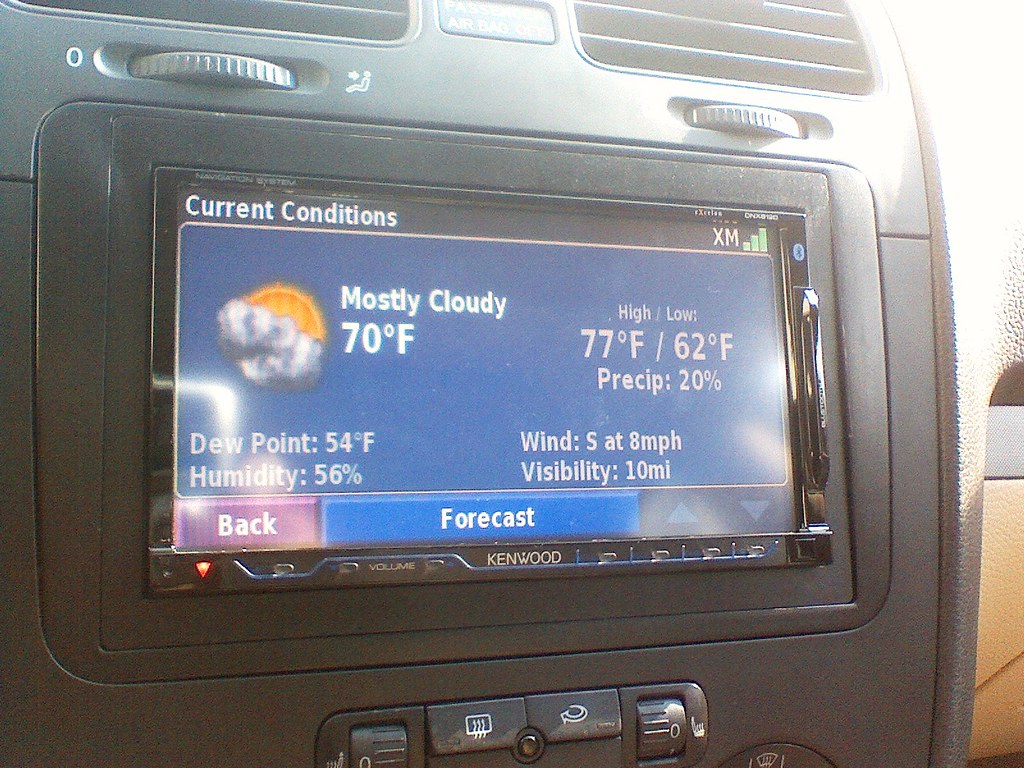
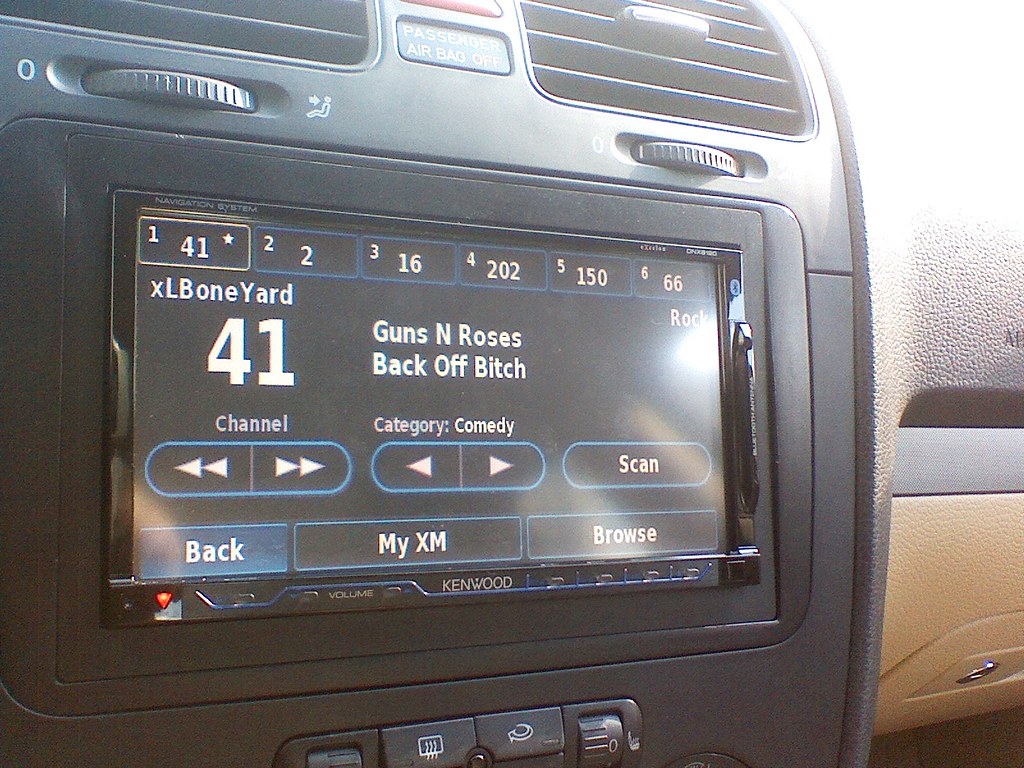
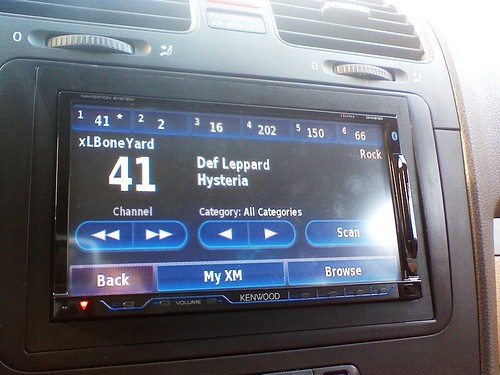
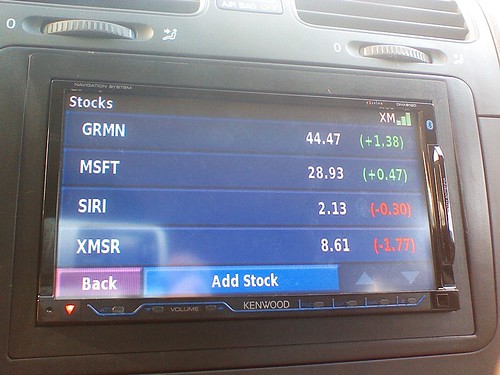
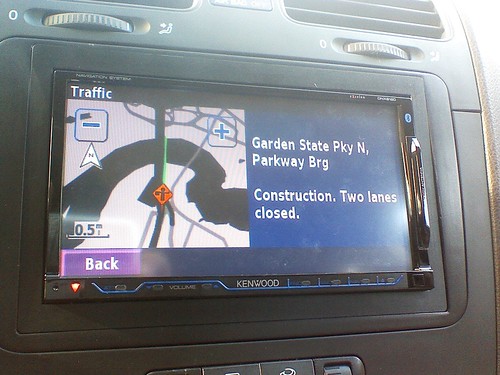
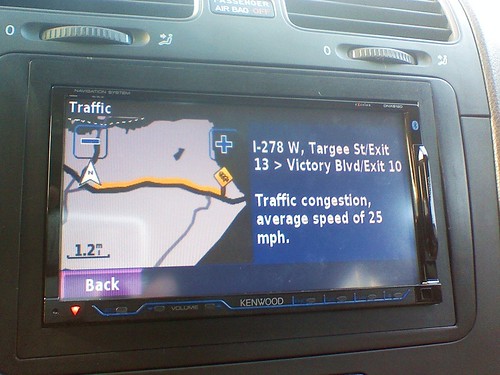
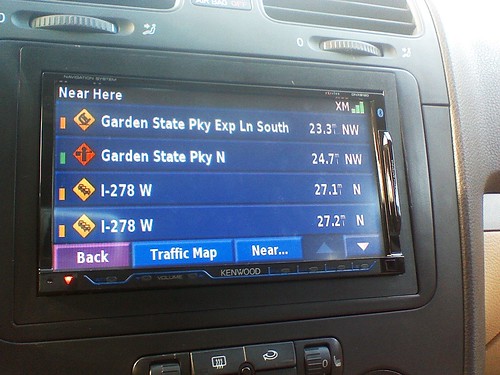
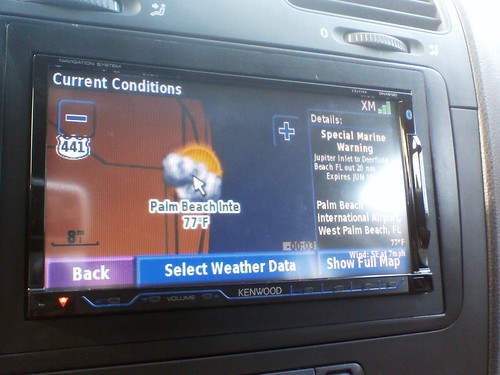
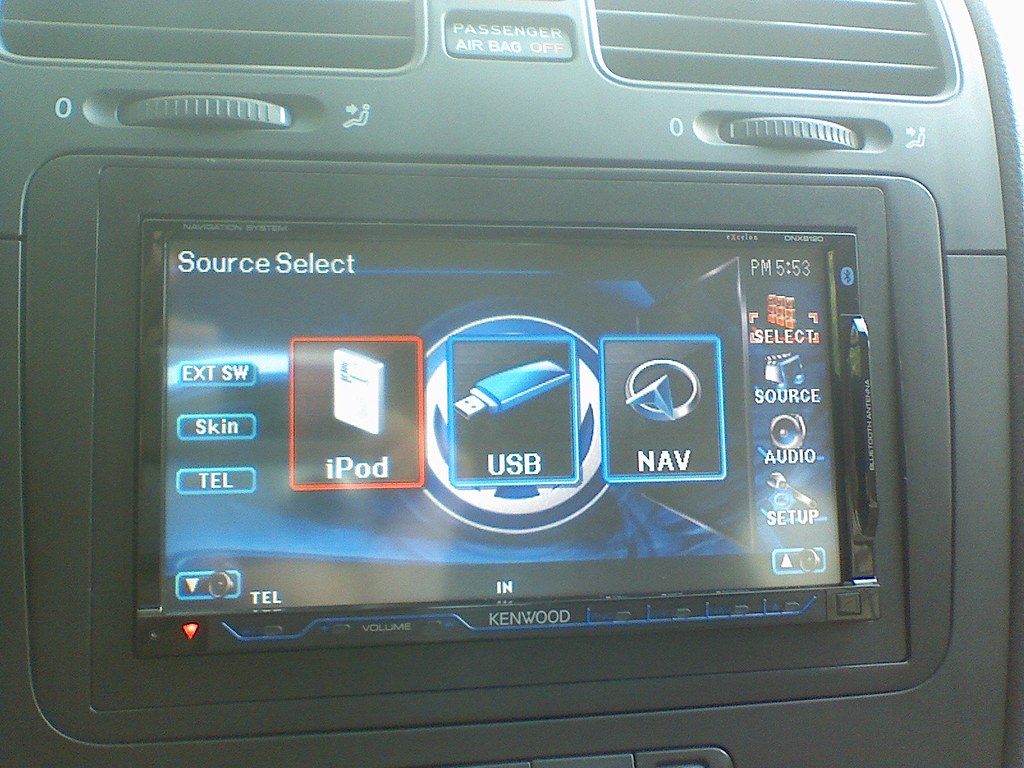
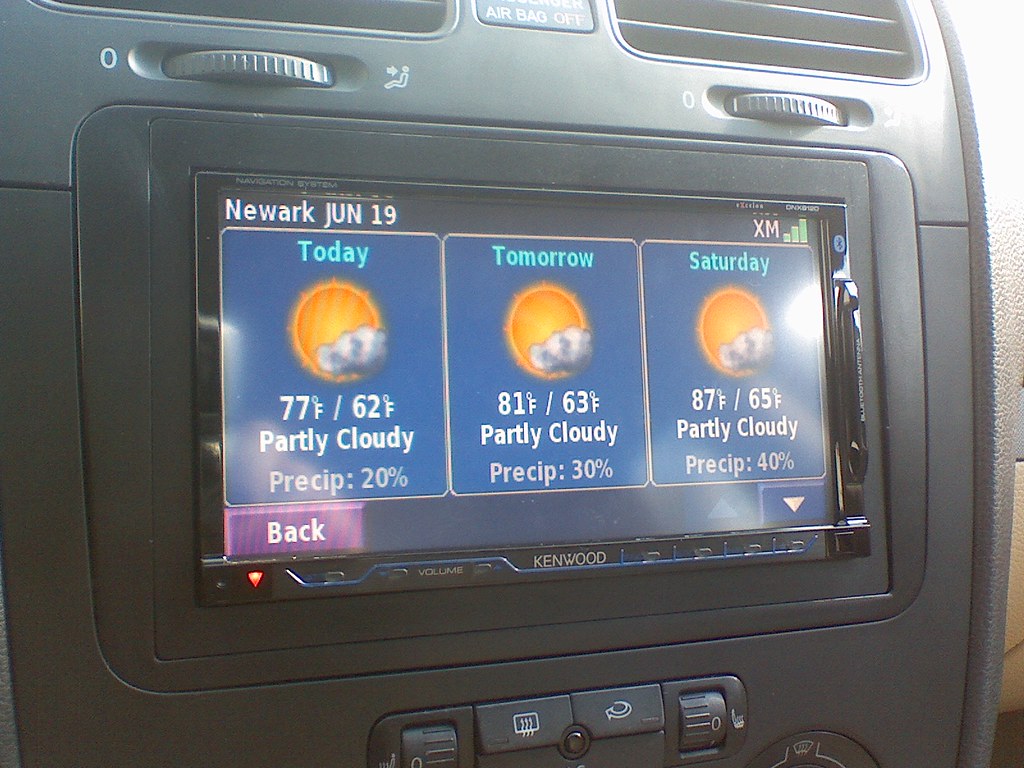
As promised some shots of the 8120. Just got the Garmin GXM30 XM Radio unit in today. Stock prices, weather forecasts, traffic, all works GREAT. The XM interface is VERY easy to use. One-touch presets, the Scan button will scan through all the stations for any of your favorite artists and songs. You can maintain the list of favorite songs/artists in the menu.


Also, while in Browse mode, scrolling through the stations, you can scroll through the Artists or Songs playing on each channel instead of just showing the name of the station. Love it.


2593118919_26b1b957fc_b.jpg


2593118661_cb4e906bd6_b.jpg


2593118749_2dcb3b5baf_b.jpg


2593118601_fa6321c9b3_b.jpg


More to come soon.

Posted Jun 19, 2008 · 22:30 UTC#105

More:

2594029774_90012b6d2b.jpg


2593190551_ed40325052.jpg


2593190477_3df25bfb9e.jpg


2593190389_bec04535cc.jpg


2594029416_793309a5a0.jpg


2593190197_b6ac2ab1ec.jpg

Posted Jun 20, 2008 · 03:29 UTC#106

Pics look great! How about some pics of the eq and sound settings? I would really appreciate it!!!!!

Posted Jun 20, 2008 · 12:11 UTC#107

mikeinnj,


Using the GXM30, does XMNavTraffic get you all of that (Traffic, Stock, Weather) or do you need the full XM plus XMNavTraffic to get those things?


Thanks,

pat----

Posted Jun 20, 2008 · 12:53 UTC#108

Do either of these decks (or any others out there) have the ability to display weather radar images? Seems like it would be a cool feature to have, but I've never seen anything like that out there other than on a true car PC.

Posted Jun 23, 2008 · 19:47 UTC#109

So after this big thread did anybody buy the 8120 over the F90?

Posted Jun 23, 2008 · 19:49 UTC#110

I was toying with the idea, but since I have the Sirius and XM add-on as well as the HD add-on, I decided to stay with Pioneer, despite the problems that they appear to be having.

Posted Jun 23, 2008 · 23:34 UTC#111
So after this big thread did anybody buy the 8120 over the F90?


Yes, but its on back order. So I might cancel it and still get the "F" it a fix comes soon.

Posted Jun 23, 2008 · 23:47 UTC#112
So after this big thread did anybody buy the 8120 over the F90?


Yes, but its on back order. So I might cancel it and still get the "F" it a fix comes soon.


My local shop has 8120's in stock by the dozen. I hope to get one installed this week.

Posted Jun 23, 2008 · 23:54 UTC#113
So after this big thread did anybody buy the 8120 over the F90?


I'm sticking with the F90. This was a tough decision, but after playing around with some of the features, and watching numerous video comparisons, I chose 2 keep my f90bt. I guess you could say "historically" I've always favored Pioneer over Kenwood. I've had both decks in my car before and always leaned towards Pioneer units.


I give the f90bt an 8 out of 10. As soon as they get the slowness lag issue and the VR catalog fixed (voice command sucks), it will be the perfect unit.

Posted Jun 25, 2008 · 14:50 UTC#114
mikeinnj,


Using the GXM30, does XMNavTraffic get you all of that (Traffic, Stock, Weather) or do you need the full XM plus XMNavTraffic to get those things?


Thanks,

pat----

I wanna know this as well. How much does your service cost?

Posted Jun 25, 2008 · 15:52 UTC#115

I have been messing around with my DNX8120 and my iphone. Like some of you I was frustrated with the lack of video support for my iPhone. I finally got it working with the Apple Component AV Cable and a few adaptors. I am posting here because I think this solution will probably work for the AVIC users. The total cost is around $57. This can replace the standard Kenwood/Pioneer ipod cable ($30). I pay $27 more but now I get video output.


Instruction:


I had the original kenwood interface iPod cable that I purchased with the DNX8120. One thing I know in the new iPod Touch and iPhone is that they require an authentication chip in the cable to output video. Basically instead of using the Kenwood Ipod cable, I replace it with the Apple component video cable ($49). The Kenwood cable output both audio and video with 1/8" AV jacks. The Apple Component Cable output in phono jacks (red, white and yellow). I purchased from radio shack two adaptors for about $8. One takes audio (Red and White cables) phono jacks and convert them into a stereo 1/8" jack. For the video I got an adaptor that convert it into mono 1/8" jack. Now connect everything back with the new cable. Well everything is working. See the pictures attachments.


Important NOTE:

I notice sometime the video won't come on. I spent the last two days to make sure I understand why. I finally figure it out. When you want video to output from the iPhone or iPod Touch, you need to make sure the "IPOD Accessory Attached" screen is on your iPhone. Please check out the attached video. If you are really stuck try to reset the iPod application by holding down the HOME button in IPOD application for 5 secs and try it again.


Good luck. Let me know if you need any help.

post-414-12872754626817_thumb.jpg

post-414-12872754631046_thumb.jpg

post-414-1287275463444_thumb.jpg

post-414-12872754637901_thumb.jpg

Posted Jun 27, 2008 · 00:26 UTC#116

I'm getting the kenwood ddx812/gna510 combo tomorrow. It's basically the same as the 8120 but with outboard nav module. The one most frustrating thing for me was getting audio dropouts while playing a cd and navigating at the same time. The dropouts were definitely happening while the nav was updating. This to me was unacceptable.

Posted Jun 27, 2008 · 21:32 UTC#117

I'll join the pile-on. I just finished a quick install (haven't hidden any wires yet) of the 8120 to replace my F900BT. The Pioneer's bugs were killer, but if it were only the bugs, I might have stuck it out and waited for a fix. Here are the reasons I switched (which I don't think will be addressed by Pioneer until a new model comes out, based on their past behavior):


I should note that the F900BT was my third Pioneer Nav unit in a row and my sixth Pioneer head unit in a row.


1. Talking on a bluetooth call locks out the rest of the system. If someone is giving me an address over the phone, I have to find somewhere to write it down and enter it after the call.


2. You can't manually edit the bluetooth phonebook. My phone (Nextel i580) seems to be incapable of transferring contacts, so I'm forced to manually dial everything. There seems to be absolutely no other way of getting contacts into the unit.


3. Like all other Pioneer Nav units I've had in the past, the unit bitches about an incorrectly wired parking break control when it is definitely wired correctly and works exactly as it should.


4. Screen was difficult to impossible to use if it catches any direct sunlight from an angle. And since you have no tilt control, you just have to wait until the road curves.


5. Can't just search the POI database by entering a name (unless you set it up as a pre-defined search).


6. Interruptions to the audio mute rather than paused my iPod. I didn't actually investigate this too deeply, there may be a configuration to make it pause the iPod instead.


7. No RDS on the FM tuner. I don't understand why Pioneer used to have this on all their higher end head units in the U.S., and now none of them have it. They dropped it right about the time most U.S. stations finally started broadcasting it. Doh!


8. No ability to name AM/FM stations/presets.


9. No ability to take a detour off the route without being constantly bitched at. This has been a problem on all my past Pioneer Nav units.


10. 2D map is always north-up. This is very unintuitive while following a route.


11. Doesn't tell you which side of the street for your destination.


12. After I look up gas prices, I can't figure out how to get the gas stations icons off of the map.


13. Long startup to reach full iPod control.


14. Idiotic pop-up messages that stay on the screen and block the underlying user interface.


15. It wouldn't recognize my CB-RD10 (P-bus aux in) to allow me to add another audio input.


16. Touch-screen response is very inconsistent. This has almost caused accident for me.


Having said all that, there are a few things I will miss from the F900BT:


1. The high-res display was much nicer than the Kenwood (as long as the sun didn't hit it).

2. The built-in and cheap MSN Direct.

3. The volume control knob (although the F900BT's is way too stiff).

4. Voice control of the iPod.

Posted Jul 04, 2008 · 04:06 UTC#118

Just ordered an 8120... tired of the f'd up f-series

Posted Jul 04, 2008 · 15:40 UTC#119

My 8120 is in the hands of FedEx and the install scheduled for late next week! Like many of us, my frustration and disappointment with Pioneer finally exceeded the maximum threshold of tolerance and acceptability.


Combined with my Memphis 4-channel amp, Alpine 5X7 R's, Boyo back-up and GXM-30, I think I'll be ret-to-go!

Posted Jul 04, 2008 · 21:57 UTC#120

Ive had my DNX8120 about a week now........ I can honestly say I will never buy a Pioneer nav unit again. This thing absolutely blows away every Pioneer unit I have owned. The speed, UI, Ipod control, usb, and everything else kust kills my former Pioneer units. Guys dont wait on these F series units. Get the Kenwood. Im not talkin sh1t about Pioneer but dam I really love this thing! Oh yea the Parrot bluetooth rocks also. My wife says I sound alot better than my BTB200.

Posted Jul 05, 2008 · 13:39 UTC#121

For those who own the 8120 . . . (we really do need a kenwood411.com), has any successfully mounted the USB to the dash, or other location that ended up looking really professional and factory? Maybe using something like this . . . http://www.datapro.net/products/usb-panel-mount-type-a-cable.html

Posted Jul 07, 2008 · 17:03 UTC#122
For those who own the 8120 . . . (we really do need a kenwood411.com), has any successfully mounted the USB to the dash, or other location that ended up looking really professional and factory? Maybe using something like this . . . http://www.datapro.net/products/usb-panel-mount-type-a-cable.html

Hmmm ... now there's an idea! I simply ran the cables into the glove box. Until now, that is. :D

Posted Jul 07, 2008 · 22:23 UTC#123
For those who own the 8120 . . . (we really do need a kenwood411.com), has any successfully mounted the USB to the dash, or other location that ended up looking really professional and factory? Maybe using something like this . . . http://www.datapro.net/products/usb-panel-mount-type-a-cable.html

Hmmm ... now there's an idea! I simply ran the cables into the glove box. Until now, that is. :D


But, how to mount to a faceplate on the dash? I'm stumped for the moment. Surely, someone has done this, or something similar. I just think it would be so cool to pop my flash drive into the port on the dash. Thoughts? Suggestions?

Posted Jul 08, 2008 · 01:56 UTC#125

Started the RMA process of my F90 today. Ordered an 8120 to replace it. I wanted to like the F90 and if I thought there was a fix on the horizon that was going to make it mostly bug free, Id wait it out but my 30 day return window is almost closed and I cant chance it.

Page 5 of 7