Search Archive
📌 Pinned

Dis-assemby Photos and Instructions

By Toro34 · Apr 19, 2009in Problems/Troubleshooting💬 28 posts👁️ 26,060 views
Page 1 of 2
Posted Apr 19, 2009 · 21:59 UTC#1

Hello everyone,

I just purchased a used AVIC-Z2X kit. i installed it in my vehicle and it functioned except the screen wouldn't move. I pulled it from the dash and could see that the white "gear track" was not seated on the metal slide rail.


After searching on here, i couldn't find the service manual posted anywhere but decided i would try to fix it on my own anyway. I was able to disassemble the entire unit and took pictures along the way. I was going to post up a small dis-assembly write up in the hopes that i might be able to help someone on here.


I don't have a photo share account so i would like to ask if anyone would be able to host the photos for me? I need to edit the photos (add arrows and notes) and i still need to compose the write up, but i figured i would get started and hopefully have it written by the time i found a photo host.


Thanks guys! i have already learned a lot from these boards!

Posted Apr 19, 2009 · 22:00 UTC#2

Ok, let me start out by saying that this is in no way a complete or comprehensive guide to taking your Z apart. Its not a great tutorial. But its something.


I take absolutely no responsibility if you decide to take your Z apart. I just wanted to show the process i used.


If you dont know how to use a screwdriver or remove/replace a ribbon cable, i suggest you dont take your unit apart! Send it to an authorized repair center!


I didnt take pics of removing the screen. but thats the first step, so i will try to explain as best as i can.


Start by making sure the screen is all the way out. You can do this by pressing eject and disconnecting the power while the screen is all the way down; alternatively you can use the manual method and move the gear with a small screwdriver via the underside of the unit shown here:IMG00020-20090419-1335.jpg[/attachment]

Posted Apr 19, 2009 · 22:00 UTC#3

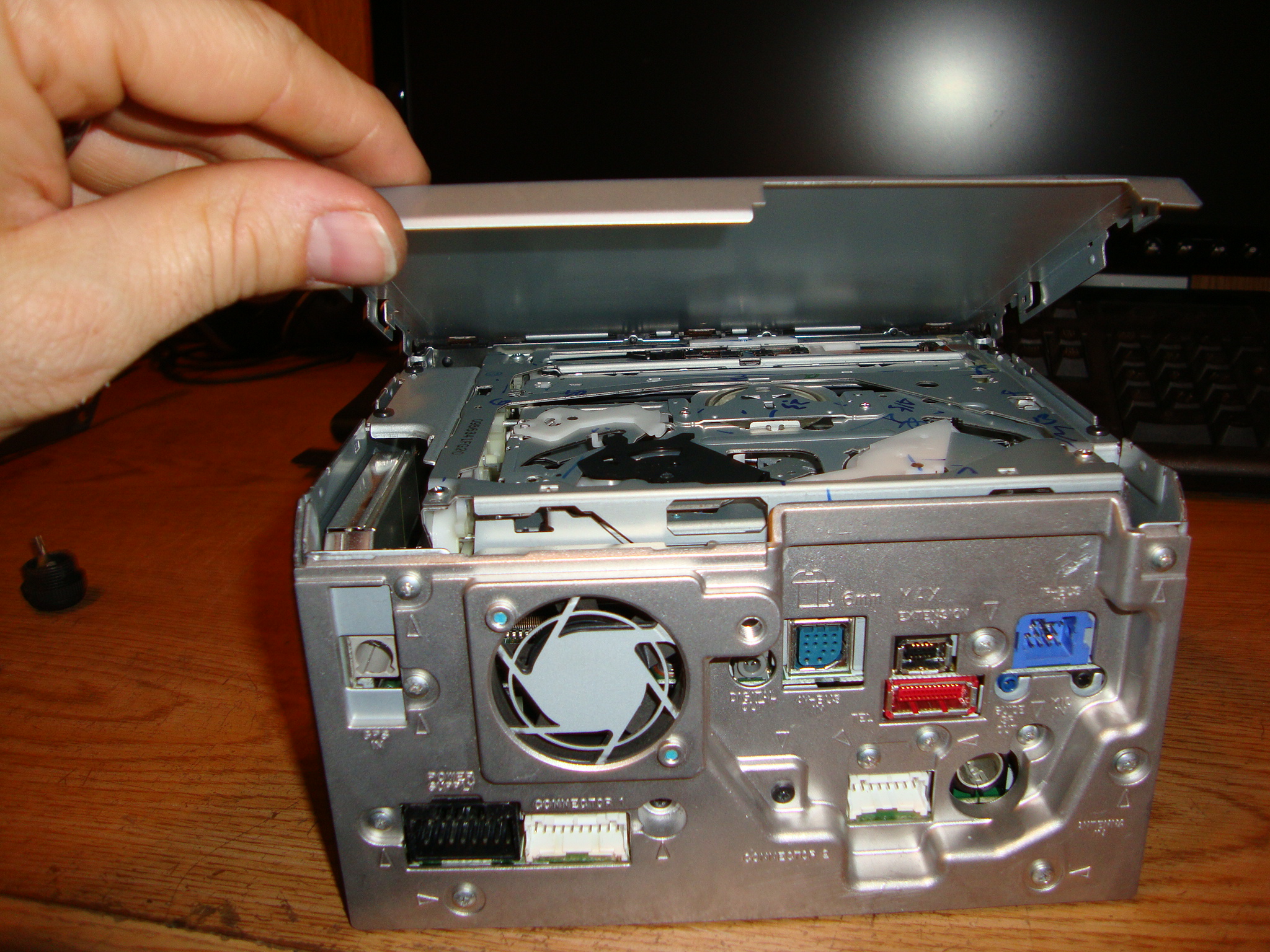
Hereis a pic of the underside of the dvd drive where the ribbon cable connect. as well as the small plug that we removed📎 IMG00039-20090419-1403.jpg


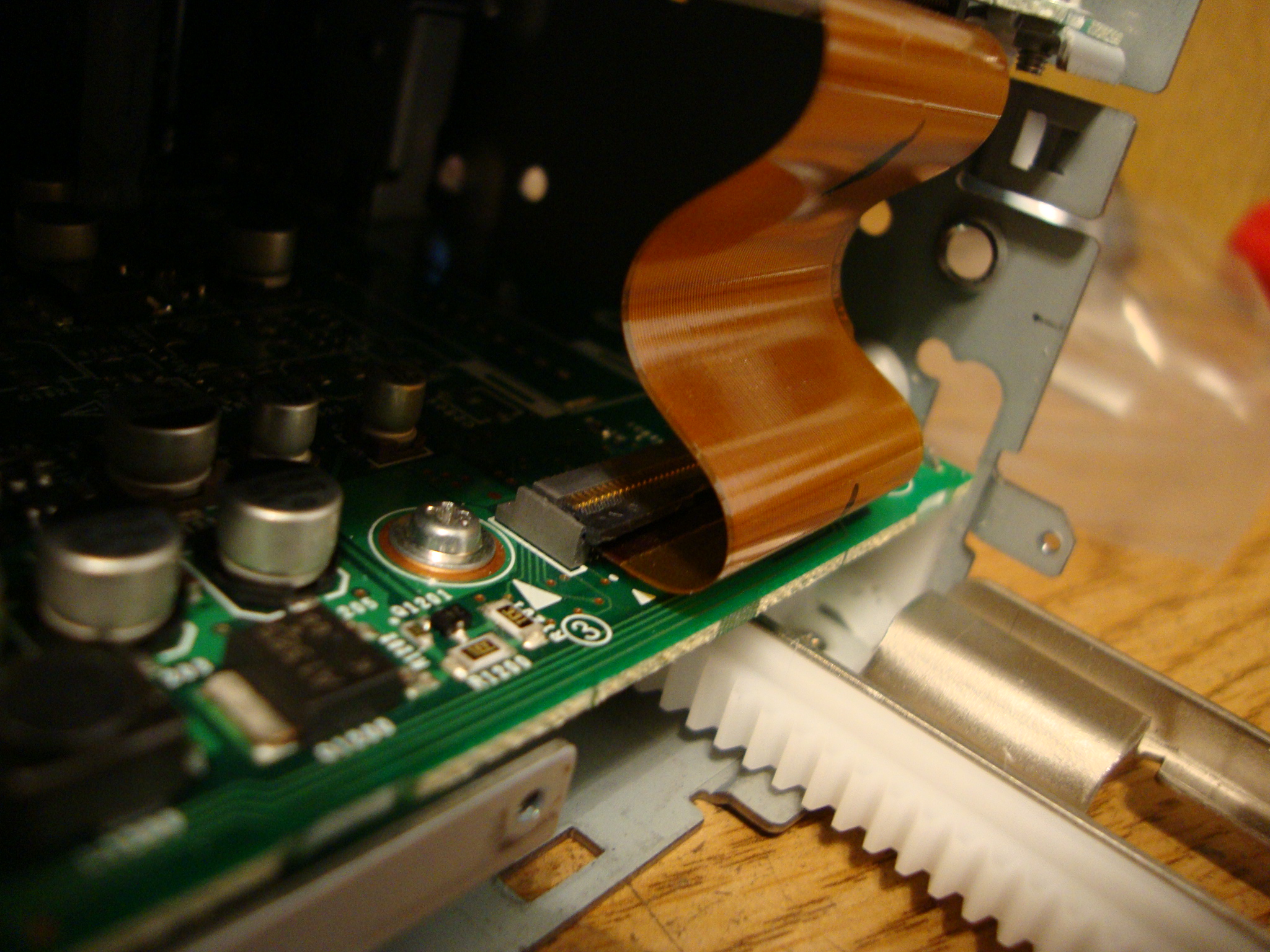
Here you can see the the ribbon cables that you disconnected from underside of the dvd drive, the orange cable has a small piece of tape over the lock.📎 IMG00037-20090419-1359.jpg


In the pic above there are two screws on this piece that hold it to the board underneath, as well as the screws we removed earlier from the sides of the case. there is also a small plug that powers the fan that you need to remove before pulling the back of the case off,


the plug you need to disconnect between this "level" and the one beneath at the back of the unit. as well as a screw in the that needs to be removed before lifting this layer off the unit and two ribbon cables in the front 📎 IMG00028-20090419-1351.jpg


📎 IMG00030-20090419-1352.jpg

another view of the ribbon cable📎 IMG00032-20090419-1353.jpg


after removing the middle layer, you will see a circuit board with 4 screws you must remove to lift this layer off the bottom case. the ribbon cable marked by the blue arrow is connected to the bottom layer.📎 IMG00027-20090419-1350.jpg


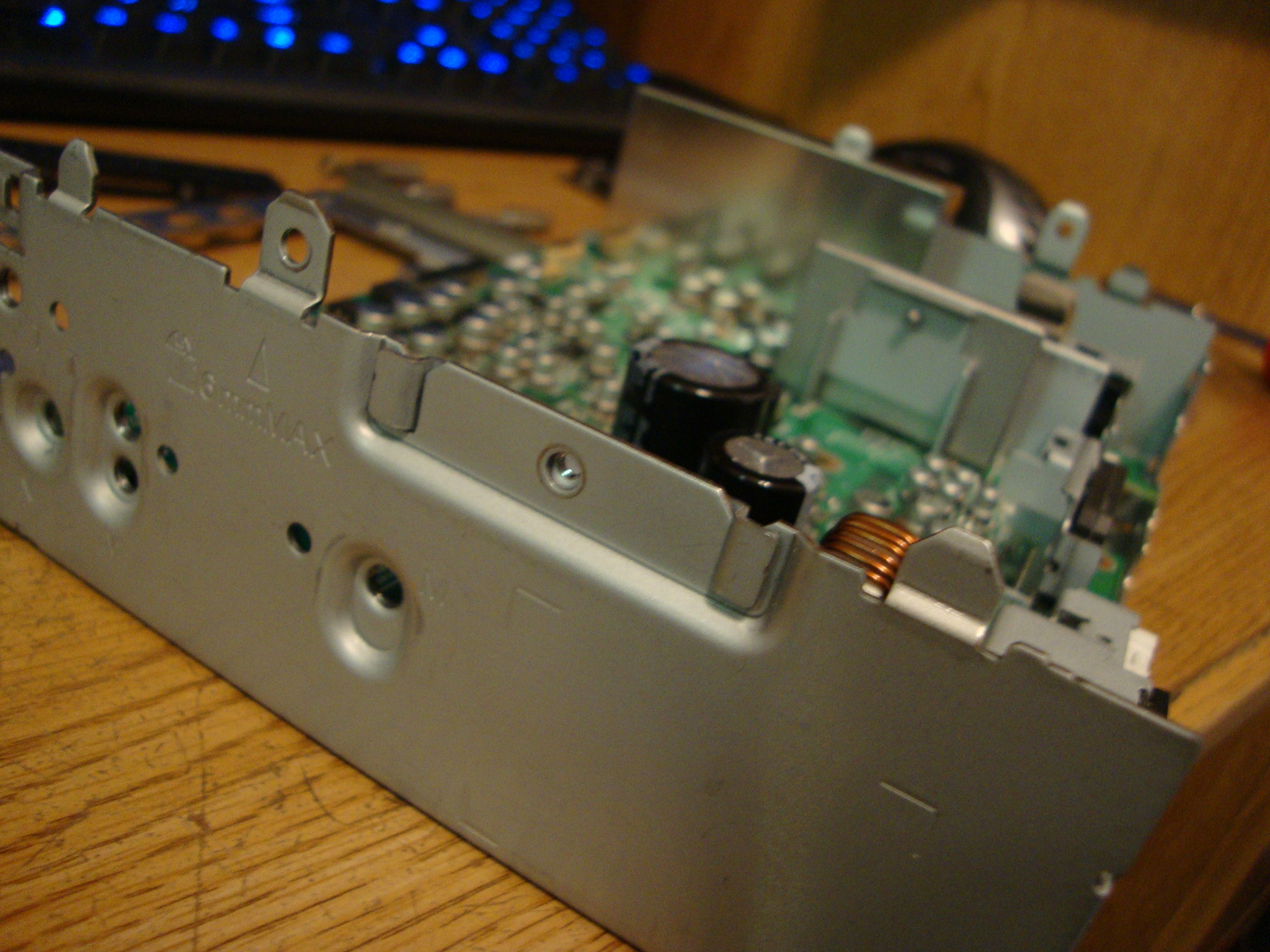
also, at the back of the unit, there was a small "tab" that i had to bend away from the board in order to lift it off the case, here is a closer view of the "tab"📎 IMG00026-20090419-1349.jpg


after lifting the circuit board off you will be at the bottom of the case with the slide assembly, gears and the white rail📎 IMG00025-20090419-1339.jpg


and pic of my rail disconnected from the slide, which is why i had to take my unit apart in the first place📎 IMG00024-20090419-1336.jpg


I hope you get some use from this, as i had nothing to go on when i took the unit apart. If i need to dis-assemble the unit again, i will be sure to take better notes and pictures of the process with a regular camera, and not my cell phone


Thanks guys!

Posted Apr 19, 2009 · 23:32 UTC#4

You can post pics directly to this thread using the forum for hosting.

Posted Aug 19, 2009 · 20:39 UTC#5

Damn. This just happened to me last week. My unit will open without issue, but when you go to put it back to normal, it gets hung and self-opens again, I assume as a saftey to not break it, like a garage door. If I "help" it when its closing it will cloe all the way.


I had the screen all the way down, and I can see the "rack" isnt where its supposed to be. I would love to take this thing apart and fix it, but all the pics on this thread are gone :(


Does anyone else have any pics of this process?


Much appreciated,


Greg

Posted Aug 31, 2009 · 20:06 UTC#6

Just wanted to post an update. I ordered a new rack from Pioneer and was able to replace it myself using the instructions above (without pics) to do the job.


If you follow the instructions above, and have a some what logical brain, you can do this.


The only step that wasnt mentioned above that I had to do to remove the broken rack was to remove the motor/gear assembly. Once you get to the bottom layer, you will see two silver screws holding the motor/gear assembly down. Simply remove those two screws and the gear/motor assembly will simply lift up enough to remove the broken rack.


Its a little tricky to get the new rack seated on the track correctly, I had to use a large flathead screw driver to pry it onto track.


Once thats in place, just put everything back together in reverse order.


Hope this helps someone out there.


Greg

Posted Feb 04, 2010 · 02:32 UTC#7

why cant i see any pic's???

might you be able to send to me directly to my email??


[email protected]


Super big please and thank you


matthew

Posted Feb 04, 2010 · 15:57 UTC#8

The links to the pics are broken, its an old post.


I completed the disassembly, repair, and reassembly without the pictures. If you follow the written instructions in this thread, and you have some dexterity/patience, you can do it too. It's not as hard as you may think. Just make certain you know what screws go where (write it down if you have to). There are a bunch of different sizes to deal with.


Good luck...


Greg

Posted Feb 24, 2010 · 21:01 UTC#9

I know this is a totally outdated post but I wanted to amend to it for future reference that the rack part number for the Z1- Z2 - Z3 is CZN701 and will cost you about $16.95 plus shipping from pioneer. The part takes 5 - 7 business days to arrive. You can order this part by calling their parts department at 1 800 228 7221 or by clicking the link below. They are open from M-F 7AM to 4:30PM PST and close for lunch from 11:30 to 12:30.


Thanks Greg Fisher for the link to the Pioneer website.


http://parts.pioneerelectronics.com/par ... um=CZN7014

Posted Feb 27, 2010 · 00:27 UTC#10


post-2426-12872761575307_thumb.jpg

post-2426-12872761582423_thumb.jpg

post-2426-12872761587548_thumb.jpg

post-2426-12872761592641_thumb.jpg

post-2426-12872761598631_thumb.jpg

post-2426-12872761604579_thumb.jpg

post-2426-1287276160978_thumb.jpg

post-2426-12872761615177_thumb.jpg

post-2426-12872761622035_thumb.jpg

post-2426-12872761628275_thumb.jpg

Posted Feb 28, 2010 · 01:48 UTC#11


post-2426-12872761634226_thumb.jpg

post-2426-12872761641933_thumb.jpg

post-2426-12872761650438_thumb.jpg

post-2426-12872761657298_thumb.jpg

post-2426-12872761663419_thumb.jpg

post-2426-12872761669007_thumb.jpg

post-2426-12872761674964_thumb.jpg

post-2426-12872761680173_thumb.jpg

post-2426-12872761685223_thumb.jpg

post-2426-12872761690235_thumb.jpg

Posted Feb 28, 2010 · 01:56 UTC#12


To remove the plastic rack it has 3 legs attached to the rail.


To reassemble, just reverse the dis assembly process, with some time and patience you can get it done. Good luck


DISCLAIMER: This is not a complete list of steps from the manual, it is only a guide to familiarize you with what is needed.

post-2426-12872761695193_thumb.jpg

post-2426-1287276170027_thumb.jpg

post-2426-12872761705589_thumb.jpg

post-2426-12872761711299_thumb.jpg

post-2426-12872761716377_thumb.jpg

Posted Apr 13, 2010 · 04:32 UTC#13

Great stuff here... I am going to replace the face drive motor sometime this week, I thought they sent me the wrong part, but see they got it right after looking at the last picture.


Thanks for posting!

Posted Apr 13, 2010 · 16:19 UTC#14

No problem at all, I no longer have the Z3 installed in my car, as i am upgrading to a full portable computer. I think I just got tired of all the restrictions in these head units. If your intrested in seeing my progress (which is slow), or are just intrested in what others do to install computers in thier cars then please go and check out http://www.mp3car.com. The link is below.


http://www.mp3car.com/vbulletin/worklogs/140246-2003-honda-civic-hybrid-install-worklog.html

Posted Nov 02, 2011 · 02:19 UTC#15

I know it is an old thread, but it would be fantastic for us who need to rebuild. However, these photos are just too large. I'm running a top of the line laptop, but my poor slow (3mb) internet service just cannot handle the photos. Oh well....

Posted Nov 13, 2011 · 20:32 UTC#16

Do you need to rebuild? Did you manage to download the pictures? That should normally not be a big problem - a small tip from me is to open each photo in a new window or tab in your browser. I have the service manual if you need it. I think you can find it on the forum too, if you search.

Posted Sep 13, 2012 · 06:05 UTC#17

does any one know the z2 tuner module part number#?

Posted Sep 13, 2012 · 11:11 UTC#18

AM/FM tuner? Send a pic and I will look it up.

Posted Oct 25, 2013 · 09:39 UTC#19

well my avic-hd3 gear track broke so i'm going to buy a new one, i scaled down the pictures from previous post as they where too big

yu5i.jpg

1uxn.jpg8czo.jpg

fuhz.jpg

w4oh.jpg

tvgt.jpg

yd93.jpg

08ok.jpg

3pcf.jpg

j60z.jpg

rj24.jpg

uo2f.jpg

75dx.jpg

h4or.jpg

c48n.jpg

vpq3.jpg

ggpz.jpg

ph7g.jpg

6hgh.jpg

Edited Oct 25, 2013 by econnor33
Posted Oct 27, 2013 · 17:28 UTC#20


Is there anywhere besides Pioneer to get the rack?  After shipping this little @*#$?! is $30!!!  Now I see why they retailed the freaking thing for over $1800...

I'm barely fine with the current price of $17.75, but after they bend you over for shipping I'm out.

These radios aren't worth much anymore so I really need an alternative if this thing is going to get fixed.

Posted Oct 28, 2013 · 13:08 UTC#21

I have used epoxy to glue the rack back in place, assuming the gear side is ok, and only the small mounting ears are broken.

Posted Oct 28, 2013 · 22:48 UTC#22

Garrettoomey, do you glue on the white track onto the metal part?? As being in australia. It's very hard to get the part over here, only 1 online shop which i don't trust. If i can glue it back to operational instead of buying it i'll happy.


Cheers dean

Edited Oct 28, 2013 by econnor33
Posted Oct 29, 2013 · 03:20 UTC#23

Yes. Glue white track to metal rail. Must be a strong epoxy.

Posted Oct 29, 2013 · 04:46 UTC#24

thanks for that garrettoomey, i bit the bullet, and had a go dis-assembling the unit, i used 2 part super epoxy zip tied to hold it into place i'll let it dry over night to be sure


gwvr.jpg


this is how the pioneer avic-hd3 fits in my car


l7e6.jpg

4un1.jpg

Posted Oct 31, 2013 · 23:52 UTC#25

fitted the avic-hd3 back into my car after whaiting 3 days for the super epoxy to cure all good working like new  :-D  thank you garrettoomey for the pointer for using epoxy as i had some on the garage  i saved buying a new gear track  there

Page 1 of 2