Search Archive

First Impression. PICS now available...BMW X5

By fe342185 · Aug 15, 2009in General💬 36 posts👁️ 16,283 views
Page 1 of 2
Posted Aug 15, 2009 · 15:13 UTC#1

For the last 3 weeks I have had the HU in my house set up but the last 2 14 hour days I spent installing it in my BMW X5. I spent about 10 hours of research over the internet on how to get this done since the radio tuner was in the rear of the car.


2003 BMW X5


Old setup:

OEM Nav

OEM Amp

CD Changer

EAS video module (For reverse camera and DVD player)

Motorola HF1000 Bluetooth car kit

IntraveeII Ipod adapter


New set up:

Z110BT

HD tuner

MSN tuner

XM Tuner (Still to come)

2 Kicker Amps

2 sets of component Kicker

PAC-SWI-PS


The Install:

The install is very difficult due to the radio tuner being in the rear of the vehicle. Running all the wires including RCA for the amps, IPbus, 2 Antenna cables through the middle of the car was a lot of work. The driver seat had to be removed along with the rear seat and door sills.


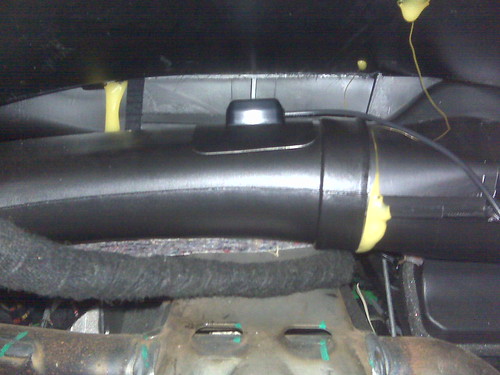
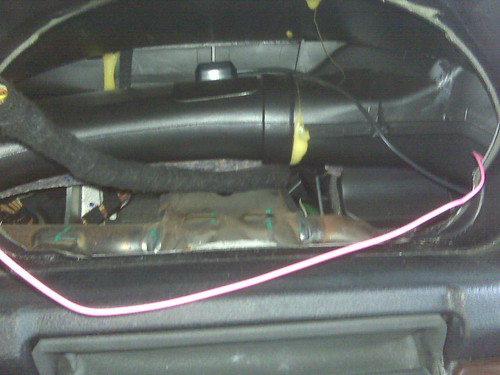
The GPS antenna was placed behind the speedometer under the dash. There was an air duct with a flat surface and signal from there was perfect.


HD radio tuner is under the rear seat but the MSN tuner has to be placed near the HU since it is powered by it.


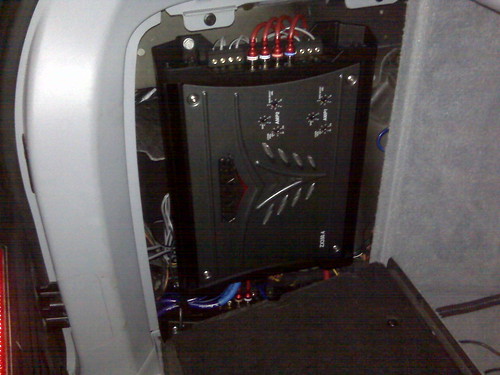
Amps were installed in the factory locations and are hidden from view along with the sub.


HU First impression

The screen is much brighter than the OEM nav. The sound is much clearer even when I had the factory speakers in. The OEM amp had built in crossovers that limited the speaker output.

The navigation was not accurate yet but I think this gets better since it still needed to finish calibrating. The Nav screen is a little confusing at first when slecting what screens to use.

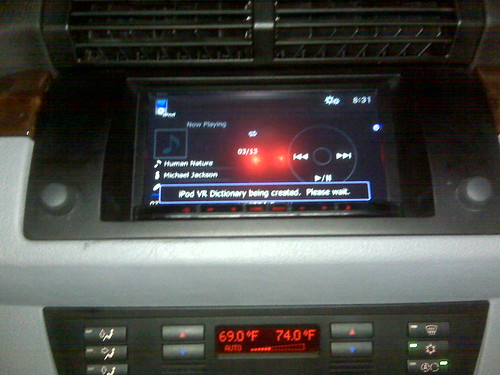
The Ipod controls are great. Instant reaction time and the Video quality is good. If you have a large ipod then creating the VR dictionary may take longer but if dont unplug it then next time you get in the car it will take only a few seconds.

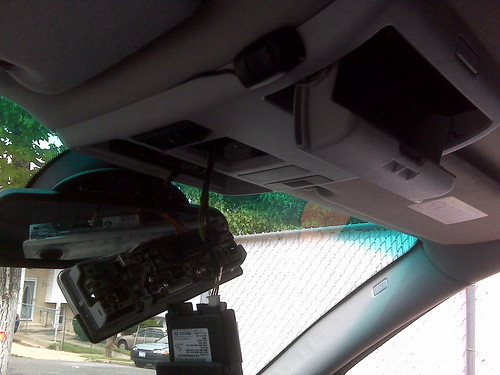
The bluetooth is okay except for trying to get back to the phone screen to hang up takes a few clicks. The Mic needed to be placed about 14" away from the face and cannot have anything covering it. I placed the mic in the original mic location for the BMW so its hidden from view but I was told it missing treble or I sounded like I was muffled. When I moved about 10" away from the mic it was crystal clear. The OEM mic location is next to the garage opener on the ceiling above the rear view mirror.


Issues:

I think that when I turn the car on the steering wheel control sends a signal to press the source button. Whenever I turn the car on the HU is on the next source. It is not consitent but it does happen. I might just reprogram the SWI to the use that button as a mute or End call.


The SWI-PS can be programed to use the track up and down on the steering wheel. The problem is programming it to Preset +/- does not affect Ipod controls. You must program the SWI-PS to Seek +/- instead. This creates an opposite problem where the radio goes up/down one freq at a time instead of using the preset.


Thats it for now. I will post the pics tonight. Thanks.

Posted Aug 16, 2009 · 00:45 UTC#2

Thank You!

Please keep it coming. :^>

Posted Aug 16, 2009 · 15:25 UTC#3

I will be doing a similar install on my 2005 M3 in a few weeks. My radio is also in the rear which makes it a big pain. The E46 series also do not like double din installs so I have to do some HVAC mods. Not looking forward to it but in the end I think it will be worth it. My current Dice iPhone solution is buggy at best.


Curious though. Doesn't your X5 have a little talking head button on the steering wheel? After reading the latest PAC instructions it indicates you can program this for phone accept and disconnect.

Posted Aug 17, 2009 · 12:52 UTC#4

The install was definitely a pain in the butt to do but definitely worth it. Huge sound improvement even with factory speakers.


The new SWI-PS works 95% of the time. I can live with the 5%. Now as for the programming I had to modify it a little bit from my original setting. The documentation states that the R/T (BMW Source button) cannot be used or programmed. During the initial install I was able to program it to the source command for the HU. For some strange reason the car would hit this button when I turn the car on therefore the HU always plays the next sources from where I left it. Not cool since it cycles through every sources available for each time it is pressed.


The solution was to use this button for something that will not be affected at start up. The new SWI-PS has 12 functions (Phone menu, Answer call,End Call) and Phone menu is the best option I could find for this button since it will not have any affect on the current source playing.

Phone menu will bring up the screen that displays all of phone functionality (Missed calls,received call, etc).


The button that has a face speaking is programmed to answer calls. I believe on the old Z series the button for the answer call and voice recognition is the same on the SR100 Remote. Unfortunately the Z110BT this function is different so that button is strictly used for answering calls.


Other programmed buttons are Vol +/- & Seek +/-. Read my original post about the seek or preset programing in case you are using an ipod.


FYI - I have read that BMWs with OEM bluetooth installed will require a little bit more modification to install the PAC unit. At least for the X5 it was.

Posted Aug 17, 2009 · 13:35 UTC#5

Some teaser pics. I will post miore later.


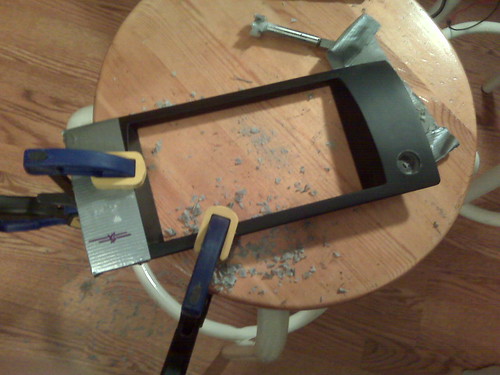
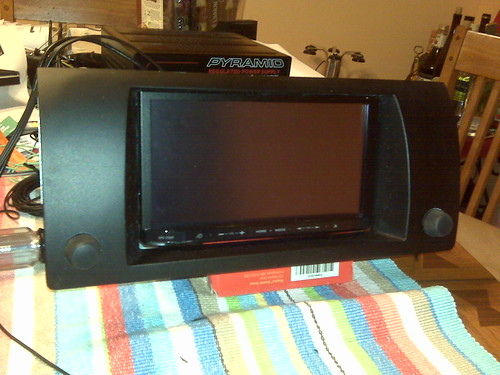
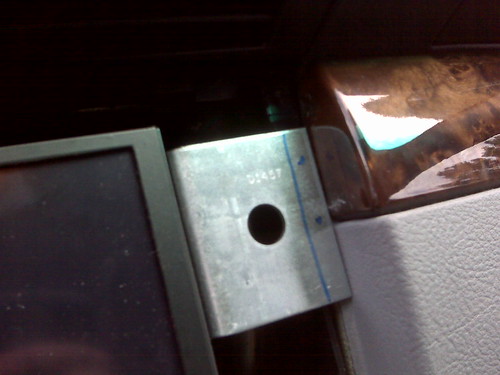
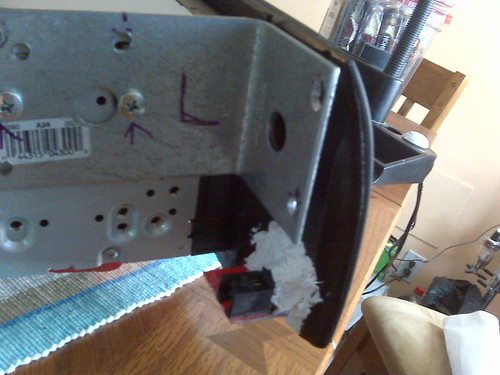
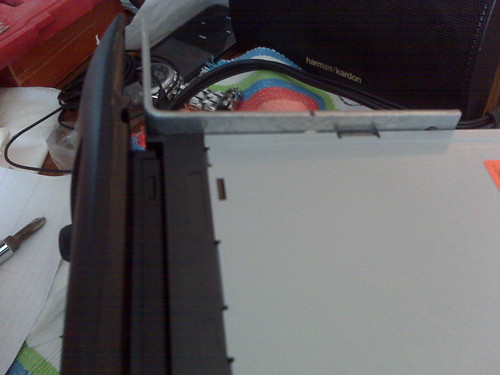
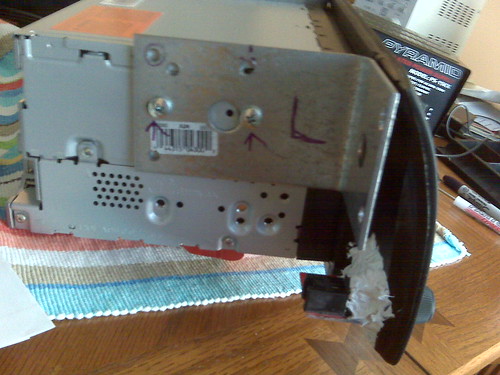
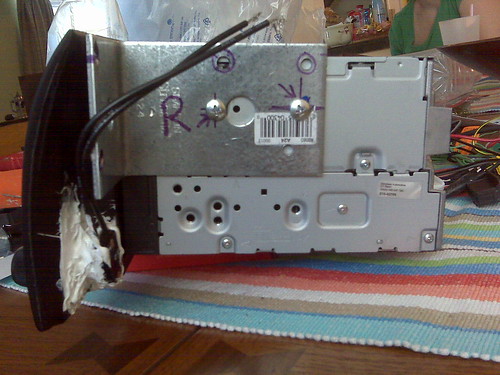
The Home depot galvanized L bracket fit perfect for BMW opening.


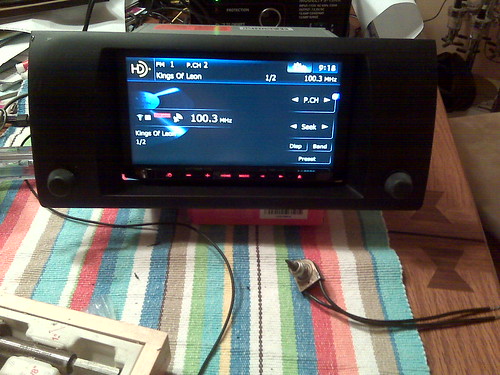
Shot while still set up in dining room table. mybimmer.net ABS bezel

3830198964_0fcf6720a6.jpg


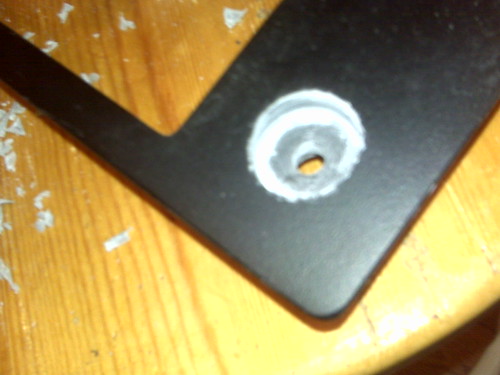
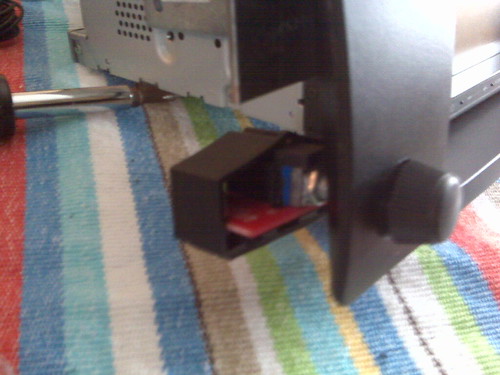
Cutting the hole for OEM knob to be used for a the kicker bass knob and a rotary switch.

3830199096_8a5b52185e.jpg


Fresh cut. before installing I colored it with a black sharpy. (Forcep bit was used)

3830199202_23f9ed0a71.jpg


Knobs installed

3830199404_e1af9bbf2b.jpg


This is not my original nav but the OEM NAV looks like this

16x9.jpg


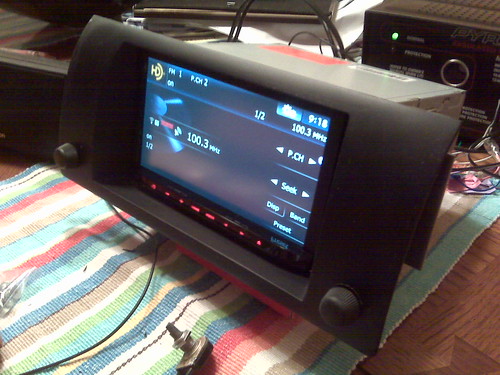
Side shot

3830199552_e3067e60be.jpg


Notice that the pioneer name is no longer on top and the chrome strip alon ghte bottom is gone. I just used a matte black decal from ebay to cover it up.

3829402205_521ef64aa4.jpg


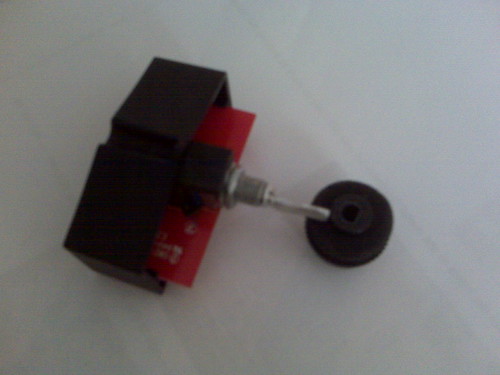
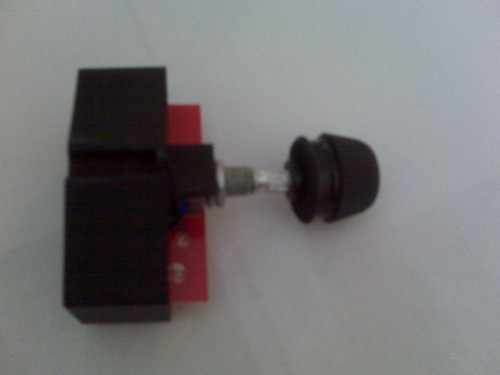
Kicker bass knob opened and filed down to fit into OEM Knob

3830200314_2723f47ab0.jpg


Test Fit...

3829402805_593140dac5.jpg


More to follow...

Posted Aug 17, 2009 · 13:50 UTC#6

More test fitting

3829403085_082c29fa8e.jpg


HU Test fit. I needed to move the bracket up to fit the factory screws. Wood clear coat was lightly scratch but a little wipe removes it.

3830201152_69f8d6137f.jpg


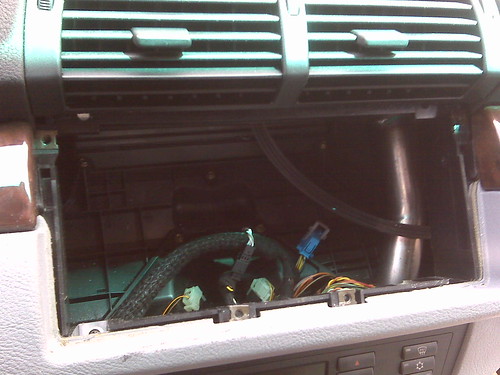
OEM Nav removed. Huge opening.

3830201296_5297822cf4.jpg


Bracket moved up to line up to the factory Holes.

3830201618_fc66456c05.jpg

3829404147_b275168010.jpg


Notice I used silicone for the knob installs. Its done in case it breaks or needs to be swapped out later.

3829404307_33fbb70329.jpg

3829404491_8f6551bf1b.jpg

Posted Aug 17, 2009 · 14:03 UTC#7

Fun day...The Install started.

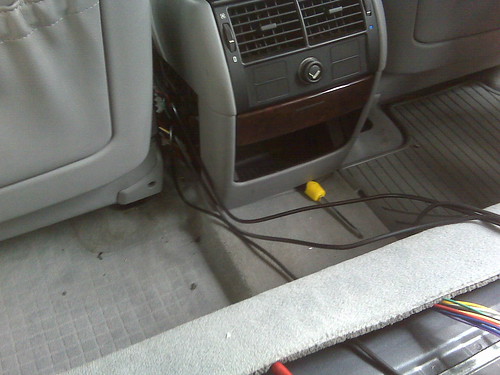
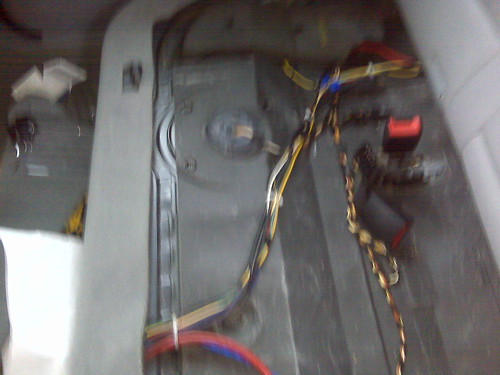
Running wires took about 5 hours since many parts needed to be loosened or removed. Also since the OEM tuner was in the rear all the wires need to be run along with the RCAs for the amp and reverse camera. The power seat harness was not disconnected since I heard that this will require the dealer to reset the airbag lights.

3830202546_f51373c222.jpg


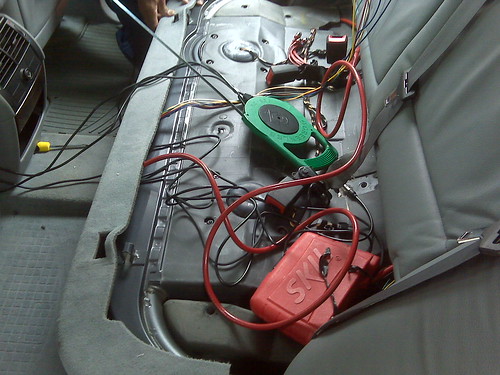
Wires/cables are run through the middle of the car. The red cable is the Monster 6 channel RCA cable. It looks like a 4 guage power cable.

3830202878_d12ed0090d.jpg


Screwdriver used to give room when lifing the carpet.

3829405399_9c3ec6a4cb.jpg


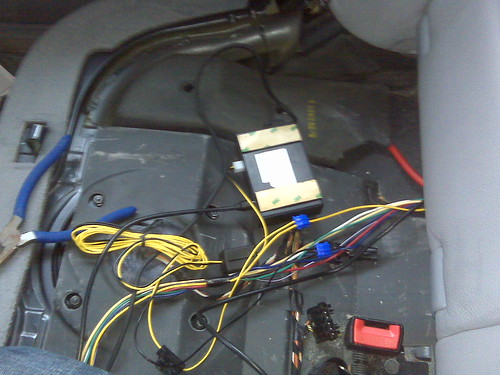
Power, antenna and HD tuner. HD tuner is currently placed under the seat but it will be relocated to the rear by the spare tire. This was a pain to install since the OEM antenna cable is in the rear. I needed to run 2 long antenna cables since the MSN direct needed to be in the front. The connection is in this order: From OEM antenna to MSN direct to HD Tuner. Antenna ends there since the signal is then passed into the head unit via the IPBUS. The HU antenna jack is not used.

3830203202_85f0c16d00.jpg


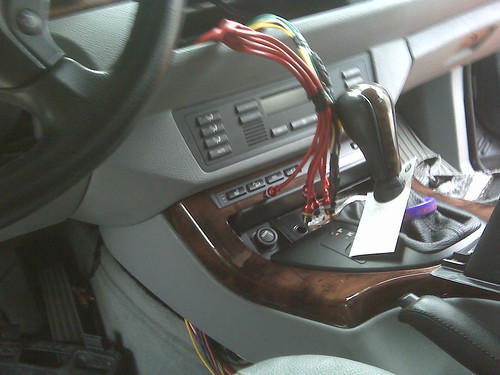
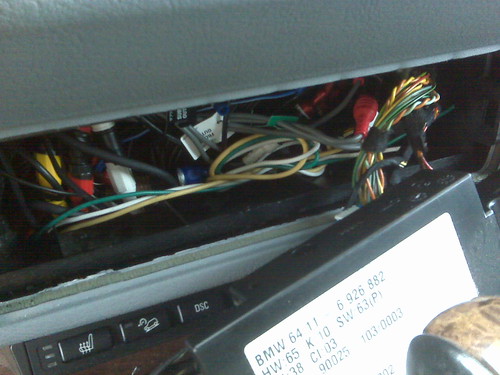
Climate control removed and the wires HU wires behind

3830203326_5c39ec9e3a.jpg


Wires tied together.

3830203598_88e9d7b97c.jpg

Posted Aug 17, 2009 · 17:34 UTC#8

Great photos - good job!

Posted Aug 17, 2009 · 21:53 UTC#9

Congrats on the new setup ,the custom job on the knobs is great ,it looks like stock .

Posted Aug 18, 2009 · 00:53 UTC#10

Looks good. What gauge wires did you use to extend the harness to the back?

Posted Aug 18, 2009 · 01:10 UTC#11
Looks good. What gauge wires did you use to extend the harness to the back?


I used 14 guage for power, 16 for accessory and amp remote. I ran 2 additional wires for future use that is 14 Gu. In addition the reverse trigger was also ran along with an antenna remote wire.


More pics coming soon.

Posted Aug 18, 2009 · 03:32 UTC#12

Here are a few more pics...


GPS Nav antenna placed on the air duct behind the speedometer under the dash.

3829406379_fa16cb2034.jpg


VSS wire plugged in behind the speedometer.

3829406637_36e6790dbb.jpg


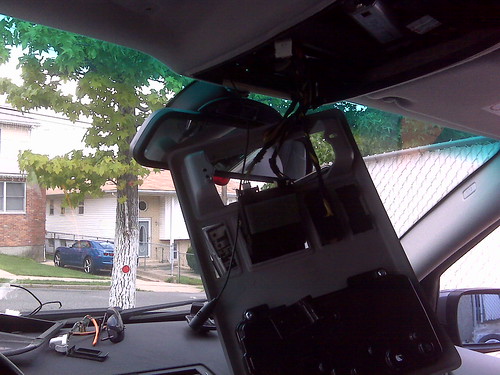
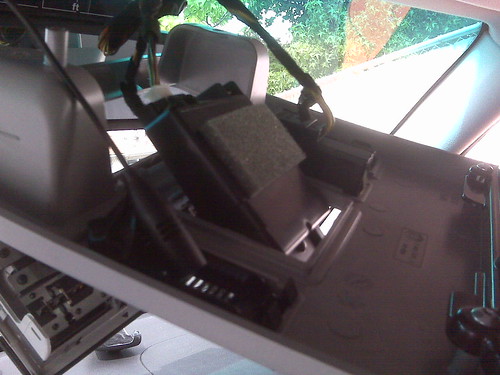
Taking apart upper console for mic placement and removal of motorola BT kit mic.

3829407023_26d8bbc0a3.jpg


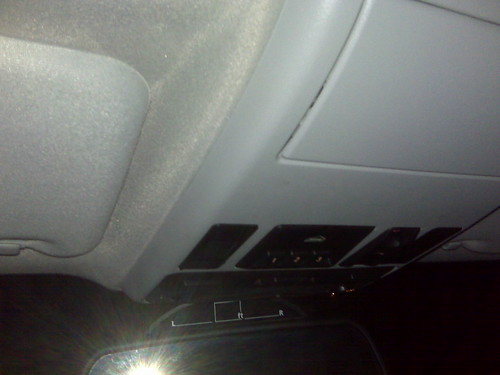
Relocated the sunroof switch to the other side to mount the HU mic closer to me while using the OEM mic cap.

3829407269_947856dc11.jpg

3830205056_6a356e6537.jpg


Mic mounted in left most space

3829408329_938edf8f81.jpg


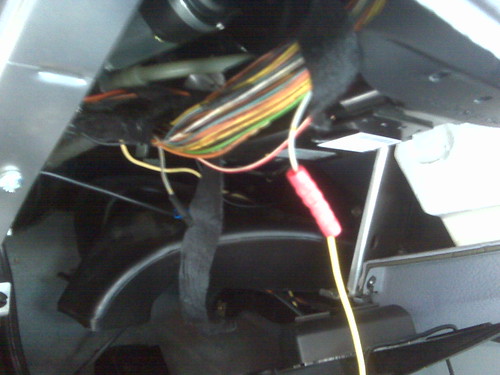
SWI-PS connected. Original wire is cut to connect the SWI.

3829407527_b21b53d301.jpg


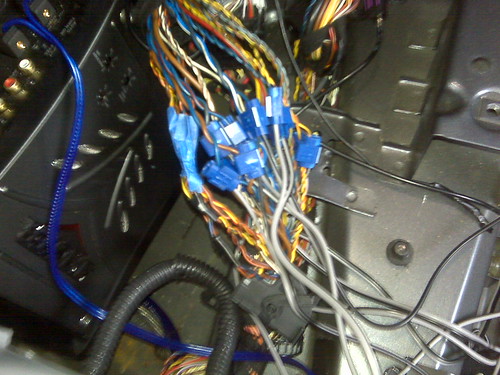
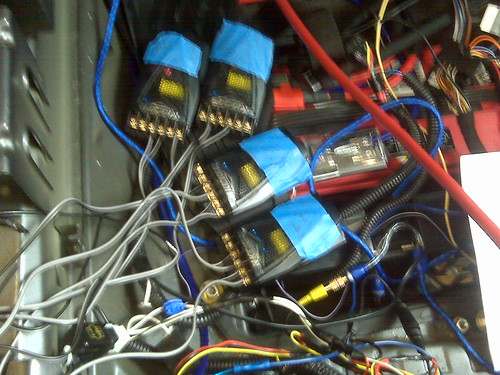
Wire tapped all speaker connections to 8 speakers. The car has 10 speakers but I am only using 8 and they will be going through a kicker passive crossover. Kicker amp below is used for the Subwoofer.

3830206310_8a804a02d4.jpg


Crossovers. Note the battery is below. Picture is located on the back left of the vehicle.

3829408511_56fc7f7ab3.jpg

Posted Aug 18, 2009 · 03:44 UTC#13

4 Channel amp installed. Sub amp installed directly below it.

3830204546_891a68987e.jpg


Finally fully installed picture.

3830205546_28c067d68d.jpg


Two and a half days of installing and I now can finally relax and enjoy it. Headrest monitors installed and pictures to follow.

Posted Aug 18, 2009 · 05:57 UTC#14

Nice work. Looks OEM to the naked eye

Posted Aug 18, 2009 · 15:06 UTC#15

Did you need any special tools to remove the OEM nav monitor and DVD drive? I noticed EAS sells special tools but I wasn't sure if they were necessary. Also, how did you connect the OEM antenna? I've read on other forums that the blue wire on the Pioneer harness is not used on BMW's. I know I need an adaptor and antenna extension cable but it needs power correct?

Posted Aug 18, 2009 · 15:47 UTC#16

Wow... looks good!!!

I just got mine installed this weekwnd too, on a 2004 X5 no DSP. But I can't do those things on my own, I'm too scared to start playing with my baby... haha.

Anyway, I have 2 problems that I want to know if you can help me out with.

One, when I blow the horn, the source playing changes. Do you know what can be causing that?

Also, how do I program the pac? I got it installed in a place far from me so I rather do it myself if I can. Do I have to rewire it? I want to be able to change songs with the next/prev buttons on my steering wheel. Right now, all they do is control the radio stations to move from one to another. I rather control my ipod.

Any help will do.

Posted Aug 18, 2009 · 21:31 UTC#17

Nice job on the self-install, isn't easy on a car like that.


More than likely your navigation accuracy issues are because of the GPS antenna location. Having it inside the dashboard means your signal strength is going to be reduced substantially. If you are OK with that, proceed as is. Generally I mount the antenna on the top dead center of the dashboard, up by the glass, where it gets a good view of the sky. Can usually run the cable between the dashboard and the glass.

Posted Aug 19, 2009 · 00:58 UTC#18
Wow... looks good!!!

I just got mine installed this weekwnd too, on a 2004 X5 no DSP. But I can't do those things on my own, I'm too scared to start playing with my baby... haha.

Anyway, I have 2 problems that I want to know if you can help me out with.

One, when I blow the horn, the source playing changes. Do you know what can be causing that?

Also, how do I program the pac? I got it installed in a place far from me so I rather do it myself if I can. Do I have to rewire it? I want to be able to change songs with the next/prev buttons on my steering wheel. Right now, all they do is control the radio stations to move from one to another. I rather control my ipod.

Any help will do.


I havent used the horn just yet. I will have to try that. Not sure if it will happen. Although even living in NYC I dont know when the last time I hit the horn.


The PAC can be programmed as long as you have access to it. The instructions on how to do it are on their website. Once you know how to do it then it takes only 2 mins even if you had to change your preferences.

You need to set the seek +/- to control the ipod since the preset +/- is only designed for the radio. I set the R/T to the phone menu and the talking face to answer calls.

DO NOT set the R/T to the source option since it gets pressed by the car when you turn on the ignition. I did this first and everytime I got in the car the wrong source was playing. I set it for the phone option since the phone is not available until after the software boots up.

Posted Aug 19, 2009 · 01:00 UTC#19
Nice job on the self-install, isn't easy on a car like that.


More than likely your navigation accuracy issues are because of the GPS antenna location. Having it inside the dashboard means your signal strength is going to be reduced substantially. If you are OK with that, proceed as is. Generally I mount the antenna on the top dead center of the dashboard, up by the glass, where it gets a good view of the sky. Can usually run the cable between the dashboard and the glass.


I think its off right now since it still calibrating. I checked the GPS antenna screen and it shows that I have good signal while I'm driving. There is a 3D calibration screen and it is not even close to being done. I think a lot of driving is required for it to complete.


The OEM antenna for the BMW Nav and satellite radio is typically placed inside of the read spoiler of an X5. From what I've been told as long as there is no metal above then its okay. The dash was phone and leather. Not much there.

Posted Aug 19, 2009 · 01:02 UTC#20
Did you need any special tools to remove the OEM nav monitor and DVD drive? I noticed EAS sells special tools but I wasn't sure if they were necessary. Also, how did you connect the OEM antenna? I've read on other forums that the blue wire on the Pioneer harness is not used on BMW's. I know I need an adaptor and antenna extension cable but it needs power correct?


No special tool that you cant get from your local harware store. It was a torx screw. I dont remember the size but it was small.


I just purchased an antenna adapter. I did not connect the blue wire on the antenna adapter. No problems at all with the reception.

Posted Aug 19, 2009 · 02:44 UTC#21

great job

Posted Aug 19, 2009 · 16:36 UTC#22
I havent used the horn just yet. I will have to try that. Not sure if it will happen. Although even living in NYC I dont know when the last time I hit the horn.


The PAC can be programmed as long as you have access to it. The instructions on how to do it are on their website. Once you know how to do it then it takes only 2 mins even if you had to change your preferences.

You need to set the seek +/- to control the ipod since the preset +/- is only designed for the radio. I set the R/T to the phone menu and the talking face to answer calls.

DO NOT set the R/T to the source option since it gets pressed by the car when you turn on the ignition. I did this first and everytime I got in the car the wrong source was playing. I set it for the phone option since the phone is not available until after the software boots up.


How did you set up the R/T button for the phone menu. I looked at the PAC website and I dont see them having a function for the phone menu. All I see are these:

Volume +/-, Mute, Track +/-, Source, Preset +/- and Band.

How does the phone menu get programed, cause I would like that. 8)

Did you get that Bezel from Rich? I have the same bezel, but adding those knobs was a nice idea...

I have the 2point5 spec.dock for my iphone cradle, think it looks nice too. I will try to post some pics later. Havent' had time to upload any.

Posted Aug 19, 2009 · 17:26 UTC#23

With the PAC does the phone answer button (talking man icon) also disconnect the call? I was originally going to get the PAC unit but have recently been reading about the Connects2 option. Problem is I can't seem to find alot of info on it but it is very popular in Europe.

Posted Aug 19, 2009 · 17:42 UTC#24

question regarding


HD tuner

MSN tuner

XM Tuner


I have the same except Sirius


how did you wire it?


I am finding that I cannot get a lot of the HD channels we have.

I also have no way of tuning in FM stations?????


we used the metra splitter so I wouldnt lose fm/am but that seems to be the case

Posted Aug 19, 2009 · 17:49 UTC#25
question regarding


HD tuner

MSN tuner

XM Tuner


I have the same except Sirius


how did you wire it?


I am finding that I cannot get a lot of the HD channels we have.

I also have no way of tuning in FM stations?????


we used the metra splitter so I wouldnt lose fm/am but that seems to be the case


You cannot use the splitter at all. Once you have the HD tuner plugged in and the anternna cable plugged into it, you no longer have access to the AM/FM options. Everything is through the HD radio. The antenna jack behind the head unit is no longer used. So from the antenna cable it goes into the MSN tuner then to the HD tuner. HD tuner sends the broadcast to HU via IPBUS. Since the AM/FM option gets eliminated I removed it from the shortcut screen. I hope this helps.

Page 1 of 2