Search Archive

Things I miss from my older Z-series

By sarcastic6 · Aug 20, 2009in General💬 27 posts👁️ 4,363 views
Page 1 of 2
Posted Aug 20, 2009 · 18:46 UTC#1

I had a Z2 before, upgraded to the Z3 software.


Now don't get me wrong, I love the Z110BT, but there are a few things I do miss from the older unit:


The voice setup. I much preferred the older way of doing it, mixing the prerecorded voice with the TTS voice just to say specific street names. On the Z110BT, you choose either prerecorded only, or TTS where the "computer voice" says everything.


No more vehicle dynamics.


No more split-screen map (I liked the 3D split view with the small side zoomed out and always facing N on longer trips).


No more mute button. Okay, seriously, who thought this one up? Now if I want to mute the voice, I have to hit the shortcut button, volume button, mute button, and then press something to drop back to the map. Please tell me I'm missing a quicker way!


Turn arrows. I like the idea of hiding the (huge) arrow until you get close to a turn to let you see more of the map. The problem is, the way it's implemented, I frequently don't get the arrow until 1/4 mi before a turn. In downtown areas, 1/4 mile isn't a lot of time to switch across several lanes of traffic. I wish there were either an option to have the arrow always on, or some way to display a smaller arrow up by the street name until you're close to the intersection.


A/V screen has pages. I have to flip to the second page to use XM, meanwhile there are grayed out choices on the first page. And yes, I realize I can use the shortcut page rather than the regular menu, but if you add all your AV sources to the shortcut page, it gets very cluttered very quickly.


No more town/city name. On the Z1/2/3, it showed the town/city name next to the current street name at the bottom of the screen. I miss that, and don't see any way to display that on the Z110BT.


Keyboard. I liked the way the Z1/2/3 grayed out keys as you were typing that weren't an option.


Locations can't have sounds. Not a huge deal, I really used them more as a joke than anything else, but it was a cool feature!


Again, don't misinterpret my post, I really do enjoy a lot of the new features of the Z110BT (and the screen is amazing). I just miss a few features of my old unit... :)

Posted Aug 20, 2009 · 18:52 UTC#2
No more town/city name. On the Z1/2/3, it showed the town/city name next to the current street name at the bottom of the screen. I miss that, and don't see any way to display that on the Z110BT.


SETTINGS, MAP SETTINGS, DISPLAYED INFO, sixth option, CURRENT STREET NAME. This will also show the city name next to the street name while traveling.

Posted Aug 20, 2009 · 20:34 UTC#3

I just checked and I've had that setting turned on. It shows the city on yours?

Posted Aug 20, 2009 · 22:52 UTC#4

Yes.

Posted Aug 21, 2009 · 02:33 UTC#5

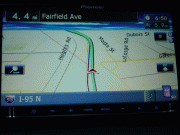
Strange, this is what I see:

70426d46143563.gif


Which brings me to another "what were they thinking" moment... when there's slow traffic, why in the world is the speed/circle thing so tiny? There's plenty more button to fill!

Posted Aug 21, 2009 · 03:23 UTC#6

Try it when not on an interstate hwy. It should show the city name if on a state hwy. That is when I have seen it.

Posted Aug 21, 2009 · 15:19 UTC#7

Stiks they got rid of the Vehicle Dynamics screen.... As that's where my current Z2 turned Z3 stays during normal day to day cruising around the town...

It looks good, reads good to know info, and has the least amount of light for night time driving....


So far, from what I've read... and reason why I haven't pulled the trigger...


-no vehicle dynamics screen

-no IR or remote control ( I love having the voice command button on my steering wheel like I have my Z3 setup now) this is the major deal breaker for me

-16GB SDCard limitation (granted, I can just barely fill my 16GB Iphone) but at this day and age where you can get 32GB fairly cheaply, just doesn't make since...


Otherwise, they did listen to their customers about fixing things...

-Like button colors... I had to solder the stupid tiny LED's in my Z3's buttons (not much fun)

-quick/better IPod interface

-IPod video

-SD card > HDD (just makes sense in every way) way cheaper than SSD and much more durable than HDD on bumpy roads

-USB

Posted Aug 21, 2009 · 18:59 UTC#8

You can mute the z110 by holding the voice command button on the front for a few seconds and then hold it again for a few seconds to unmute. Not the fastest but it's there.

Posted Aug 22, 2009 · 05:39 UTC#9

Whao! Your kidding, right? No remote control capability on a $2,000 radio? I just had my Z1 stolen out of my truck today and was looking at getting the new Z. I use my remote all of the time. As a matter of fact that is really the only way I use my radio. I can't believe that Pioneer droped the ball on this. This sucks. Now I may have to look into another brand.

Posted Aug 22, 2009 · 07:05 UTC#10
I can't believe that Pioneer droped the ball on this.


I dont see it as them dropping the ball. Most cars now have steering wheel controls that can be utilized with the head unit so it probably has been eliminated to cut cost.

Posted Aug 22, 2009 · 13:47 UTC#11

Yep, I miss the split screen 2D/3D map screen too. That's the only map view I ever really liked on my old Z2. Now I find myself flipping from one to the other trying to figure out which one I like more. I also wish you could select more than 10 POI overlays to be displayed on the map. I don't need 100 but there are probably 20 that I'd like to have displayed at all times.


I also find the two page A/V screen to be annoying. Hopefully they'll update this so that you can customize it like the shortcuts screen. I need to be able to move Sirius and HD to the front page. This is especially annoying because the AM/FM buttons are grayed out now that I have the HD receiver. Let me use those locations for stuff I actually have.


Having said that, the 110 blows away my old Z2. I was so disappointed in the iPod interface and lack of HD option that if the 110 hadn't fixed those issues I would have gone to another manufacturer. If Pioneer could iron out just a few wrinkles they would have the best navi on the market by a long shot. They may even have it now.


Mike

Posted Sep 09, 2009 · 02:50 UTC#12
You can mute the z110 by holding the voice command button on the front for a few seconds and then hold it again for a few seconds to unmute. Not the fastest but it's there.


This method mutes everything... I miss the shortcut (1 click) to mute the NAV directions voice. Now it takes 5 clicks to turn her voice off or back on...

Posted Sep 10, 2009 · 11:45 UTC#13
Stiks they got rid of the Vehicle Dynamics screen.... As that's where my current Z2 turned Z3 stays during normal day to day cruising around the town...

It looks good, reads good to know info, and has the least amount of light for night time driving....


So far, from what I've read... and reason why I haven't pulled the trigger...


-no vehicle dynamics screen

-no IR or remote control ( I love having the voice command button on my steering wheel like I have my Z3 setup now) this is the major deal breaker for me

-16GB SDCard limitation (granted, I can just barely fill my 16GB Iphone) but at this day and age where you can get 32GB fairly cheaply, just doesn't make since...


Otherwise, they did listen to their customers about fixing things...

-Like button colors... I had to solder the stupid tiny LED's in my Z3's buttons (not much fun)

-quick/better IPod interface

-IPod video

-SD card > HDD (just makes sense in every way) way cheaper than SSD and much more durable than HDD on bumpy roads

-USB

This doesnt apply, the 2500 file limit is the limiting factor from my findings.

Posted Sep 11, 2009 · 01:48 UTC#14

if you have oem steering wheel controls...... the swi-ps integrates your buttons including bluetooth.


but granted, if you don't have oem controls, the no remote feature is a bummer

Posted Sep 11, 2009 · 17:15 UTC#15
if you have oem steering wheel controls...... the swi-ps integrates your buttons including bluetooth.


What exactly do you mean "bluetooth"?


Can you program the voice command feature? Answer calls, disconnect calls?

Posted Sep 11, 2009 · 17:21 UTC#16

Cant program the VR but you can program answer call, disconnect call, and something else I cant remember.

Posted Sep 13, 2009 · 03:14 UTC#17
Cant program the VR but you can program answer call, disconnect call, and something else I cant remember.


I know it's not everyone's hang up with the system, but "reaching" for a voice command button seems almost, completely idiotic... I know I sound anal, but seriously, I have it better with the previous Z...


I hope they come up with something soon... It's the only downgrade, from the Z3, that's holding me up from buying one.... well...there is the Vehicle Dynamics screen as well... Having the time, speed, and the accelerometer all displayed in a nice looking layout, is nothing less than awesome.... :(

Posted Sep 13, 2009 · 10:02 UTC#18

Really? I had two different N-series, one D-series, and one Z and I don't miss the vehicle dynamics at all. If I wanted to know what time it was or how fast I was going I would just look at the giant gauges that my car comes with. I want a nav system to tell me where to go and play music, the car can handle everything else

Posted Sep 14, 2009 · 01:51 UTC#19
...I don't miss the vehicle dynamics at all. If I wanted to know what time it was or how fast I was going I would just look at the giant gauges that my car comes with. I want a nav system to tell me where to go and play music, the car can handle everything else


It's an important feature for those of us who do more than just tinker with Car A/V. When you're messing around with tire size, gearing or other vehicle PCM settings in general, that vehicle dynamics display is a nice feature and lets me know I programmed everything correctly...


Glad I checked this thread. There are several issues here that would make me think twice about purchasing one of these new Z units. I think I'll wait for the next version.

Posted Sep 14, 2009 · 15:43 UTC#20

True about wheel/tire upgrades.... I have bigger than stock wheels and was very concerned about it... There are fixes for it, but luckily, my truck's speedo is just 1mph or so different than the GPS...


The accelerometer is just a fun factor... I paid alot to get over 500 ponies in my truck... it's fun to see just how far you can get it...


I also like to intelligently answer police when they ask "you know how fast you were going"?


"ugghhh, yes sir, I was going 68.7 MPH as per GPS" :wink:

I do actually use it, as I frequently drive the 24 mile Lake Ponchartrain Causeway, that spans from my area to New Orleans... It comes in handy...


I also think it's the most attractive screen... It play well for nighttime driving as well, as it's dimmer than any other view...


It's not a complete deal breaker for me... but it is a downgrade IMO...

Posted Oct 06, 2009 · 02:36 UTC#21

I also find the two page A/V screen to be annoying. Hopefully they'll update this so that you can customize it like the shortcuts screen. I need to be able to move Sirius and HD to the front page. This is especially annoying because the AM/FM buttons are grayed out now that I have the HD receiver. Let me use those locations for stuff I actually have


Mike


I called Pioneer about the HD preset BS and the tech said "that's the way all Pioneer devices are with external tuners". I responded what about XM? I asked about the greyed out FM and he said "your antenna is not hooked up or the splitter is bad" but it is. I think he doesn't know his own device (or his cheat sheet doesn't).


It sounds like from your post and others that this is normal with HD. You do get FM and AM when you have HD selected so I guess it is there. I meant to ask them if I really needed the antenna splitter and I am guessing probably not with HD, no point going to the HU...

Posted Oct 09, 2009 · 03:38 UTC#22

I miss (or I am too dumb to stumble across) the voice commands "Use Freeway" & "Avoid Freeway" that were on my Z1 & Z3. If I am driving on the traffic-jammed freeway with my UNBYPASSED Z100BT, I cannot get the thing to opt off the freeway until I exit and come to a complete stop. But how do I know what exit to take? :)

Posted Oct 10, 2009 · 01:32 UTC#23

If you use MSN Traffic, it will offer other routes when congested.

Posted Oct 10, 2009 · 14:24 UTC#24

Wow, reading this is def making me change my mind a bit on pulling the trigger. I have a z2 now and the split screen is def one of my fav thing (also because you can split between rear camera and navi). The Vehicle Dynamics is also a buzz kill. That was one of my fav things when hitting on on ramp (G forces). Now its the debate of how long itll take pioneer before they could fix this or change it. Or any chance we'll get lucky enough to get an upgrade cd and add some toys?

Posted Oct 11, 2009 · 16:47 UTC#25

I've sold my vehicles with the D2 and Z2 installed. I never used voice command, just never thought about it.


My current truck has a factory GPS with bad bluetooth, decent Nav and a decent Sirius interface and pretty much no other features. Try dealing with that for a year or so, you'll be in love with the Z110.

Page 1 of 2