Search Archive

Diaftia's menu poll. Hybrid mod users need your feedback

By diaftia · Nov 12, 2009in Hacks/Mods💬 31 posts👁️ 4,982 views
Page 1 of 2
Posted Nov 12, 2009 · 17:38 UTC#1

***EDIT*** Check page 2 for what the new menu would look like.


So I have had some people say they like the old version better that keeper redesigned and I have had some say they like the new version better. If you are a user of either or both can you take a vote here and let me know which system you prefer?


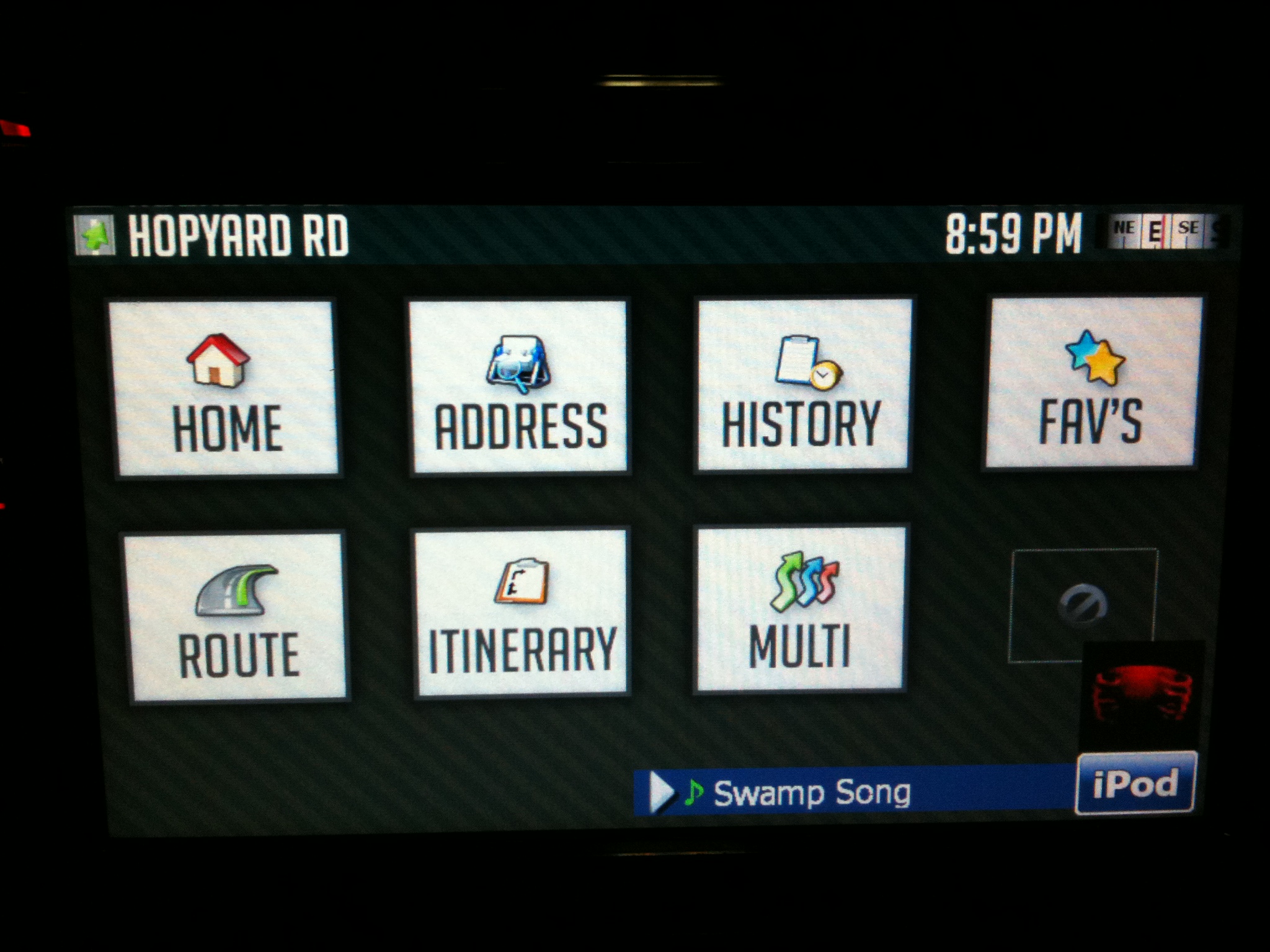
Here is the old style (Pros: easy to use, easy to mod and easy to add icons to; Cons: covers whole map when up):


New style (Pro's: Doesn't cover the map when up; Cons: harder to modify for n00bs):


post-26802-12872759921532_thumb.jpg

post-26802-12872759926347_thumb.jpg

post-26802-12872759930851_thumb.jpg

post-26802-1287275993538_thumb.jpg

Posted Nov 12, 2009 · 17:44 UTC#2

Well I am a bit biased but I like the larger buttons. 8)

Posted Nov 12, 2009 · 17:57 UTC#3

Hey Diaftia, your work just keeps getting better & better. I voted for the older larger style; for me its just easier to use while moving. If we were using the stock version we would have to hit menu and deal with all of that so the older larger style is still a vast improvement and the map is only hidden for a short period of time. Thanks, just my two cents.

Posted Nov 12, 2009 · 18:54 UTC#4

Excellent! Thanks for the feedback guys. My thoughts are that if I do go with the larger buttons I might work on some transparency for the background. But then you go into the situation where you have to hide everything that is on the map and then unhide when things are selected. Can get ugly. We'll see though.


Lets keep those votes coming in. :)

Posted Nov 12, 2009 · 20:39 UTC#5

I like the old style best. It's just more visually appealing to me. The big buttons are nice because my big fingers can push them while I'm driving without accidentally missing, haha!

Posted Nov 12, 2009 · 21:15 UTC#6

Ditto on the big icons. Small targets are just too tough to hit when you're driving (example: I've modded copy of your mod to make the next turn icon to be the nav mute instead, since it's big and closest to me and what I use the most in the map). Mind you, most of the quick menus shouldn't be used while driving period, but smaller targets make for less accuracy when stopped at the light. :D

Posted Nov 12, 2009 · 22:25 UTC#7
Ditto on the big icons. Small targets are just too tough to hit when you're driving (example: I've modded copy of your mod to make the next turn icon to be the nav mute instead, since it's big and closest to me and what I use the most in the map). Mind you, most of the quick menus shouldn't be used while driving period, but smaller targets make for less accuracy when stopped at the light. :D


Thanks for the feedback. Actually, did you vote in the poll above? There are four for big icons on the thread so far but the poll still says three.

Posted Nov 13, 2009 · 07:27 UTC#8
I like the old style best. It's just more visually appealing to me. The big buttons are nice because my big fingers can push them while I'm driving without accidentally missing, haha!


I agree with this completely, I dont have very large fingers but the bigger buttons are nice while driving and bumping around you dont miss and mess up while driving causing a bigger distraction


I know some people think this covers the whole screen but why does that matter? it's only for a few seconds which is not a big deal


I feel the large icons look more professional as well as being easier to use


Let's hope enough users agree so we can get the old style back in this mod :)


Thanks diaftia for making this poll I really appreciate it

Posted Nov 13, 2009 · 11:56 UTC#9

Give me the small icons!!! Doesn't hide the map!

Posted Nov 13, 2009 · 14:06 UTC#10
Give me the small icons!!! Doesn't hide the map!


Why does it matter if it covers the map? if you already have a route you dont need to see it when it speaks when to turn and which street

Posted Nov 13, 2009 · 17:40 UTC#11

I think the big ones prevent touching the wrong button and you don't have to be that much focused on teh screen while driving a little bit faster ! Noone is driving on rails I think! :wink:


So I prefer the big ones!

Posted Nov 13, 2009 · 17:46 UTC#12

Alex I wonder if it would be possible to enlarge the menu button on the map screen if you decide to do the large icon thing. I'm guessing you might be limited in size when using the quick menu small icons so everything fits on the screen, but may be able to double the size of the button with the older larger setup. Just a thought on improving the usability for us folks with big fat fingers. Thanks.

Posted Nov 13, 2009 · 18:26 UTC#13
Alex I wonder if it would be possible to enlarge the menu button on the map screen if you decide to do the large icon thing. I'm guessing you might be limited in size when using the quick menu small icons so everything fits on the screen, but may be able to double the size of the button with the older larger setup. Just a thought on improving the usability for us folks with big fat fingers. Thanks.


Trust me... I am 6'3" and have large hands myself so I know its a little tough. I have already doubled that button from the size it originally was when the quick menu first came out. But yes, if I don't have to account for the quick menu I get the entire left side of the screen back when not in route and should be able to make it larger. Even the in route button is currently slightly larger than the not in route button. What I will probably do is make it a transparent background button that has a touch point that is twice the size of what the button actually looks like.

Posted Nov 13, 2009 · 20:42 UTC#14

I am currently using the new small style but I would prefer the old one with larger buttons myself. I think for overall functionality & safety its a better choice. While you may have more options available with fewer button taps on the small style; you have to focus more to see what the heck your selecting. So what if the map gets covered for a few seconds, I could probably get around faster with the larger buttons. Like most others have said, the larger ones would be a better choice IMO.

Posted Nov 13, 2009 · 21:06 UTC#15

I like the small quick menu. I like the ability to look at my options and still see the map screen. Maybe if the large buttons were transparent with no background I would change over. Either way modders out there are making great improvements to the system.

Posted Nov 13, 2009 · 21:13 UTC#16

Indifferent I guess. Using the small but the bigger ones would be ok too.

Posted Nov 18, 2009 · 14:17 UTC#17
Give me the small icons!!! Doesn't hide the map!


Why does it matter if it covers the map? if you already have a route you dont need to see it when it speaks when to turn and which street

Because I am deaf.

Posted Nov 18, 2009 · 16:01 UTC#18

I like the new mod (smaller buttons) just like the way it looks question how to i switch from 2d to 3d i dont see an icon for that and also the speed limit sign does not show up not a big deal but i like the way it looks do need to know how to toggle 2d 3d though thanx

chris


by the way im a noob and the instructions for this mod was great easy to follow did the mod with no probs my first attempt thank you for making it so easy to do

Posted Nov 18, 2009 · 22:37 UTC#19

Switch views by tapping the compass(top right). And the reason you're not seeing Speed Limit signs is that they are not in the map data for that road. Speed limit sign generally only appears when you're on a highway. Will rarely see it driving local streets.


What happened to Alex? He working on fixing these bugs? Havent heard from him in a while. :?

Posted Nov 19, 2009 · 04:22 UTC#20
Give me the small icons!!! Doesn't hide the map!


Why does it matter if it covers the map? if you already have a route you dont need to see it when it speaks when to turn and which street

Because I am deaf.


Ahh that's a good reason then, sorry I hadn't thought of that, maybe Diaftia would think about doing both or making it an option you can enable or disable?

Posted Nov 19, 2009 · 17:59 UTC#21

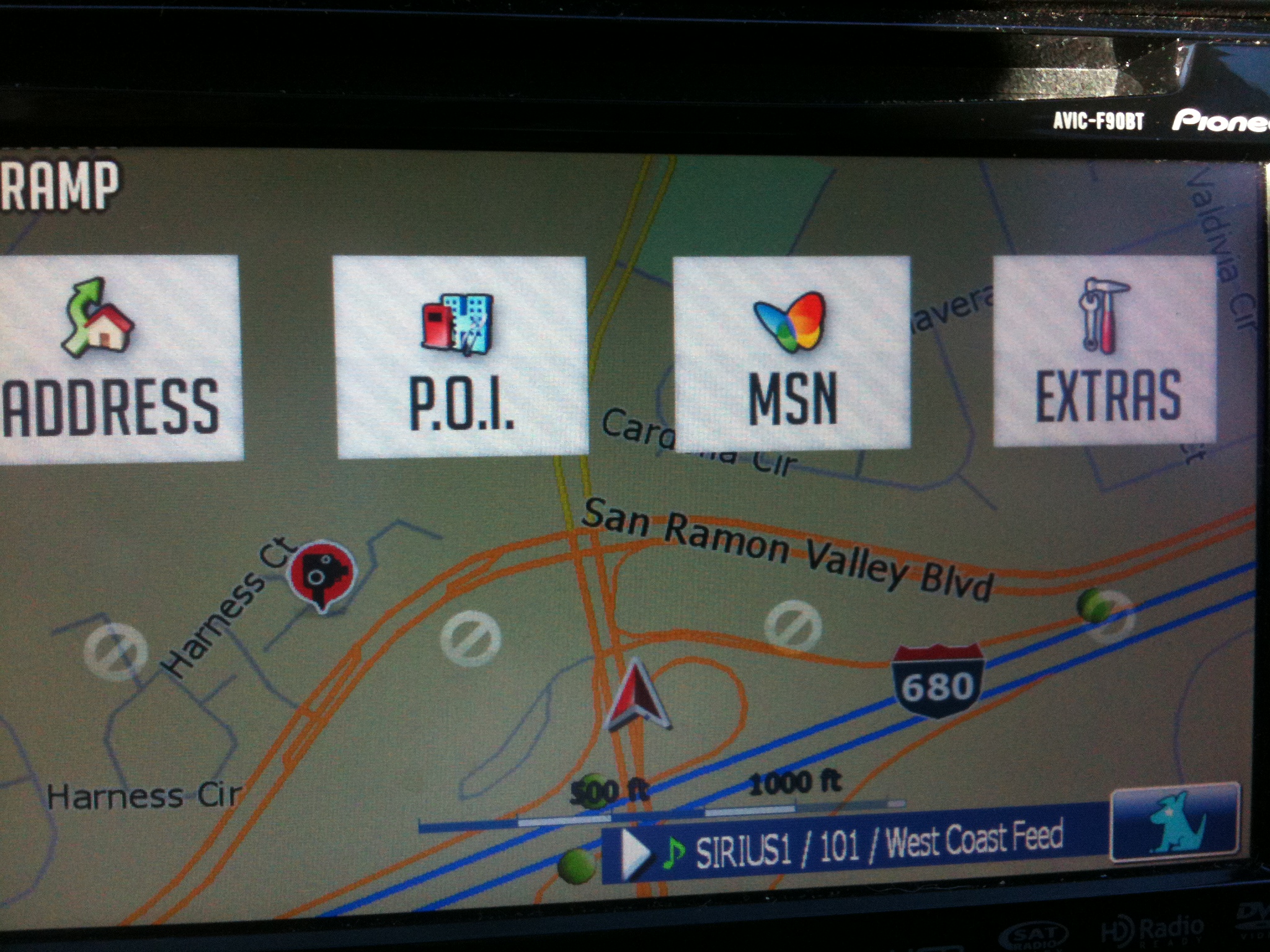
Sorry for being away guys. I was on a business trip to NYC. Good news is I got a bunch of the bugs fixed on the 5 hour flight and even got to working on a new menu system that might make both users of the old and new happy. The big like about the old system seems to be that it allows the map to show through. What about this as a sneak peek?:


I still have a couple of scripts to write to get all of the items on the map hidden when the menu comes up. Otherwise it doesn't look right. Let me know your thoughts.

post-26802-12872759998317_thumb.jpg

Posted Nov 19, 2009 · 18:27 UTC#22
Sorry for being away guys. I was on a business trip to NYC. Good news is I got a bunch of the bugs fixed on the 5 hour flight and even got to working on a new menu system that might make both users of the old and new happy. The big like about the old system seems to be that it allows the map to show through. What about this as a sneak peek?:


IMG_0221.JPG


I still have a couple of scripts to write to get all of the items on the map hidden when the menu comes up. Otherwise it doesn't look right. Let me know your thoughts.


I like it!

Posted Nov 19, 2009 · 18:28 UTC#23

If the forum had a "like" button, I'd click it! Looks good.

Posted Nov 19, 2009 · 19:15 UTC#24

Good start!!! How do the other buttons fit on the screen? Have you thought about stacking them on the left side lilke the old menu...does it all fit?

Posted Nov 19, 2009 · 20:11 UTC#25

Alex, looks good to me. Can't wait to give it a try. :D

Page 1 of 2