Dragon, diaftia uploaded a new version of his mod woill this work on the new version as well?
Posted Dec 18, 2009 · 16:14 UTC#26
Dragon, diaftia uploaded a new version of his mod woill this work on the new version as well?
Dragon, diaftia uploaded a new version of his mod woill this work on the new version as well?
the new 2.1 will not work with the old 2.0 data.zip file.
@Dragon24 - When do you plan to release red version ?? I would like to give it a try.
i'm still working on it. it will be released later.
Dragon, diaftia uploaded a new version of his mod woill this work on uotethe new version as well?
I have already added his key features such as, call from POI (big plus!), preventing text from overlapping etc.., to your mod. It is a must and not hard to do. I can do this for your blue theme if you like. PM me if you would like the update for some of his key features. The call from POI is a MUST!!
@Dragon24 - When do you plan to release red version ?? I would like to give it a try.i'm still working on it. it will be released later.
I already have it done for me  , blue looks awesome, but clashes with my interior. Dont ask me to post it because this is not my mod, I did this just for myself! This looks amazing in red!! here is a pic:
looks good abb... i sent you the red image.res file for you to beta test. let me know if you find anything wrong in it. i already know about the the radio menu. just a bit lazy tonight.
im looking for a couple Beta Testers for the red theme of this skin. if you would like to help out by checking the skin out.
looks good abb... i sent you the red image.res file for you to beta test. let me know if you find anything wrong in it. i already know about the the radio menu. just a bit lazy tonight.
im looking for a couple Beta Testers for the red theme of this skin. if you would like to help out by checking the skin out.
Excellent! I will definately check it out!
just finished up on the image.res for the Red Version of PM III theme fore the unit.
Are there any changes necessary to get this to work with Diaftia's 2.2 Mod? I looked at data.zip and noticed a few differences in the files. I was thinking to just add the extra files from Diaftia's into your data.zip but was wondering what the consiquences would be.
Also when comparing the files, I noticed that many of the images in both data.zips can not be read by the windows picture viewer. Is that normal? When you add or modify a new image is there anything special you have to do to get it in a proper format?
Thanks in Advance,
Dan
the old 2.1 data.zip file might work with the new 2.2. but i wouldn't do it. some of the might of got changed.
Are there any changes necessary to get this to work with Diaftia's 2.2 Mod? I looked at data.zip and noticed a few differences in the files. I was thinking to just add the extra files from Diaftia's into your data.zip but was wondering what the consiquences would be.
Also when comparing the files, I noticed that many of the images in both data.zips can not be read by the windows picture viewer. Is that normal? When you add or modify a new image is there anything special you have to do to get it in a proper format?
Thanks in Advance,
Dan
No, it will not work as the scripting has totally changed from 2.1 - 2.2. The only way is to change Diaftias 2.2 mod by yourself like I have done here:
http://www.avic411.com/forum/viewtopic.php?f=34&t=30035&p=203794#p203794
Argh. And here I was hoping it would be easy  Now I have to decide between the cool Blue Mayhem III Mod with Diaftia's 2.1 Mod, The generic 2.2 mod or blowing my weekend installing the emulator and trying to update 2.2.
Abb1 or dragon24, how long do you estimate the change taking (assuming I'll have most of the graphics...and a basic talent for these sorts of things)
Abb1 or dragon24, how long do you estimate the change taking (assuming I'll have most of the graphics...and a basic talent for these sorts of things)
If you know how to use photoshop actions not long. If you know how to use PS Bridge to batch them, even quicker. I can have an entire theme recoloured in about 40 minutes. The key thing is though, you have to know how to use Photoshop as this is something that can not really be explained by a post.
I think I get it. If I can swing the time, I'll give it a whirl. Although I think the first step might be to install the emulator first....
Thanks for the tips...
Dragon, diaftia uploaded a new version of his mod woill this work on the new version as well?the new 2.1 will not work with the old 2.0 data.zip file.
@Dragon24 - When do you plan to release red version ?? I would like to give it a try.i'm still working on it. it will be released later.
dragon (or abb), does the current version of the image.res file work with the current version of diaftia's mod (last updated 1/14/2010)? i've been following your conversations but I don't remember seeing whether it is safe to use or not. I don't need a package, just need to know whether i can upload the image.res to the mod i already have on my system. this looks great and i want to finally try it out.
thanks for the work you put into this dragon, it was real nice of you to upload the actual photoshop file for this over in the image section.
the image.res file will not harm diaftia's mod in any way. keep in mind that the image.res file only changes the menus & AV screen. (like in post 1) it doesn't have anything to do with the iGo files.
the image.res file will harm diaftia's mod in anyways. keep in mind that the image.res file only changes the menus & AV screen. (like in post 1) it doesn't have anything to do with the iGo files.
i think you meant it won't harm diafta's mod in any way
i guess it pays to be wide awake when posting in the forums.
I replaced the image.res and it worked like a charm. This looks great! A bit on the bright side in my car, but otherwise the AVIC unit no longer looks like a digitized eight track player. Great work, thank you.
A couple of comments about the iPod screen:
The checkered look of the background makes the font of the song/singer/album information not so clear to see. The letters blend into the background in parts and the brightness makes it hard to read. That background could be darker and less vivid. The background looks great when the album cover is maximized, however, since that makes the information disappear.
The song progress bar background is narrower than the actual progress bar. The progress bar is not within the progress bar container, but overlaps into the "shadow" portion. Can the progress bar itself be made narrower? I can give this a shot if you point me in the right direction. If not the "shadow" portion of the progress bar has to become part of the container itself for it to fit.
The song progress bar background is narrower than the actual progress bar. The progress bar is not within the progress bar container, but overlaps into the "shadow" portion. Can the progress bar itself be made narrower? I can give this a shot if you point me in the right direction. If not the "shadow" portion of the progress bar has to become part of the container itself for it to fit.
Can you post a pic as to what you mean? I think that he had this fixed
if you can like abb said. can you please post a picture of the trouble with the ipod screen. that part of the mod was untested by me because i didn't have an ipod then.
not sure how to place the picture on the post, but i attached the picture i took on my phone. i hope that's enough. if not i will try again when i get home, photobucket isn't accessible at work for me. you can clearly see in the attached picture that the progress bar runs below the shadowed part of the container behind it.
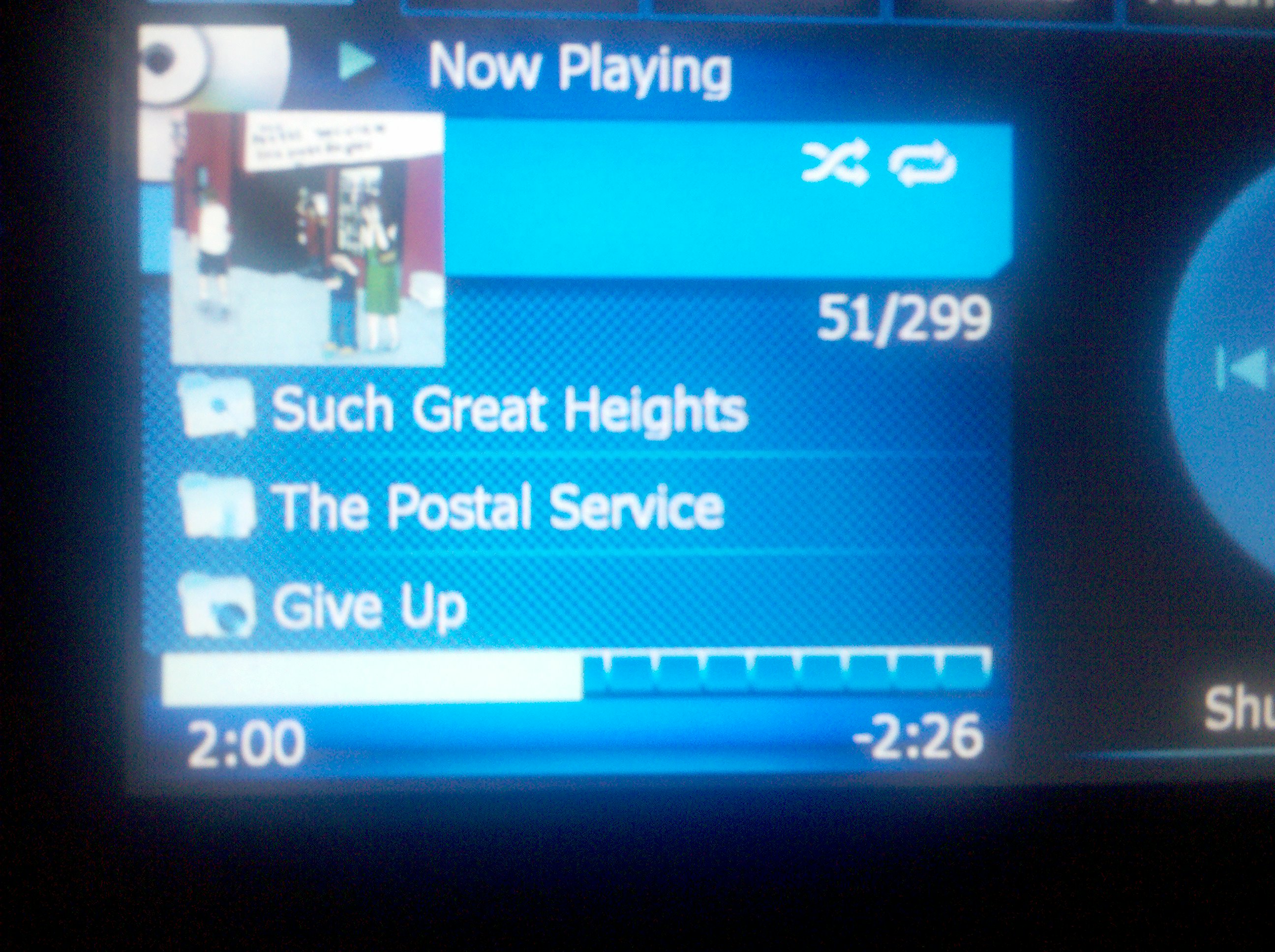
oh, i guess that IS how you put an image on the post.
not sure how to place the picture on the post, but i attached the picture i took on my phone. i hope that's enough. if not i will try again when i get home, photobucket isn't accessible at work for me. you can clearly see in the attached picture that the progress bar runs below the shadowed part of the container behind it.
📎 2010-01-26%2017.55.09.jpg
I found the three image files that make up the progress bar. I'll go ahead and make the changes myself. Thanks for the replies, gents.
That blue one worked out great. The black portions of the images are actually black, which was an eyesore. I tried to recreate those images so the black part is invisible, but it was a failed attempt. So, I took the container image from your original image.res, cleared the vertical partition bars, and made a background image out of it for the new container. All four images had to be changed. I love how it came out.


