Search Archive

My review of the new AVIC-X920BT

By danykane · May 07, 2010in General💬 31 posts👁️ 13,167 views
Page 2 of 2
Posted Nov 12, 2010 · 13:01 UTC#26

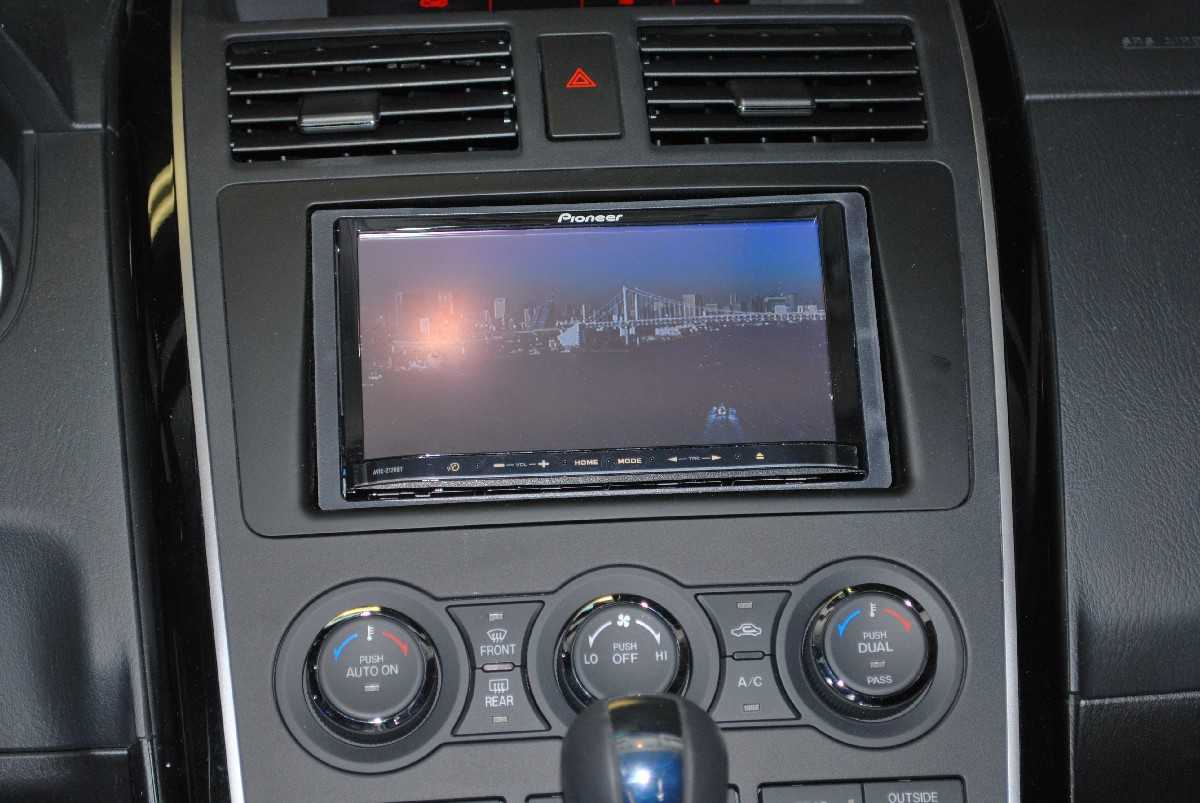
not sure if anybody here uses divx movies, but that is the main reason i got the 120bt instead of the kenwood, if you have movies and music in a dvd you can touch the cd and it will play music when you touch the cd again it will look for movies and you can toch the middle screen and touch list and this will list all the movies in your dvd, for divx you can put 3-4 movies in 1 disc. for some reason the same divx will not play in sd card.. just got my 120bt a week ago and im still playing with it.


i have it installed on 2010 cx-9, crutchfield said it will not fit but with a metra kit it fits perfectly

post-46155-065959500 1289566912_thumb.jpg

Attached Files (1)
DSC_0003.JPG
DSC_0003.JPG
Posted Dec 22, 2010 · 23:33 UTC#27


7.) The close-up on the NAV works well, but not if the road are labeled incorrectly. Then it's just confusing. For example, going south on 405 and wanting to go toward Seattle, the x920BT, just like the F700BT before it, shows the wrong directions close up, so if you're not familiar with where you are, you're going to end up going to Spokane (90E) instead of Seattle (90W). No idea why this wasn't fixed.


1.) Being able to see road names more easily. The F700BT was nice in that respect, because you could see all the roads around you in 3D mode. I don't seem to be able to see too many on the x920BT.


hey guys. New to the board. lots of great info here holy cow. glad i found this site.

I just got this unit installed over the weekend in my 2008 4Runner and ive had similar issues as quoted. is there a way to have the map display more info? mainly more street names. i find in either 2D or 3D mode it does not show a lot of the street names, even major intersections youre crossing. 3D mode is much worse and has less detail but looks better on the screen. i came from the factory tomtom unit and even that little thing listed all of the street detail/names as you were passing them. even side streets so i figured one that was more advanced would have this?

Posted Dec 23, 2010 · 03:41 UTC#28

There is no way to view all street names. Most all after market navis are like this.

Posted Dec 23, 2010 · 17:10 UTC#29

thats a bummer. my previous tomtom unit was way more detailed with the street names than this one is. i would expect at least major intersections would be displayed. and 3D mode is so much less detailed than 2D mode making it more annoying. hmm

ok thanks for the reply

Posted Jan 09, 2011 · 01:53 UTC#30

I agree the Tomtom nav is far superior. I have a 130$ unit and the iPhone app and they both blow the nav on my 920bt away. I have only had it for a dew days but it looks great in my impreza.

Posted Feb 01, 2012 · 15:16 UTC#31
Hey man, I just wanted to let you know that you can have the text to speech to say street names as well. You have to go into the Navi settings, select the voice option and then select the US English (Samantha) voice that says TTS. Then it will begin to say the names of the roads. Enjoy!!!


I dont really see the "Voice Option", when I am in Navi settings. Help?!

Page 2 of 2