I just wanted to share this with y'all, just in case y'all wanted to do something similar in your vehicle.
The bottom two inputs are made by PAC-Audio and they sit flush on your dash.
Part Number: iS335 (3.5mm input) and Part No: USBCBL (USB input)


I just wanted to share this with y'all, just in case y'all wanted to do something similar in your vehicle.
The bottom two inputs are made by PAC-Audio and they sit flush on your dash.
Part Number: iS335 (3.5mm input) and Part No: USBCBL (USB input)
It is important to make it clear this does not support video.
It is important to make it clear this does not support video.
Curious why this won't support video?
Because the PAC cable is not AV, just stereo audio.
Yeah that cable only has 3 conductors on its pin, iPod video needs a fourth conductor. Lame that PAC release it this way.
Yep rgarjr is right, PAC-Audio iS335 is only a audio cable and not a video. There are 3.5mm jacks with 3 pins and the ones with 4 pins. So when using the Pioneer ipod cable (CD-IU50V) you won't be able to get your videos to work on the Z110BT... you'll hear the sound but no images. I'm working on an alternative. If I complete it successfully, I will post a detail thread of the results. . . it's gonna be some fabrication involved.


Yep rgarjr is right, PAC-Audio iS335 is only a audio cable and not a video. There are 3.5mm jacks with 3 pins and the ones with 4 pins. So when using the Pioneer ipod cable (CD-IU50V) you won't be able to get your videos to work on the Z110BT... you'll hear the sound but no images. I'm working on an alternative. If I complete it successfully, I will post a detail thread of the results. . . it's gonna be some fabrication involved.
Dudes, it's just a 4-pin panel mount 3.5mm jack, there is absolutely nothing special about it, scour a few electronics supply catalogs, I'm sure you can dig one up. Then a few soldered connections, and you're off to the races.
I've looked around and no luck so far. Do you already know of one that could do the trick ?
I've looked around and no luck so far. Do you already know of one that could do the trick ?
I've got no need for it, but you can't tell me it's that hard.
There are some things that I can see people struggling with, but a simple 3.5mm jack? that one I can't.
TxFrdOwner,
Just curious, did you produce that nice diagram showing the NAV unit and the cabling, or was that from PAC-Audio?
NIce job if you did, but if PAC-Audio is marketing this, they really missed the boat (no video).
As far as parts to fabricate the correct adapter, even though 4 connector 3.5 mm male and female plugs/jacks are available (DigiKey would likely have), odds are against just replacing the jack in the PAC-Audio mount. It is probably a molded single piece unit. You would probably end up destroying it.
However, if it looks like the old jack is removable. Digikey does have a 4 conductor 1/8" panel mount jack. Maybe this one - http://search.digikey.com/scripts/DkSea ... 43502PM-ND
Then I'd just make a dongle by sacrificing an old 1/8" A/V cable (I've got a few in my junk drawer), to get the 4-conductor plug and cable to solder to the back of the plug.
@ RonS, Yeah I did some copying and pasting and a little bit of creation myself to put the diagram together.
Thanks for the idea, ... it got me searching the net and found something that might actually do the trick. I found a 3.5mm snap-in jack from CALRAD (Part No: 30-712). I'll have to do a little bit of soldering but this looks promising. But before I start soldering I'll have to figure out the pinout for Pioneer's plug i.e. 1)Ground, 2)Audio Left, 3)Audio Right, 4)Video or 2314 or 2341, etc...
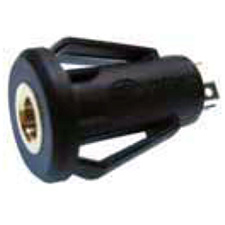
So what do you think about it ?
an easier way to do this (the AV plug not the usb) is to just drill a hole the exact same size as the pioneer mini connector, insert the connector from the rear of the panel and then place a dot of hot glue to hold the aux connector right in place flush with the panel, and use a liberal amount of epoxy on the back to permanently hold the connector in place. now you have a factory looking connector which will deliver video to the units
BTW thanks for the model # for the USB connector, we've been looking around for a while to find some for our shop
But before I start soldering I'll have to figure out the pinout for Pioneer's plug i.e. 1)Ground, 2)Audio Left, 3)Audio Right, 4)Video or 2314 or 2341, etc...?
There's something in the manual that talks about the pinout.
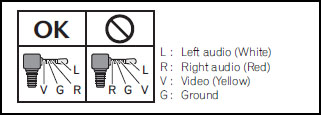
that is pretty slick though... thanks for sharing.
I'll try to snap off some pics of how I ran mine. Nothing spectacular as that but works for me. 
nice, but who wants to see wires. i like less visable wires sorry,just me jim
nice, but who wants to see wires. i like less visable wires sorry,just me jim
your right, i wouldn't have them just out in the poen, but it would make it nice and clean to have those connectors inside the center console looking super clean like it rolled off of the factory that way
My setup definitely doesn't have a factory look but it works for me. I can extend the cable out a good ways or drop it down and just leave my iphone in the compartment.
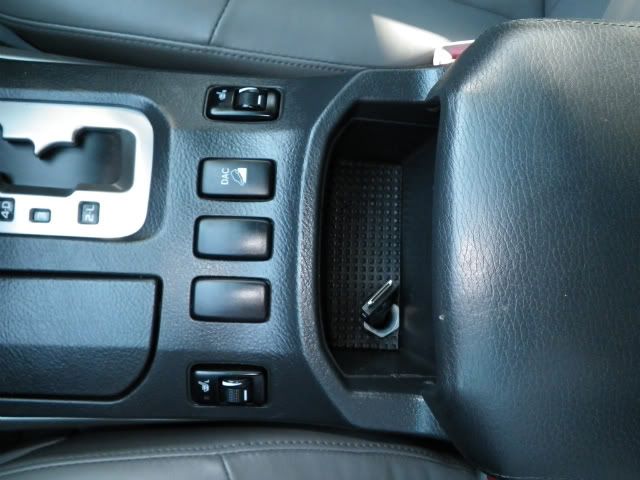
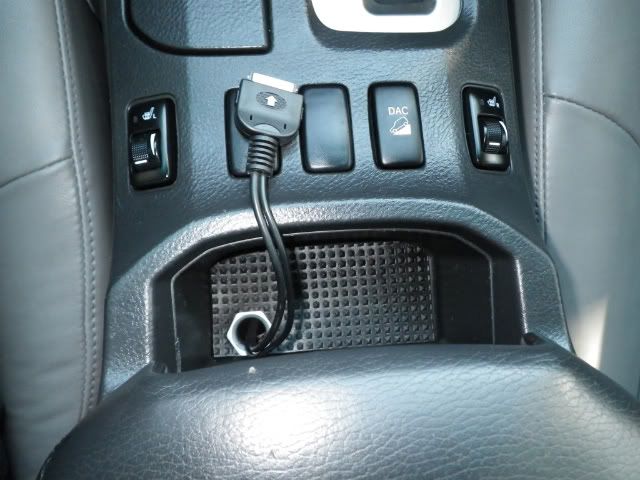
nice, but who wants to see wires. i like less visable wires sorry,just me jim
Yes I also like to have my iPod and cables out of sight (in the background sort of speak) but to each his own.
some people might want to use the usb more than their ipods and if there using thumb drives, it might be easier to plug in and out it the connection is out in the open, also if it is out in the open, then you can also just plug your phone cable into it to charge your phones (as most blackberries, and G-phones use a micro usb plug)
If anybody gets the USB Cable (P/N: USBCBL) and install it on their dash. I'd like to see your pictures.
BTW I ordered the parts I need to get the 3.5mm A/V Jack fabricated, i'm just waiting for them in the mail.
What I'm gonna use:
Dorman Nylon Rivet (Part No: 961-055) --- >$2.99 (at your local autozone)
Automotive Glue (Part No: 160012) --------- $4.99 (at your local autozone) or any strong glue for that matter.
Calrad 3.5mm AV Jack (Part No: 30-712) --------------------- $1.07 (http://store.svideodotcom.com/30-712.html)
Any standard mini jack to 3 RCA Cable ----- $0.99 (Ebay item #: 260575086812)
Heatshrink tubes ------------------------------ (Got some at the house  )
)
When's it's all done I'll post some pictures.
Any standard mini jack to 3 RCA Cable ----- $0.99 (Ebay item #: 260575086812)
you will need to be careful as there are a couple of different cables out there with different pinouts from each other, other than that, they look the exact same
Yeah, that's where I get to test my patience. I'm gonna cut the cable once I get it and play with the leads position on the Calrad 3.5mm Jack until I get the right pinout before I solder them in place.
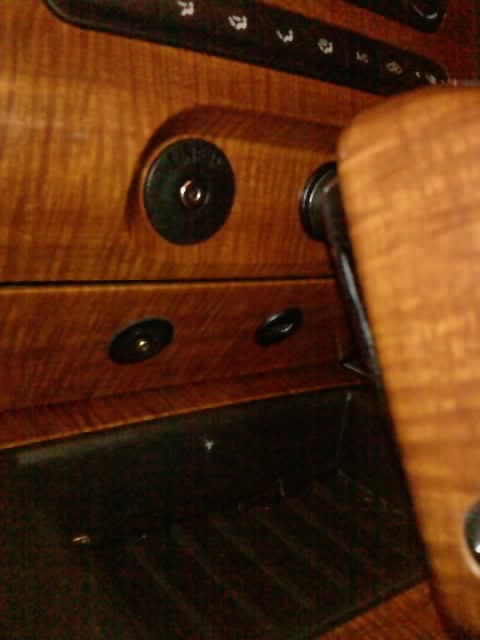
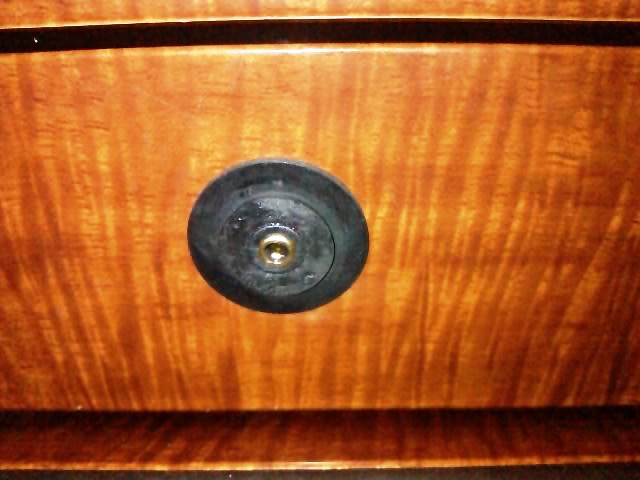
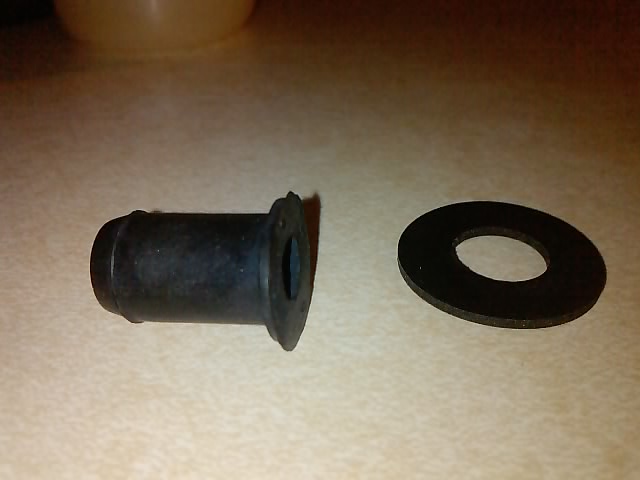
After many attempts I couldn't get Plan A to work with the 3.5mm Panel mount and the whole soldering deal, so i went with Plan B.
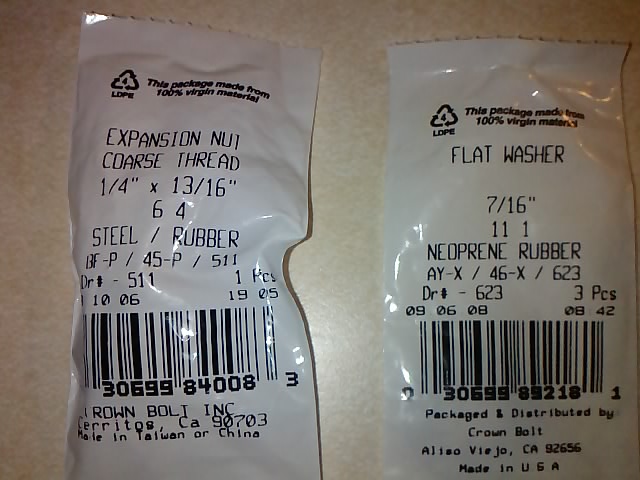
Neoprene Washer
&
Expansion Rubber Nut
@ RonS, Yeah I did some copying and pasting and a little bit of creation myself to put the diagram together.
Thanks for the idea, ... it got me searching the net and found something that might actually do the trick. I found a 3.5mm snap-in jack from CALRAD (Part No: 30-712). I'll have to do a little bit of soldering but this looks promising. But before I start soldering I'll have to figure out the pinout for Pioneer's plug i.e. 1)Ground, 2)Audio Left, 3)Audio Right, 4)Video or 2314 or 2341, etc...
So what do you think about it ?
Did you ever get this done?
I bought two of these Calrad 30-712 jacks to play with, but I don't know which contact goes to which wire on the cable.
Did you ever get this done?
I bought two of these Calrad 30-712 jacks to play with, but I don't know which contact goes to which wire on the cable.
No actually I got the pinout configured but it never worked. Maybe my soldering job might have been crappy. The logic behind it was simple though. instead I did something else: used the actual input from the pioneer headset, and attached it to my dash with some rubber pieces I bought from Home Depot. I posted the pictures in my post previous to this one. Easier that way !