Search Archive
📌 Pinned

Custom Background Gallery

By JasonH · Feb 26, 2006in Custom Backgrounds💬 1,296 posts👁️ 1,344,268 views
Page 1 of 52
Posted Feb 26, 2006 · 03:08 UTC#1
Please only post images and pims in this forum.

Attached Files (2)
Digital2.jpg
Digital2.jpg
BGOPEN2.jpg
BGOPEN2.jpg
Posted Feb 28, 2006 · 03:07 UTC#2
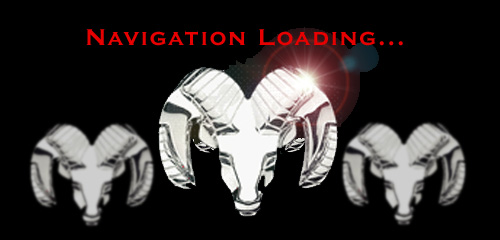
Ok - I stole your 'Navigation Loading' idea cause it looks cool! This is for my Dodge RAM 2500. I want to add the words RAM somewhere, but I haven't found a good bitmap yet for it...
Attached Files (1)
RAMopen2.jpg
RAMopen2.jpg
Posted Feb 28, 2006 · 17:26 UTC#3
ohlarikd said:
Ok - I stole your 'Navigation Loading' idea cause it looks cool! This is for my Dodge RAM 2500. I want to add the words RAM somewhere, but I haven't found a good bitmap yet for it...

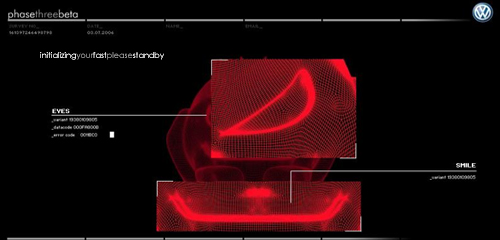
how about blurring the word RAM and put it behind everything... slightly subdued.. anyway, i thought the hack had problems with gradiants of gray? does that look ok on the HU ?
Posted Mar 01, 2006 · 01:56 UTC#4
As for grays working for this background, the opening graphic is a JPEG, not a PIM. So it looks correct. I should try to make it a PIM and see what happens... will post both in the other thread (testing PIM files)...

Amazing how much time I spent on this background that appears for 2 whole seconds.

Derek
Posted Mar 02, 2006 · 20:13 UTC#5
I made a PIM from that RAM JPEG. Looks like crap.

Derek
Posted Mar 06, 2006 · 00:45 UTC#6
Here's one I made for my N1. This one looks better than my first one.
Attached Files (1)
BGOPEN3.jpg
BGOPEN3.jpg
Posted Mar 07, 2006 · 17:53 UTC#7
i may have to play with some of the gray colors though... its a work in progress.
Attached Files (1)
BGOPEN.JPG
BGOPEN.JPG
Posted Mar 07, 2006 · 23:25 UTC#8
drayla said:
i may have to play with some of the gray colors though... its a work in progress.


I like it! Maybe I'll have to reword mine to "initializing your slow..." :lol:
Posted Mar 20, 2006 · 19:31 UTC#9
Not mine, I coped this from the how to guide:

User image
Posted Mar 20, 2006 · 19:53 UTC#10
That's my handywork. I'll post up the others I made when I get home tonight.

I enjoy messing with Photoshop... any requests out there?
Posted Apr 26, 2006 · 20:46 UTC#11
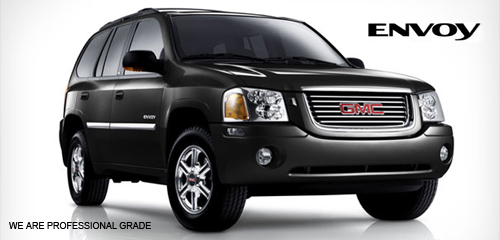
Just wanted to share my handywork. :)
Attached Files (1)
envoybg3.jpg
envoybg3.jpg
Posted Apr 27, 2006 · 21:08 UTC#12
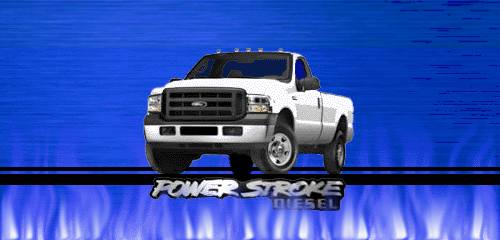
o5silverGT if you are still into making custom backgrounds,can you do anything with an F-250 Super Duty with the Powerstroke Diesel?

Posted May 04, 2006 · 12:31 UTC#13
Anonymous said:
o5silverGT if you are still into making custom backgrounds,can you do anything with an F-250 Super Duty with the Powerstroke Diesel?

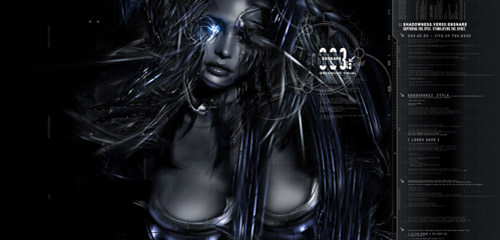
Sure thing. I just moved across thew country.. but finally all settled in. I'll post up a couple ideas on here.
Posted May 10, 2006 · 00:28 UTC#14
hey

new to the forum but have a D1 love the thing but hated the back grounds... after readin some stuff here I decided to make my own back grounds here is a couple....
Attached Files (2)
corvette.jpg
corvette.jpg
girl.jpg
girl.jpg
Posted May 10, 2006 · 21:22 UTC#15
Request #1
Attached Files (1)
redstang1c.jpg
redstang1c.jpg
Posted May 10, 2006 · 21:26 UTC#16
Request #2
Attached Files (1)
powerstroke2j.jpg
powerstroke2j.jpg
Posted May 16, 2006 · 11:43 UTC#17
Those are awesome ... I would love to have a Volkswagen one ... a white Touareg SUV would be great, but just in general a Volkswagen one would be so nice.

And once you load the CD with the image into the D1 you can get away with putting the orig NAV disc back in and still use that image, right? :)

It would be cool to have a startup image too ... i envy you guys who know how to make these images that work, etc ... i could figure out the CD burn, its the images i am no good at..
Posted May 20, 2006 · 16:31 UTC#18
Just in case you have one too... ;)
Attached Files (1)
FJ.JPG
FJ.JPG
Posted May 20, 2006 · 21:16 UTC#19
Cool
Attached Files (1)
think_feel_drive2.jpg
Posted May 21, 2006 · 03:23 UTC#20
User image
Posted May 21, 2006 · 15:11 UTC#21
I see that your WRX Background says annimated! Did you just place it in the animated folder or did you actually figure out how to get animation to work?
Posted May 21, 2006 · 17:02 UTC#22
did you guys figure out the answer to preventing the transparency??
Posted May 21, 2006 · 20:27 UTC#23
I put it in the animation folder.
And the blue kinda changes how water and sky does.
Heres my new boot screen.
User image
Posted May 23, 2006 · 18:58 UTC#24
I now added my own custom image as the navigation loading screen. It now shows the Kia Logo. I also added new Backgrounds for the stereo.

User image

User image
Posted May 24, 2006 · 18:07 UTC#25
mine

User image
Page 1 of 52