Search Archive

log: installation of the NEX8000, speakers, amp, and accessories by: 949

By 949 · Mar 26, 2014in NEX Series💬 29 posts👁️ 6,588 views
Page 1 of 2
Posted Mar 26, 2014 · 22:31 UTC#1

hey guys! as you have been reading my posts i am all into this new head unit.


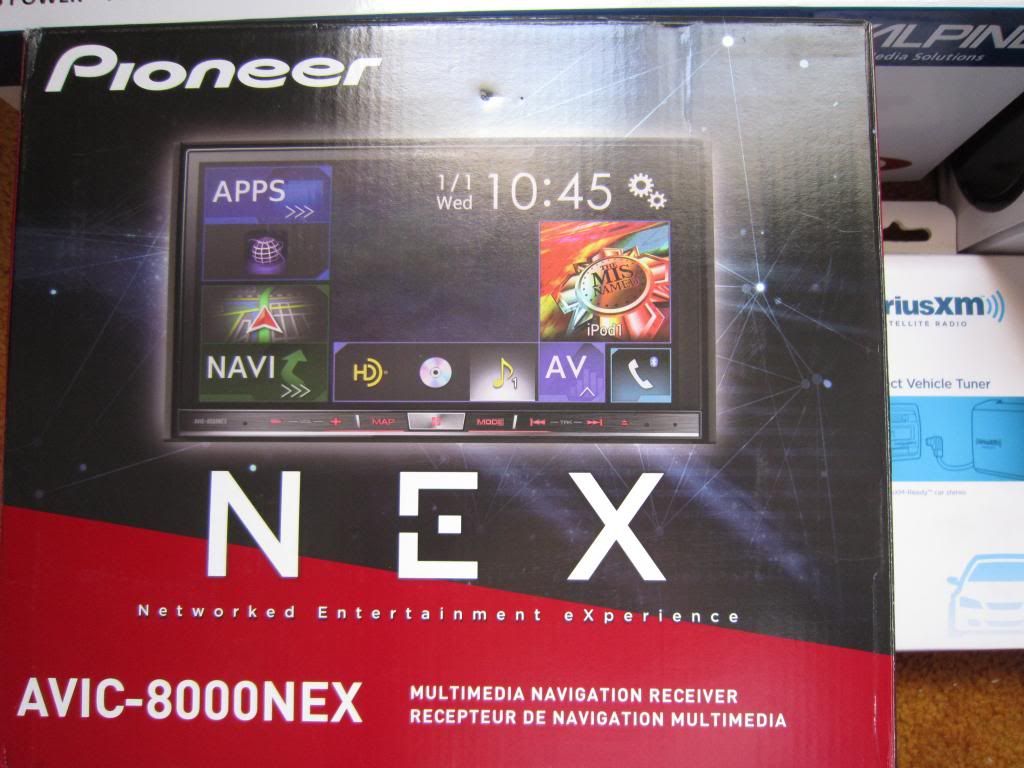
today i picked up the NEX 8000 pioneer.

along with speakers.


ill be posting all of the process as i go along. there are a few small peices i still need need such as RCA cables and power/ground wire for the amp.


so far what i have are:

NEX 8000

alpine 6x9 type R spr-69

alpine 6.5 coax type R spr-60

alpine 1inch tweeters sps-110tw

siriusXM module tuner V200

sundown amp sax 125.4
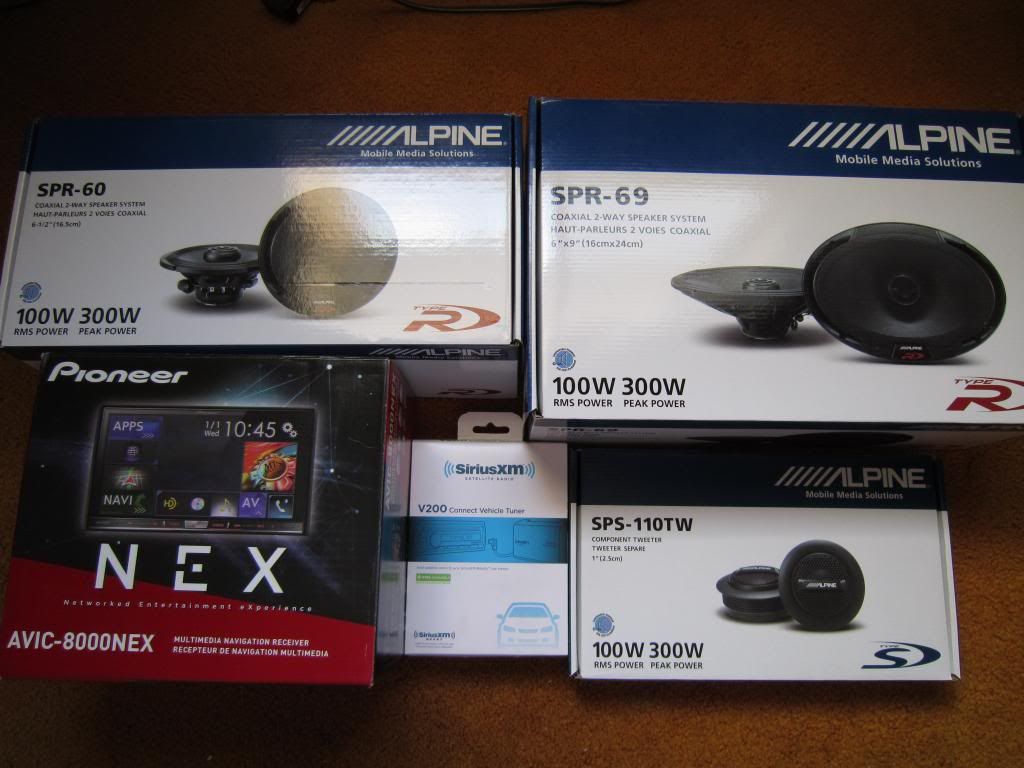
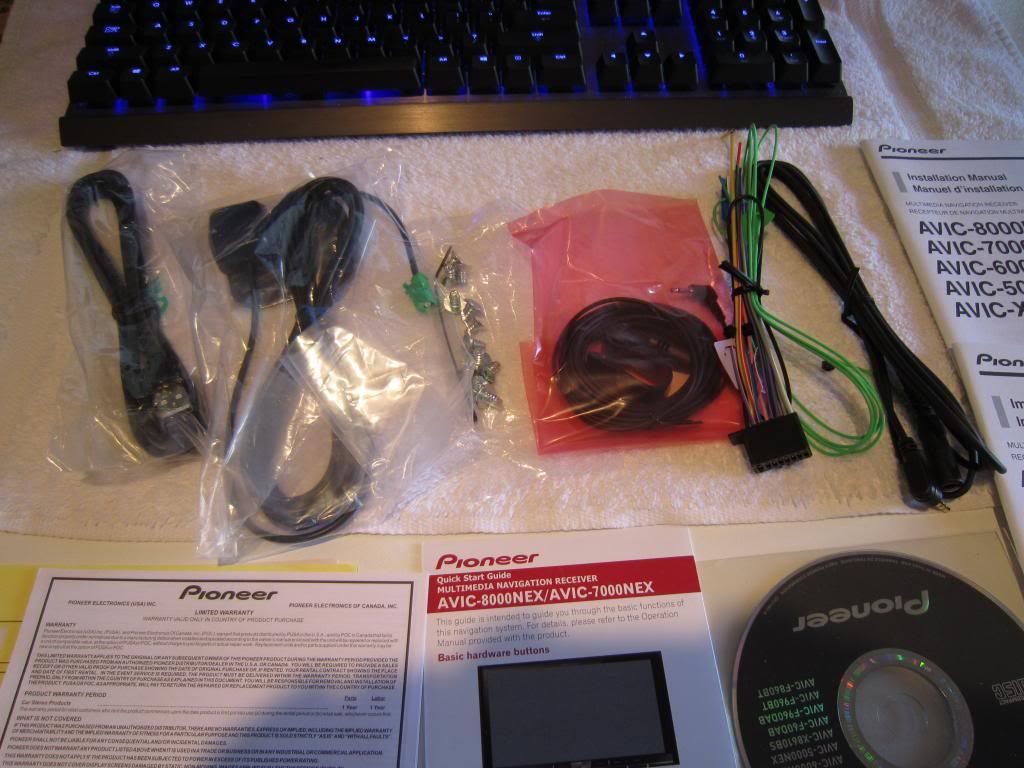
IMG_5042.jpgIMG_5043.jpgIMG_5044.jpg

Edited Mar 26, 2014 by 949
Posted Mar 27, 2014 · 01:34 UTC#2

Thinking you're gonna be pretty happy with this setup. Have fun putting in. I love the install phase because it's usually pretty tough... but when you're done and you get to listen to all that hard work...... so worth it!

Posted Mar 27, 2014 · 01:59 UTC#3

thank you!


i have been reading others post and to be honest my expectations are very low and my needs are near non existant compared to everyone else's.


so if it turns on, plays music, and the navigation works, then im happy as  a fiddle. everything else is just topping on the cake.

Posted Mar 31, 2014 · 15:59 UTC#4

i have a little time today. so i will do the install in half sessions.

the first session is the head unit, sirius xm satellite, usb extensions, gps antenna, and and android adapter.


second session for anther time is amp, speakers, and proper wiring for power to amp and speakers.

wish i had more time but i dont half ass installs.

Posted Mar 31, 2014 · 19:04 UTC#5

I got my 8000 installed today, he didn't have the ip5 cable but everything seems to be great so far, sounds great, looks great, pandora and aha work flawless through BT. I MUST say that just like someone else posted white roads on a sorta tan map background is retarded, street names written across the streets instead of in the streets is also pretty poor.

Posted Mar 31, 2014 · 19:06 UTC#6

That would be my review of the 7000NEX that complained about the map colors.  Far worse, the map on my 7000NEX didn't zoom.  If you hit the map to zoom, you got a "select destination" screen with the map that would zoom; as soon as you hit the back button, it returned to the driving screen at the old zoom setting.  Does yours have this behavior as well?  Still haven't confirmed if my unit was defective or this was common to the other NEX models.

Edited Mar 31, 2014 by diablo2112
Posted Mar 31, 2014 · 19:18 UTC#7

Mine also returns to the driving screen, I need to do a little more reading to see if it can be set. So far I haven't read about that yet. Sitting in my truck going through the manual on my ipad as I screw with it. The z2 I just replaced with this was able to set the zoom in/ out as much as I wanted. If I figure out how to do it I'll report back

Posted Mar 31, 2014 · 19:27 UTC#8

If its any consolation, Pioneer opened a case regarding zoom on the 7000NEX.  They just left a voice mail saying it's supposed to work like that.  Apparently, its a "feature".  You can't zoom the map mode while driving!  IMHO, that's a fatal flaw.  I should post the voice mail text from Pioneer.  It's hilarious.

Posted Mar 31, 2014 · 19:29 UTC#9

Hey Diablo, what phone number did you use to to get through to Pioneer?

Posted Mar 31, 2014 · 19:32 UTC#10

I called the 800 number during normal working hours.  1-800-421-1404

Posted Mar 31, 2014 · 19:49 UTC#11

Ok so your able to change the color of the map itself to help see the streets better, I did that but I can't find where to set and keep the map zoomed to where I like it. It does the smart zoom no matter what I try. The only setting I see is viewpoint setting, I'll continue to play with it. It's a huge improvement over my old pioneer, running through menus are fast, response of what I select is fast and smooth. Very happy so far.

Posted Mar 31, 2014 · 20:26 UTC#12


Does the screen of the 8000 get easily washed out by sunlight?

Posted Mar 31, 2014 · 22:36 UTC#13

Not washed out but glare can be a killer.

I can't seem to find this avicsync app I tried using my iphone as wifi hotspot and the unit won't find it, or the wifi from my house for the connected services.


I'm a little baffled, I have downloaded avic feeds, and app radio, I'm wondering if I need the cable but the radio says that connected services uses wifi.

Posted Apr 01, 2014 · 00:05 UTC#14

When you install yours, let me know if you were able to set up connected services. I don't have the ip5 cable and can't seem to get the unit connected to a wifi, whether it's my home or my phone wifi hotspot. So I'm wondering if you have to have the iphone cable in order to use these featuresand get it ,connected to wifi. I'm waiting on the cable myself. I don't think the 8000 connects directly to wifi as there is no mention of wifi capabilities or antennas. So I'm assuming when the phone is connected with the proper cable and connected to wifi, but who knows.

Posted Apr 01, 2014 · 00:27 UTC#15

I will most certainly keep you posted!

Posted Apr 01, 2014 · 00:32 UTC#16

ZOOOM

wasnt the zoom feature new in this unit?

its supposed to mimic our cell phones.

try the TWO FINGER pinch and zoom method!

Edited Apr 01, 2014 by 949
Posted Apr 01, 2014 · 00:32 UTC#17

i ended up not finishing this first half. dang it. so busy today.

Edited Apr 01, 2014 by 949
Posted Apr 01, 2014 · 00:56 UTC#18

ZOOOM

wasnt the zoom feature new in this unit?

its supposed to mimic our cell phones.

try the TWO FINGER pinch and zoom method!


Tried that a ton of times.  Whatever I did, I couldn't get the driving map to hold a zoom setting, it always defaults back to the auto zoom level it was programmed for.   I'll relook at the NEX units once this "feature" has been fixed in a future firmware update.

Posted Apr 01, 2014 · 01:20 UTC#19

so it does work. was it fast and responsive?

Posted Apr 01, 2014 · 01:45 UTC#20

Tried that a ton of times.  Whatever I did, I couldn't get the driving map to hold a zoom setting, it always defaults back to the auto zoom level it was programmed for.   I'll relook at the NEX units once this "feature" has been fixed in a future firmware update.


Multi gesturing might work better on the 8000 than it does with the 7000 because of the capacitance screen.

Posted Apr 01, 2014 · 01:58 UTC#21

i just removed my 7000, my 8000 will be here tomorrow and I should be able to slap it in since most of the hard work is done already, i'll check these issues out.

Posted Apr 02, 2014 · 03:37 UTC#22

Ok, 8000 vs 7000 impressions: I used the 7000 a lot the last 4 days since we took it out of town, and I can tell you the 8000 is no doubt faster, just moving through sources and menus, and the Sirius album art loads instantly on the 8000 with no delay.  As for the screen, it is a lot nicer and more responsive, and I noticed the backlighting goes way up so Im hoping in the daylight it won't get as washed out as the 7000.


But Im calling Pioneer tomorrow and asking them whats up with the OBD II wires on my idatalink harness and why I have to look at a greyed out "My Vehicle" button when that was the reason I went with the NEX, I want my car data displayed.  


Oh, and for the dvd bypass, I couldn't get anything to work on the 7000, but I used installereric's bypass instructions here http://avic411.com/index.php?/topic/38555-nex-bypass/&do=findComment&comment=276411 and it has worked great so far.

Edited Apr 02, 2014 by GHII
Posted Apr 02, 2014 · 03:41 UTC#23

for the bypass. All I have to do is connect it to the ground and do the steps and im done??

Posted Apr 02, 2014 · 04:27 UTC#24

for the bypass. All I have to do is connect it to the ground and do the steps and im done??


I just grounded the green parking brake wire to an existing ground point on my steering column, then did the steps.  I drove down the road and everything was working.  With my 7000, I installed a $20 bypass and it worked the first small trip around the block but then every time after that when I was in drive it wouldn't work at all.

Posted Apr 02, 2014 · 11:05 UTC#25

Were you able to get the connected services registered, mine is greyed out when I press activate to connect to a wifi signal. I'm just guessing but I think you have to have the phone cable hooked up which I don't have yet. Everything else is working through BT, traffic updates, pandora, aha, etc.

Page 1 of 2