Search Archive

FINALLY VIDEOS OF THE KENWOOD DNX7100 Here ya go. Enjoy

By FF2MOE · Jul 10, 2007in General💬 32 posts👁️ 12,815 views
Page 1 of 2
Posted Jul 10, 2007 · 11:59 UTC#1

This is a new site for me when it comes to uploading videos too, so let's see how the link does.


http://www.motionbox.com/filings?folder_id=1960072


If you have any questions or requests, feel free to ask.


Look at the title of each and watch them in order !, 2, 3 also for some good stuff, watch video #2 all the way through..


Moe

Posted Jul 10, 2007 · 13:10 UTC#2

NICE!!!

how is the USB function? (usb flash, usb hard drive)

1. MP3 navigation (fast, slow)

2. information display (title, artist, album, album art)


If you can please test with a hard drive with lots of mp3's and post video this might replace my N1. Tired of pioneer charging for every add-on that should be standard in the unit, and then not working properly with the unit (external device integration).


THANKS.

Posted Jul 10, 2007 · 13:15 UTC#3
NICE!!!

how is the USB function? (usb flash, usb hard drive)

1. MP3 navigation (fast, slow)

2. information display (title, artist, album, album art)


If you can please test with a hard drive with lots of mp3's and post video this might replace my N1. Tired of pioneer charging for every add-on that should be standard in the unit, and then not working properly with the unit (external device integration).


THANKS.

In order for me to test with the USB mode and connect a flash drive to the unit, I believe I would have to disconnect my Ipod they use the same connection port I believe and that would require me to pull my dash apart... BUT I will double check when I get home today and let you know.
Posted Jul 11, 2007 · 13:05 UTC#4

Thanks Moe, great vids!


I definitely like the features and it seems easier and more intuitive to use than my D1. The only thing that turns me off is the nav screens make me think of the Apple IIe I had in the 80's!

Posted Jul 13, 2007 · 00:09 UTC#5

Thanks for taking the time to share your videos. We tried to check out this unit at several large retailers yesterday and none of them had a display set up yet.


A couple of the user reviews I've read talk about difficulties switching back and forth between the Nav system and other functions. Have you found this to be the case when going back and forth between the Nav system and IPOD and/or Nav System and Bluetooth? Do you have to 'wade' through a lot of menus every time to go back and forth?

Posted Jul 13, 2007 · 00:51 UTC#6
Thanks for taking the time to share your videos. We tried to check out this unit at several large retailers yesterday and none of them had a display set up yet.


A couple of the user reviews I've read talk about difficulties switching back and forth between the Nav system and other functions. Have you found this to be the case when going back and forth between the Nav system and IPOD and/or Nav System and Bluetooth? Do you have to 'wade' through a lot of menus every time to go back and forth?


Nope, I will take video of the switching from function to function....It's merely one button...I will try to get them up this evening.

Posted Jul 14, 2007 · 04:19 UTC#7
Thanks for taking the time to share your videos. We tried to check out this unit at several large retailers yesterday and none of them had a display set up yet.


A couple of the user reviews I've read talk about difficulties switching back and forth between the Nav system and other functions. Have you found this to be the case when going back and forth between the Nav system and IPOD and/or Nav System and Bluetooth? Do you have to 'wade' through a lot of menus every time to go back and forth?


Here's the video for you on how switching from function to function works..


http://www.motionbox.com/video/player/1f9dd3bf1015e192

Posted Jul 14, 2007 · 19:22 UTC#8

First off THANKS for posting the videos. It's definitely a nice system. Reminds me of an upgraded version of my old KVT-817dvd. By the way, there are Garmin firmware updates available on garmin.com.


Also, from that last video you posted, it seems like the ipod controls were rather quick. If you have a list of 1000 artists or 1000 songs, is the scrolling quick as well?


I love the unit's startup when it says, "Testing [3 beeps], System Ready, Voice Alert."


-HD

Posted Jul 14, 2007 · 19:26 UTC#9

puts my n2 to shame...please leave :D


Ha but really I would kill to have that garmin nav system with the updates..blahhh

Posted Jul 17, 2007 · 23:56 UTC#10

We pulled the trigger and ordered the unit with bluetooth and backup camera tonight. :D

Posted Jul 18, 2007 · 01:40 UTC#11
First off THANKS for posting the videos. It's definitely a nice system. Reminds me of an upgraded version of my old KVT-817dvd. By the way, there are Garmin firmware updates available on garmin.com.


Also, from that last video you posted, it seems like the ipod controls were rather quick. If you have a list of 1000 artists or 1000 songs, is the scrolling quick as well?


I love the unit's startup when it says, "Testing [3 beeps], System Ready, Voice Alert."


-HD


Actually the three beeps, etc....are from my Radar detector. after I uploaded and previewed the video I thought should put a disclaimer in there stating that was my radar detector HAHAHAHA...

Posted Jul 18, 2007 · 01:42 UTC#12
puts my n2 to shame...please leave :D


Ha but really I would kill to have that garmin nav system with the updates..blahhh


And guess what...The firmware updates are free...The map updates are about 75 bucks at most and you download them to a SD Card then load the updates to your nav unit and remove SD Card...Too cheap to buy a new card so I just use the card in my digi cam...Gotta love modern technology

Posted Jul 18, 2007 · 16:19 UTC#13

Maybe you can confirm this for me, I used to have the KNA-G510 (the standalone Garmin blackbox that the DNX7100's navi is based on) and I absolutely hated that it wasn't hooked up to the VSS wire in my car. It would lose signal sometimes and take a while to acquire one if my car had been off for a while. Is that the case with the DNX7100 (i.e., does it connect to the VSS)?


Also, graphics interface was a little sluggish on my G510. For example, I would scroll the map and it would take a couple seconds to redraw the contents of the map if there was a lot of detail. Let me know if the same is true for the 7100. Thanks.

Posted Jul 18, 2007 · 20:29 UTC#14
Maybe you can confirm this for me, I used to have the KNA-G510 (the standalone Garmin blackbox that the DNX7100's navi is based on) and I absolutely hated that it wasn't hooked up to the VSS wire in my car. It would lose signal sometimes and take a while to acquire one if my car had been off for a while. Is that the case with the DNX7100 (i.e., does it connect to the VSS)?


Also, graphics interface was a little sluggish on my G510. For example, I would scroll the map and it would take a couple seconds to redraw the contents of the map if there was a lot of detail. Let me know if the same is true for the 7100. Thanks.


1. The DNX7100 is not connected to the VSS wire, the unit determines your speed via it's link to the satellite(S), yes that's plural..

the speed is usually of by .5mph

See image at the time of this picture I had 10 sattelites I was recieving and sending my location too.


2. Depending on how fast you scroll around the map, it is fairly instant, but if you go fast, it can take a second or two.. It doesn't draw the map, it just all shows up at once if there is a lag.
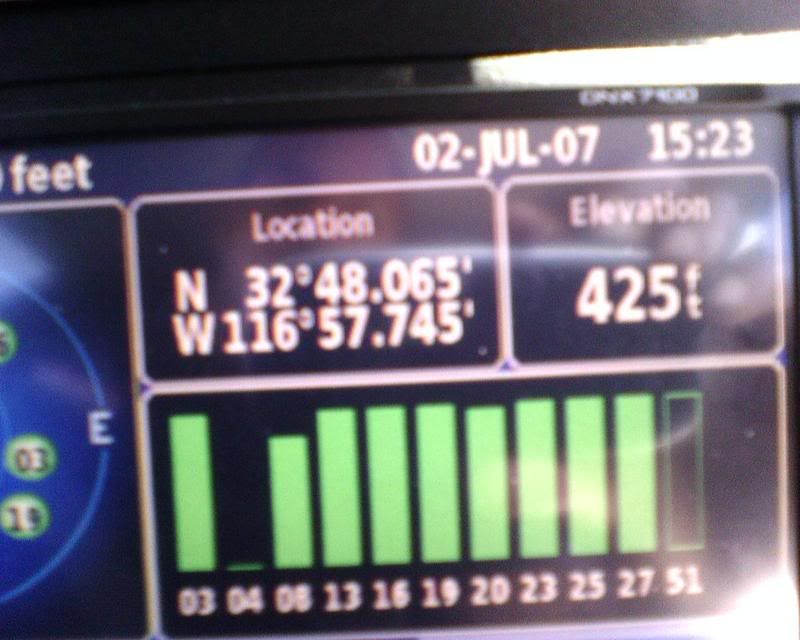
 

garminsatellites.jpg

Posted Jul 18, 2007 · 21:43 UTC#15
puts my n2 to shame...please leave :D


Ha but really I would kill to have that garmin nav system with the updates..blahhh


And guess what...The firmware updates are free...The map updates are about 75 bucks at most and you download them to a SD Card then load the updates to your nav unit and remove SD Card...Too cheap to buy a new card so I just use the card in my digi cam...Gotta love modern technology


Yea once I get a new car I might switch over to this system!

Posted Jul 19, 2007 · 14:48 UTC#16

My '02 F-250 is getting this DNX 7100 and back-up cam and Blue tooth right now. I'm very excited.

Posted Jul 20, 2007 · 18:23 UTC#17

Holy Cow! This is the coolest car accessory ever! My installer hooked up the reverse camera so that it automatically comes on in reverse like it's supposed to. He also added a rocker switch in a blank on the dash so I can pop up the rear view cam instantly any time. The nav seems to be flawless so far. The DVD playback and picture quality is very crisp. I love it! The bluetooth speaker phone works great and I sound way better over the speaker phone than I expected.

Posted Jul 22, 2007 · 21:49 UTC#18
1. The DNX7100 is not connected to the VSS wire, the unit determines your speed via it's link to the satellite(S), yes that's plural..

the speed is usually of by .5mph

See image at the time of this picture I had 10 sattelites I was recieving and sending my location too.

The VSS hookup is not for speed per se, it's for dead reckoning. I used to have a stand-alone Garmin, which I loved, but it did not have dead reckoning. Sounds like the Kenwood doesn't either, which is kind of surprising these days.


In case you're not familiar with it, dead reckoning uses a gyro and the speed input from the car to keep accurately routing even when you lose the satellite signal temporarily. My Z1, which I am seriously considering selling to get the Kenwood (I will never buy another Pioneer product after wasting money on the Z1), has that one advantage that it keeps routing even if the signal is interrupted.

Posted Jul 23, 2007 · 19:41 UTC#19
1. The DNX7100 is not connected to the VSS wire, the unit determines your speed via it's link to the satellite(S), yes that's plural..

the speed is usually of by .5mph

See image at the time of this picture I had 10 sattelites I was recieving and sending my location too.

The VSS hookup is not for speed per se, it's for dead reckoning. I used to have a stand-alone Garmin, which I loved, but it did not have dead reckoning. Sounds like the Kenwood doesn't either, which is kind of surprising these days.


In case you're not familiar with it, dead reckoning uses a gyro and the speed input from the car to keep accurately routing even when you lose the satellite signal temporarily. My Z1, which I am seriously considering selling to get the Kenwood (I will never buy another Pioneer product after wasting money on the Z1), has that one advantage that it keeps routing even if the signal is interrupted.


Actually there's NO VSS wire in the DNX 7100 See installation manual here.


http://inform2.kenwoodusa.com/manuals/D ... nstall.pdf

Posted Jul 23, 2007 · 20:00 UTC#20

Yea, I used to have a KNA-G510 and that sucker used to lose signal sometimes or take 30-90 seconds to get a signal sometimes if my car had been off for more then a day. The antenna was placed in line of sight with the sky, but it was the lack of dead-reckoning (i.e., no VSS hookup) that led to the long delays in getting and keeping a signal sometimes.

Posted Jul 27, 2007 · 22:51 UTC#21

Once you get a chance please post a video of a usb thumb drive or hard drive hooked up. I want to see this, as this will determine if i will buy it or not.

Posted Aug 04, 2007 · 19:59 UTC#22

Hey FF2MOE


thanks for all the videos of the kenwoood, would it be possible for you to post the video for the bluetooth functionality ( showing an incoming call and the different ways of making an outgoing call -- does it show the callerid when a call comes in -- does it have any voice prompt when the call comes is, does it have voice dialing or does it support the voice recognition of the phone).


I also wanted to see some more on the ipod integration, naviagting albums and songs in the album.


Does it have text to speech for navigation ( does it say street names while giving directions), how deatiled are the maps, I am really impressed with this unit, these vidoes will help me to finally decide.


thnks


nilesh_dang

Posted Aug 04, 2007 · 20:02 UTC#23

Hi Guys


I have an Acura MDX 2005 with Bose, anybosy has any installation instruction on these, and I tried to search for the Double Din kit for the car, but could not find any. Any Suggestions?


Crutchfield website says that its not compatible with Acura MDX 2005 w Bose. Any suggestions whether I will be able to get it hooked up in my MDX.


Thanks


nilesh_dang

Posted Aug 14, 2007 · 14:33 UTC#24
Hey FF2MOE


thanks for all the videos of the kenwoood, would it be possible for you to post the video for the bluetooth functionality ( showing an incoming call and the different ways of making an outgoing call -- does it show the callerid when a call comes in -- does it have any voice prompt when the call comes is, does it have voice dialing or does it support the voice recognition of the phone).


I also wanted to see some more on the ipod integration, naviagting albums and songs in the album.


Does it have text to speech for navigation ( does it say street names while giving directions), how deatiled are the maps, I am really impressed with this unit, these vidoes will help me to finally decide.


thnks


nilesh_dang


+1 very interested in this also... i'm on the fence between this and the panasonic strada... is there any delay while inputting commands on the interface or is it instantaneous (i.e. selecting inputs, entering destinations, pressing buttons on the screen).

Posted Aug 21, 2007 · 23:35 UTC#25

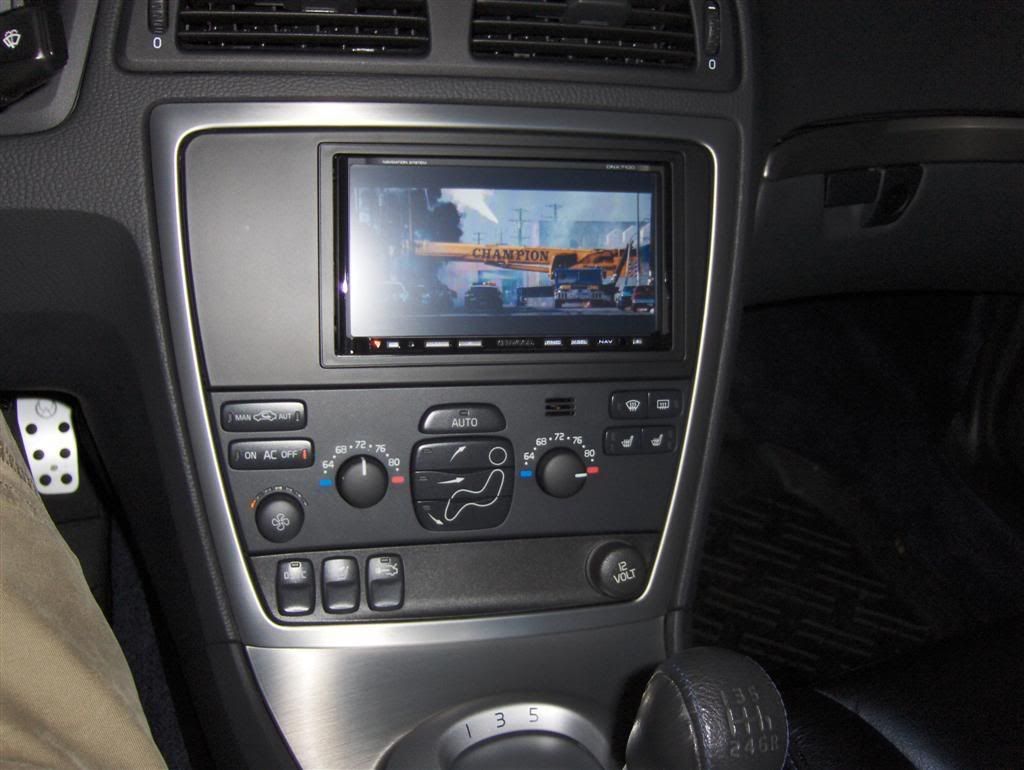
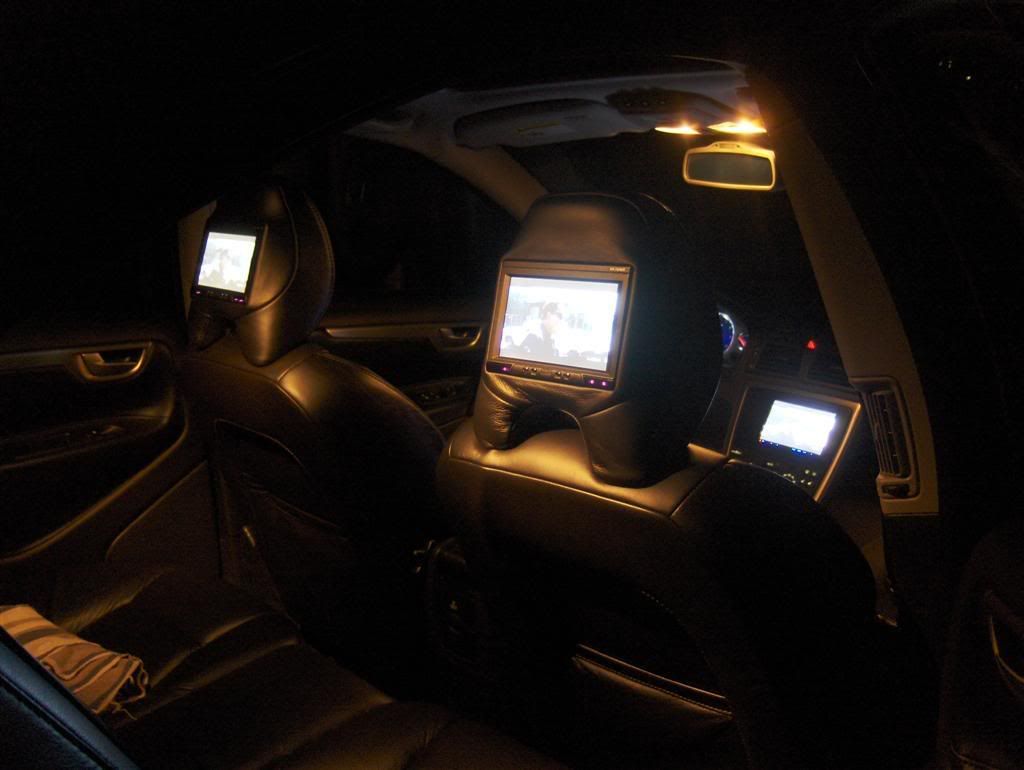
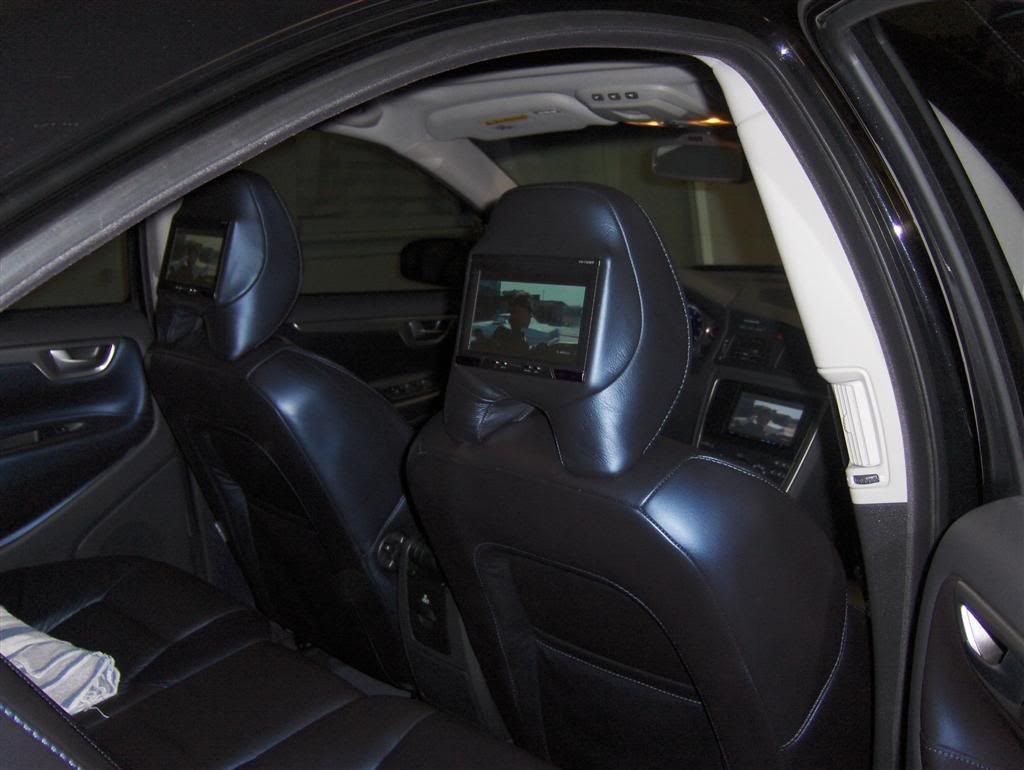
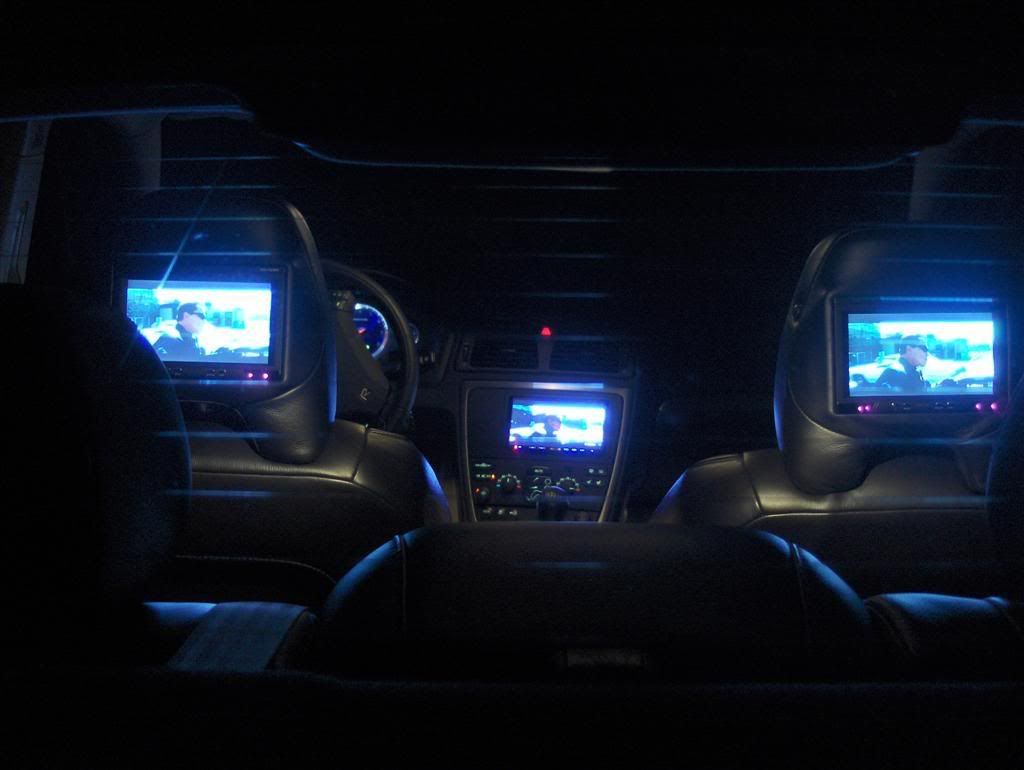
Not to hijack your thread FF2MOE, but I just finished installing my kenwood and absolutely LOVE it! I was so surprised to see c|net give it such a bad review that I had to go post one of my own!


http://reviews.cnet.com/car-gps-navigat ... &tag=uolst


A few of you have questioned the USB functionality: You cannot have your iPod AND another USB device connected at the same time. The system won't support a USB hub. So yes, you'd have to switch the device manually everytime. This however is not difficult to do if you route the USB cable from the unit to a handy location, like your glove box. I did that and makes life much easier for loading backgrounds, music (mostly irrelevant owning an iPod), videos or other files.


Here are some pics (not real great) of my install:


HPIM0492Large.jpg


HPIM0504Large.jpg


HPIM0502Large.jpg


HPIM0498Large.jpg


HPIM0490Large.jpg


HPIM0368Large.jpg


DSCN1170Large.jpg


BUY THE KENWOOD! Where is the Kenwood forum anyway?


Regards,


~Syd

Page 1 of 2