Search Archive

Uploading Background Images

By Archangel · Apr 25, 2006in Problems/Troubleshooting💬 52 posts👁️ 17,242 views
Page 2 of 3
Posted May 16, 2006 · 02:39 UTC#26
ignore the trash... Just needed to snag a pic for my brother in LA.

~WW

User image
Posted May 16, 2006 · 03:14 UTC#27
Nero is the ticket. I DL'd it from ZDNet and was able to upload 11 new images via disc to my Z1. I selected 2 that I liked but will leave the disc in the truck to change as I see fit.l

~WW

http://downloads-zdnet.com.com/3000-2646-10532369.html
Posted May 19, 2006 · 16:58 UTC#28
Well, I'm totally stumped. I followed the directions exactly. I used Nero, but when I put the cd in, it simply says "disk unreadable", if I put in a cd that has all the songs in root, it tells me, correctly, that I need to create a pictures directory, so it is reading the disk at some level. So, what am I doing wrong. Can it be that I need to use a cd-rw rather than a cd-r disk? Help.
Posted May 19, 2006 · 19:17 UTC#29
CD-R should work fine, thats what I have used. You have to be sure in Nero to tell it that it is NOT a multisession disc....hope this helps you
Posted May 21, 2006 · 23:31 UTC#30
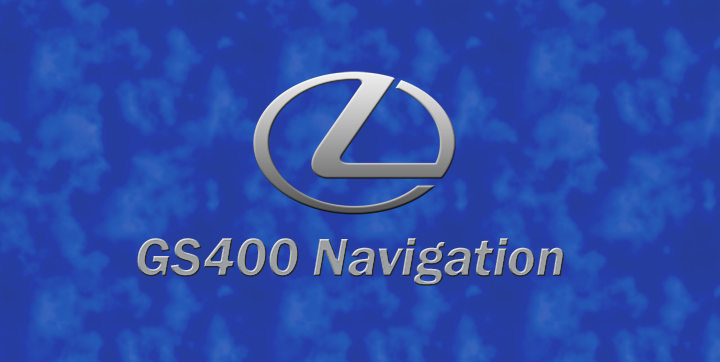
Attached is a Lexus GS400 background for the Z1. The logo is a custom
job and the wallpaper blends with the Z1 motif. And, yes, the GS is
Millennium Silver like the logo. I have full-res if anyone needs one. Send
a PM.

http://www.clublexus.com/gallery/showphoto.php/photo/79784
Attached Files (1)
GS400.jpg
GS400.jpg
Posted May 22, 2006 · 04:23 UTC#31
niceee. We should have a background thread so people can post their pics and stuff. By the way, any1 seen a Nissan Maxim one like the Lexus one above? Could any1 make one for an 01 Nissan Maxima? That would be cool. I cant wait to get my unit in already!
Posted May 25, 2006 · 15:31 UTC#32
what option you chose in the nero ?
Posted May 26, 2006 · 02:48 UTC#33
I used Nero 7.0 and selected Data CD. I used a standard CR-R disk. Make sure you leave unchecked this option: "Allow files to be added later (multisession disk)."
Posted May 26, 2006 · 14:21 UTC#34
i just did as you said but when i try to upload from the pic from cd i got a message the inform me that i have to create folder of picture and drop the file jpg to this folder try this option too and then i got message that telling me the cd is unreadable
Posted May 26, 2006 · 21:21 UTC#35
Sorry, I thought the question was focused on the CD burning. Yes, you need to create a Pictures directory. Also, I loaded 100mb of other data -- this can be anything -- in a separate directory.
Posted May 26, 2006 · 23:42 UTC#36
thank you very much i will try that later today
Posted May 27, 2006 · 15:54 UTC#37
didn't work burn cd with aprox 150 m.b mp3 the mp3 i can listen but the pic option dosent turn on
Posted May 27, 2006 · 22:01 UTC#38
Make sure the directory is Pictures not Picture. And the CD has to be finalized.
Posted May 28, 2006 · 05:57 UTC#39
working just upload pic to the unit thank you
Posted May 28, 2006 · 13:26 UTC#40
I'm gonna add a topic to the FAQ regarding adding pictures. For those that have done this successfully is this a correct assessment:

1. Make your pictures the following resolution 2592x1305 or 500x240
2. Put the pictures in a folder called "Pictures" on the root of the CD
3. Burn the CD with no multisession and make sure your finalize it
Posted May 28, 2006 · 18:34 UTC#41
and you have to burn another folder with just data not mp3!!!!! about 100 m.b
Posted May 29, 2006 · 01:51 UTC#42
If you have a relatively new computer or just can't find a source to fill up the 100mb requirement (excluding mp3s) then use this very simple, free, and easy program. The name pretty much says it all:

Dummy File Creator
http://mynikko.com/dummy/

Steve293
Posted May 31, 2006 · 04:49 UTC#43
❒ Pictures up to a maximum of 2 592 x 1 944 pixels
can be used. We cannot guarantee proper
operation for a picture bigger than this size.

That is right out of the guide... cut and paste
Posted Jun 16, 2006 · 07:04 UTC#44
I happened upon this site after getting no where on the phone with Pioneer. Thanks to everyone's tips, I finally was able to get pics on my Z1. That has been the only frustrating problem I have had, so now I feel complete. Thanks again to all!
Posted Jun 16, 2006 · 21:03 UTC#45
03Vic-HPP said:
So has anybody figured out what size pic you need to fill the entire screen on the Z1? I dont want to waste any more discs till I know lol


Manual says the screen is 2592 X 1944 pixels
Posted Jun 19, 2006 · 05:21 UTC#46
is there any way to save thge wallpapers in the Avic-Z1???

I burned a cd with like 10 wallpapers on it, everytime i have to change it I have to put the cd in.
Posted Jun 19, 2006 · 21:40 UTC#47
For making a CD with images:

- On the CD make a folder titled "Pictures" (without quotes)
-- save all your images you want in the Pictures folder

- Make another folder and name it "Fluff" or something similar
-- fill that folder with more pictures or files that brings the total size of your CD over 100megs

- Insert into Z1 and load image

The manual says the maximum image size is 2592 x 1944 pixels. Using that ratio makes for spaces on both the left and right side.

The screens that fit are 500x240 or anything with that ratio... like 1000x480

I sugest using a CD r/w disk as you can go back and forth making adjustments to your pictures and the like.

Does anyone know what the size is for the little pop up pictures that you can assign locations? (pix -x- pix size)
Posted Jun 20, 2006 · 08:30 UTC#48
mark805 said:

- Make another folder and name it "Fluff" or something similar
-- fill that folder with more pictures or files that brings the total size of your CD over 100megs


Not necessary.

I'm gonna add a topic to the FAQ regarding adding pictures. For those that have done this successfully is this a correct assessment:

1. Make your pictures the following resolution 2592x1305 or 500x240
2. Put the pictures in a folder called "Pictures" on the root of the CD
3. Burn the CD with no multisession and make sure your finalize it


^ Used this method & worked perfectly, no Fluff files needed.
Posted Jun 20, 2006 · 15:23 UTC#49
i add the extra folder to keep things nice & organized.. definately not needed..
Posted Jun 20, 2006 · 17:40 UTC#50
Now back to my question
is there any way to save these wallpapers in the Avic-Z1???

I burned a cd with like 10 wallpapers on it, everytime i have to change the wallpaper, I have to put the cd in.
Page 2 of 3