PLEASE, someone send Hyper a Z3 image!
DON'T SEND MANUALS!
PLEASE, someone send Hyper a Z3 image!
DON'T SEND MANUALS!
PLEASE, someone send Hyper a Z3 image!
DON'T SEND MANUALS!
Don't send N2 manuals and an unknown drive image 
Seriously, you thought I just wanted to host ANYTHING?
Don't send N2 manuals and an unknown drive image
Seriously, you thought I just wanted to host ANYTHING?
thought so, oh well... these were files I'd scrounged off the net over the last couple of years
Don't send N2 manuals and an unknown drive image
Seriously, you thought I just wanted to host ANYTHING?
thought so, oh well... these were files I'd scrounged off the net over the last couple of years
Even after the first time you PMed and asked for the login, and I said there's no point until we have a Z3 image? I figured if you were asking again, you had the image to upload.
Anyway, the files have been deleted and the login suspended.
Don't send N2 manuals and an unknown drive image
Seriously, you thought I just wanted to host ANYTHING?
thought so, oh well... these were files I'd scrounged off the net over the last couple of years
No need to scrounge; I'm hosting quite a bit:
http://www.inferno999.com/gps.html
If you've got something I don't, I'd love to add it to the list. PM
I posted earlier that once I get my new drive in and working, that I would be glad to send him my stock drive to clone and then provide that to whomever could use it to get the image.
I just heard back from Rebel97 and he says that my first drive has shipped.
If there is an easy way for me to share the image off the drive that's on its way to me, then please share the process. I don't have any special computer gear, just the basic home and office setup...
I posted earlier that once I get my new drive in and working, that I would be glad to send him my stock drive to clone and then provide that to whomever could use it to get the image.I just heard back from Rebel97 and he says that my first drive has shipped.
If there is an easy way for me to share the image off the drive that's on its way to me, then please share the process. I don't have any special computer gear, just the basic home and office setup...
Easiest is just an external USB->SATA or IDE adapter (usually <$20), and get a copy of Acronis TrueImage (trial and pirate copies available). Then you'll have a ~10gig file to upload 
I posted earlier that once I get my new drive in and working, that I would be glad to send him my stock drive to clone and then provide that to whomever could use it to get the image.I just heard back from Rebel97 and he says that my first drive has shipped.
If there is an easy way for me to share the image off the drive that's on its way to me, then please share the process. I don't have any special computer gear, just the basic home and office setup...
Easiest is just an external USB->SATA or IDE adapter (usually <$20), and get a copy of Acronis TrueImage (trial and pirate copies available). Then you'll have a ~10gig file to upload
That is true no more then $20 bucks usually thats what i use. IF by next week no one posts i will send my drive in and post the image as i have everything and acronis aswell.
I posted earlier that once I get my new drive in and working, that I would be glad to send him my stock drive to clone and then provide that to whomever could use it to get the image.I just heard back from Rebel97 and he says that my first drive has shipped.
If there is an easy way for me to share the image off the drive that's on its way to me, then please share the process. I don't have any special computer gear, just the basic home and office setup...
Easiest is just an external USB->SATA or IDE adapter (usually <$20), and get a copy of Acronis TrueImage (trial and pirate copies available). Then you'll have a ~10gig file to upload
PM sent
I've spent the morning evaluating this "mash-up" Z3 image that's recently surfaced on the net. Sorry, no link yet.
Note: I have not loaded the image onto the Z2's HDD yet. This is purely from examing files.
The maps files have definitely changed, and there's few new XM icons (39, 47, 68, 69, 73, 87, and a bunch of NHL and Play by Play icons. Still no 59 or 93). The SDATA dir also shows a release.txt containing PU1-2-E (up from the Z2's PU1-2-D). I assume this is in regards to XM, but haven't tested extensively enough to be certain. There are also changes to a significant number of files across the board, like AREAINFO.DAT, etc, though they are not human readable.
Other items clearly haven't changed, like the text to speech engine. I'm still trying to locate the speech to text engine to see what updates may have been made there, and for the life of me I'm still not sure which exact file(s) is the firmware update. Assuming this mash-up has the firmware update included. I guess I'm about to find out.
yaa i just did my upgrade last nite
dont see much changes there
maps still looks same here
Which partition is Text to Speech in?
First partition (with maps). Dir is \TTSENGINE
Edit: also, forgot to say that the PRG.FLG flag file is included (needed for the bypass to work). Either this is by default in the Z3 or a result of the "mash-up". It'll be impossible to tell until we can get a raw, real Z3 image.
umm where is the image, everyone seems examing it, how about let everyone examine it 
If i already swapped hard drives can i still make an image of the hard drive? Like it all updated and everything already with the z3..if i make an image of it will it be the same as if i first inserted it so i can send it to someone here?
umm where is the image, everyone seems examing it, how about let everyone examine it
This is more about WHAT the mash-up image (used by god knows how many e-bay sellers right now) really is... not where to get it. I can't help with that. (Besides, passing around untested backups of a complicated piece of hardware which include firmware modifications with unknown consequences, only to have dozens of people brick their Z's then come crying back screaming bloody murder, is NOT good PR. Most people should consider themselves lucky others are willing to risk bricking their Z's so they don't have to.)
Anyway, I've concluded testing.
Inserting the Mash-up image in a Z2 (at least mine, upgraded from a Z1) does in fact run the white-on-black firmware update application we're all used to seeing: "The program is being updated. Do not turn power off." However, it seems to be more of a DOWNGRADE:
My fear is now that I will not be able to "upgrade" to the real 3.0 when it becomes available. Will it see that I'm "already" on 3.0 and assume the upgrade is not necessary? ... =\
As for what's changed, truly it's just Maps, POI's, XM icons, and MAYBE voice recognition. Unlike the Z1 to Z2, there's not a single enhancement in any of the menus. MAYBE it seemed a tiny bit faster zooming in and out of the map screen, and MAYBE the lines (streets and NavTraffic) looked a tiny bit smoother. ...then again, it could be all in my head.
So, I'm not so sure this is the image that should be spread around the webernets. If nothing else comes up and if map updates are that important to you, then perhaps there'll be no other way. For now though, it'd be worth waiting for something more official to come down the pike.... should be very soon...

Yeah, I don't wanna play with any of the mashups on ebay.... I only want a virgin Z3 image 
Yeah, I don't wanna play with any of the mashups on ebay.... I only want a virgin Z3 image
I agree. Another user on this thread has verified HDD App and Platform version of atleast 3.0. No sense spending time screwing with someones Franken-ware.
=D
My point exactly.
Any why testing is important 
Think I have the real deal guys ... Anything else i should be looking for?
I am not the seller...
Here is the seller selling it
http://search.ebay.com/_W0QQsassZfran37623
He says it is the real deal...i took pictures ...
Anything else i should be looking for to make sure it is legit?
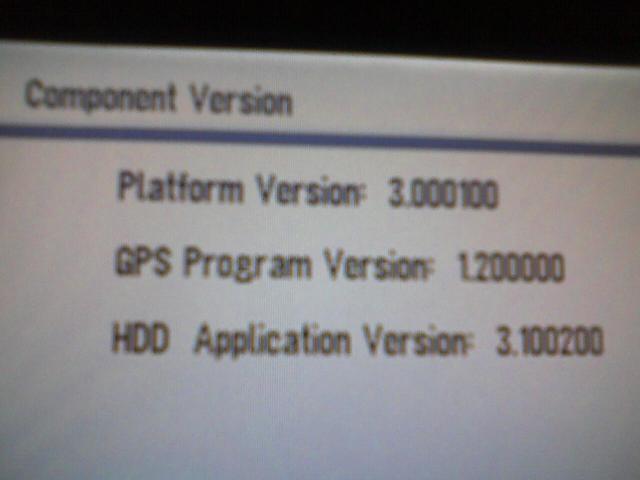
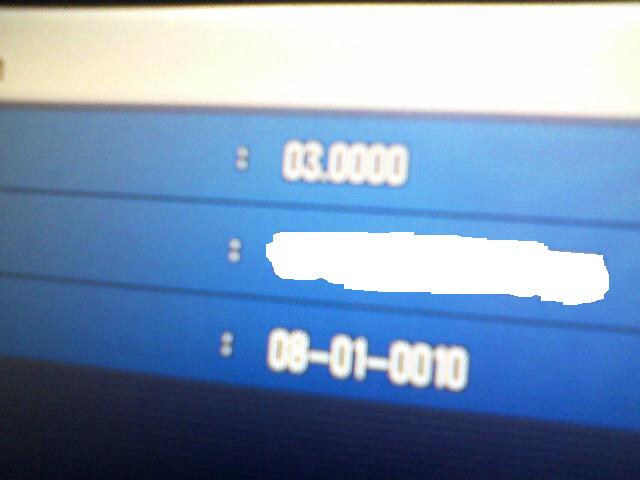
^^ Looks good to me!
wow there real deal
this stuff is like gold around here 
i did see some fuck ups on my Z2 today
with that Z3 mash up
so looking forward to the real thing
I don't remember all the numbers off my image, but I do know that the Z3 image I just got had the old CDDB rev. I just updated it to the 08-01-0010 last night.
I'll write down the other numbers and cross check them in a little when I go out for a smoke.
Think I have the real deal guys ... Anything else i should be looking for?
Anything else i should be looking for to make sure it is legit?
Do you physically have a Z1 or a Z2 ?
Looks like I have the same numbers as jojogrosso above, with the exception of his first pic that shows the "Component Version". How do I get to that screen? I'm talking about the first pic in his post with the white background that shows Platform, GPS, HDD info etc...