Search Archive
📌 Pinned

EXCLUSIVE FIRST LOOK AT AVIC-F90BT!

By JasonH · May 29, 2008in Pre-Release Archive💬 228 posts👁️ 128,400 views
Page 1 of 10
Posted May 29, 2008 · 21:26 UTC#1

A HUGE thanks goes to Pioneer for sending me a pre-production F90BT to review. I just received it, so here are some unboxing pics to hold you guys over. I will try to get it installed tonight and have a full video review up very soon!

You must be logged in/registered to see the pics!

More pics on Page 2 and 4!

box.jpg

cables.jpg

front.jpg

back.jpg

cablesin.jpg

Posted May 29, 2008 · 21:38 UTC#2

Awesome, awesome, awesome! I can't wait for you to get it fired up so we can start asking questions.


Here's the first on though:


What's the AVIC-F7010BT?

Posted May 29, 2008 · 21:47 UTC#3
Awesome, awesome, awesome! I can't wait for you to get it fired up so we can start asking questions.


Here's the first on though:


What's the AVIC-F7010BT?


Awesome. Cant wait to get a hand on this. Please upload more when you can. BTW, I'm with the post above. F7010BT ?????

Posted May 29, 2008 · 21:56 UTC#4

I'm guessing it's a Europe Model, It's not in the US lineup. This is all pre-production stuff, so there are likely to be typos.

Posted May 29, 2008 · 22:19 UTC#5
I'm guessing it's a Europe Model, It's not in the US lineup. This is all pre-production stuff, so there are likely to be typos.


The Avic-F7010BT isn't a European Model.

Posted May 29, 2008 · 22:27 UTC#6

Does the F90BT have voice recognition for NAV commands? Like POI's and Address? I've seen Pioneer advertise this for the AVIC-Z3, but haven't seen any word of this for the new F-series. Thanks.

Posted May 29, 2008 · 23:03 UTC#7

Got some clarification from Pioneer on the F7010BT, its a model for car dealerships (expediters). Basically the same as 700BT.


Sorry, no voice command for navigation, audio/bluetooth only.

Posted May 29, 2008 · 23:08 UTC#8
Sorry, no voice command for navigation, audio/bluetooth only.


Wow, that's a bummer. I was fearing that when I didn't see Pioneer talking about it in their ads. Still a great unit though.

Posted May 29, 2008 · 23:51 UTC#9

is there a microphone built-in to the front of the unit? I would rather have one there than to run a wire to somewhere that might look out of place.

Posted May 29, 2008 · 23:52 UTC#10
is there a microphone built-in to the front of the unit? I would rather have one there than to run a wire to somewhere that might look out of place.
Yes, but it also comes with a wired mic if you so choose.
Posted May 29, 2008 · 23:56 UTC#11

Here is the #1 question! How do we bypass it for watching movies and using GPS info on the fly?

Posted May 30, 2008 · 00:08 UTC#12

See if an external USB drive loaded with DIVX can play on the screen :)

See if it has time correction for the different speaker outputs.

Let us know how fast the mapping is compared with the Z series.

... and everything else :)

Posted May 30, 2008 · 00:27 UTC#13
is there a microphone built-in to the front of the unit? I would rather have one there than to run a wire to somewhere that might look out of place.
Yes, but it also comes with a wired mic if you so choose.


That's good news! Is it that little hole next to the eject button?

Posted May 30, 2008 · 00:42 UTC#14

I think the mic is right above the aux-in jack and right below the little bluetooth logo. The other one is likely a status light, or something else at least.

Posted May 30, 2008 · 00:58 UTC#15

i have the d 3 installed and the wires in the f series look the same, my question is can i keep my same wires that i have connected to my d 3?

Posted May 30, 2008 · 01:32 UTC#16

Thank you so much. Been dying for more info on this. Has/Can Pioneer send you a copy of the manual in pdf to post up here? Would love to flip through it to see all the little nooks and crannies that this thing offers.

Posted May 30, 2008 · 01:34 UTC#17
i have the d 3 installed and the wires in the f series look the same, my question is can i keep my same wires that i have connected to my d 3?
NO! I just found this out the hard way! Although it looks the same, the wires are in a different location and the size of the connector is slightly smaller. It will be tomorrow before I get it wired up.
Posted May 30, 2008 · 02:50 UTC#18

Can you mimic the push talk button on the wired remote interface rather than only have to keep pushing it?

Posted May 30, 2008 · 03:46 UTC#19

ohhh. looking good am hype !!! when you get it all hook up take it for a spin to see if the Navi is better than the D3 make sure its not taking you 30 miles out your way! i can't wait!!! to see it!


where is the ipod hook up? do you have to use the USB cable for that?

Posted May 30, 2008 · 05:05 UTC#20

Well, I had to call in a favor, but I got it done...What I thought was going to take an hour, took over 3 hours. My D1 wiring had to be completely redone for the new unit. But anyway, it's amazing, I seriously can't get over how nice the screen looks.


Pics for now, video tomorrow. (It's 1AM Eastern Time and I'm going to bed) ;)

startup.jpg

xm.jpg

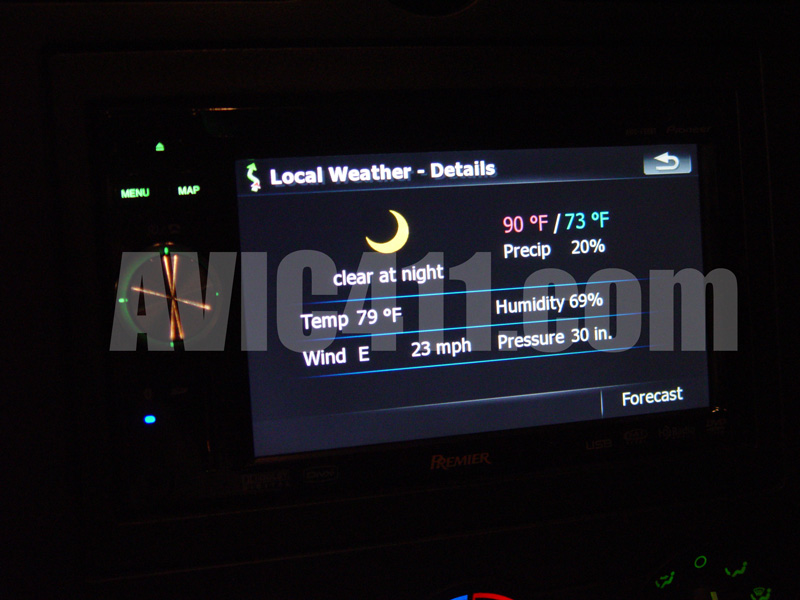
weather.jpg

trafficmap.jpg

trafficlist.jpg

phone.jpg

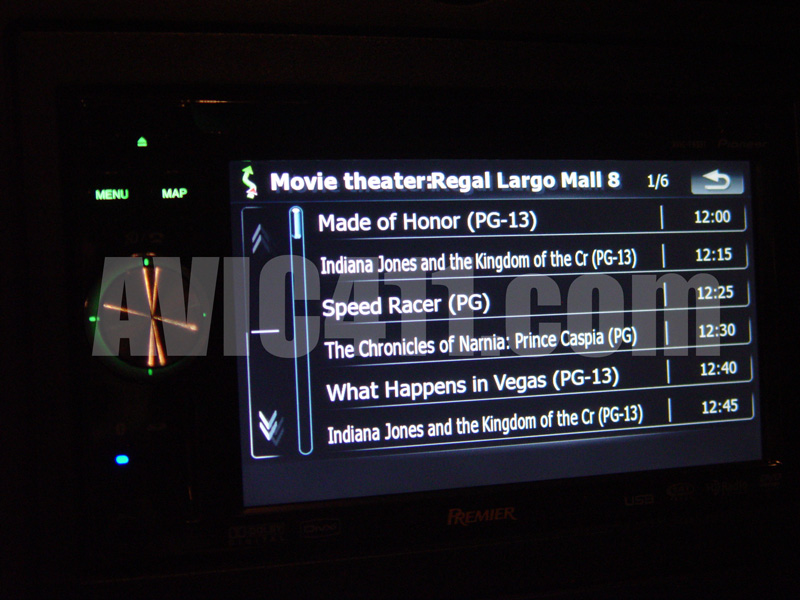
movies.jpg

menu.jpg

3d.jpg

Posted May 30, 2008 · 05:08 UTC#21

forgot the ipod and voice pic.

voice.jpg

ipod.jpg

Posted May 30, 2008 · 05:14 UTC#22
is there a microphone built-in to the front of the unit? I would rather have one there than to run a wire to somewhere that might look out of place.
Yes, but it also comes with a wired mic if you so choose.


That's good news! Is it that little hole next to the eject button?

Sorry, no internal mic. I was jumping to conclusions before hooking it up. The hybrid unit does have an internal however.

Posted May 30, 2008 · 05:38 UTC#23

Wow that looks sweet, thank you so much for sharing!

Posted May 30, 2008 · 05:44 UTC#24

Awesome screens. So how is the voice control for the iPod. Someone else said that it was buggy on a prototype unit. Has this been fixed? Also, does the manual hint at all to having a nice icon-ified Sirius interface like the XM has? Once again, thanks so much for sharing.

Posted May 30, 2008 · 06:32 UTC#25

Me likey the MSN direct info. Crazy what they can do these days

Page 1 of 10