Search Archive

Turning off iPod VR Catalog Mode...

By josche · Jun 23, 2008in Pre-Release Archive💬 51 posts👁️ 13,593 views
Page 1 of 3
Posted Jun 23, 2008 · 18:21 UTC#1

I've gotten the impression from reading other posts that if you let your iPod VR Catalog synch once, then you can turn off this feature and retain voice recognition as long as you don't update the songs on your iPod.


This doesn't seem to be the case for my F700bt and I want to see if anybody else can confirm.


Here's what I did:

1. Started the system with VR Catalog turned on.

2. Verified that VR works with the iPod ("play the album ...")

3. Turned off VR Catalog option in the menu

4. Verified that VR still works

5. Turned off system

6. Turned system back on

7. Attempted to use VR, wouldn't recognize my input.


I'm using a 4GB iPod Nano with a couple hundred songs on it. What this leads me to believe is that the index file that is created when it catalogs your iPod is only saved in temporary memory (like the system cache or something) and that index file is lost when the system is rebooted.


Has anybody had a different experience where the option for VR Catalog is turned off but voice recognition still works after you reboot the system?


In my opinion it should do what people expect it to do and save the index file even if the option is turned off. It might cause bugs if you change the content of your iPod, but so what? The boot time with VR Catalog on is ridiculous (at least the time it takes for the "iPod may not be fully functional" message to go away) and I don't have that many songs on my iPod.

Posted Jun 23, 2008 · 19:06 UTC#2

I am interested in this too. I have the 160 gig iPod and I have it filled with about 17,000 songs. I am afraid that boot time would be brutally long.

Posted Jun 23, 2008 · 19:33 UTC#3
I am interested in this too. I have the 160 gig iPod and I have it filled with about 17,000 songs. I am afraid that boot time would be brutally long.


jesus, 17000? thats 5x how many i have and i thought i had alot lol.


im havin the same problem, ive gotten some play artost commeands to work when the nexttime i trist it, "sorry i didnt get that"

Posted Jun 23, 2008 · 19:47 UTC#4

25 years of collecting music and never selling or deleting from my collection led me to a library of 17,000 songs. With that big of a collection, the voice command was the top reason for my purchase.

Posted Jun 23, 2008 · 19:50 UTC#5
25 years of collecting music and never selling or deleting from my collection led me to a library of 17,000 songs. With that big of a collection, the voice command was the top reason for my purchase.


thats a music library. i dont even know 17000 songd lol but 2 years of cds and limewire for me to almost 4000 so im on my own lil quest to fill an iPod :lol:

Posted Jun 23, 2008 · 20:01 UTC#6
im on my own lil quest to fill an iPod :lol:

Sounds like an unattainable quest... by the time you start getting anywhere near enough to fill one, new models with twice the storage space come out.

Posted Jun 23, 2008 · 20:09 UTC#7

way to shatter my dreams HiFiSi. im not your friend nemorez :cry::cry::cry: lol

Posted Jun 23, 2008 · 21:19 UTC#8

Although I'm disappointed that the functionality doesn't appear to be what I was led to believe, I'm glad that my unit isn't the only one that works this way.


If other posters are to be believed, it appears that some of Pioneer's customer support people have been mistakenly advising people that they can turn off the VR Catalog function and still retain VR functionality as long as their iPods keep the same content on them.


This is not the case, but it should be. Whoever originally posted the issues/problems sticky for this line of units should be organizing all of the known/confirmed problems in the original post to make it easier for Pioneer to sift through everything and work on fixes.

Posted Jun 23, 2008 · 22:01 UTC#9

Really what should happen is that the headunit should grab a copy of the XML database file each time the iPod is connected and compare it to the last copy it has. If there are any different entries then it should catalog those, while leaving the rest alone.


That would mean one initial wait to get the majority of files cataloged, and then just a brief pause (which really could be done in the background) to update any changed or new files.

Posted Jun 24, 2008 · 17:28 UTC#10

so are we to understand that if you want your VR to work in the car, you hafta sync ur ipod everytime u add so much as one song? which means youd hafta keep ur whole library on your computer? cuz i think thats a lil too much memory to just keep stored on the computer

Posted Jun 24, 2008 · 17:47 UTC#11

If you remove the actual movie or music files from your computer, BUT DO NOT REMOVE their entries from your itunes program, you don't have to keep the files on your computer for every time you need to sync your ipod.


Itunes will see that it still has the entry for the song in it's library as well as on the ipod, and therefor will do nothing with it, leaving it on the ipod.

Posted Jun 24, 2008 · 17:51 UTC#12
If you remove the actual movie or music files from your computer, BUT DO NOT REMOVE their entries from your itunes program, you don't have to keep the files on your computer for every time you need to sync your ipod.


Itunes will see that it still has the entry for the song in it's library as well as on the ipod, and therefor will do nothing with it, leaving it on the ipod.


so while i dont have the actual files on there just the names in the library are fine? what about changing the album artwork, would that change it? and it hasta go thru the entire syncing process every time i add to it?

Posted Jun 24, 2008 · 18:12 UTC#13

Well if you change anything, be it file names, artwork, etc. I think you need the file on the computer because it will try to sync that file. It will only not attempt to access the file on the computer if all the information for that file in itunes and on the ipod remains unchanged.

Posted Jun 24, 2008 · 18:16 UTC#14
Well if you change anything, be it file names, artwork, etc. I think you need the file on the computer because it will try to sync that file. It will only not attempt to access the file on the computer if all the information for that file in itunes and on the ipod remains unchanged.


thanks for the info HiFiSi, but one more thing...how does this pertain to the F series exactly? and what ipod controls are limited when that popup appears? cuz i havent noticed anything not working.

Posted Jun 24, 2008 · 18:40 UTC#15

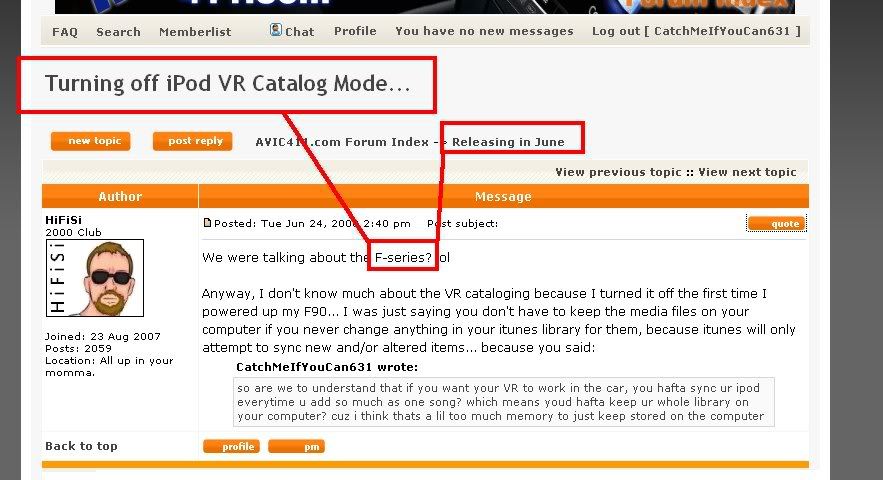
We were talking about the F-series? lol


Anyway, I don't know much about the VR cataloging because I turned it off the first time I powered up my F90... I was just saying you don't have to keep the media files on your computer if you never change anything in your itunes library for them, because itunes will only attempt to sync new and/or altered items... because you said:

so are we to understand that if you want your VR to work in the car, you hafta sync ur ipod everytime u add so much as one song? which means youd hafta keep ur whole library on your computer? cuz i think thats a lil too much memory to just keep stored on the computer
Posted Jun 24, 2008 · 18:49 UTC#16

:lol: ZING! :lol:


hifisi.jpg


lol jus playin around. yeh i dont understand fully but something with the ipod limited control screen and syncing the ipod and i didnt know what syncing exactly was so i didnt wanna take a chance at losing my music until i knew exactly what i was doing.

Posted Jun 24, 2008 · 18:53 UTC#17

lol...


Oh... you meant syncing with the VR catalog on the AVIC and not syncing with Itunes... Well the only thing that will happen if you interrupt that is the voice recognition won't work right.

Posted Jun 24, 2008 · 19:03 UTC#18

So...


Does it have to catalogue the iPod on every startup? I usually keep mine hooked up 24/7 unless I am adding music to it.


Also...


If you turn off the VR Cataloging, can you still use voice on other things such as the bluetooth? If its off, can you still use the iPod like it is setup on the D3?


Thanks...

Posted Jun 24, 2008 · 19:16 UTC#19
So...


Does it have to catalogue the iPod on every startup? I usually keep mine hooked up 24/7 unless I am adding music to it.


Also...


If you turn off the VR Cataloging, can you still use voice on other things such as the bluetooth? If its off, can you still use the iPod like it is setup on the D3?


Thanks...


i was jus playin wit this before..if vr catalogue is off, u cant say "play artist Bon Jovi" but u can do "change source to FM" and other bluetooth voice commands.. the VR catalogue to my understand is strictly to do voice commands for the ipod itself

Posted Jun 24, 2008 · 19:27 UTC#20

So as long as I keep the iPod connected, it wont have to catalog each time I turn on my truck... it will retain the VR catalog...


Is that correct? :?

Posted Jun 24, 2008 · 19:34 UTC#21
So as long as I keep the iPod connected, it wont have to catalog each time I turn on my truck... it will retain the VR catalog...


Is that correct? :?


i really dont know. i read other ppl complaining about that so my guess it that it hasta catalog each time it turns on and that its a bug that pioneer might fix cz theres no reason it should hafta catalog twice in a row if you didnt change anything.

Posted Jun 24, 2008 · 19:44 UTC#22

Why is that the iPod needs to be cataloged but the phonebook doesn't? Seems like it should need to be done every time too?

Posted Jun 24, 2008 · 19:49 UTC#23

I was hoping that someone who had purchased one could verify the yes or no on that issue. The one I have on order should be here within 3 or 4 days and then I guess I will know for sure.


:lol:

Posted Jun 24, 2008 · 19:50 UTC#24

I'm sure it does catalog the phone book. But you have to remember, the phone book is nothing more than a bunch of text, I doubt it's even a kilobyte worth of information. It probably takes a second or less for it to go through it.

Posted Jun 24, 2008 · 19:53 UTC#25

exactly, your talkin about multiple gigs of memory it hasta pretty much memorize. the problem is it takes too damn long! :x

Page 1 of 3