I got it to work by calibrating - just wondering why a new units needs that calibration . . .
anyway - thanks.
I got it to work by calibrating - just wondering why a new units needs that calibration . . .
anyway - thanks.
Want to thank of of you guys that are making these things possible. Yesterday I installed my 90BT. Grounded my brake wire. Then today, I came on here and got the data.zip changed over to 128 per your easy instruction. Then loaded the CE files after formating to FAT.
Booted up, cut the old data.zip to my flash stick and moved my new date.zip to it's place. Just got back from test run and it lets me enter street address while doing 30mph so I am guessing it works fine, since 10mph was the original speed.
Now just have to show wife how to use it so she can enter the addresses while we drive.
Again, thanks a lot to the whole AVIC411 Crew. 
Want to thank of of you guys that are making these things possible. Yesterday I installed my 90BT. Grounded my brake wire. Then today, I came on here and got the data.zip changed over to 128 per your easy instruction. Then loaded the CE files after formating to FAT.
Booted up, cut the old data.zip to my flash stick and moved my new date.zip to it's place. Just got back from test run and it lets me enter street address while doing 30mph so I am guessing it works fine, since 10mph was the original speed.
Now just have to show wife how to use it so she can enter the addresses while we drive.
Again, thanks a lot to the whole AVIC411 Crew.
You should use a bigger number than 128. 250 or even 300 should be good. As it is, you will now get a mis-wired message every time you exceed 128 KPH (about 80 MPH).
Is there any benefit of doing the bypass via software vs hardwire? - reason i ask is ill be doing a install here shortly so hardwired wont be a biggy since im there anyway.
Sorry for the offtopic, but what version of Win CE does the AVIC-F uses? 4.2?
Thanks for your answears!
My Aussie F900BT uses CE V5.0
First of all thanks to JustinS for sending me his Australia Testmode file. I got booted into testmode perfectly, and have backed up the system.
I was looking at the process to load into testmode and the MapDBInfo.txt file and couldn't quite figure out why I needed to copy these files over. I didn't need the US, French or Spanish voice files because I'm using the Australia version.
So, I took a punt and deleted the lang & voice folders and edited MapDBInfo.txt to look like this.
Area: AU
IntegrationVersion: 01.000600
I saved the MapDBInfo.txt file which is now the only file under the iGo content folder, and it booted in to testmode really fast, no copying and no problems. (note that my file from JustinS has been changed to AU)
If anyone wants to take a look a the testmode file I would be happy to upload it.
Happy hacking, now that I'm in and backed up I'm going to try to get my phonebook across.
Hi, im having issues booting into testmode for the F900BT Australian unit using the standard testmode.zip file, does anyone have one already made for the Aussie unit or do i just follow the setup above? Any help would be greatly appreciated. (P.S. im using pioneer's 2.0 firmware if this makes any difference?)
illeone05
Here's the link to the Aussie Testmode Files. http://rapidshare.com/files/214858485/A ... stmode.zip Just unzip the two folders to your SD card and it will boot.
FYI I removed the audio files that it copies over which means that it boots superfast!
Michael
Nice one! thanks, ill give it a whizz
I copied the files to my SD card, put in deck, booted up and the copying box turned to a green block inn the middle of my screen. Then i waited a min and tapped the start menu and then the programs and windows explorer. Then its shows my device on the task bar and the start menu turns green. So then i tap my device and the whole task bar turns green. Is this a lag problem and maybe i need to wait even longer? I have a F90 and it came loaded with 2.0 software already so would i be able to download the update from pioneer and just change the file that way for the bypass?
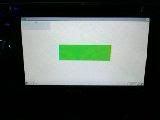
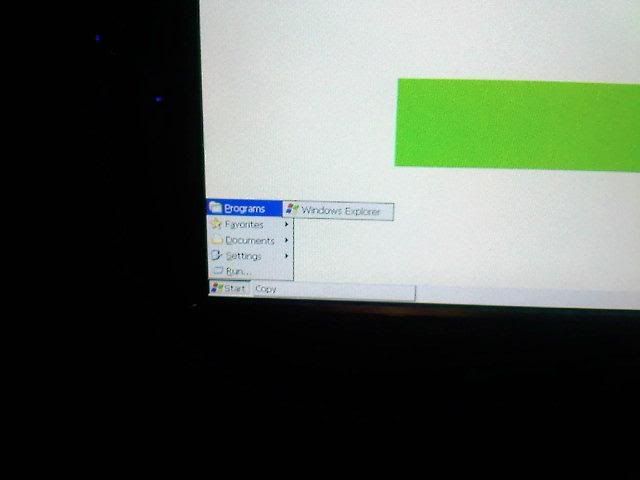
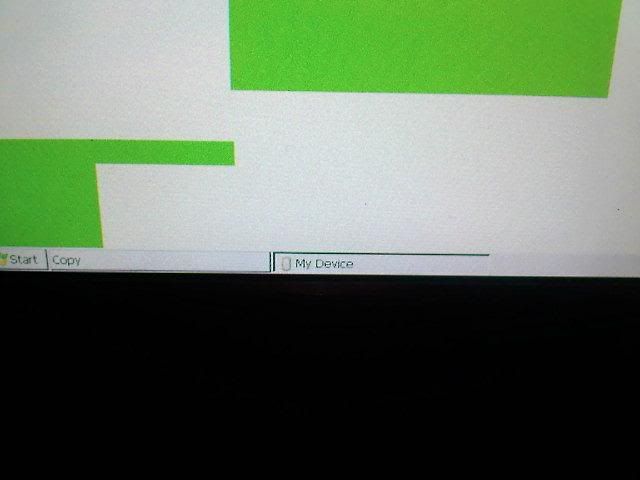
I changed the Aussie version so it only copies over the txt file. It boots up superfast because you are not copying over all the voice files.
The only thing you have to change for US or Europe it to change the txt file MAPdbinfo.txt
Just change the Area from "AU" to "EW" for Europe and "UC" for US/Canada
Mine looks like this
Area: AU
IntegrationVersion: 01.000600
 I tried using your zip and it did not work after i changed it to UC. The task bar just turned green right after i tapped the X. So does anyone have a clue as to what i am doing wrong cause i sure as S*%t dont? Any help to get me on the right track please send my way Thanks
I tried again today and waited five minutes and still nothing. Do i need to change something in the fikes for the F90?Does it matter if the SD card is high speed?
First of all boot your unit nomally and calibrate the screen. (your manual should point you in the right direction)
Then when you boot into testmode and you get the green screen you need to press the X in the top right hand side. The green box then disappears and a normal windows desktop appears.
good luck. Let us know how you get on.
Thanks I got it and i missed the part about calibrating the screen earlier in the forum, no surprise though its a lot to go through. And i changed the 16 to 144 and it works which would give you about 90! So if anyone else doesnt like the 128 then there is a new number. Did anyone ever find out if 160 worked? And again thanks for the help! Now time to put some personal touches into the back ground.
Great to hear that you got it working and that my testmode files worked okay. If you are talking about the software mod I use 160 and it works fine. Happy hacking.
I got AVIC F900BT 2 days before. I got it installed on my Honda Accord 02. Factory installed CD player wont take CDs in. So I needed to replace that one.
My unit came with upgraded Firmware. 2.000. I was able to update it to 2.00600 some..
Map version is 1.000800
Now sad thing is Testmode is not working. Computer and networking is my bread and butter. Never had to work on WinCE. But these files wont work. i got few SD cards. 8GB SDHC card worked just fine to upgrade to latest firmware.
Now testmode boot up files wont do nothing. It just go to splash screen and system is being restarted.. then destination, Contacts, AV source comes up. I waited few more minutes. nothing happened. It it not even hung up.. it is ready to be used.
I used 8 GB. 2, 2Gb, 1 1 GB cards same thing.
Finally I hard wired it. Mute cable y/b moved and grounded. Parking brake lt Green grounded. I get the warning msg. but video plays, I tried only 1 mile 30mph speed and it was working. BUT...
BUT my parking brake light warning in dashboard is on now.. It is annoying to see that red light on all the time.. 
My guess is, Testmod.zip is not working with new firmware version 2.00600?
Any idea? Help?
I edited MapDBinfo.txt file to have only 2 lines..
Area: UC
IntegrationVersion: 01.000800
still it is not working.


Finally I hard wired it. Mute cable y/b moved and grounded. Parking brake lt Green grounded. I get the warning msg. but video plays, I tried only 1 mile 30mph speed and it was working. BUT...
BUT my parking brake light warning in dashboard is on now.. It is annoying to see that red light on all the time..
My guess is, Testmod.zip is not working with new firmware version 2.00600?
1. Search the forum and download working testmode.
2. Looks like you grounded the actual parking brake wire. You only should ground the wire from the AVIC, do not touch the brake wire at all...
1. Search the forum and download working testmode.
2. Looks like you grounded the actual parking brake wire. You only should ground the wire from the AVIC, do not touch the brake wire at all...
Thanks for quick reply.
Yes I tried a few version of Files from forum. Even Aussie version with DB file changed to UC and version number changed.
As far as Parking brake wire, there is one lt green cable going from AVIC that is connected to Brake light wire. ( other cable is always Ground) so there is only one cable I can connect to and that is actual Parking brake wire. Which makes sense too, but no one confirmed yet that they have their Parking brake lights on, I will have to check if that makes my rear brake lights on or not.
1. ______________ Parking brake light wire.
2. _ _ _ _ _ _ _ _ _ Ground.. when both completes circuit, (which happens when Parking brake is applied) the light comes on to warn the driver that he is driving with parking brakes on. Now I grounded that Parking brake cable coming out of/or going into AVIC, right there.. means cirucit is completed there and that makes brake light warning on all the times.
I hope I made myself clear here.
My only guess is, my firmware is 2.000600 and map version is 1.000800. There is something that makes me not to boot up to WinCE mode.
Some one please helppppppppppppppppppp!..
NOW I got a question:
Doing the hardwire bypass.. Do I have to disconnect light green wire from the parking brake and then ground it?
Hmmmmm... I think that makes sense.. but some one who knows it for sure.. should guide me here.
LoL.. i guess I answered my own question. I am going to remove the Light green cable from Parking brake and let it be grounded.
Fun part is yellow/black cable .. I am not sure why we have to worry about it moving to an empty slot and then to ground it? I tried it, removed it from the ground and it did not make any difference at all.. May be I am missing something here..?
If not, simple Hardwire bypss means do not connect light green wire to parking brake and JUST GROUND IT and you are good to go.. why to make it so complicated? ( unless some one is so fond of using remote control )
Thanks all..
Yes I tried a few version of Files from forum. Even Aussie version with DB file changed to UC and version number changed.
As far as Parking brake wire, there is one lt green cable going from AVIC that is connected to Brake light wire. ( other cable is always Ground) so there is only one cable I can connect to and that is actual Parking brake wire. Which makes sense too, but no one confirmed yet that they have their Parking brake lights on, I will have to check if that makes my rear brake lights on or not.
1. ______________ Parking brake light wire.
2. _ _ _ _ _ _ _ _ _ Ground.. when both completes circuit, (which happens when Parking brake is applied) the light comes on to warn the driver that he is driving with parking brakes on. Now I grounded that Parking brake cable coming out of/or going into AVIC, right there.. means cirucit is completed there and that makes brake light warning on all the times.
I hope I made myself clear here.
My only guess is, my firmware is 2.000600 and map version is 1.000800. There is something that makes me not to boot up to WinCE mode.
Some one please helppppppppppppppppppp!..
1. Working testmode for 2.006 UC (2.007 Europe) update was posted by Carver a day or two ago. Map version has not changed since release and has nothing to do with testmode anyway.
2. If you are bypassing (as it seems) you do NOT touch the parking brake at all. You bolt the parking brake sensor wire from AVIC to the ground. Even if you are not bypassing, if your brake light comes up you've miswured something...
1. Working testmode for 2.006 UC (2.007 Europe) update was posted by Carver a day or two ago. Map version has not changed since release and has nothing to do with testmode anyway.
2. If you are bypassing (as it seems) you do NOT touch the parking brake at all. You bolt the parking brake sensor wire from AVIC to the ground. Even if you are not bypassing, if your brake light comes up you've miswured something...
Thanks a million Boris.. I really appreciate it. Though it is a bit late, ( nothing is lost much though)..this one is working perfect.
Oh well I proved both methods are working just fine.. Whoever is upgrading to new firmware 2.0006000 has to have this file to access WinCE.
Great job.
what size sd card do u need for testmode?
can someone please post a testmode files for the 2.06 units for US/CAN... please!!!!! I cant get into win ce with the files posted in the OP.
okay disregard message above.... i figured it out.... i have successfully updated to 2.06, entered win ce and bypassed the video and navigation! yay!