Just so I don't mess something up...
Just take the files/folder in the zip file and overwrite the ones on my F900BT? Of course make a backup first. 
Just so I don't mess something up...
Just take the files/folder in the zip file and overwrite the ones on my F900BT? Of course make a backup first.
Ok so what exactly do we do with your "scripts" im not much of a coder so can you explain? Does this file go in the \SD\POI\speedcam folder? Do we have to install speedcam txt file to the unit or are they safe on sd card?
By the way great job!!
.UI Scripts overwrite the identically named ones in your DATA.ZIP (scripts you need for speedcams are listed in the other thread post)
If you can wait I will have an updated script set one out this evening probably with some cosmetic fixes.
In the speedcam folder you need to put a list of actual cameras. I haven't tried it off of a SD Card yet, although I think it should work. Copying them to internal flash works for sure...
Ok since we have to put into internal memory which may be better, from data-team do we just need red-light cam or the speed cam file also?
I'll wait for you cause when i read your other thread it mentioned other things in it like MSN and buiding visibility stuff which im not sure if they are necessary for us.
The Speed Camera and Red Light Camera data files are they suppose to be txt files?
Speedcams are text files. iGO converts them into its internal format automatically.
Get whatever files you think are necessary for your driving... iGO treats red light cams as a subtype of speed camera.
the igo files are txt files,...
Are these txts because they are being uploaded to the f900 instead of being read like a normal POI from SD?
iGO probably treats them differently from normal POIs because they need different information. POI generally has category, address, may be telephone, and icon you associate with it. Speed cameras need different things -- location, direction, speed limit, and type. Code that deals with POIs (of which there are far more than cams) does not need to deal with proximity, whether you are travelkling fasyter than camera's limit, etc. So it makes all the sense to treat cameras differently.
Text file format is easy to make and distribute, and once you have it in the system much easier to process than something far more verbose like KML.
so do we need the speedcam file or red light file?
I'd go with a larger one...
larger one? what do you mean, there is only the two files on the site you mentioned above.
So download both of them, and install the larger one...
Perhaps I missed a step, but need some assistance.
I downloaded the scripts and injected them into the data.zip file, the first time it failed and gave me an error, I was using ZipGenius. I re-did the zip using WinRar and worked great (used the zip feature, not rar) and it loads up and the startup message just sits there, it doesn't go away and the system keeps resetting every 3-4 minutes.
I can goto iPod, Siruis, XM, radio and such, but going to maps or destination just locks it up at the EULA screen, all while the startup screen (Please Wait) screen stays on the screen.
Did I do something different or miss a step?
Thanks.
Most probably... When I used a a bad speedcamera text file, the unit kept rebooting.
Try doing one thing at a time... 1st make sure that the unit boots with the speedcamera data and original data.zip, then add new scripts in....
Thanks BorisM, I will give that a shot.
OK, good luck. Let me know how it works...
To tell the truth, though, while it is nice to have , I do not know how reliable those camera files are for the US. In Europe they have commercial providers compiling lists...
The camera file has at least one error so far... it says there is a camera right by my house which there is not. Also, it lists every camera as a speed camera and not a red light.
I noticed that, too.
If you set the cursor on where it thinks there is a camera you can edit/delete it.
I would not rely too much on a free list of cameras that comes from who knows where...
Figured out any way to convert the .kml documents into something usable?
Haven't really worked on it yet, but KMLs are very simple XML files, so converting them to text format should be pretty straightforward. I haven't gotten around to that yet, too busy hacking the unit itself to work the way I like... I'mn not really sure if those KMLs are any more complete or accurate than other files...
Googling around also finds utilities that are supposed to create .spdb and .spud files (what iGO uses internally)...
Here's something...
http://forum.pocketnavigation.de/tid1073582-sid.htm
If there are KMLs that list speedcamera attributes (speed/type/direction) in some kind of standard format, ity should be easy enough to convert them to CSV or TXT for importing into iGO.
For those with the Escort 9500i GPS radar detector, there is a new edition, the 9500ix. The 9500ix now has the capability to store red light and speed camera POI locations that are preloaded at the factory. If you own the first edition 9500i, you can send the unit into Escort to have it updated and POIs loaded. Comes with the 3-year subscription for uploading new POI locations onto the unit. I'm waiting for my updated unit to return this week from the factory with the new updates.
Amazing.... Great Job
now I can use My SD for more pointless stuff and songs.
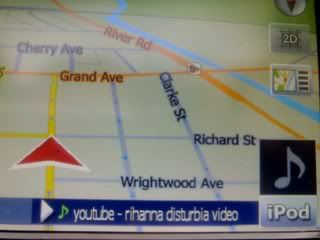
Now How to get a actual voice alert? "sits and ponders"
Amazing.... Great Job
now I can use My SD for more pointless stuff and songs.
Now How to get a actual voice alert? "sits and ponders"
All you should have to do is replace alert5 with a voice file with the delay of TTS, even if making it speak a warning was feasible, would make it useless
Please Enplane a little more, I do not quite understand you.