Search Archive

**No longer taking requests at this time** Custom Images

By LonestarROB · Apr 30, 2009in Completed Mods/Themes💬 194 posts👁️ 28,913 views
Page 5 of 8
Posted Jun 23, 2009 · 14:57 UTC#101
hey can someone help me out too. i think im having a problem with my .bmp being too big? i heard it have to be the same exact size as the original 112k? thats impossible. when booting up it doesnt even go pass the splash screen. what am i doing wrong?


Are you talking about the Destination etc.. images? Save them as 24bit. Dont work as 32bit.

Posted Jun 23, 2009 · 15:11 UTC#102
How about a mercedes C-class? Black =]

Also without the compass?

Maybe simply writing Mercedes-Benz across the top nicely?

You decide =]


Something like this? :|

johnny.zip

post-28697-12872757817357_thumb.jpg

Posted Jun 23, 2009 · 21:45 UTC#103
hey can someone help me out too. i think im having a problem with my .bmp being too big? i heard it have to be the same exact size as the original 112k? thats impossible. when booting up it doesnt even go pass the splash screen. what am i doing wrong?


Are you talking about the Destination etc.. images? Save them as 24bit. Dont work as 32bit.


so when I'm done modifying the .bmp images I export and save them as 24bit?

Posted Jun 23, 2009 · 22:03 UTC#104

What do you mean export? I assume you're editing your images in photoshop?

Posted Jun 23, 2009 · 22:42 UTC#105
What do you mean export? I assume you're editing your images in photoshop?


not Photoshop but close. It's a Serif photoplus application. why does each image have to be 24bit when the original is 16bit? even if I use windows Paint app. It still doesn't work.

Posted Jun 23, 2009 · 22:42 UTC#106
What do you mean export? I assume you're editing your images in photoshop?


not Photoshop but close. It's a Serif photoplus application. why does each image have to be 24bit when the original is 16bit? even if I use windows Paint app. It still doesn't work.

Posted Jun 24, 2009 · 01:36 UTC#107

Dont know that it has to be 24 bit but I know it cant be 32bit. If 16 bit works, great.


I dont know why you're having problems. Try posting in the main Hacks/Mods section for more/better help. 8)

Posted Jun 27, 2009 · 01:27 UTC#109

anders

post-28697-12872757840732_thumb.jpg

post-28697-12872757841047_thumb.jpg

anders.zip

Posted Jul 06, 2009 · 00:32 UTC#110

Hey man...thanks for everything you do here.


If you are not too busy, can you do the destination and contacts button for me?


Destination:


http://www.automedia.com/NewCarBuyersGuide/photos/2006/Hyundai/Santa%20Fe/SUV/2006_Hyundai_SantaFe_ext_1.jpg


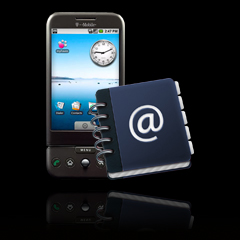
Contacts:


http://gadgets.elliottback.com/wp-content/uploads/2008/09/t-mobile-g1.jpg


Also if you can point me to a thread or let me know what I have to do to get these onto my Avic. I have Guga's theme installed.


Thank you in advance!

Posted Jul 06, 2009 · 03:22 UTC#111

Also if you can point me to a thread or let me know what I have to do to get these onto my Avic. I have Guga's theme installed.


Link


Probably get this done for ya tomorrow.

Posted Jul 06, 2009 · 15:12 UTC#112

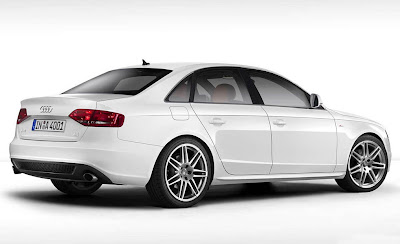
Favor... would like the Navigation icon to have my car incorporated, tried PS'ing it but it came out looking as bad as my PS skills are... :P


Put car below on the image:


file.php?id=6939


2008-audi-a4-32-sline.jpg


Issue is the image is tilted a bit, not sure how that would look...


Maybe this one would work better, I actually like it better anyway...


Audi+A4+S-Line+2.jpg


THANKS!


While I am at it, anyone have the "Contacts" and "AV" icons with an iPhone?


Also, what is the image file name that in the "generic" version of the GUGA files has the "Pioneer" logo at the bottom middle between "Phone" and "Settings"? Want to change it so it says either "Audi" or has the Audi logo. Searched all the images and could not fine it...


THANKS!

Posted Jul 06, 2009 · 16:21 UTC#113

GCL915

post-28697-12872757858056_thumb.jpg

post-28697-1287275785863_thumb.jpg

GCL.zip

Posted Jul 06, 2009 · 16:27 UTC#114

Thanks! You are the man!

Posted Jul 07, 2009 · 01:23 UTC#115

midlife - All images are in the zip.

post-28697-12872757860815_thumb.jpg

midlife.zip

Posted Jul 07, 2009 · 02:36 UTC#116
midlife - All images are in the zip.


DUDE! YOU ROCK! Please let me know your paypal address, I certainly never expected you to do this for free!

Posted Jul 07, 2009 · 03:05 UTC#117

Thanks. No need for you to pay me. I just do this for fun and to hopefully get better at Photoshop. Besides, its not exactly legal to accept money, like others have, for doing stuff like this. :wink:8)

Posted Jul 07, 2009 · 04:05 UTC#118

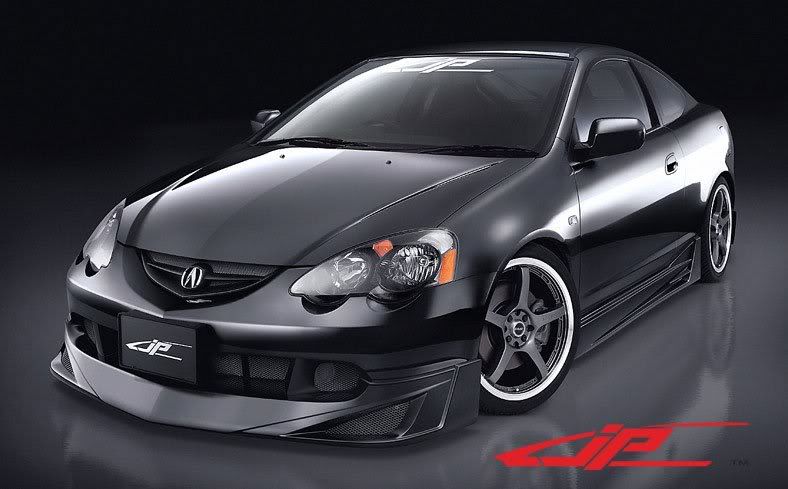
could you put this car


img0201uso.jpg


with the navigation Icon. someone else posted earlier but here it is again.

BlueWorld.png


If you need a better picture of the car let me know.

Posted Jul 07, 2009 · 11:37 UTC#119
Thanks. No need for you to pay me. I just do this for fun and to hopefully get better at Photoshop. Besides, its not exactly legal to accept money, like others have, for doing stuff like this. :wink:8)


Quick q...


When saving the files I might edit in Paint or GIMP, what resolution should I choose? 16 bit, 24 or 32?


Thanks

Posted Jul 07, 2009 · 12:26 UTC#120

I use 24 bit. They will not work if saved as 32 bit.

Posted Jul 08, 2009 · 19:01 UTC#121
Maybe this will be easier than trying to do it myself, haha! Would you mind making one with this car when you get a chance? Thanks!


-Brian

Hey this is off topic, but do you know if that is just an 08 WRX with STi front fenders and bumper or is it a kit, or is that the 2010 STi concept? Have an 08 with a few mods, and looking for a slightly more aggressive look.

Posted Jul 08, 2009 · 22:50 UTC#122
Hey this is off topic, but do you know if that is just an 08 WRX with STi front fenders and bumper or is it a kit, or is that the 2010 STi concept? Have an 08 with a few mods, and looking for a slightly more aggressive look.

pm'd you to try and keep this thread from getting off topic :)


-Brian

Posted Jul 17, 2009 · 17:14 UTC#125

jitendra - Not the best. Difficult to cut out.

post-28697-12872757931946_thumb.jpg

jitendra.zip

Page 5 of 8