Search Archive

ND BT1 Bluetooth "fix"

By Fusion13 · Oct 25, 2006in Problems/Troubleshooting💬 42 posts👁️ 30,993 views
Page 1 of 2
Posted Oct 25, 2006 · 19:19 UTC#1
This was an email from our Pioneer Product Specialist


Hello all, I was wondering if any of you would be able to help me with
this. I was reading in the owner's manual of the DEH-P980BT/DEH-P9800BT
that you have to adjust the headset volume of your phone before you bond up
with the radio (pg. 35). I noticed that this is not stated in the Z1's
owner's manual. At the time I thought about this my phone was currently
bonded with the TECHCAR Z1 so I made a few phone calls and heard the
complaint that the other caller heard an echo, it was less when I turn the
phone volume down, but it was still there. I cleared out the harddrive and
rebonded as if it were the first time I had ever bonded, but this time I
did it with the volume on my headset turned down to 1 or 2. I made the same
phone calls and the person on the other end did not hear any echo. I tried
with different phones and it seem to work also. I have spoken to a dealer
that called the Tech line that had echo problems and told him about this
solution and he called back with no more echo. This is where I need some
assistance, I'm sure you all have a dealer or yourselves with echo
problems. Can someone please verify if this will work. You need to bond
with your volume turned down, most of us have it cranked all the way up.
Some of you may need to completely clear the hard drive and rebond. Page
175 of the Z1's Owner's Manual will tell you how to clear out the hard
drive. I will be keeping an eye on this post for responses. Please call the
Tech line or send an email if you have any questions.


This has worked on a the vehicles here in the shop try it out and let me know
Posted Oct 26, 2006 · 19:53 UTC#2
Helped a ton for me
Posted Oct 26, 2006 · 20:10 UTC#3
cool
Posted Oct 27, 2006 · 14:18 UTC#4
I tried it and it didn't work for me. I tried several variations of it too but no luck.
Posted Oct 29, 2006 · 05:00 UTC#5
I'll try mine in the morning. It is worth a shot. This echo is so bad that more often than not, I have to NOT use the BT... :-(
Posted Oct 29, 2006 · 15:19 UTC#6
I have been out of the country now for a while but have been watching this thread. Anyone else try it? I am looking forward to flying home tomorrow and trying this out.
Posted Oct 30, 2006 · 03:42 UTC#7
I tried it using my SLVR the other day. I had to use some software to adjust my headset volumes for bluetooth, turning both the speaker and mic gains for bluetooth to 1. Hopefully this is what was described. It had no effect on the echo, and I tried resetting everything including wiping the hard drive first. I still have to have the phone volume on the Z1 set to three bars to eliminate perceivable echo by the other side. This sucks because at speed I have too much additional noise and the phone volume makes it tough to comprehend the other party's voice.
Posted Oct 30, 2006 · 04:08 UTC#8
Funny, I just posted a message agreeing/trying to organize complaints about the BT quality. This sounds cool and hopefully works.

Question I have as a newbie (and I paid for installation): of the four methods availble to delete data from the HD, which do you recommend and what are the results? Is it simply a matter of reprogramming presets and other minor things or is there a bunch of items that need to be set up? The Nav side and Nav Traffic is my biggest concern since it's working great. XM presets, POI's and MP3's are no big deal.

Thanks for the input, looking forward to a possible fix.

digitalxrayguy
Posted Oct 30, 2006 · 11:08 UTC#9
When I did mine i had it on Vibrate I wonder if that was why i have not got any Echo ?
It is strange that these units have a mind of there own, what works for one don`t for another?
Posted Oct 30, 2006 · 11:32 UTC#10
Read this info on another board. Guess I may have done it by coincedence.

The unit memorizes the handset volume AT THE INITIAL BONDING (setup).

Sooo....
1. Reset the unit to clear phone memory, if required
2. Turn down the handset volume
3. Re-bond and set-up the phone to the AVIC-Z1
4. Now, you can re-set the volume on the handset
5. Everytime after this, even if the handset volume is up, when it connects to the Z1 the volume will be set at the initial (lower) setting while connected
Posted Oct 31, 2006 · 01:42 UTC#11
Update; I got a reply from the email I sent to Pioneer, they asked me to call in:

>Thanks for contacting Pioneer Electronics, Inc.
>
>Based on your e-mail request, we feel that we can be of better >assistance if you contact our Product Support line.
>
>Please contact us at (800)421-1404 for further assistance.

So, I called in. First level quickly put me to second level. Second level acted like it was a new problem and wanted to take further information to pass along to the engineers. I provided my s/n, name, phone etc. I then explained what I heard on this forum regarding doing a reset so the BT is wiped clean, re-pair with the volume down and problem goes away in some cases. She sounded interested but not knowledgeable of this. I then asked about doing the reset to verify I wasn’t going to wipe too much as I’m getting a little tired of resetting stuff all the time to make it work and having to enter in lot’s of stuff to get it where I want. Excuse me but I just dumped my Treo 700w for that very reason. I felt reassured enough, did the reset, re-paired and it was still an echoing problem. I thought about what I did and realized I only turned down the volume on the handset. So, I turned down the volume on the Z1 for the phone “incoming voice”. Rather than reset the whole unit again, I tried a little trick that might help others and went into my BT properties of the new phone I have, the Motorola Q. Also windows based but appears to be a little more stable so far. I changed the name of my phone under the BT settings. Rebooted the phone and sure enough, the Z1 didn’t know it so I re-paired it again and it seems to be improved. Too early to tell but I will use it for a week or so and report back.

Good luck to others on trying to resolve this.

Digitalxrayguy
Posted Oct 31, 2006 · 16:07 UTC#12
digxrayguy said:
So, I turned down the volume on the Z1 for the phone “incoming voice”.


Turning it down in the Z1 is the pseudo "fix" we're already aware of. The problem with this is that it makes incoming calls hard to hear. I've found in my car the threshold for echo is at three bars, and anything above the caller can hear echo, more and more as I go above the three bars setting.
Posted Nov 02, 2006 · 01:29 UTC#13
I have tried EVERYTHING discussed on this forum, plus some other things - like changing the phone audio to come only through one speaker and positioning the microphone in the other direction. What I think I have discovered is this:

The echo is actually the person's voice coming from the car's speaker and being transmitted back through the Z1's voice mic. I'm not sure how you could fix this (other than lowering the caller's voice volume, so it is not picked up as well by the mic!).

I was able to make to reduce the echo under the following conditions:

1) Using my hand to "sheild" the microphone on the side of the car that I had the caller's voice coming from.

2) Lowering the volume of the caller's voice.

3) Driving while talking. The cabin "noise" of the car seems to detract from the caller's voice being picked up by the mic and echoed back.

Of all of the "fixes" above, #3 seems to be the most effective. The echo is a lot worse if the car is very quiet.

What do you think of this theory? Does anyone have NO echo problem at all? If so, I would be interested in the cabin noise conditions of your vehicle...
Posted Nov 02, 2006 · 02:01 UTC#14
Well, tsiawd666 was right. The echo is still there and I'm back at square one. The only way to try and work with the system is to turn the volume down where it's really not useable. I have a fairly quiet '04 Suburban and it just doesn't work. I'm going to call back to Pioneer tomorrow and follow up with the case # to complain. I would encourage everyone else that is not satisfied with the results of the bluetooth product to call and complain. Other companies are able to provide a product without the echo so Pioneer needs to improve the processing of the system to ignore the signal it just output.

Thanks to all for the input.

digxrayguy
Posted Nov 03, 2006 · 18:10 UTC#15
I think moving the Mic to the dash location is a great idea! Seems the speakers that transmit the caller's voice would be sheilded if you selected the right location - plus, the quality of your voice would be better as well. :D
Posted Nov 03, 2006 · 23:57 UTC#16
digxrayguy said:
Well, tsiawd666 was right. The echo is still there and I'm back at square one. The only way to try and work with the system is to turn the volume down where it's really not useable. I have a fairly quiet '04 Suburban and it just doesn't work. I'm going to call back to Pioneer tomorrow and follow up with the case # to complain. I would encourage everyone else that is not satisfied with the results of the bluetooth product to call and complain. Other companies are able to provide a product without the echo so Pioneer needs to improve the processing of the system to ignore the signal it just output.

Thanks to all for the input.


digxrayguy


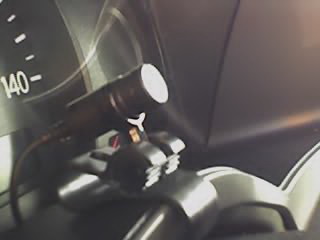
Where is your mic located? Can you place it right in front of you behind the steering wheel. Here's a pic of mine. Phone vol low. Plus I just recv the Nokia E62 and so far it sounds better than my Razr. No hissing air noise. Just clean.

K
Attached Files (2)
Mic2.jpg
Mic2.jpg
mic pic.jpg
mic pic.jpg
Posted Nov 06, 2006 · 07:59 UTC#17
I'm going to be calling them first thing tomorrow morning. I'm pissed!!! I bought the Z1 just for the Bluetooth and Nav, just the same. Typically I am acting as the driver for the company and having to write things down on the fly having one less item in my hands is something I was really looking forward to. Now, I have only tried it from two different phones but so far ECHO ECHO ECHO. The dispatcher cant read orders to me, nor can I speak with clients like this! I am going to try the mic relocation method tomorrow. It makes sense. I'll post what I discover from the mic move. Currently the mic is up behind the rear-view and cell phone is t-mobile dash.

Is there nothing we can do??? - Maybe a few resisters or diodes group connected somehow and wrapped up?

Jokingly but seriously also? Isn't there something that can be bought or built that maybe that can be in-ine with the mic, or something, to reduce feedback or something?

DUCATIBOY ...!>>!>>>>> HELLLLLLLLLLLLLLLLLLLLLP!

BRATT VT
Posted Nov 10, 2006 · 11:20 UTC#18
I have moved my mic to just behind the steering wheel (just like the pic of the Armada up top AND NOTHING CHANGED! Still echo on the other end yadda yadda yadda.
I have thought about maybe a cotton ball at the end of the mic to act as a filter to unwanted sounds and so forth. I figured I'd try to put just a cotton ball atop the mic and see if that helps....

I forgot to call pioneer and lean into them about this. I will call them today this afternoon.

Matt
Posted Nov 10, 2006 · 19:57 UTC#19
Did you try reverting the Z1 to the factory settings and re-pairing the phone like I mentioned earlier in the thread? Sucks to lose everything but it was worth it to have the bluetooth work correctly

mhyde71 said:
I have moved my mic to just behind the steering wheel (just like the pic of the Armada up top AND NOTHING CHANGED! Still echo on the other end yadda yadda yadda.
I have thought about maybe a cotton ball at the end of the mic to act as a filter to unwanted sounds and so forth. I figured I'd try to put just a cotton ball atop the mic and see if that helps....

I forgot to call pioneer and lean into them about this. I will call them today this afternoon.

Matt
Posted Nov 10, 2006 · 23:02 UTC#20
I must of missed that part..

And I'm not sure I know how to do that...?
Let me see...I am actually going for a ride right now so i'll look at it and see.

and then try again.

Matt
Posted Nov 11, 2006 · 01:08 UTC#21
Page 175 of the manual

mhyde71 said:
I must of missed that part..

And I'm not sure I know how to do that...?
Let me see...I am actually going for a ride right now so i'll look at it and see.

and then try again.

Matt
Posted Nov 11, 2006 · 01:09 UTC#22
Well now i am confident I could reset the unit (simply follow directions from pg 175).

But which method were you referring to, or... not one in particular just start at "method #1" and continue up until one does work?

Thanks
Posted Nov 11, 2006 · 06:03 UTC#23
Hey djoker. Just catching up but I haven’t tried moving the mic yet. I’ll give it a try this weekend. Right now it’s on the rearview mirror. I don’t think it’s the phone. I recently changed my Treo 700w to a Q because of instability of the Treo but the echo’s been there for both.

Question to all, reading another post from whtcrxghst:
“Did you try reverting the Z1 to the factory settings and re-pairing the phone like I mentioned earlier in the thread? Sucks to lose everything but it was worth it to have the bluetooth work correctly”

If you set up the volumes where they should be, rename the phone so it looks like a completely different phone, wouldn’t that be the same as a complete factory reset to pair as a new phone? It’s a lot less painful than the factory reset. :)
I don’t know if all phones allow changing the name but the Mobile 5 OS does.

Thanks all for a great forum. It’s real helpful.
Posted Nov 12, 2006 · 14:12 UTC#24
Pardon my straight-forwardness, but this is all horse shit. They advertise Bluetooth, we should get Bluetooth without putting 'tin foil on the antenna.' Are there any members here that are lawyers and can we do anything? I would be willing to donate webspace for a website or petition, if needed.
Posted Nov 13, 2006 · 15:44 UTC#25
Seems I am an idiot. I posted earlier stating I tried changing my bluetooth headset mic/speaker gains as listed by the op and that I had no success. Well... it had been so long since I had played with my gain tables that I forgot I needed to power cycle the phone for my changes to take effect :?

I realized this because I had inadvertently bounced the phone while I was playing with something else a few days ago... and when I was on a phone call in the car afterwards not only could I barely hear anyone but they could barely hear me. I realized the gain setting changes had taken effect.

Currently with my gains at 1 and 1 in my SLVR callers say they can barely hear me. I called a friend in the car while standing outside and confirmed the mic volume is pretty low. Inside the car I could also barely hear the voice through my speakers with my Z1 set to 3 bars. So I started immediately playing and upped it all the way to max volume in the Z1, which brought the voice volume JUST to a good level. On the other end (standing outside) you could still not hear echo.

Anyway, seems like what's really going on is we're going through a balancing act of adjust the mic gain with the speaker volume to find a happy balance. By dropping the gains I think I'm gaining more granularity in the volume adjustments, which helps get the most out of the system. Unfortunately the echo cancellation with the Z1 as we know sucks ass and makes it difficult.

I'm going to play with increasing my mic gain now so callers can hear me but not hear themselves, and I'll post what I find.
Page 1 of 2