Search Archive

Fresh 3.0 Install on F90BT With Pictures

By dragon24 · Jul 20, 2009in Hacks/Mods💬 344 posts👁️ 186,585 views
Page 1 of 14
Posted Jul 20, 2009 · 04:01 UTC#1

For a fresh install of the 3.0 install on the F-90BT. This takes about 30 minites to complete. You will need 3 SD cards (2GB or higher) formated to FAT32. With the following on each card as you see below. Please make sure you have a back-up copy of your unit before you start. With this way below you will lose everything on your radio, Settings, Address, Radio Station..... ETC. You get the piont. This will make the radio just like new & you will have to set everything over again. This is just to show you how i did it. Please use at your own risk.


Thanks to Retell for making a guide & SK360 for the files.


This is the noob version of the install... simple & easy with pictures.


ONLY DOWNLOAD FILES IF YOU OWN THE RIGHTS TO USE 3.0

Dragon24 nor Avic411 Condones Piracy.


Please note this is not the official Retail Pioneer 3.0 Update! If you break your unit, Pioneer will NOT fix it for free! You can purchase the official 3.0 Update SD Card from Pioneer's website.


New Links: Follow that post on the how to install.

AVIC X910: Software 3.010100 & Extra's Mods Just Add Maps

Mods Added:


  1.  
  2. Skip Navi screen Warning Nag
  3. Branded POI icons :UPDATED: 02-11-2010
  4. Turn The Redlight/Speedcam Features On: Here or Here
  5. Software mod "bypass"
  6. XM August 2009 Logo Update
  7. Testmode 2.3
  8. Hacked EZRider & License
  9. WINCEIMG: From 3.010100 update. Use if needed.

TELEATLAS 2010.06 North America Maps and Premium Pois ~ USA, Canada and Mexico

I added the cracked EZRider.exe & License files. Tested on the Emulator & Still use at your own risk.


Please make sure you back-up your files before you copy over them.


Step 1: Download the needed updates

Step 2: Put Downloaded updates on the 3 SD cards

Step 3: Start your car. (If not you might kill your battery)

Step 4.0: Turn unit on. When the pioneer logo comes up,

Step 4.1: press and hold the menu, map, eject buttons at the same time and hit the reset button.

Step 4.2: Once you hit the reset button, you will hear a pop sound from your speakers.

Step 4.3: Then the DVD/CD drive will load. When you hear this let go of the eject button but continue to hold menu and map buttons.

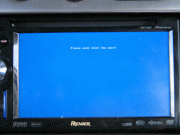
This will bring you to a blue screen where you will have to enter the service combination.
e1e2e242574333.gif

Step 4.4: Press the volume knob in this sequence and you will see * signs for each push: Up, Up, Down, Menu, Left, Right.

Step 5: Put in your SD 1 card with the WinCEIMG files. (Use the WinCE files from the X-Series Update. Files are in the PLT folder)

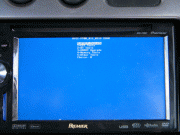
Step 6: Select Update CE
db947642574335.gif

Step 7: Select Update SD Format (This will clear your FlashDrive)

ebc2b842574337.gif

Step 8: Wait till it says restart in the bottom center. This will take about 2-3 minites to install.

539bd442574338.gif

Step 9: Remove your SD 1 (WinCE) from the AVIC.

Step 10.0: Insert the SD 2 (TestMode V2.3) into the AVIC and hit the reset button.

Step 10.1: Once WinCE boots up, double Click on My Device at the top left of the screen. Sorry for the blury screen

0b8fdb42574339.gif

Step 11.0: Put in SD 3 (X910) in your unit.

Step 11.1: Open Storage Card Folder/Icon. ( Icon will pop in on the left)

Step 11.2: Click edit at the top of the window & select all. With all the items selected. Go back to the top & click edit & copy. Close the folder.
5fa19542574343.gif

Step 12: Click back into My Device & open My Flash Disk. Click edit at the top & go to paste. A window will pop up & ask you to overwrite files. Click Yes.
b77dde42574342.gif

(Should take about 20-30min)

7d979142574344.gif

Step 13: Press and hold restart and eject for 5 seconds.

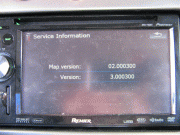
Step 14: Enjoy your new 3.0
b0e74142574345.gif

c03fdd42574347.gif

Edited Nov 11, 2010 by dragon24
Posted Jul 20, 2009 · 04:14 UTC#2

weres the reset button at ?

Posted Jul 20, 2009 · 04:20 UTC#3

left side of the eject button.... you need a pin or something to push it.

Posted Jul 20, 2009 · 04:22 UTC#4
weres the reset button at ?


Not to be rude... IMO if you are asking where the reset button is then maybe you should do some more research and learning about your product before you try to do any kind of Modding... otherwise you might end up with a brick instead of an AVIC.


recessed button to the left of the eject

Posted Jul 20, 2009 · 04:30 UTC#5
weres the reset button at ?


Not to be rude... IMO if you are asking where the reset button is then maybe you should do some more research and learning about your product before you try to do any kind of Modding... otherwise you might end up with a brick instead of an AVIC.


recessed button to the left of the eject


i had the same problem with the unit at the first time, maybe he just bought the unit and is trying to update it, not every one is familliar with the unit after its being unpacked off the box.


Now with this update i had a problem to press all 4 buttons at once, untyl i found a way how to do it :shock:

Posted Jul 20, 2009 · 05:01 UTC#6
weres the reset button at ?


Not to be rude... IMO if you are asking where the reset button is then maybe you should do some more research and learning about your product before you try to do any kind of Modding... otherwise you might end up with a brick instead of an AVIC.


recessed button to the left of the eject


I understand your point but just because i asked a question doesnt mean i have never hacked my unit or i just purchased it. It actually means: i never needed to press the reset button so i never knew were it was.


Until this point the reset button was needed and thanks to you my device is copying the files as we speak :D

Posted Jul 20, 2009 · 05:03 UTC#7

i had the same problem with the unit at the first time, maybe he just bought the unit and is trying to update it, not every one is familliar with the unit after its being unpacked off the box.


Now with this update i had a problem to press all 4 buttons at once, untyl i found a way how to do it :shock:


yeah same here took me about 5min to figure out how to press those buttons with one hand while holding a small pin to press the reset button with the other hand lol :shock::?

Posted Jul 20, 2009 · 05:25 UTC#8

Sorry if this has been asked a bunch of times but after following all of those steps, can testmode be accessed like normal? I would like this update but i don;t want to lose lots of my mods...Thanks for the help!


-Brian

Posted Jul 20, 2009 · 05:48 UTC#9

This guide and disclaimer sounds awfully familiar :roll:

Posted Jul 20, 2009 · 06:18 UTC#10

I think I'll wait for the official release... All I want is 3.0 so hopefully that file is not protected

Posted Jul 20, 2009 · 06:34 UTC#11
I think I'll wait for the official release... All I want is 3.0 so hopefully that file is not protected


official release sounds more and more like a rip off from what people are saying about the 910 series. It's the same thing and the issues that pioneer address were acknowledged and ignored... from the sounds of it.


I plan on doing this the first moment I can get a 3rd SD card. Or I'm going to just use the 2 and delete one while the 2nd loads.


Just need 30 minutes and a soda, haha.

Posted Jul 20, 2009 · 16:25 UTC#12
weres the reset button at ?


Not to be rude... IMO if you are asking where the reset button is then maybe you should do some more research and learning about your product before you try to do any kind of Modding... otherwise you might end up with a brick instead of an AVIC.


recessed button to the left of the eject


I understand your point but just because i asked a question doesnt mean i have never hacked my unit or i just purchased it. It actually means: i never needed to press the reset button so i never knew were it was.


Until this point the reset button was needed and thanks to you my device is copying the files as we speak :D


I didn't mean to sound like a dick... but I would just hate for a Hacking Virgin to get in WAY over their head before doing their research. These units are not cheap and to run out and buy one only to brick it would ruin my week... Good to hear you got her figured out.

Posted Jul 20, 2009 · 17:29 UTC#13

3 SD cards? I used a single 2gb SD card loaded with all those files at once and had no problems. By the way 3.0 seems awesome so far much more responsive and the nav looks way better.

Posted Jul 20, 2009 · 17:38 UTC#14

Can I update my EUROPEAN AVIC F900BT (sw ver. 2005)

Thank You

Posted Jul 20, 2009 · 21:18 UTC#15
Can I update my EUROPEAN AVIC F900BT (sw ver. 2005)

Thank You


i want to know also. hoop sombody can help

Posted Jul 21, 2009 · 06:25 UTC#16
I think I'll wait for the official release... All I want is 3.0 so hopefully that file is not protected


official release sounds more and more like a rip off from what people are saying about the 910 series. It's the same thing and the issues that pioneer address were acknowledged and ignored... from the sounds of it.


I plan on doing this the first moment I can get a 3rd SD card. Or I'm going to just use the 2 and delete one while the 2nd loads.


Just need 30 minutes and a soda, haha.

You can do the entire update with a single 2GB SD card. Load all files onto it at the same time. Boot to the Win CE update screen and insert the card, then run the update. Reset and it will boot into Testmode. Drag the flash files onto the device. Remove card and reboot.

Posted Jul 21, 2009 · 18:21 UTC#17
I think I'll wait for the official release... All I want is 3.0 so hopefully that file is not protected


official release sounds more and more like a rip off from what people are saying about the 910 series. It's the same thing and the issues that pioneer address were acknowledged and ignored... from the sounds of it.


I plan on doing this the first moment I can get a 3rd SD card. Or I'm going to just use the 2 and delete one while the 2nd loads.


Just need 30 minutes and a soda, haha.

You can do the entire update with a single 2GB SD card. Load all files onto it at the same time. Boot to the Win CE update screen and insert the card, then run the update. Reset and it will boot into Testmode. Drag the flash files onto the device. Remove card and reboot.


Thanks, I will try this. I'm having trouble downloading the torrent though. Any suggestions? I really want to try this but for some reason I can't get it to work.

Posted Jul 21, 2009 · 19:37 UTC#18
Thanks, I will try this. I'm having trouble downloading the torrent though. Any suggestions? I really want to try this but for some reason I can't get it to work.

What problem are you having? For some reason it wouldn't launch my torrent client, but I got past that by right clicking the link, saving it, then browsing to it in my file manager and forcing it to launch with the torrent software.

Posted Jul 21, 2009 · 19:40 UTC#19
Thanks, I will try this. I'm having trouble downloading the torrent though. Any suggestions? I really want to try this but for some reason I can't get it to work.

What problem are you having? For some reason it wouldn't launch my torrent client, but I got past that by right clicking the link, saving it, then browsing to it in my file manager and forcing it to launch with the torrent software.


It won't let me launch it with my torrent software. i use azureus and it doesn't do anything. It won't even let me select azureus as the program to launch it with.


Oh it also will only let me open link in new window, new tab, down load link, down load link as. But I can't save it.

Posted Jul 21, 2009 · 19:43 UTC#20
Thanks, I will try this. I'm having trouble downloading the torrent though. Any suggestions? I really want to try this but for some reason I can't get it to work.

What problem are you having? For some reason it wouldn't launch my torrent client, but I got past that by right clicking the link, saving it, then browsing to it in my file manager and forcing it to launch with the torrent software.


It won't let me launch it with my torrent software. i use azureus and it doesn't do anything. It won't even let me select azureus as the program to launch it with.

Is this within the browser or if you save it locally then use Windows Explorer (or whatever is appropriate on your system) to navigate to it and select a program to open it with?


You can also save it locally, launch Vuze and then go to File/Open/Torrent File.

Posted Jul 21, 2009 · 20:35 UTC#21

It won't let me launch it with my torrent software. i use azureus and it doesn't do anything. It won't even let me select azureus as the program to launch it with.

Is this within the browser or if you save it locally then use Windows Explorer (or whatever is appropriate on your system) to navigate to it and select a program to open it with?


You can also save it locally, launch Vuze and then go to File/Open/Torrent File.


I honestly think I'm just missing a simple concept. I feel retarded. If I go to page one and go to the link that is posted, I can't do anything but open in new tab/window, download/download as. If I click the link it down loads a file with a bunch of characters in it. I then try to open with azureus and it won't let me. I am using a mac but I don't see how that would matter.

I am going to look up this Vuze program and see if there is one for mac.

Posted Jul 21, 2009 · 20:37 UTC#22
I honestly think I'm just missing a simple concept. I feel retarded. If I go to page one and go to the link that is posted, I can't do anything but open in new tab/window, download/download as. If I click the link it down loads a file with a bunch of characters in it. I then try to open with azureus and it won't let me. I am using a mac but I don't see how that would matter.

I am going to look up this Vuze program and see if there is one for mac.

Vuze is just the current version of Azureus. Use the 'download as' option to save it locally. Open Azureus and choose to open a torrent file, then point to where you saved the file.

Posted Jul 21, 2009 · 20:44 UTC#23

Vuze is just the current version of Azureus. Use the 'download as' option to save it locally. Open Azureus and choose to open a torrent file, then point to where you saved the file.


Haha, I just noticed that when I saw the little frog. Trying download as right away. thank you for the tip. I apologize if I sound retarded.


Wow! Like I said a simple concept I didn't think of. I was starting it wrong. Instead of going to Vuze and telling it to open a file I was going to the file and trying to get it to open with a program... :( fail!


Thanks for helping me out. I'll be ready to try this as soon as the download is done.

Posted Jul 21, 2009 · 22:17 UTC#24

Dragon24,


Awesome job man....Ugraded to 3.0 (tks to CMH)..this is way faster...I mean..waaaaaay faster....


I'm running 3.0 with the 8.0 hacked Igo, brazilian maps...works perfect....just rename the 3.0 apl2 folder and copy the apl2 folder from version 2.0....


Tks Again for this awesome mod!!


GUGA

Posted Jul 22, 2009 · 00:16 UTC#25

thanks... too bad lots of peeps here bugged CMH to death, cuse Im sure he would have made a unzip to sdcard mod for all these steps... .... Damn I wish he would do it... that is the only foolproof way IMO.... anyways.... Im gonna play, but If I start to chicken out Ill revert to my backup .... CMH.... PLEASE if you are reading this.. do it... make a "all in one" heck... give me your paypal.. and I donate a few bucks.. lol

Page 1 of 14