Thanks for taking a look!!!
Posted Aug 23, 2009 · 21:08 UTC#26
Thanks for taking a look!!!
Ya, Layer.....that was just a typo
Not sure what you guys did to the scripts, but this has errors all over it. It's missing end <\layer> on scripts and also have some undefined scripts. What a mess!! My guess is it's probably missing scripts in navigatemap.ui, variable_def.ui and scripts800_480.ui as well.
Here is a copy of my DATA.zip for anyone brave enought to take a look  . Again, thanks for your help
Here is a copy of my DATA.zip for anyone brave enought to take a look
By the way, I willing to kick someone a few bucks to help me out with this. Please send me a PM if you are interested.
Sill working on this one. Like I mentioned before when I turn the trip computer off on my map settings page the trip computer still shows on my map. I think I am missing the code that connects the two. Anyone know what that is?
Eventually I would like to add a buttin to the map to add and remove the trip info.
As always, any help is appreciated.
Nothing on there indicates that it shouldn't. Does the on/off work for you on the other data.zip posted (the lastest one) on the how to topic? That one should be setup to hide the big list and show a small icon.
(Btw - decided to redo it slightly for myself. here is a screenshot (now just showing four ones that I cared about towards the right side)
Thx,
Ben
Edit: let me know and I can post the latest one that works for me...but the older ones on the HOW-TO forum should work too...
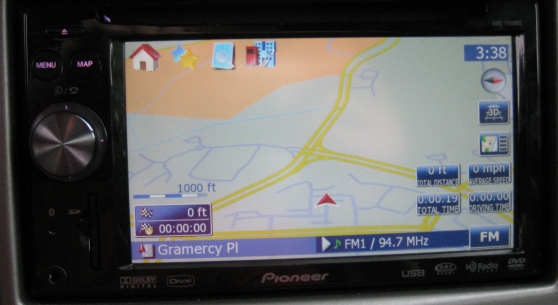
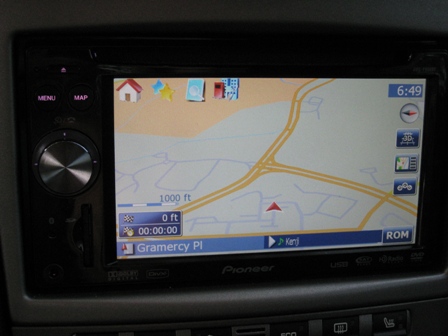
I didn't use the DATA.zip on the "how to", I just added the code form the directions and a little extra help. I did add the button you mentined at one point but it didn't do anything.
I do like how your map is set up but I don't have the icons on the top left....I'm using the quick start icons from Keeper's mod. Would it be defficult to remove those icons and add the quick start menu?
Ben,
Can you post your DATA.zip. I'll try using it as a starting point. Also, what is the code for the icons on the top left? I will probably remove those to add the quick launch.
Thanks,
Bryan