Search Archive

CNDV-90MT are NOW POSTED

By kryngle · Sep 17, 2009in General💬 628 posts👁️ 97,179 views
Page 23 of 26
Posted Dec 03, 2009 · 12:48 UTC#551
Has anyone had issues where one day, they could no longer get any maps to display on their D3?


I have the West Region 90MT disc via SWDW / Mike. Everything was fine for a month - and this morning, the map display died. Radio, iPod, Steering Wheel control work - just cannot get any map to ever come up.


I did a reset of the entire nav unit (ball point pen next to the eject button), removed and re-inserted the disc - but I can never get the nav system to ever display a map.


When I do the ball point pen reset of the unit (90MT disc is in the unit) - it tells me it is checking the disc and then I get a quick Pioneer splashscreen. It then tells me that it's trying to switch to memory mode and that it may take 30 seconds - and I wait several minutes and no luck.


I still have my original 80MT Pioneer disc. Should I try to revert back to that disc to determine if I have a disc issue or a DVD-ROM / laser issue?


What's the process to go from SWDW's 90MT back to Pioneer's 80MT?


Thanks guys.

Brent


MORRPHUS WROTE THIS BELOW


Fix for an upgrade gone wrong:


If you find yourself with a non working unit or corrupted map data after the upgrade do not despair, there is still hope to "downgrade" your unit. First go to system settings and change the language (doesn't matter if it's to French or Spanish) Let the unit "upgrade" your unit again and make sure it goes well and finishes. then change the language back to English, but hit the eject button before the unit has a chance to start the upgrade. You will see "insert the appropriate disc" message. Take your old working disc (CNDV-80MT) for example and place it in the unit. IT will then "Upgrade" to the older version. You should now have your old version in English.


:?:? Sounds like a bad disk happens from time to time.. I sent you a replacment :):)

Posted Dec 04, 2009 · 22:45 UTC#552

The downgrade procedure worked just fine.


Thanks for sending a replacement disk; hopefully that'll do the trick.


Brent

Posted Dec 05, 2009 · 05:37 UTC#553

Hey I really could use a set of the CNDV-90MT Discs. I downloaded a version off the internet and now all I get is Please Insert the Appropriate Disc. No Buttons No Sound, Nothing. I use it in my work truck so I am hoping with a good set of disks this should take care of the problem.

Posted Dec 05, 2009 · 22:28 UTC#554

Any updates on seeds?

Posted Dec 08, 2009 · 05:32 UTC#555
Has anyone had issues where one day, they could no longer get any maps to display on their D3?


I have the West Region 90MT disc via SWDW / Mike. Everything was fine for a month - and this morning, the map display died. Radio, iPod, Steering Wheel control work - just cannot get any map to ever come up.


I did a reset of the entire nav unit (ball point pen next to the eject button), removed and re-inserted the disc - but I can never get the nav system to ever display a map.


When I do the ball point pen reset of the unit (90MT disc is in the unit) - it tells me it is checking the disc and then I get a quick Pioneer splashscreen. It then tells me that it's trying to switch to memory mode and that it may take 30 seconds - and I wait several minutes and no luck.


I still have my original 80MT Pioneer disc. Should I try to revert back to that disc to determine if I have a disc issue or a DVD-ROM / laser issue?


What's the process to go from SWDW's 90MT back to Pioneer's 80MT?


Thanks guys.

Brent


I have been having this problem also. It would not work and I would have to shut the truck off and restart. Then it would work. On saturday it started making noise in the disk drive. I thought maybe my AVIC was breaking down. By the end of the day it did not work at all and kept saying insert appropriate disk. I tried the west disk and it did not work and made noise. I went to best buy looking for a new unit. I then looked closer at the disk and it was splitting. My east disk is now in 2 pieces. I ended up ordering the disks from pioneer. I downgraded to the old discs and it works fine. Check your disc from SWDW and see if it is splitting.

Posted Dec 08, 2009 · 18:47 UTC#556

I see that a couple of people are having a problem with a set of disks they got from me... :(:oops:

What i would like to tell you is that a few sets when out with a paper printed labels on them and that is the problem.The disk can go out of balance and the label may lift causing non read or insert appropriate disk error.

Know that I STAND behind anything that I have sold and as the people that have bought from know my contact info comes with the set of disks i sent you....... THE only disks i do now are full printed disks NO PAPER :!::!:

So please if you have a set with a paper label PM me and we can Exchange them........please also note that out of

300 + sets their has only been two replacements


SWDW

Posted Dec 11, 2009 · 17:47 UTC#557

I'm still selling disks $15 each shipped, $30 for both. US only

email me

[email protected]

I've sold 10 this week


I can also seed my torrent I created, wont be much as I've got lots of other stuff going.

Posted Dec 12, 2009 · 16:31 UTC#558

SWDW is the way bother looking for the .iso file and making endless coaster disks with bad burns


SWDW is the way to go! why waste the time and money just get his disk and be done with it :D I picked up my disk from him today and in less than 2 min i had a fully working upgraded D-3 , awesome guy to deal with !

 

EPIC WIN! thx mike! :twisted:


gabesir


PM ME IF YOU NEED A SET :D:D:D

Posted Dec 12, 2009 · 16:33 UTC#559

SWDW wrote:READY TO GO :D :D :D :D :D :D :D


Save your time wasting disks, download times, and trying to get a perfect burn.


Just go with SWDW's!!! Got my disks in 2 days, and couldnt be happier. Quality of the disk and even the lightscribed (I assume) labels that look great.


Many thanks SWDW :D

Posted Dec 12, 2009 · 16:34 UTC#560

dbkszr wrote:I really missed the boat on this one... SWDW are you still selling for $20?


:D :D :D :D :D :D :D :D :D Yes i am :D :D :D :D :D :D :D :D :D


just PM me

Posted Dec 12, 2009 · 16:36 UTC#561

70Stingray wrote:If anyone is thinking twice about buying disks from SWDW just get them. These disks are great. He even printed the labels out that they look exactly like the real disks. I am really impressed. Thank you SWDW!!!!


You are very welcome


SWDW

or just Mike :D

Posted Dec 12, 2009 · 16:37 UTC#562

PM ME FOR THE DISCS. BOTH OR SINGLES. HAVE THEM READY TO SHIP. :D:D:D:D

Posted Dec 12, 2009 · 17:04 UTC#563

hey swdw, what type of blank media do u use? in detail please

Posted Dec 13, 2009 · 20:33 UTC#564

I Use only --------- RIDATA (4x) -------------------printable disks for me nothing else works..........

I go through 100 disks a week and only lose about 5 so these work best FOR ME

I use only PLEXWRITER burners also to me their the best


AND I use a very very good computer


SWDW :D:D

Posted Dec 13, 2009 · 20:40 UTC#565

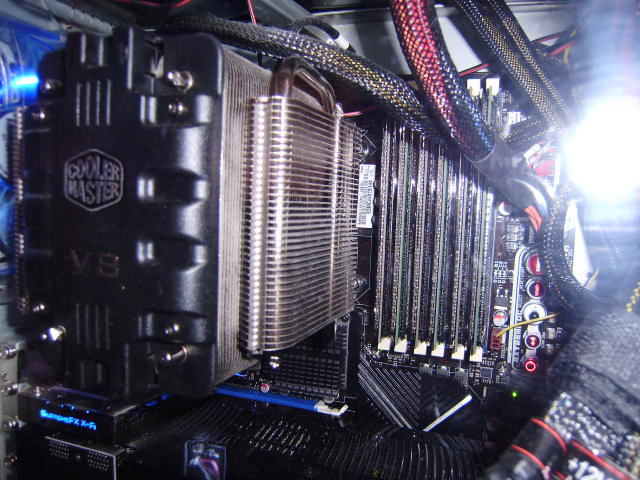
My computer

post-37563-12872760485715_thumb.jpg

post-37563-12872760486905_thumb.jpg

post-37563-12872760487637_thumb.jpg

Posted Dec 14, 2009 · 18:22 UTC#566
70Stingray wrote:If anyone is thinking twice about buying disks from SWDW just get them. These disks are great. He even printed the labels out that they look exactly like the real disks. I am really impressed. Thank you SWDW!!!!


You are very welcome


SWDW

or just Mike :D


I just recieved my disks from SWDW, worked great. Thanks SWDW!!


Hackster

Posted Dec 15, 2009 · 05:38 UTC#567

Curious guys.. on the pioneer website it used to say "(AVIC-N5, AVIC-N4, AVIC-N3, AVIC-N2, AVIC-N1, AVIC-D3, AVIC- D2, AVIC-D1, AVIC-88D, AVIC-80D, AVIC-90D, and AVIC-9DVD)"


and that was according to google cache


now according to their site it says "(AVIC-N5, AVIC-N4, AVIC-N3, AVIC-N2, AVIC-N1, AVIC-D3, AVIC- D2, AVIC-D1)"


I've got a guy who purchased a set of disks but cannot get them to work with his avic-9dvd anyone know whats wrong with this?

Posted Dec 15, 2009 · 19:05 UTC#568

The latest East & West set are still out there in usenet. I just D/l & burned the East disc on Verbatim DVD+ R DL. I made 3 coasters using my Vista box, but ubuntu 9.10 (via k3b) at 4x had no problems. Both pc's have sony Lightscribe capable dual layer DVD writers.


easynews is your friend.

Posted Dec 16, 2009 · 01:21 UTC#569
Curious guys.. on the pioneer website it used to say "(AVIC-N5, AVIC-N4, AVIC-N3, AVIC-N2, AVIC-N1, AVIC-D3, AVIC- D2, AVIC-D1, AVIC-88D, AVIC-80D, AVIC-90D, and AVIC-9DVD)"


and that was according to google cache


now according to their site it says "(AVIC-N5, AVIC-N4, AVIC-N3, AVIC-N2, AVIC-N1, AVIC-D3, AVIC- D2, AVIC-D1)"


I've got a guy who purchased a set of disks but cannot get them to work with his avic-9dvd anyone know whats wrong with this?


THAT CHANGED ABOUT A WEEK AFTER THEY WERE RELEASED


FILES ARE MISSING FOR THESE UNITS (AVIC-88D, AVIC-80D, AVIC-90D, and AVIC-9DVD)"


ALL THOUGH IT IS POSSIBLE TO PUT THE FILES IN FROM THE MT 80 DISKS TO MAKE THE 90MT WORK IN THOSE UNITS

Posted Dec 16, 2009 · 16:35 UTC#570

SWDW I got the disks inthe mail yesterday and so far work flawless thank you so much

Posted Dec 16, 2009 · 16:53 UTC#571

Those of you wanting to download a torrent I reposted it, Looks like there is still seeders on my torrent from the last time around...


http://thepiratebay.org/torrent/5222474


Also if you are looking for disks to burn them this is what I recommend


http://www.newegg.com/Product/Product.aspx?Item=N82E16817130008

Posted Dec 16, 2009 · 20:14 UTC#572

http://www.meritline.com/ritek-ridata-4x-dl-dvd-r-disc-white-inkjet-printable---p-18362.aspx


or here :D:D

Posted Dec 16, 2009 · 22:39 UTC#573

Spider, your torrent worked excellent. Thanks to all the seeders. I haven't burned yet but will let you know the results when I do.

Posted Dec 17, 2009 · 19:08 UTC#574
Spider, your torrent worked excellent. Thanks to all the seeders. I haven't burned yet but will let you know the results when I do.


Welcome glad SWDW and myself have helped everyone here... or atleast we tried 8)

Posted Dec 18, 2009 · 01:23 UTC#575

Just another thumbs up for imgburn. I used to burn 80MT discs with DVD Decrypter, and it appears that the write functions of these two tools are identical.


I tried burning the image with a different utility and it verified ok, but gave me a "Reading error" in my AVIC-D3. Burned another copy with imgburn and this one came out just fine. The bottom burned portions of the discs even looked different, like the other software messed up one of the tracks somehow. Never knew software could have such a profound effect on burning an image. The burn and verification takes about an hour per disc.


The unit updated and I'm now running the 90MT. Thanks again!

Page 23 of 26