Search Archive

Abb's 'Insane Red' Theme *UPDATED- 12/08/09* PICS ON PG. 4

By abb1 · Oct 22, 2009in Hacks/Mods💬 72 posts👁️ 14,200 views
Page 3 of 3
Posted Dec 05, 2009 · 23:13 UTC#51
I have backed it up and I have read faq's. I just want to get things straight before I mess things up. I download that image.rar file and saved it as a .res because that was the type of file I was replacing. It made sense to me but I after doing so it stays the splash page and does not load up. I thoguht with the mods you didnt have to unzip anything it was just download and tranfser? Im new and eager to learn.

Some things you unzip, some you don't. You have to unzip this one. You don't have to rename. Replace your original image.res file with his image.res file...period. This is probably the easiest mod to do if you do it right.

Posted Dec 07, 2009 · 01:22 UTC#52

Just wanted to say thanks for the help and I successfully loaded the red theme. I downloaded 7-zip and used that instead of the wonderful Winzip I already had installed. Worked effortlessly...

Posted Dec 07, 2009 · 02:27 UTC#53

No problem. Enjoy!

Posted Dec 08, 2009 · 13:21 UTC#54
hey abb, i must be retarded, i installed your data.zip and my navigation map screen the bar on top is still not red.

Hmmm, can you post a pic?


i dont have a pic, but i think i can better explain it, in the navigation map display there is a bar that runs along the top with the clock, in idt mod it's black, your image shows it red, mine is not red after putting in your data.zip file, it's still black.

Posted Dec 08, 2009 · 23:35 UTC#55
hey abb, i must be retarded, i installed your data.zip and my navigation map screen the bar on top is still not red.

Hmmm, can you post a pic?


i dont have a pic, but i think i can better explain it, in the navigation map display there is a bar that runs along the top with the clock, in idt mod it's black, your image shows it red, mine is not red after putting in your data.zip file, it's still black.

Follow instructions on how to add the data.zip and the files associated with the mod. I just tried it and it works perfect so you cannot be loading the files right. Are the Nav settings black or red?

Posted Dec 08, 2009 · 23:40 UTC#56

I have just uploaded an update to this file. I have replaced the buttons with Guga's buttons and did a few texture modifications as well like make the sirius bar where the channel info is a little darker to display the info better. Let me know what you think. The link is on page 1. Here are some pics:


2red1.jpg


2red2.jpg


2red3.jpg


2red4.jpg

Posted Dec 09, 2009 · 15:11 UTC#57


Follow instructions on how to add the data.zip and the files associated with the mod. I just tried it and it works perfect so you cannot be loading the files right. Are the Nav settings black or red?


i'm sure i put the data.zip file in correctly, i do have the theme set to pioneer red.


i'll check when i get home

Posted Dec 09, 2009 · 15:49 UTC#58


Follow instructions on how to add the data.zip and the files associated with the mod. I just tried it and it works perfect so you cannot be loading the files right. Are the Nav settings black or red?


i'm sure i put the data.zip file in correctly, i do have the theme set to pioneer red.


i'll check when i get home

what I meant by black or red isthe colour of the bars on the nav setting menu

Posted Dec 09, 2009 · 23:30 UTC#59

Hi awesome theme.


I installed the theme for nav and the av part of the avic. I also, have installed the 2009.6 maps that I got from another thread. I have IDT 2 3.0.1.2 downloand.


Maybe someone can help me with my question, I noticed that the GPS wants to take me in different routes to get to locations, that I would normally not go. To go home from work, for instance, it seems like it does not recognize roads that it did before the updates.


Any suggestions, I'm just trying to rule out each update to see if I can get to the root of the problem.


I have the hacked version of the 3.0 update, then I downloaded the 3.01 update directly from Pioneer sight.


Thanks

Posted Dec 10, 2009 · 14:39 UTC#60

what I meant by black or red isthe colour of the bars on the nav setting menu


everything is red, just like the pictures you posted above, but in the navigation map screen the top bar with the clock is black, and not red.

Posted Dec 10, 2009 · 16:59 UTC#61

what I meant by black or red isthe colour of the bars on the nav setting menu


everything is red, just like the pictures you posted above, but in the navigation map screen the top bar with the clock is black, and not red.

I cant explain that! it should be red! Try redownloading the 'IDT 2 for abb's red theme' download link on the first page and try again. I know this link is good and the files are right because I tried and tested it.

Posted Dec 11, 2009 · 01:03 UTC#62
Hi awesome theme.


I installed the theme for nav and the av part of the avic. I also, have installed the 2009.6 maps that I got from another thread. I have IDT 2 3.0.1.2 downloand.


Maybe someone can help me with my question, I noticed that the GPS wants to take me in different routes to get to locations, that I would normally not go. To go home from work, for instance, it seems like it does not recognize roads that it did before the updates.


Any suggestions, I'm just trying to rule out each update to see if I can get to the root of the problem.


I have the hacked version of the 3.0 update, then I downloaded the 3.01 update directly from Pioneer sight.


Thanks


Nevermind, think I figued it out. I switched to the Kawasaki Green Theme, since gauges in my car light up green. While playing around, I noticed how you can pick what route function you want, short, scenice, etc. After switching to the short route the maps made more since.


Thanks for all these great mods on this forum, I feel like I have a mod bug now, keep em coming.

Posted Dec 11, 2009 · 19:40 UTC#63

abb are you running a certain theme, i downloaded the files again, it shows the change at the bottom center from pioneer to media center, still the navigation map has a black bar where the clock is shown and the button backgrounds are not red.

Posted Dec 11, 2009 · 22:09 UTC#64
abb are you running a certain theme, i downloaded the files again, it shows the change at the bottom center from pioneer to media center, still the navigation map has a black bar where the clock is shown and the button backgrounds are not red.

Sounds like you just installed the image.res and not the rest of it. The image.res ONLY changes what you see in his pics and not the nav part.

Posted Dec 11, 2009 · 22:32 UTC#65

I have downloaded the files and inspected them and they are fine. There is a problem on your end and the way that they are being loaded. Keep in mind, like what was just posted, the image.res only affects the main menu and the AV section. The Nav settings and the Navigation part is affected by the Data.zip file and that is the one that you are having a problem with, so that is the one that you have to load

Posted Dec 11, 2009 · 22:39 UTC#66
I have downloaded the files and inspected them and they are fine. There is a problem on your end and the way that they are being loaded. Keep in mind, like what was just posted, the image.res only affects the main menu and the AV section. The Nav settings and the Navigation part is affected by the Data.zip file and that is the one that you are having a problem with, so that is the one that you have to load


lets make this easy...


where does the data.zip file go?


can anyone else confirm this works, i put the data.zip file in the correct location.

Posted Dec 12, 2009 · 02:23 UTC#67
I have downloaded the files and inspected them and they are fine. There is a problem on your end and the way that they are being loaded. Keep in mind, like what was just posted, the image.res only affects the main menu and the AV section. The Nav settings and the Navigation part is affected by the Data.zip file and that is the one that you are having a problem with, so that is the one that you have to load


lets make this easy...


where does the data.zip file go?


can anyone else confirm this works, i put the data.zip file in the correct location.

The data.zip file goes in the--- 'my flash disk/ APL2/igo' --- folder

The image.res file goes in the --- 'my flash disk/ APL' --- folder

Posted Dec 12, 2009 · 17:24 UTC#68

doh! i figured it out, thanks guys

Posted Dec 12, 2009 · 21:59 UTC#69
doh! i figured it out, thanks guys

NP, glad it is working out for you now!

Posted Dec 13, 2009 · 14:42 UTC#70

yeah, i had a copy of the data.zip file in the root of my sd card, when i unzipped your file directly to the sd card i did not realize it made a sub directory :)

Posted Oct 23, 2010 · 10:21 UTC#71

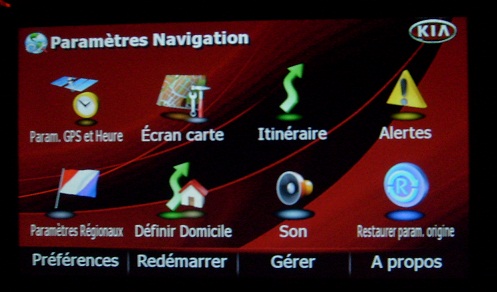
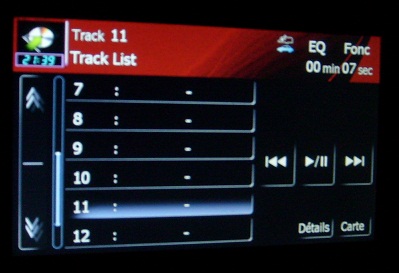
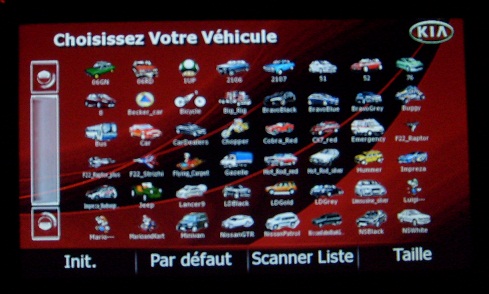
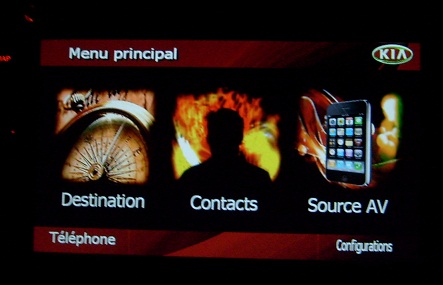
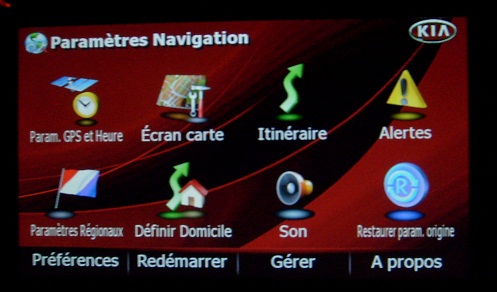
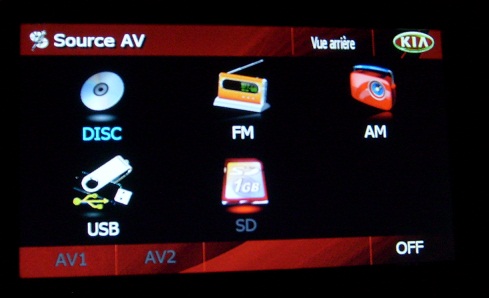
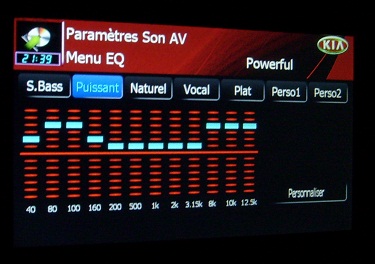
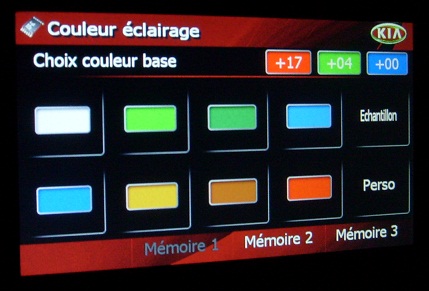
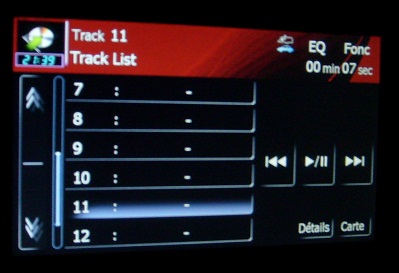
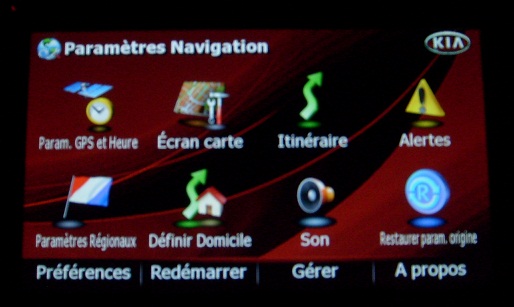
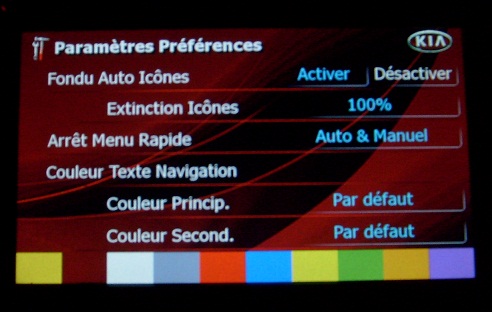
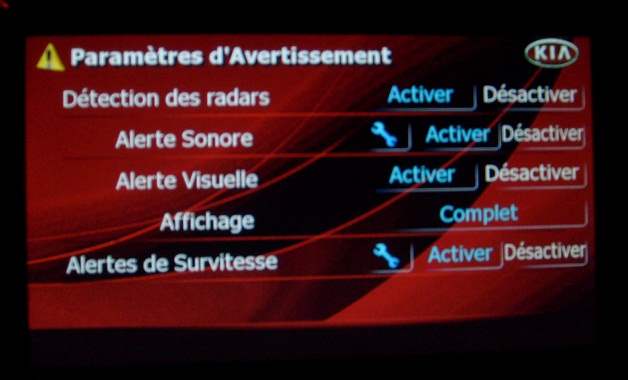
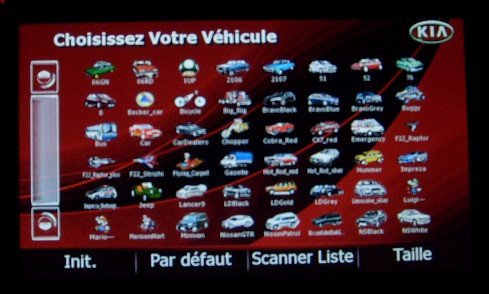
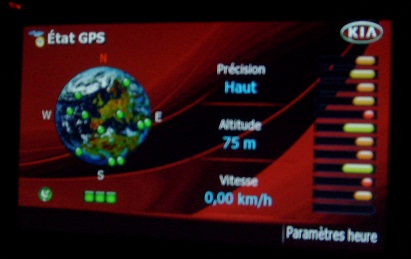
Hello, here is a personal work on the red image


post-43568-032184000 1287828902_thumb.jpg post-43568-042948400 1287829031_thumb.jpg post-43568-026359600 1287829057_thumb.jpg post-43568-097101700 1287829093_thumb.jpg post-43568-021219500 1287829114_thumb.jpg post-43568-075625500 1287829141_thumb.jpg post-43568-089286000 1287829169_thumb.jpg post-43568-014320700 1287829190_thumb.jpg post-43568-039923400 1287829218_thumb.jpg post-43568-056663000 1287829238_thumb.jpg post-43568-025607200 1287829257_thumb.jpg

Attached Files (11)
004.JPG
004.JPG
008.JPG
008.JPG
047.JPG
047.JPG
056.JPG
056.JPG
057.JPG
057.JPG
053.JPG
053.JPG
002.JPG
002.JPG
004.JPG
004.JPG
008.JPG
008.JPG
010.JPG
010.JPG
015.JPG
015.JPG
Posted Oct 23, 2010 · 12:08 UTC#72

Hey, looking good! This thread is so old that I forgot it existed. just a suggestion, but you really seem to enjoy modding and we REALLY need more modders here as I think that I am the only one left :(. Why dont you create a totally new red theme, as we can use one. There are literally millions of images on the internet that you can use to resize, transform, and even recolor to suit your needs using PS. If you need a hand, please PM me and I will give you any help that I can.

Page 3 of 3