Hack mode gave me my life back.
Posted Nov 18, 2012 · 23:08 UTC#51
Hack mode gave me my life back.
I have a Avic 930bt it is the center piece of my 4000 dollar custom system. Like man guys my battery needed to be replaced. To my surprise I had forgotten about the password that I set. For a whole week I tried over 10.000 possible combinations I was mad as hell. Call pioneer they send it on in for a small fee. (LOL). I finally found this site and got my life back. As we all know when you pay your hard earned money for this type of equipment you want to enjoy it not ride in silence. So thank you Mr.administrator for posting this web site.
Just came across an X930BT at work (I work in a salvage yard) and it'll be replacing the D3 currently in my truck, if this works 
Thanks for posting this!
Hi all-
I have a 930BT that I forgot password for- can some one email/call me to walk me thru steps? I would much appreciate!!
thanks!
Hi all-
I have a 930BT that I forgot password for- can some one email/call me to walk me thru steps? I would much appreciate!!
thanks!
go back and look at post #1 in this thread... all the instructions are there...
follow them, it works
thanks to this thread I got my X930BT unlocked and installed in my Tacoma yesterday
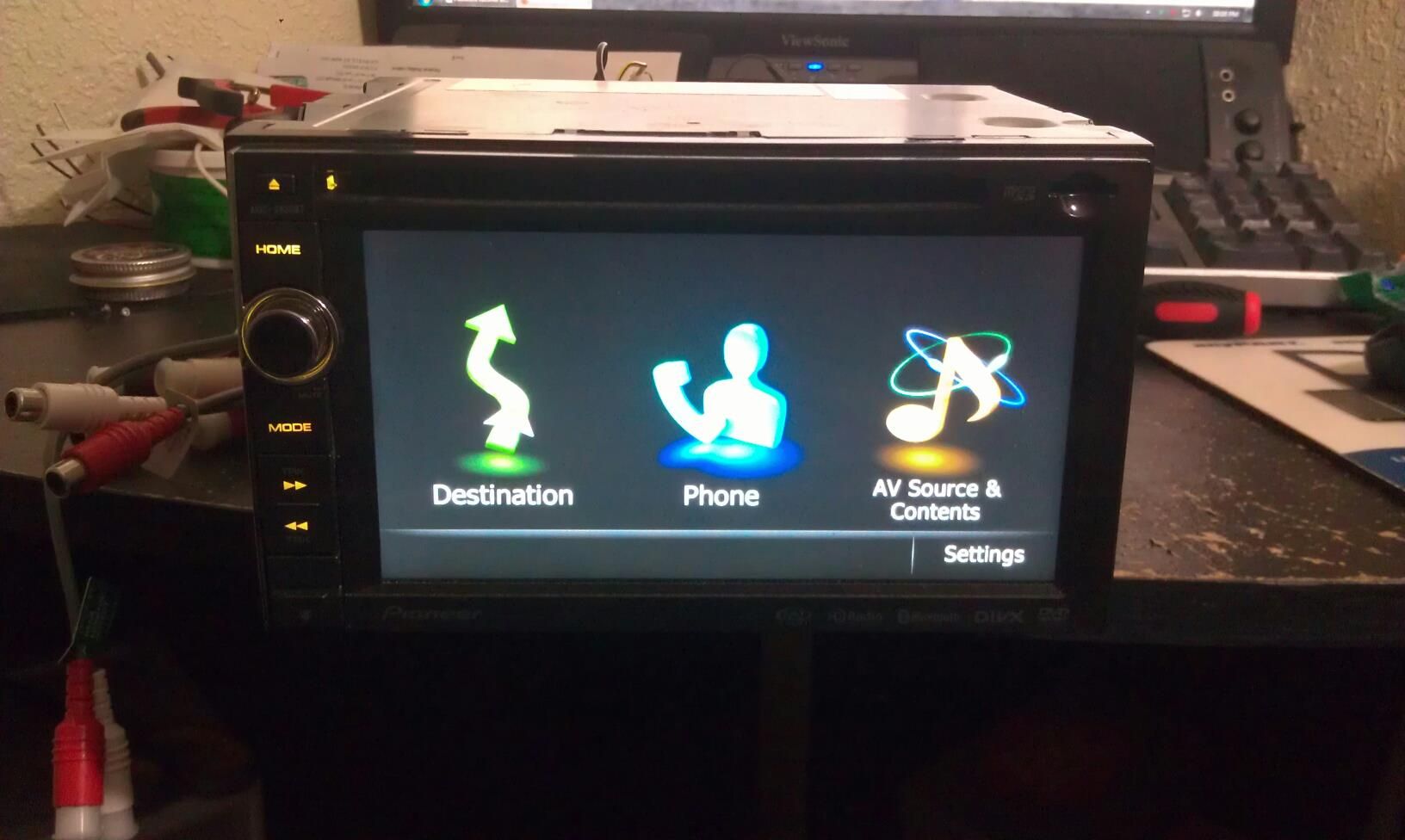
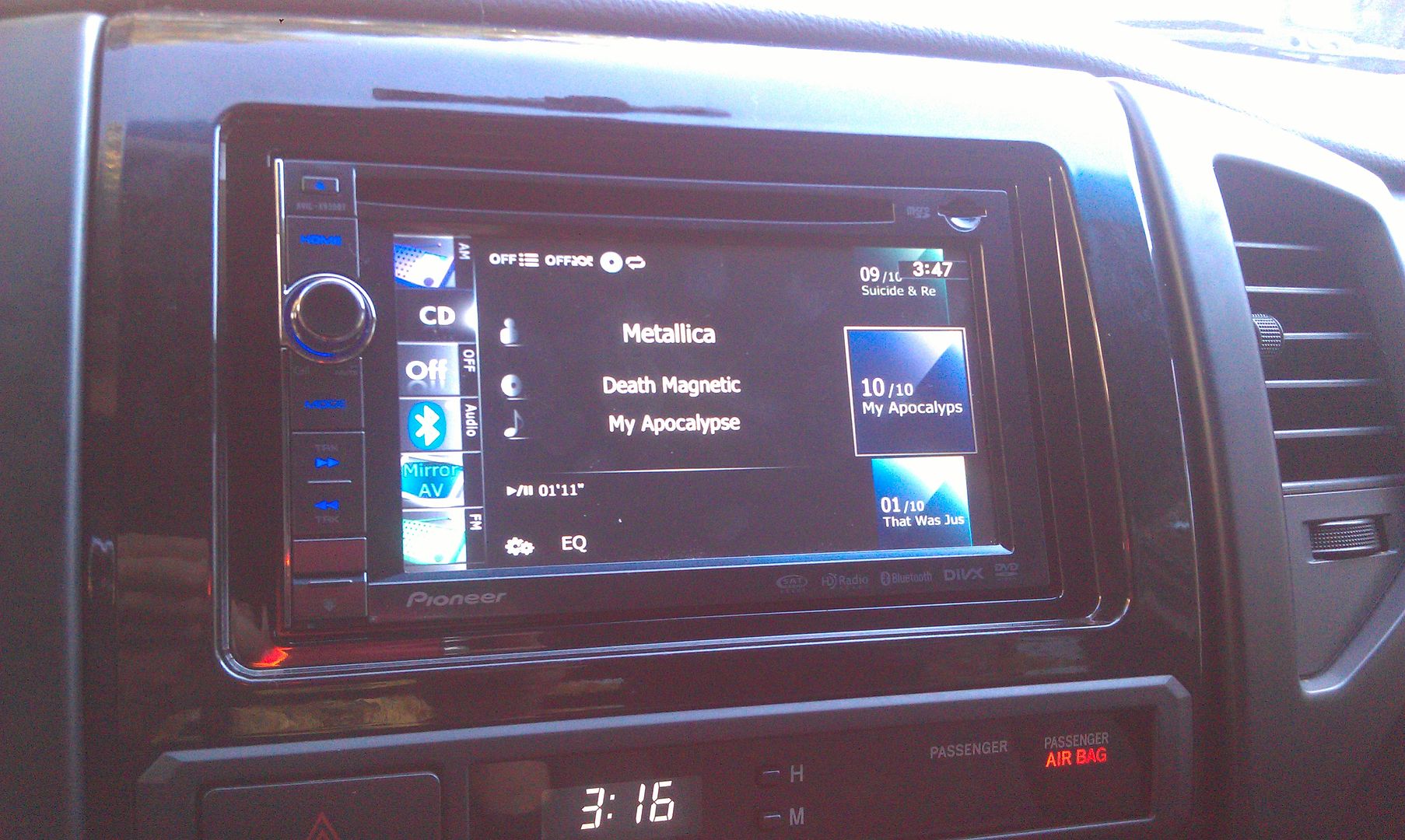
Okay, let's simplify this a little more; might help some others. Pictures have always helped me out in situations like this, so let's do this.
Working with an X930BT in this how-to. Read all of these instructions all the way through before attempting it.
First off, you'll need a micro SD card; size isn't extremely important, the size of the files you'll be putting on it are less than 14mb, just choose one that your unit can support if it has a size limitation. In this instance I used a 32gb the first time around, but I'll be using a 16gb in the photos below; again, it really doesn't matter as long as it's at least 14mb, and I think the smallest you can get is 2gb now anyway and they're only like $5, lol.
Next, you'll need to download the files required to booth the unit into testmode. In the original post there's a link to another thread which has about 5 different download links in it, and I know that can get confusing... The one you want is the HACKMODE v1.4 BASE. Click on that link and you will download the .zip file containing the files you need. Once the download is complete, unzip the contents onto your micro SD card.
The .zip file is password protected and when you go to extract the files it will prompt you for the password. The password is "avic411" (without the "" obviously...)
The files should be place in the root of the card, not in another folder on the card. I'm not sure if it's required (although it probably is) but have nothing else on the card at the time. The only thing that should be on the micro SD card are the files located in the .zip that you downloaded.
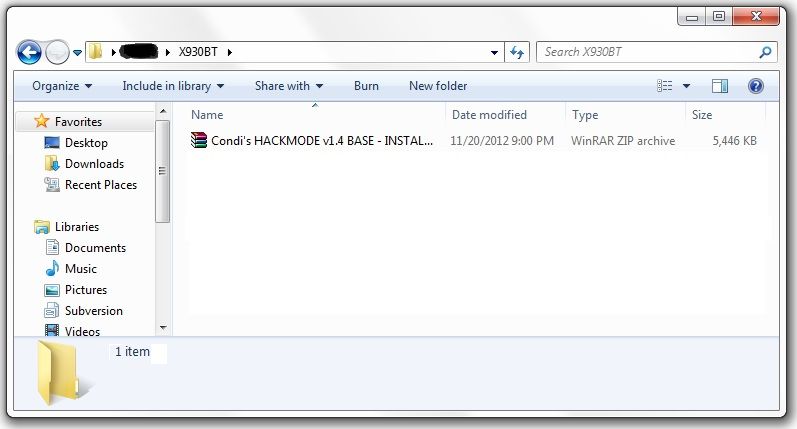
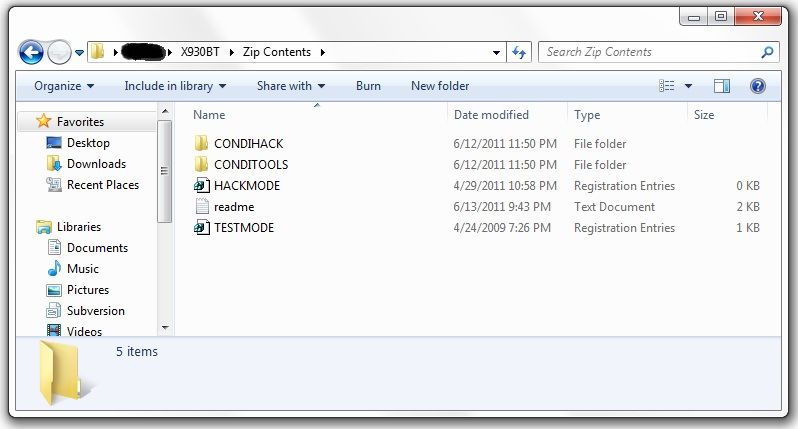
At this point, it's time to make your way to the password protected unit with the micro SD card you just place the files above into.
With the unit powered off (key in the OFF possession, or just no power supplied if your doing this out of the vehicle), load the card into the device. Power the unit on and wait for it to boot, at which point it should boot into testmode.
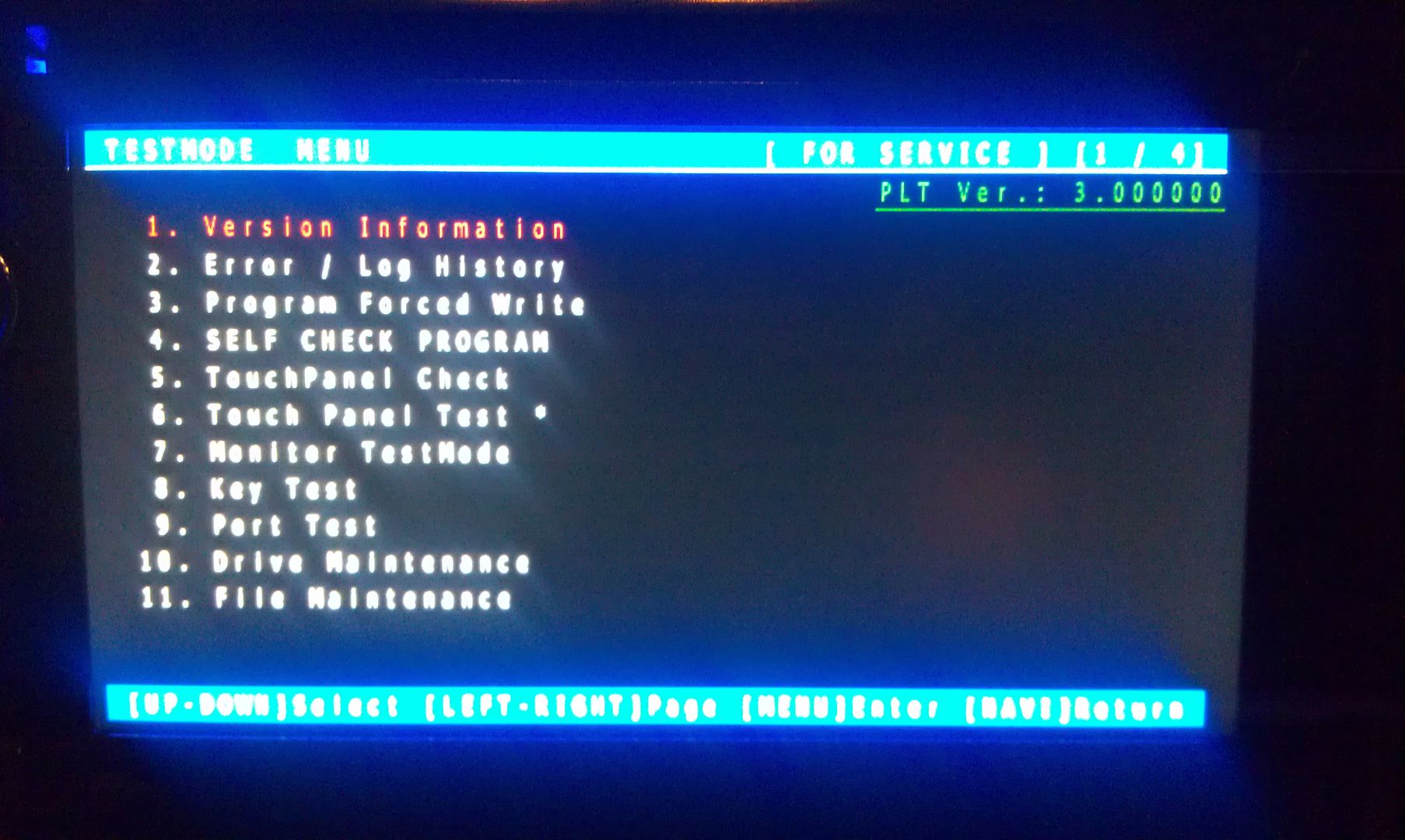
Once in testmode, on an X930BT, and I would imagine it would be the same for all of the X9X0BT series, the only buttons and actions that will be needed to navigate the screens are the following:
*HOME - escape/cancel/go back
*MODE - enter/select
*Volume down (left) - move selection on screen down
*Volume up (right) - move selection on screen up
I CANNOT STRESS HOW STRONGLY I RECOMMEND THAT YOU DO NOT MESS WITH ANY OTHER FILES IN HERE IF YOU DO NOT KNOW WHAT YOU ARE DOING!!! IT IS VERY EASY TO BRICK YOUR UNIT USING TEST MODE!!! I TAKE NO RESPONSIBILITY IF YOU SCREW THINGS UP; YOU ARE DOING THIS AT YOUR OWN RISK!!!
Move the selection on the screen down to #11, File Maintence
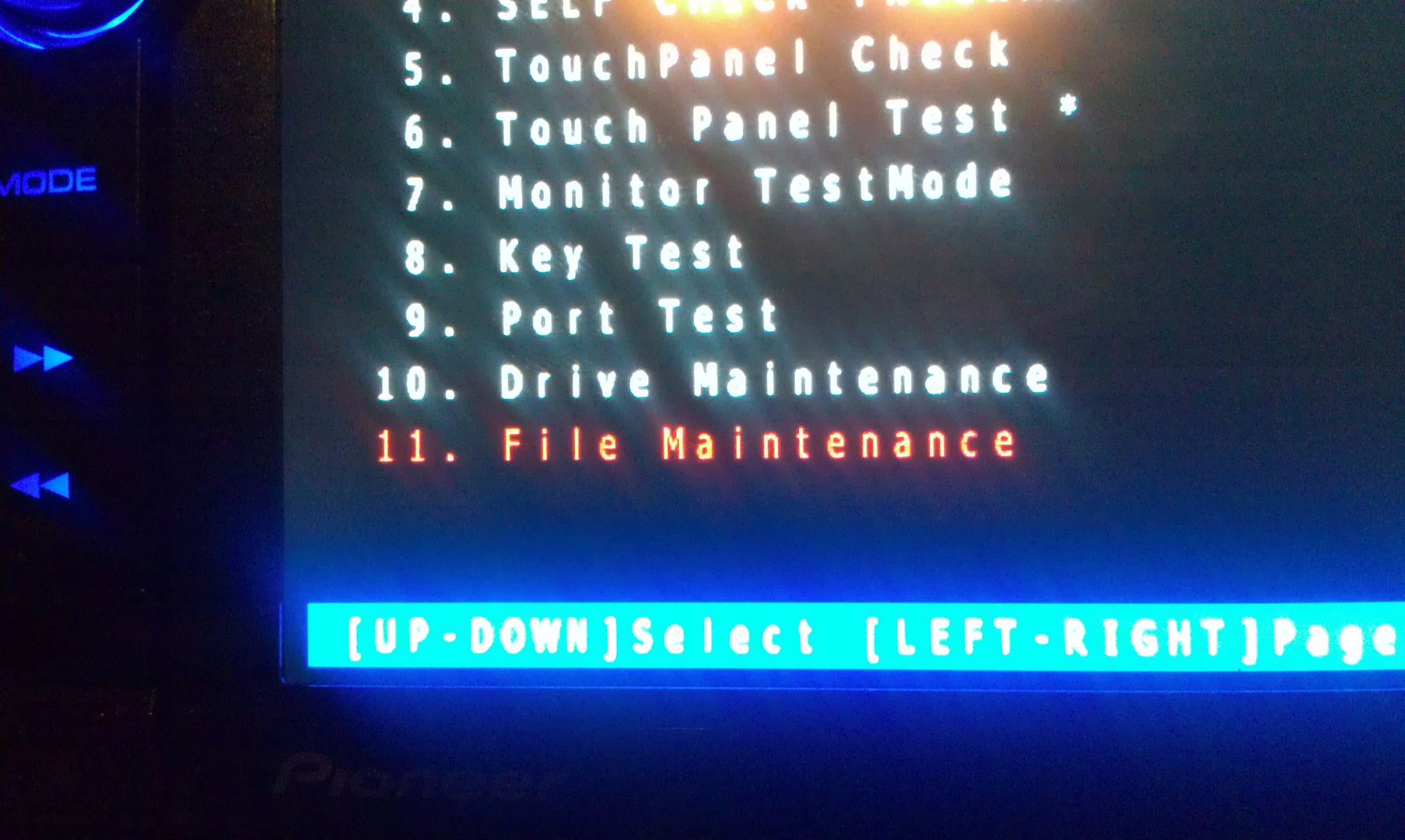
Press MODE and you will enter the File Maintence screen
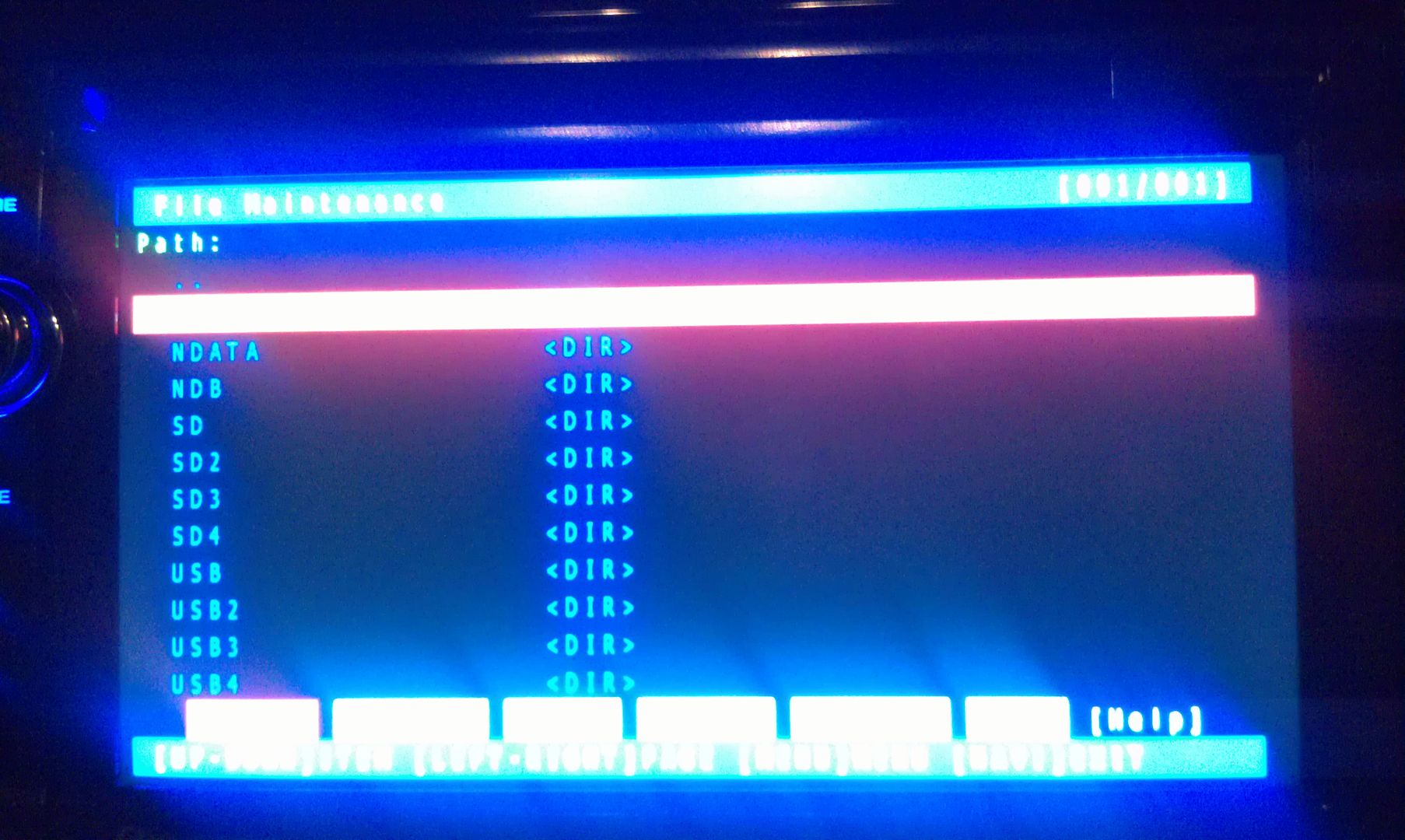
Now select User and open it
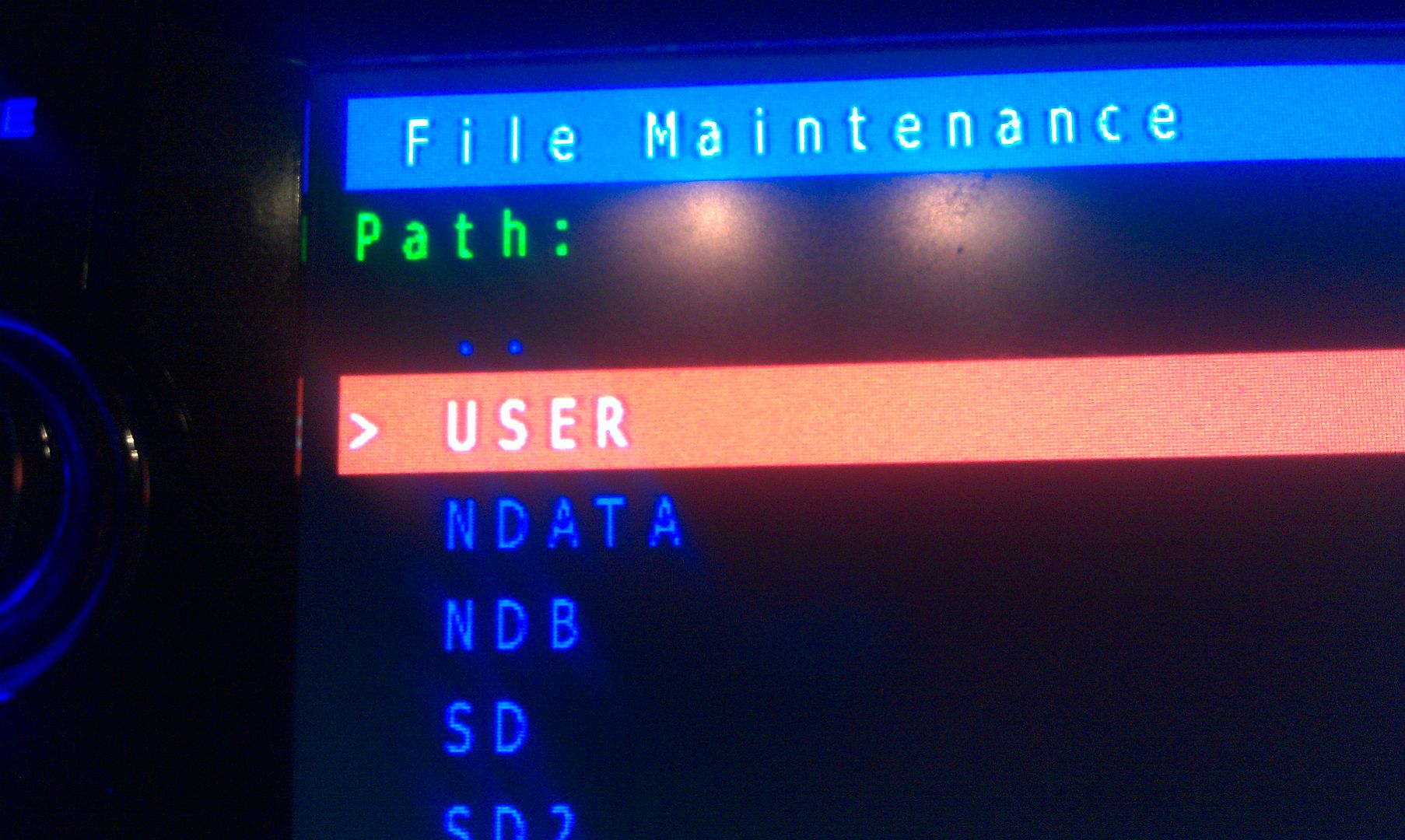
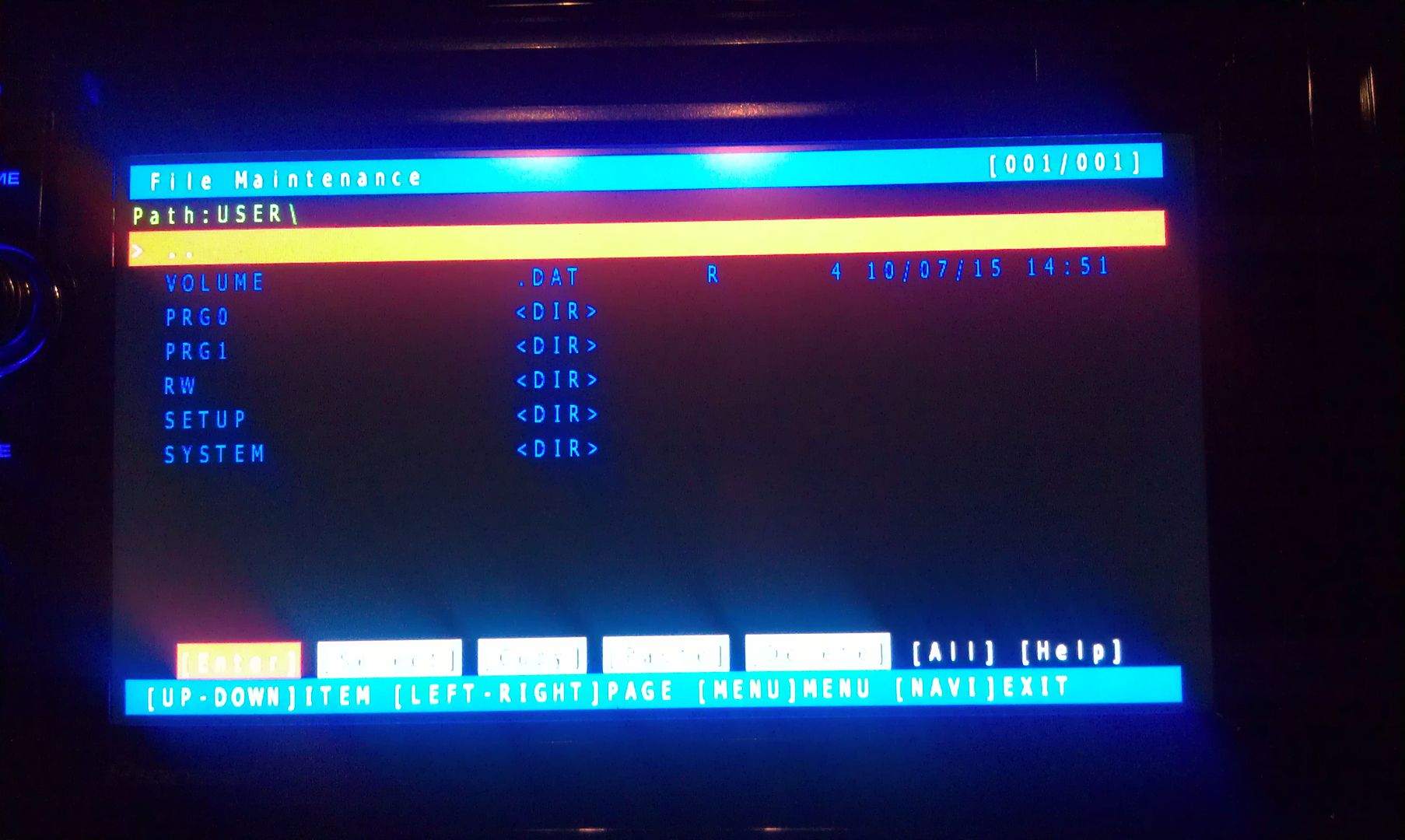
Now select System and enter it
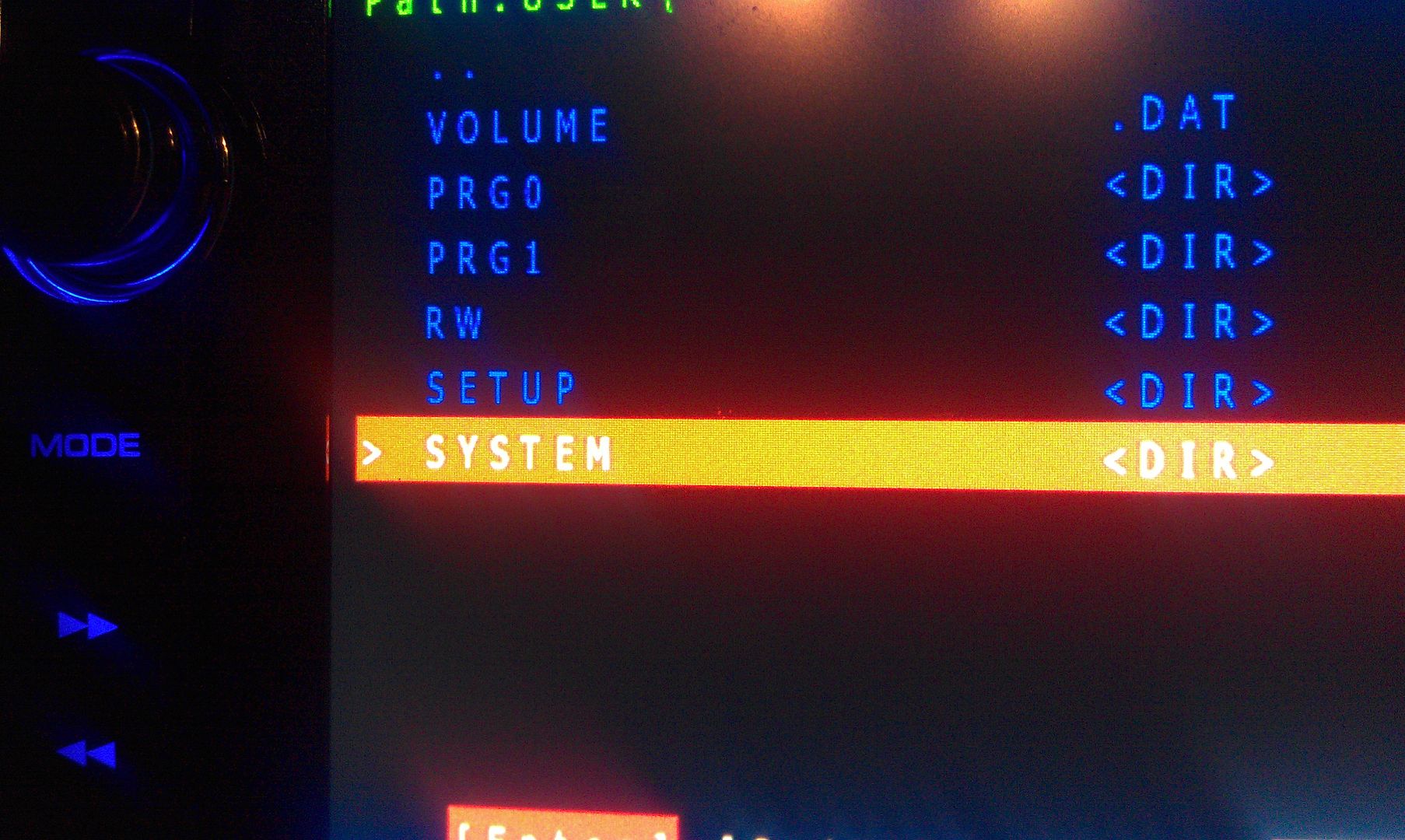
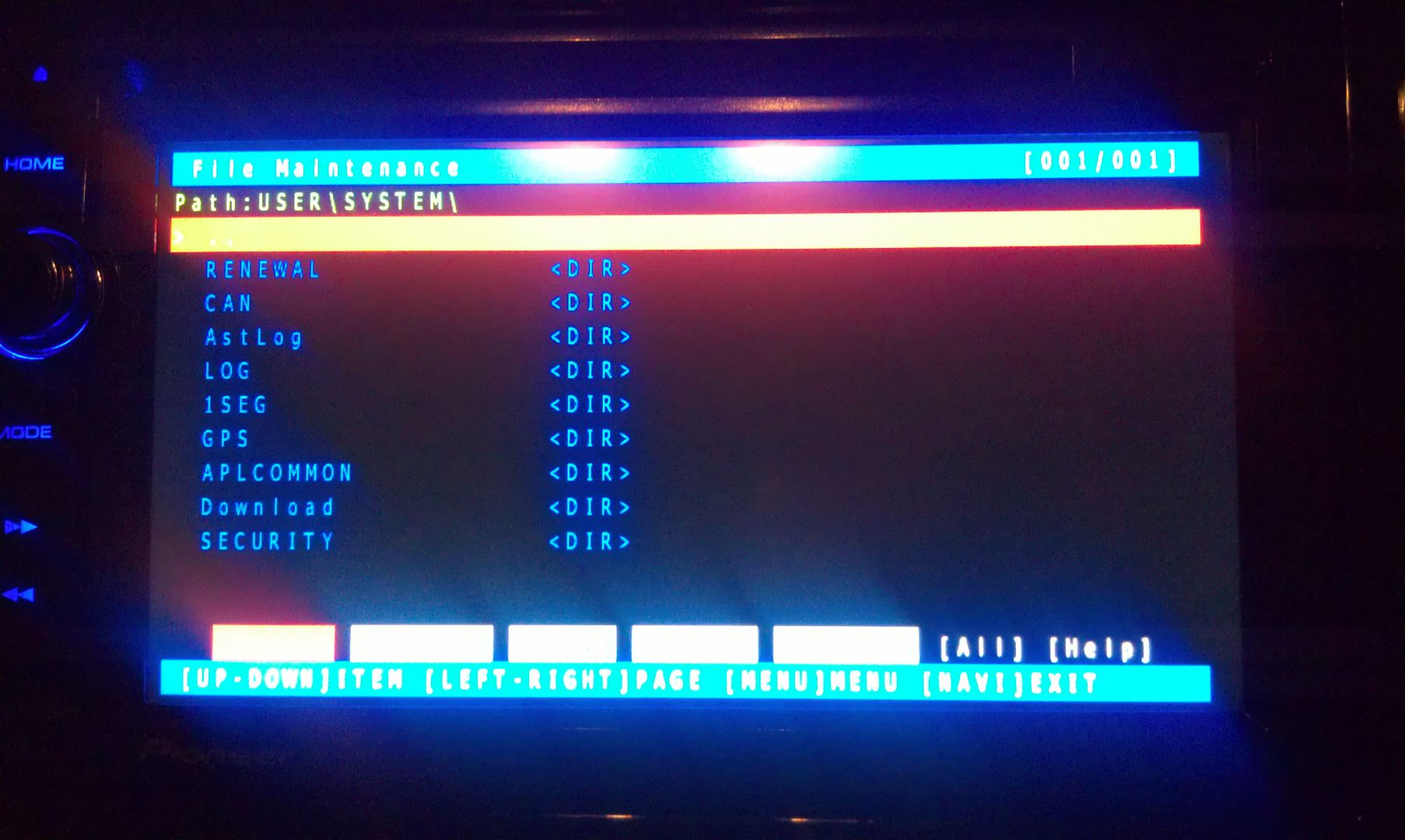
Now go to security and enter it
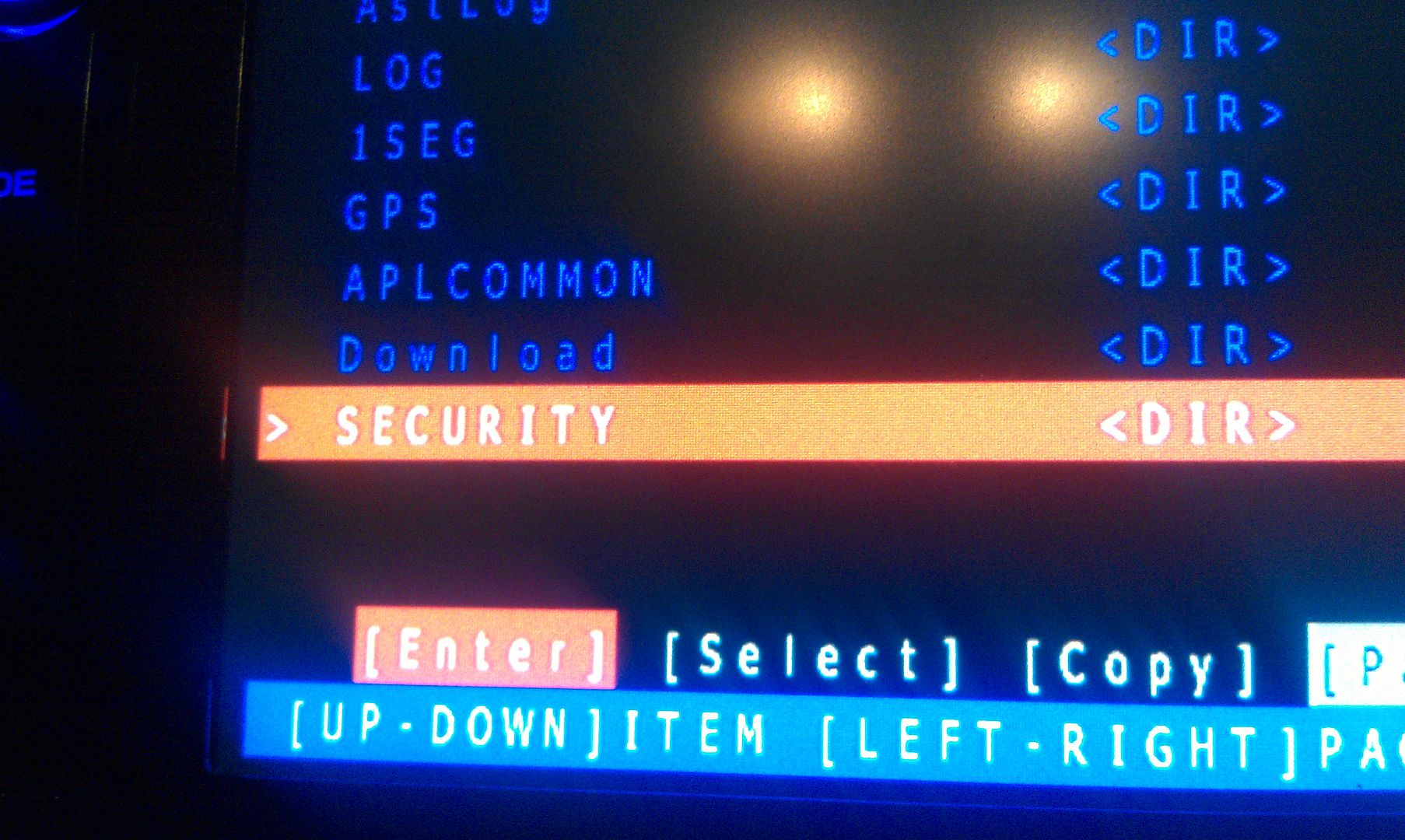
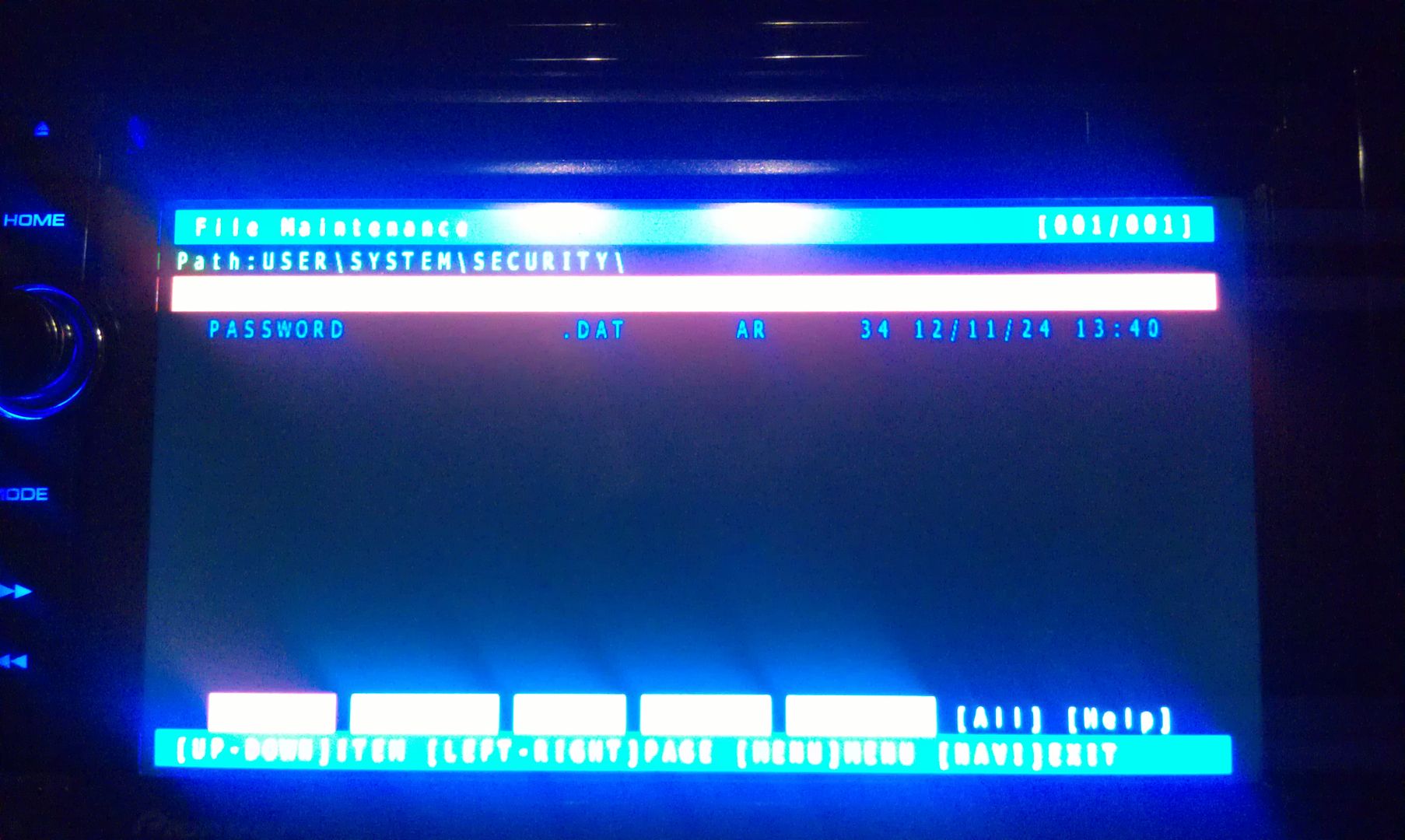
The only thing on the screen at this point is Password, so enter it
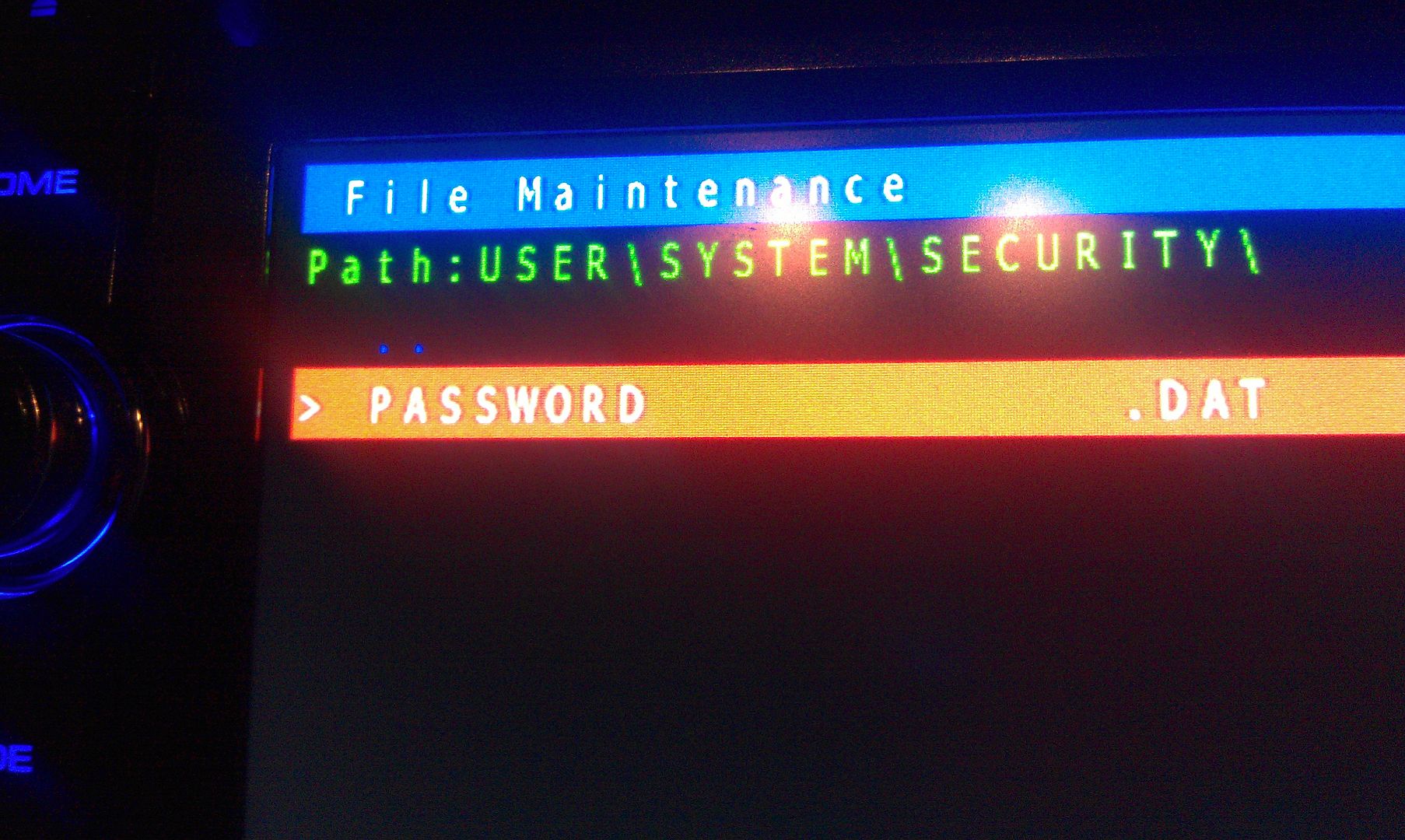
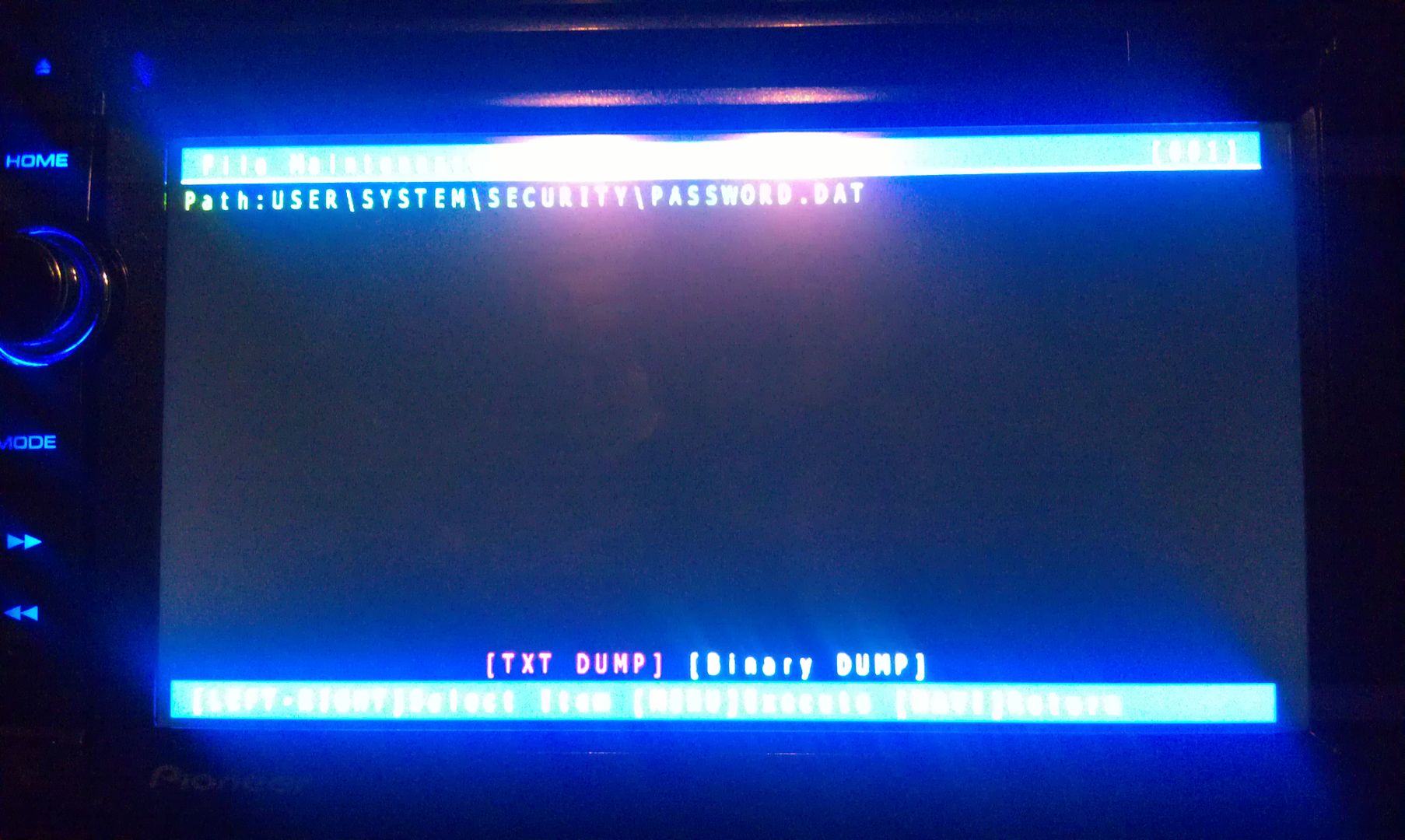
There is only option on this screen that you you are concerned with here, a text dump. You do not have to move the selection around, just press MODE to perform the text dump, and VIOLA, the password that the unit is locked with is displayed near the top left of the screen!
(I've blurred my password out here for obvious reason)
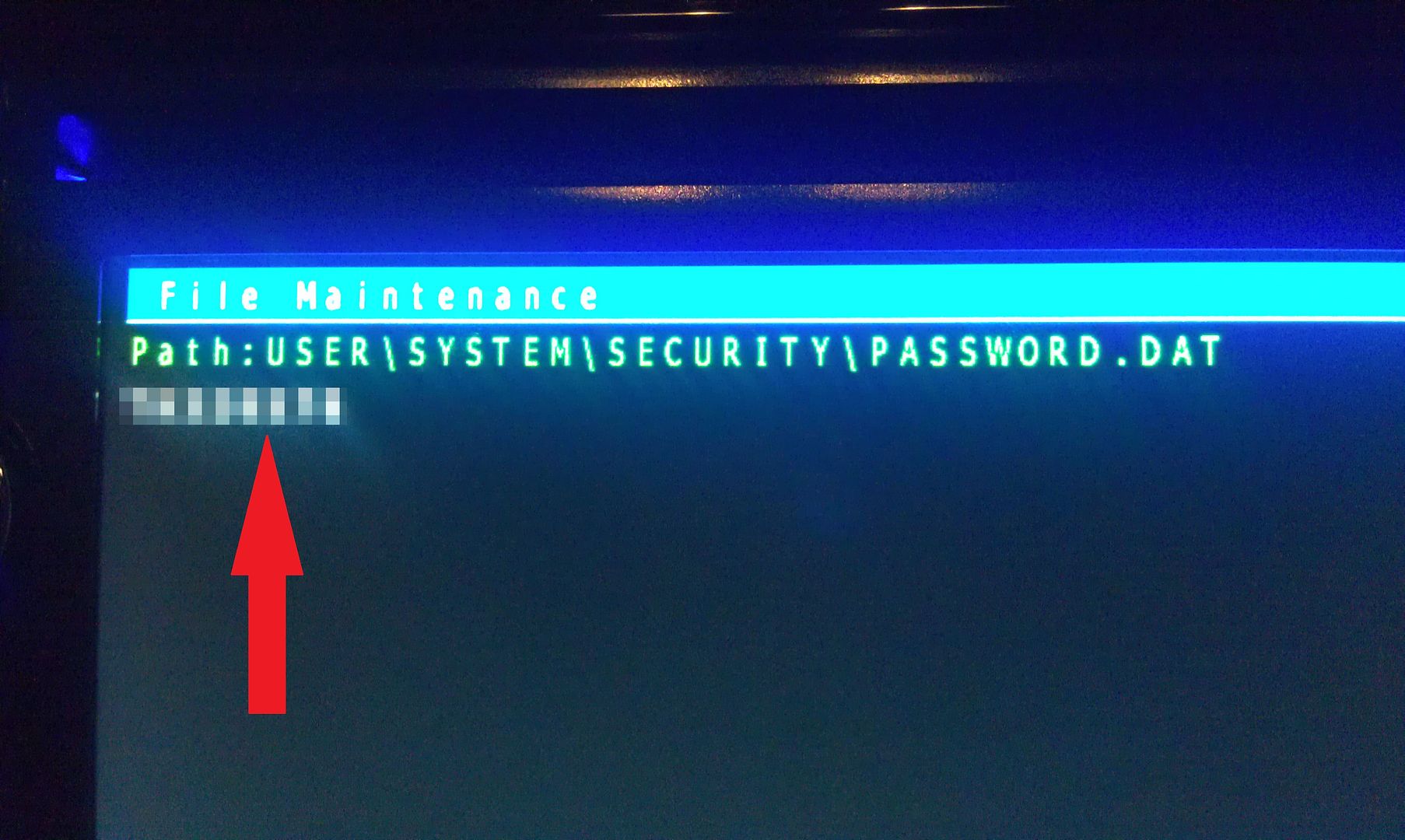
Write this password down (unless is something you can remember), then just back out of all the menus using the HOME key until you get the the first screen, at which point you can power the unit off and remove the SD card. With the card removed, power the unit back up and enter your recovered password when prompted, and enjoy
If you're not going to remember the password you just recovered, I'd suggest changing it. Take a look in the owners manual for those instructions.
Hope that helps everyone a little more!
by the way, I think this thread should become a sticky...
That is a GREAT organized set of instructions on how to recover the password!! If you ever do (or have) updated your unit to the X940 platform, I'm sure others (as well as I) on here would love to see you do a similar set of instructions to accomplish that task. Either way, thank you for this one!!
That is a GREAT organized set of instructions on how to recover the password!! If you ever do (or have) updated your unit to the X940 platform, I'm sure others (as well as I) on here would love to see you do a similar set of instructions to accomplish that task. Either way, thank you for this one!!
it is exactly the same. No difference.
I guess the word "platform" wasn't a good choice on my part. I meant to upgrade the firmware/maps/bluetooth from a X930 to a X940.
Hey All,
Just became a member... trying to follow dos and donts on this topic.
Just bought a 2006 jeep laredo with a AVIC930BT From a used dealer. Unit has a password that they said they would provide but couldnt. Loaded the Condi program on SD... AND, purchased the WinRAR to get the encrypted program unzipped but it doesnt seem to work... any help here????
Big Thank You to IAmSuperBleeder for the great detail and pictures.
I had never seen one of these units until a customer got one in a used vehicle bought at auction. For me, with my lack of any knowledge on the unit, the initial post was just too vague to try because of my concern I trash the unit while monkeying around with the software.
The detailed posting with photos is exactly what I needed to confidently boot the system and unlock it.
I know this post is old, but I still wanted to express my gratitude. I bought a car about a year and a half ago and the battery recently died. Without this fix, I have no idea what I would have done. Thanks!
Maybe I can help. I found a way to recover the password without any hack (Avic X930Bt), and it should work with any model which has a password and only if you can enter to the system.. This is no bull, or spam. Will post pics when time is avail. PM me if interested.
My SD card didnt work also. Insure you format your SD card FAT32 format, mine was NFTS so i reformated to the FAT32 and Wiola!!!Hey All,
Just became a member... trying to follow dos and donts on this topic.
Just bought a 2006 jeep laredo with a AVIC930BT From a used dealer. Unit has a password that they said they would provide but couldnt. Loaded the Condi program on SD... AND, purchased the WinRAR to get the encrypted program unzipped but it doesnt seem to work... any help here????
IF by any chance one accidently lost or delete all files in the main directory (PRGO), Goto (PRG1) and copy all files including directories (DIR). Return to (PRG0) & paste. NOTE: This procedure doesnot delete password. You still need a password as described above.
Hello all! Long time lurker, first time poster! Hopefully this post will help some people out.
I just bought a used 930 off craigslist and low and behold there is a password..
I've been searching around for the past few hours trying to figure out away to clear/reset the password on this unit.. This is what I came up with..
1a) Send the unit off to pioneer and spend the xxx amount of money --OR--
--WARNING: I AM NOT RESPONSIBLE FOR WHAT YOU DO!!--
1b. Go here: http://avic411.com/i...dated-13062011/
a. Grab the test mode files and load it up on the sd card and head over to the head unit..
b. Insert card and load up test mode.. Go to the file manager -> User -> system -> security -> password and do a Text dump of this file.. (thanks to user: odskaggs2 for the hint!)
c. write down the what is on the screen.. This is the password!!! =D
That's it!
(P.S. I almost did'nt post this, but I figured if someone wants my head unit, what good will it be to me if I have a password or not? It's gone either way.)
- Mods, please delete this post if its against TOS. Otherwise... Sticky?
-- Edit: Also please move this to troubleshooting if you feel it would be better there.
Thanks IAmSuperBleeder for all the help. Thought I inadvertently bricked my HU.
Worked perfectly!!!! Thank you!!
What if you know the password but can't actually enter it?
My unit was installed by a dealer, and now I'm moving it to another car. I know the password but when I press letters nothing happens.
IF YOU CAN NOT TYPE THE PASSWORD BE SURE TO HAVE EMERGENCY BREAK ON! SAFETY PROTOCOL, MUST HAVE E-BRAKE ON IN ORDER TO OPERATE THE DEVICE IN SOME SITUATIONS 
Have an AVIC-X930BT system in my car which I purchased myself brand new. Battery died yesterday and had to have it replaced. Got the password cue at startup. I, of course, forgot my password...
Followed the instructions (downloaded the v1.3 testmode file) and within 2 minutes I was back up and running. Worked perfectly. Thank you!
Please help, downloaded condi hack 1.4 testmode. It brought up 2 file folders condi hack and condi hack tools, I dragged it to the sd card and it asked for a password to unzip it avc.exe or something so I typed avic411 and it unzipped it and another prompt for password under hackmode.key came up but the password did not work for that. It showed the copied files were on the sd but will not boot up on start up of unit when micro sd is in the unit
I am having the same problem @streetfury1. Unzipped it with the program on stock program on my computer went to my car and no boot up, I tried a few options and nothing still. i am going to try the v1.3 base and see if that works. I wish someone could just do this for me
K_dub104 thanks for the post let me know if the 1.3base works. Not sure if I downloaded everything to the sd card correctly or if it was just the wrong base.
Yeah nothing worked I can't get either to boot up I unzipped the files and all are saved on the root of the card. I'm trying to get someone that had success send me their file in a PM. Ill let you know if anything comes across, you as well