Search Archive
🔒 Locked

[X930BT] - Password Recovery (obsolete)

By djmixman · Nov 08, 2011in Hacks/Mods💬 326 posts👁️ 449,934 views
Page 5 of 14
Posted Jul 05, 2013 · 18:05 UTC#101

Thanks for this Hack..and for the picture instructions...Followed it step by step and got the password, Wish I knew all this before I changed my battery yesterday, saved me the money I was about to spend buying another system.

Posted Jul 08, 2013 · 17:57 UTC#102

Does anyone know if this will work on the new X950bh model? 

Posted Aug 02, 2013 · 03:48 UTC#104

THANK YOU!!!  Your help with this area is so much appreciated!  I don't know when or how the password was set on my unit in my car but when the battery was unhooked to install a trailer hitch and the navigation system rebooted with a "password" request I had no hope without you!  Pioneer was less than no help at all with their "remove your unit. pack it. ship it to us WITH $$$$.  we'll send it back. you can reinstall the unit".  You have made me a VERY happy person today!  Thanks again!

Posted Aug 03, 2013 · 03:07 UTC#105

When I open file manager there is no "user" file... assistance please?

Posted Aug 03, 2013 · 13:15 UTC#106

When I open file manager there is no "user" file... assistance please?


"User" is a folder, not a file.  Still, it's odd because it has to be on your device because, without it, it wouldn't even boot.  Do you see any other files/folders?  if so, what do you see?

Posted Aug 16, 2013 · 23:01 UTC#107

Just wanted to say this saved me TONS! Just bought a used unit from a guy off of craigslist as he upgraded cars and could not bring his headunit with him.  This method was very helpful and I was able to get the system going!


One thing that should have been mentioned is that there wasn't a "user" directory at all.  I had to go into the NAND directory, not the NAND2 directory.  This was where I found the Security folder.

Posted Sep 07, 2013 · 08:39 UTC#108

Why does it show on my file... That the HACKMODE and TESTMODE .... Has the words .KEY after it... it shows that the file is a KEY file.. Oppose to REGISTRATION ENTRIES... Like your image displays??


Just wondering if I downloaded and extracted it correctly... THANK YOU!

Posted Sep 15, 2013 · 04:38 UTC#109

Okay, let's simplify this a little more; might help some others. Pictures have always helped me out in situations like this, so let's do this.


Working with an X930BT in this how-to. Read all of these instructions all the way through before attempting it.


First off, you'll need a micro SD card; size isn't extremely important, the size of the files you'll be putting on it are less than 14mb, just choose one that your unit can support if it has a size limitation. In this instance I used a 32gb the first time around, but I'll be using a 16gb in the photos below; again, it really doesn't matter as long as it's at least 14mb, and I think the smallest you can get is 2gb now anyway and they're only like $5, lol.


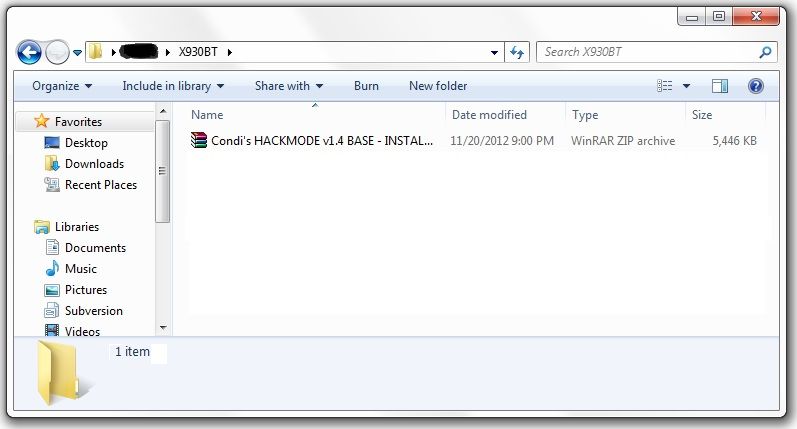
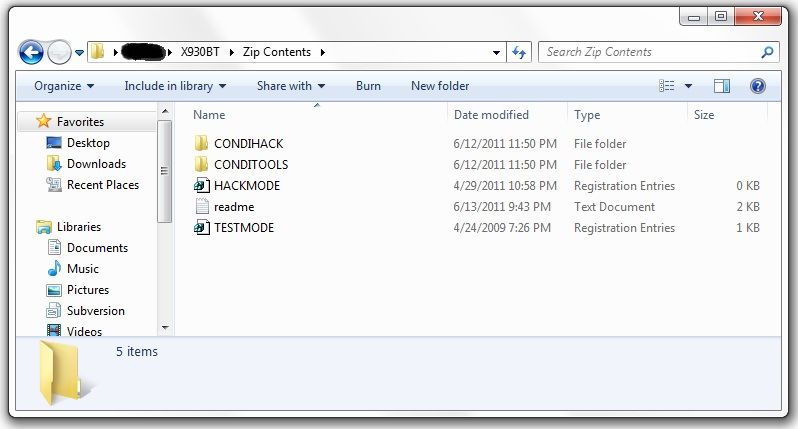
Next, you'll need to download the files required to booth the unit into testmode. In the original post there's a link to another thread which has about 5 different download links in it, and I know that can get confusing... The one you want is the HACKMODE v1.4 BASE. Click on that link and you will download the .zip file containing the files you need. Once the download is complete, unzip the contents onto your micro SD card.


The .zip file is password protected and when you go to extract the files it will prompt you for the password. The password is "avic411" (without the "" obviously...)


The files should be place in the root of the card, not in another folder on the card. I'm not sure if it's required (although it probably is) but have nothing else on the card at the time. The only thing that should be on the micro SD card are the files located in the .zip that you downloaded.
 

ss1.jpg


ss2.jpg


At this point, it's time to make your way to the password protected unit with the micro SD card you just place the files above into.


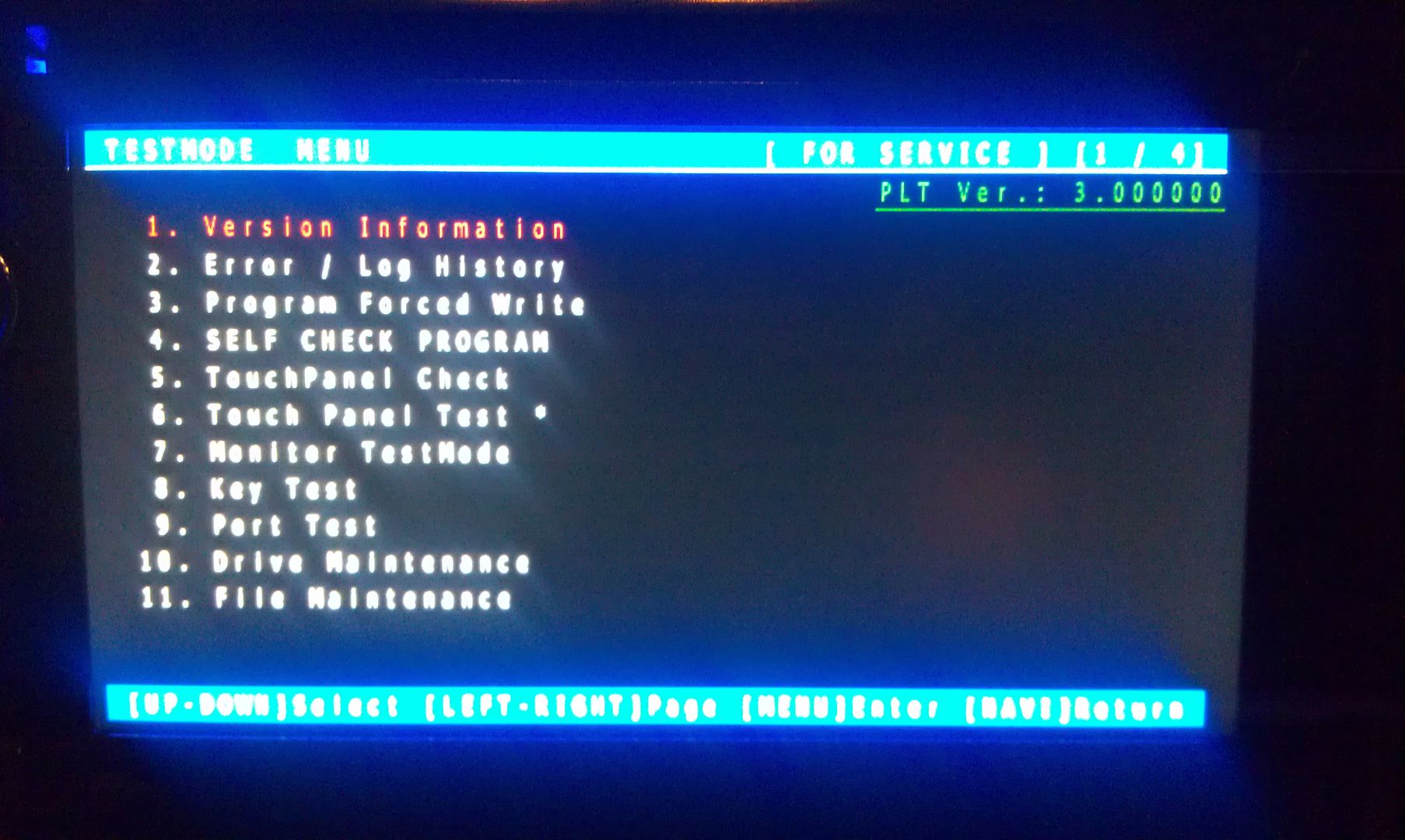
With the unit powered off (key in the OFF possession, or just no power supplied if your doing this out of the vehicle), load the card into the device. Power the unit on and wait for it to boot, at which point it should boot into testmode.
 

IMAG1547.jpg


Once in testmode, on an X930BT, and I would imagine it would be the same for all of the X9X0BT series, the only buttons and actions that will be needed to navigate the screens are the following:


*HOME - escape/cancel/go back

*MODE - enter/select

*Volume down (left) - move selection on screen down

*Volume up (right) - move selection on screen up


I CANNOT STRESS HOW STRONGLY I RECOMMEND THAT YOU DO NOT MESS WITH ANY OTHER FILES IN HERE IF YOU DO NOT KNOW WHAT YOU ARE DOING!!! IT IS VERY EASY TO BRICK YOUR UNIT USING TEST MODE!!! I TAKE NO RESPONSIBILITY IF YOU SCREW THINGS UP; YOU ARE DOING THIS AT YOUR OWN RISK!!!


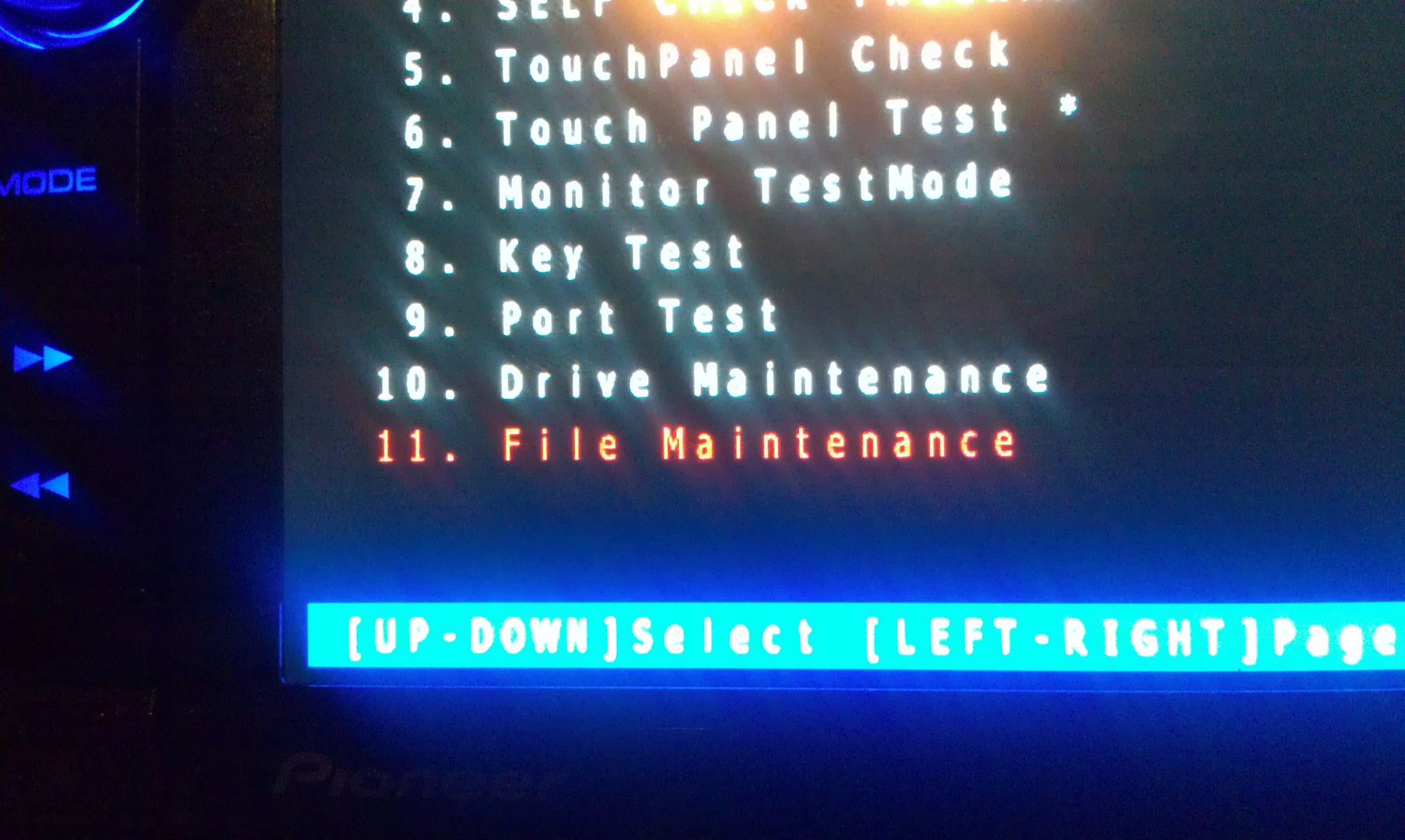
Move the selection on the screen down to #11, File Maintence
 

IMAG1548.jpg


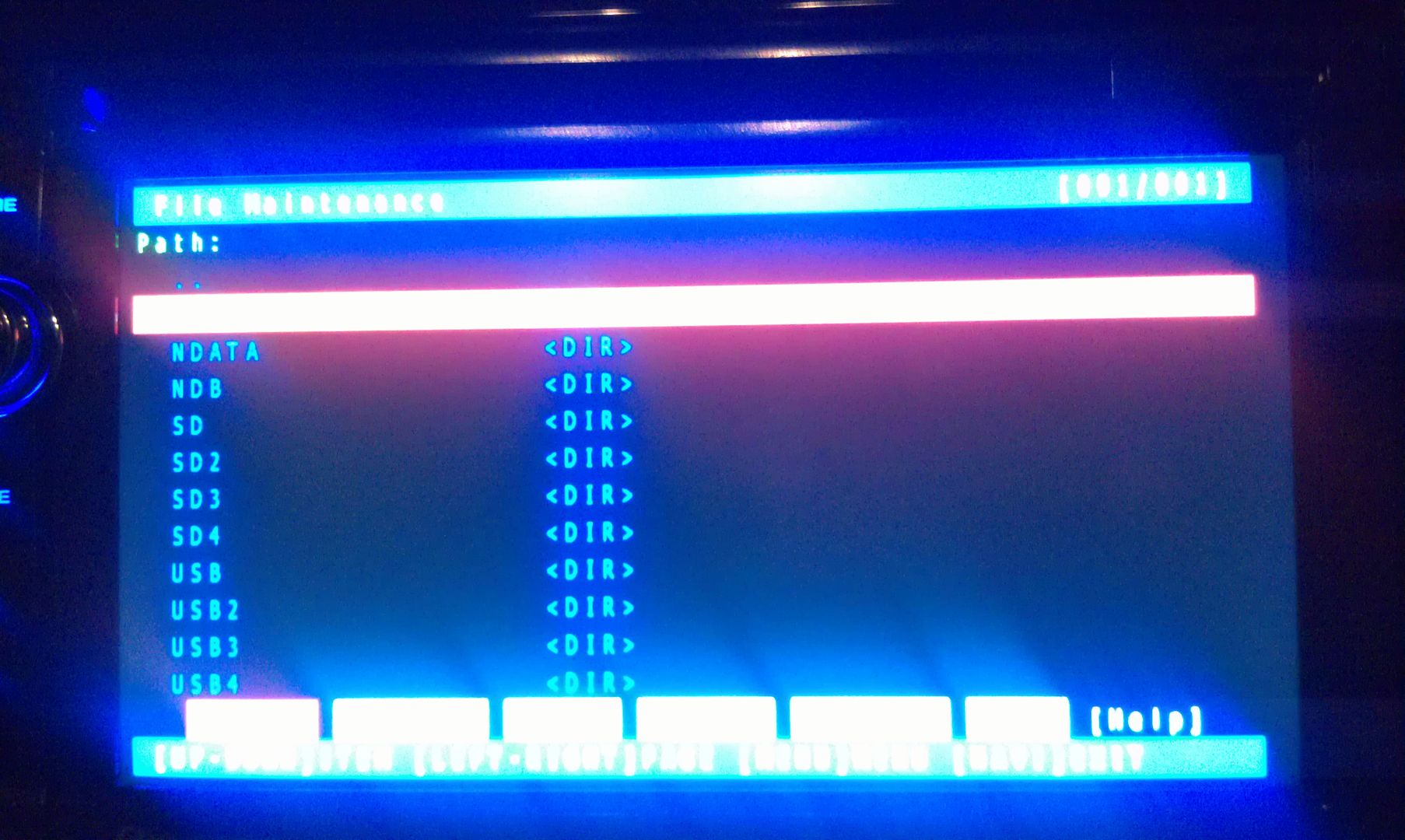
Press MODE and you will enter the File Maintence screen
 

IMAG1549.jpg


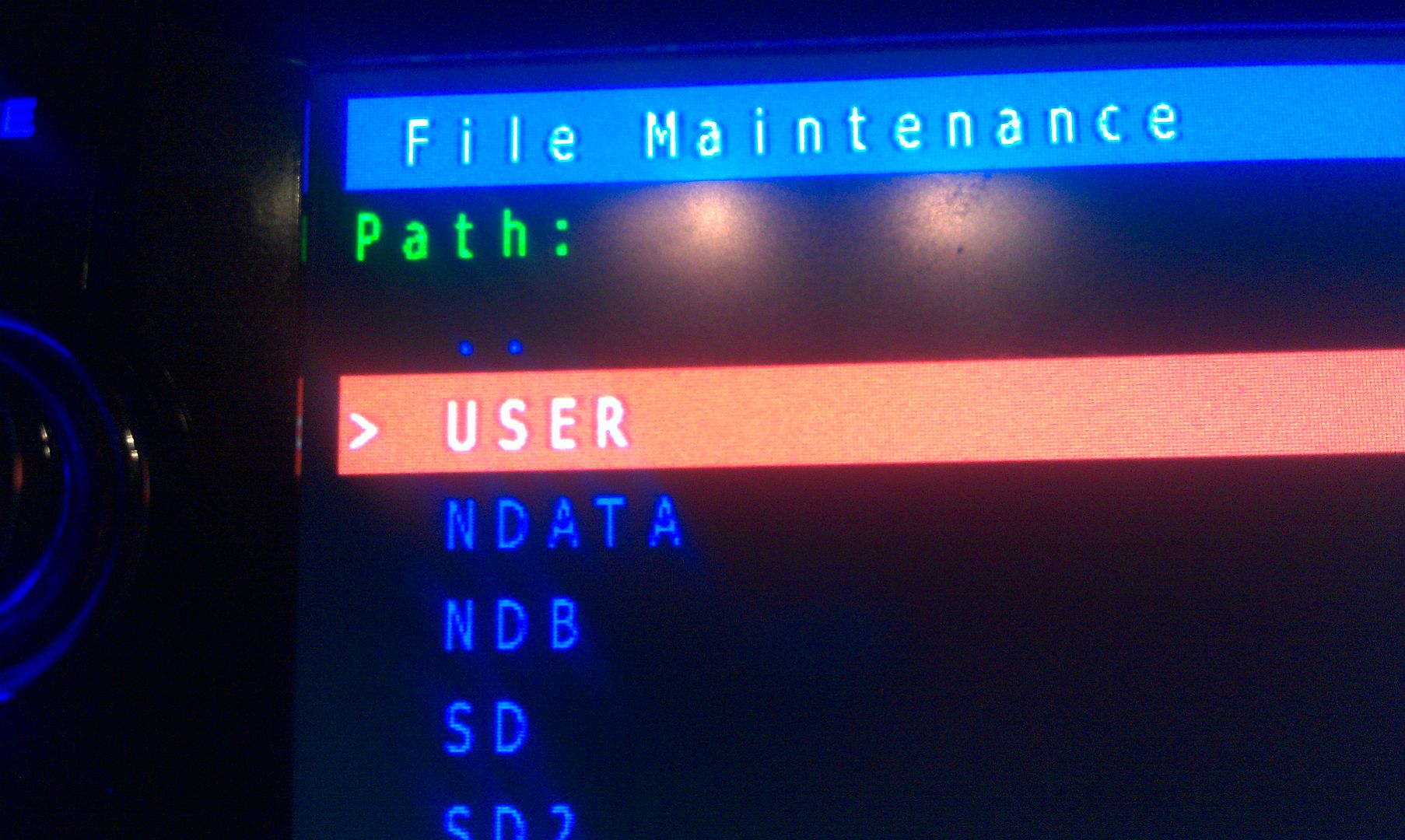
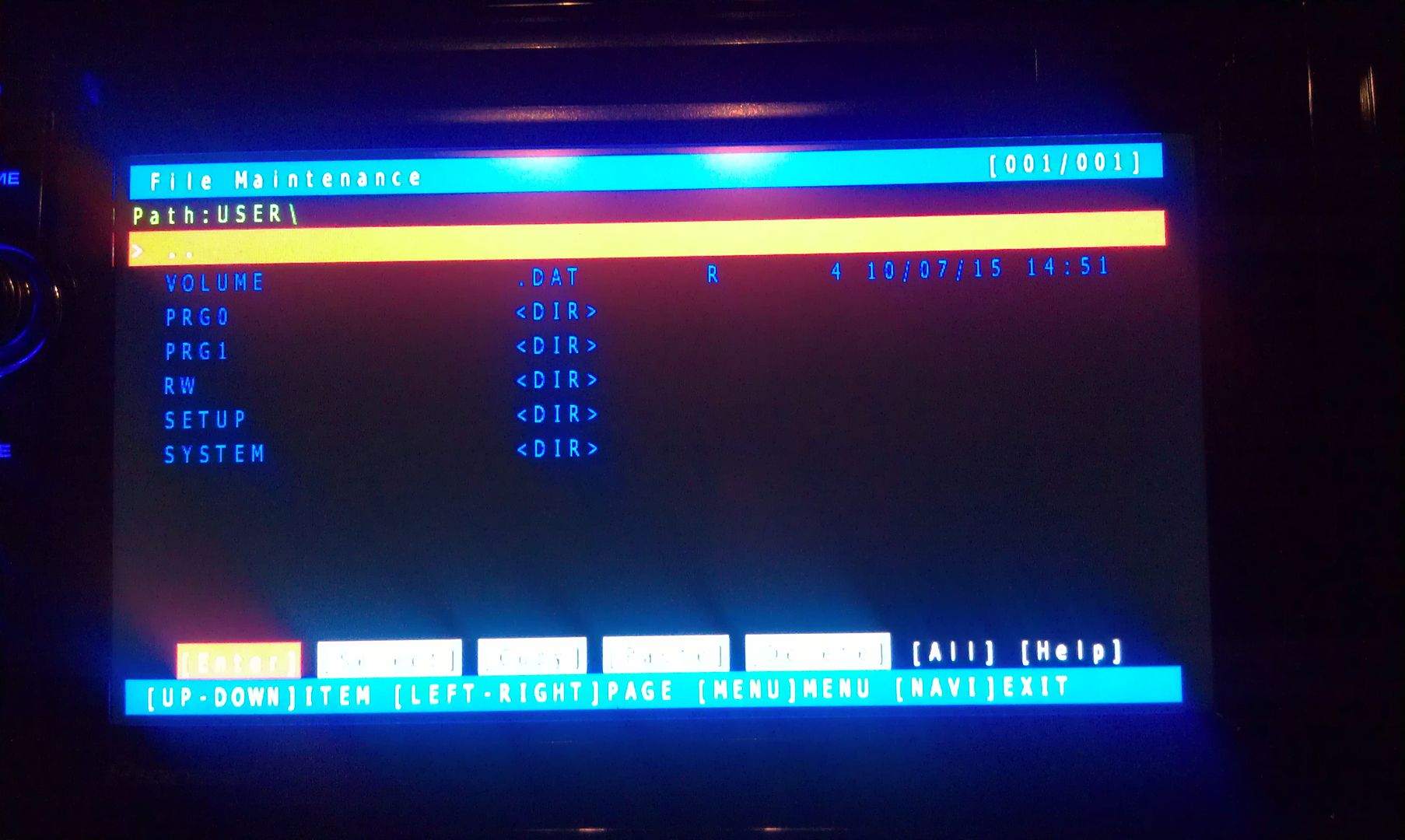
Now select User and open it


IMAG1550.jpg


IMAG1551.jpg


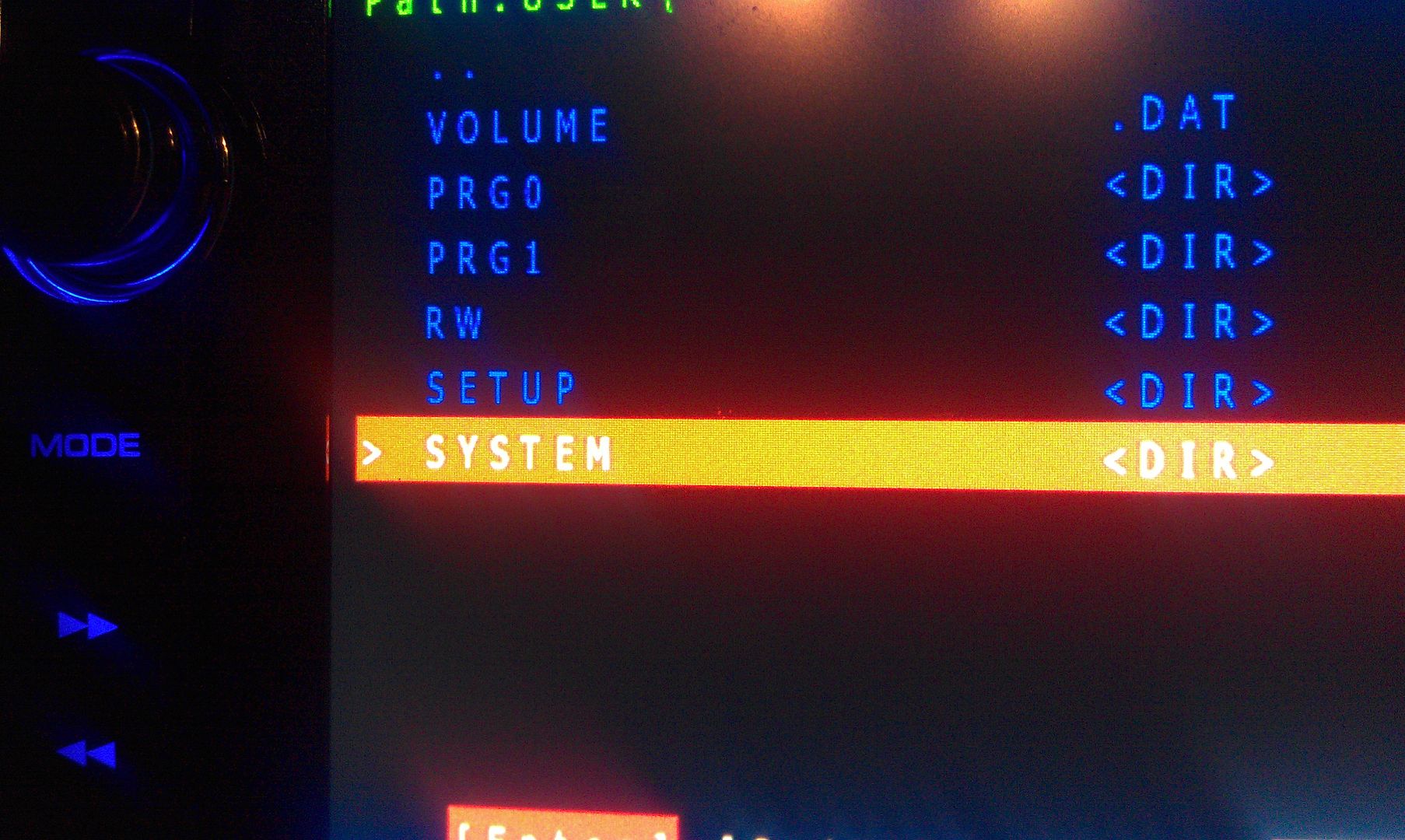
Now select System and enter it


IMAG1552.jpg


IMAG1553.jpg


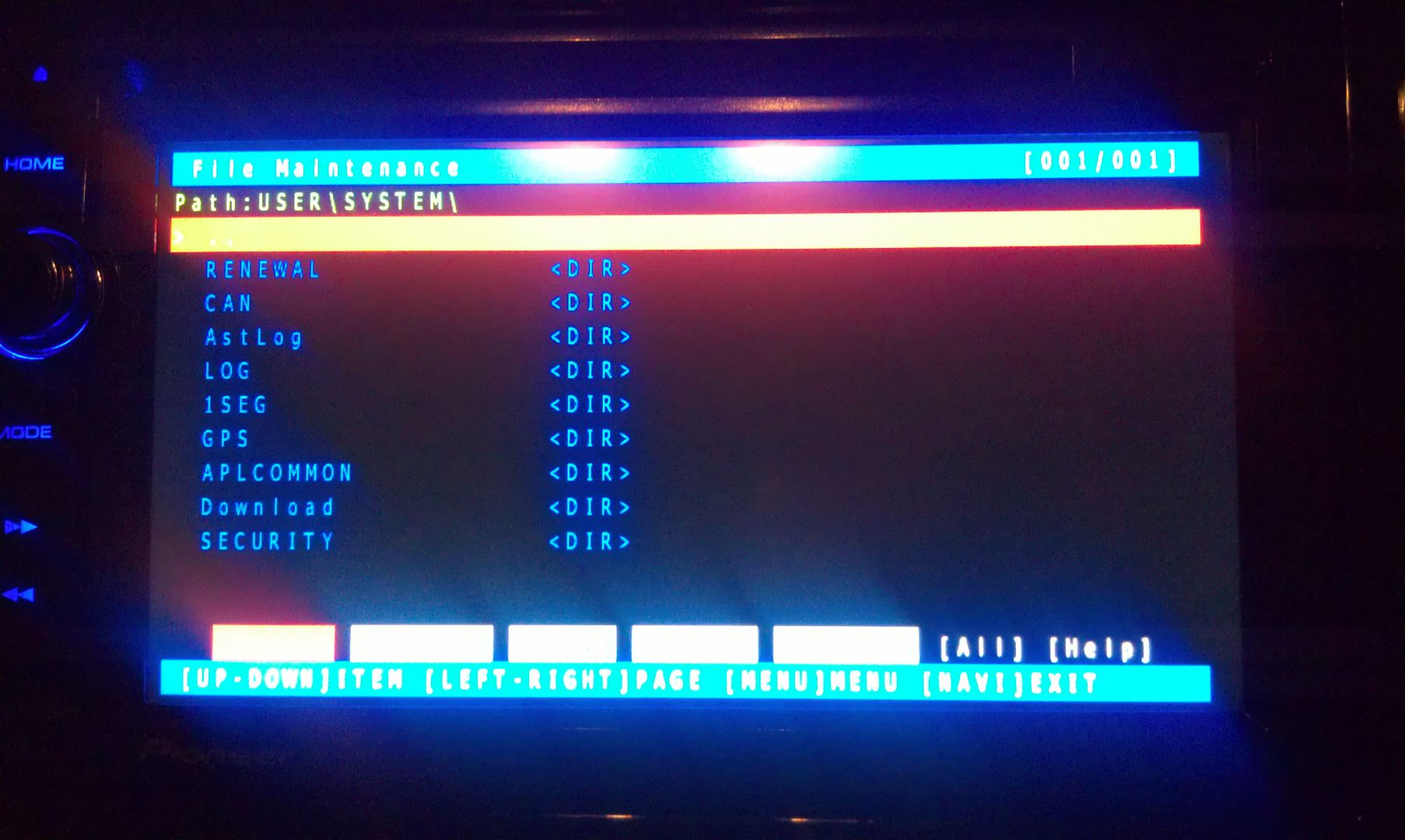
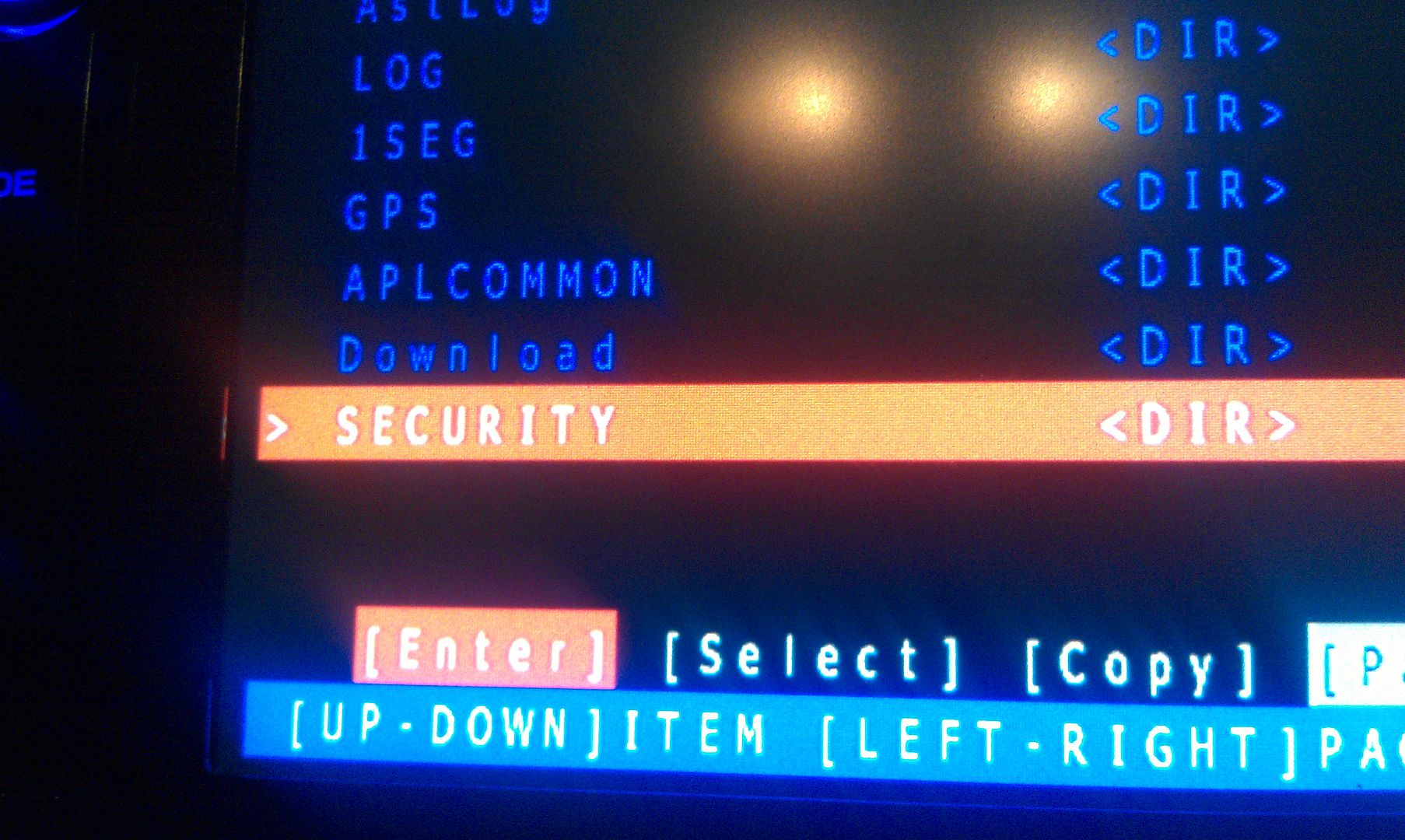
Now go to security and enter it


IMAG1554.jpg


IMAG1555.jpg


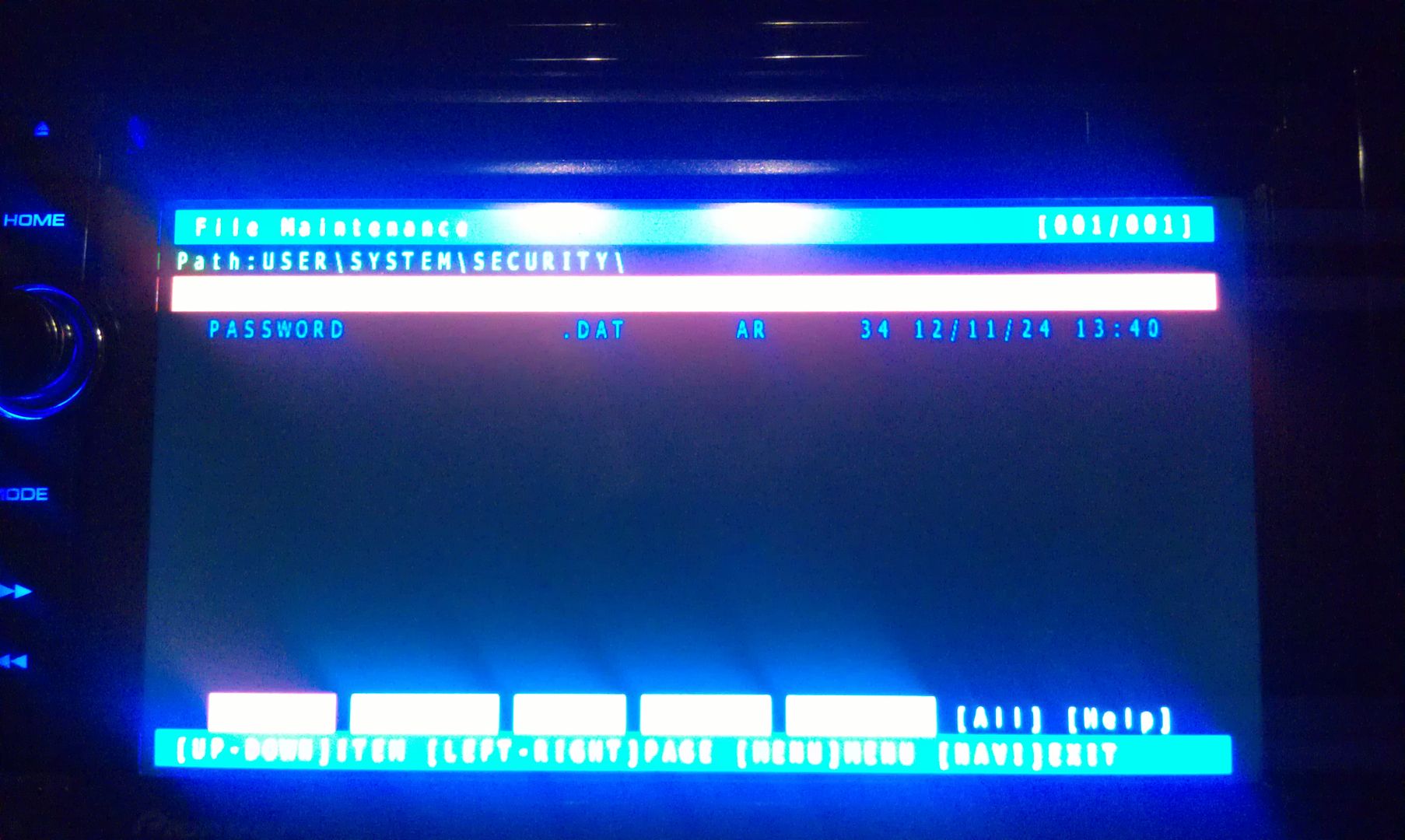
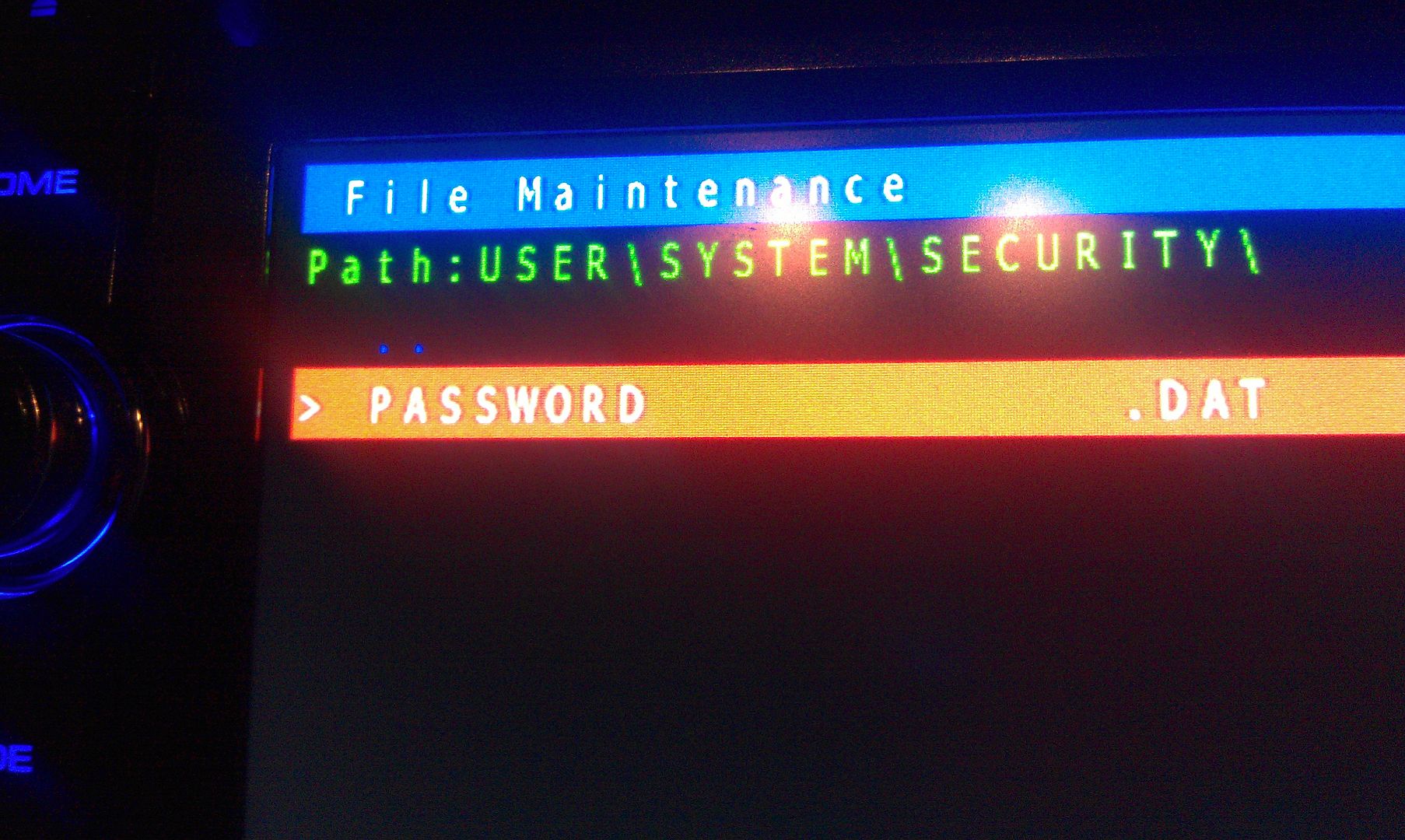
The only thing on the screen at this point is Password, so enter it
 

IMAG1556.jpg


IMAG1557.jpg


There is only option on this screen that you you are concerned with here, a text dump. You do not have to move the selection around, just press MODE to perform the text dump, and VIOLA, the password that the unit is locked with is displayed near the top left of the screen!


(I've blurred my password out here for obvious reason)


IMAG1559.jpg


Write this password down (unless is something you can remember), then just back out of all the menus using the HOME key until you get the the first screen, at which point you can power the unit off and remove the SD card. With the card removed, power the unit back up and enter your recovered password when prompted, and enjoy :)


If you're not going to remember the password you just recovered, I'd suggest changing it. Take a look in the owners manual for those instructions.


Hope that helps everyone a little more!


by the way, I think this thread should become a sticky...

I am bowing down before you "IamSuperBleeder". My radio is back. Awesome write up and pics. Thank you so much. And to original creators of this post as well - thank you! Now I can rock again!

Posted Oct 12, 2013 · 03:51 UTC#110

Worked great, no need to have a blank sd card. :-)

Posted Oct 16, 2013 · 16:36 UTC#111

I just want to say THANK YOU! I just used this on my 930bt and this just saved me alot of money and head aches!

:-P

Posted Oct 21, 2013 · 01:21 UTC#112

guys i need help. i tried installing the condi hack coz i forgot my password. anyway, now all i get is "error, installer files not found. is the sd inside?" what do i do now? i dont know what else to do. can someone help me asap. thanks!


Posted Nov 02, 2013 · 19:45 UTC#113

Tried this method several times on customers cars and it has always worked great. Today I had a customer come by after replacing his battery and I tried this method to recover the password. The unit gave me a password, tried to enter it and it said the password was invalid. Has anyone else had this happen or know a solution?


Hoping to save this guy the time, trouble, and money of sending the unit in to Pioneer to be fixed.


BTW this is an X930.

Posted Nov 09, 2013 · 16:04 UTC#114

Hey guys, soo i tried this hack/mod and it worked great!! i can pump my subs again! 


the only thing that i notice went haywire is my back up cam?..   its now upside down and flashes colors for the image..

has ANYBODY else had this problem? what should i do?!?!

Posted Nov 09, 2013 · 22:51 UTC#115

hello I just found this forum today I love it.


OK will this hack work on AVIC-X850BT. just got the unit new about 2 mounts ago, adding a sub and when i cut the unit back on it asked for the password. I put it in and nothing. please help

Posted Nov 10, 2013 · 13:40 UTC#116

hello I just found this forum today I love it.


OK will this hack work on AVIC-X850BT. just got the unit new about 2 mounts ago, adding a sub and when i cut the unit back on it asked for the password. I put it in and nothing. please help


If you use the hack properly, no harm can be done trying it AS LONG AS YOU USE v1.4 AND NOT v2.21.  If you use v2.21, harm can easily be done.

Posted Nov 10, 2013 · 15:31 UTC#117

If you use the hack properly, no harm can be done trying it AS LONG AS YOU USE v1.4 AND NOT v2.21.  If you use v2.21, harm can easily be done.

Well I got up enough nerve to try and I got CAUTION! TEST MODE FAILED STARTING [Turn off ACC] What else can I do?

Posted Nov 10, 2013 · 15:44 UTC#118

Hi,


Just letting everyone know I have this same problem when I had my batt changed. 


I used the above method and found my password.


I had this unit from new and sure I never set a password and the password I found in the file was a random one which I guess is a default pioneer one so I wont post what it is.


I have the F940BT, to find the file I had to look around as the set up is different then above and found the file PASSWORD.dat


I copied this file to SD card and then put this SD card into my PC.


I opened this file in Note Pad, most simple programs will open this and is showed the password.


*note is shows the password with spaces in, next to each letter or number. Take these out.


Thanks for the tips and work put in everyone :)

Posted Nov 10, 2013 · 17:32 UTC#119

Well I got up enough nerve to try and I got CAUTION! TEST MODE FAILED

STARTING [Turn off ACC] What else can I do?

Ok I am in but just like the other guy said there is no user
Posted Nov 10, 2013 · 18:49 UTC#120

Worked great, thanks a ton!

Posted Nov 25, 2013 · 01:05 UTC#121

You are a savior.
My fiancee and I bought our car with this stupid stereo system in it from his boss about a year ago and just recently had battery troubles which meant, hooray, the stereo system locked us out and, of course, his boss didn't know the password or wouldn't tell us or whatever.
This worked like a charm once we got the right micro sd card and booted up the hackmode, we simply deleted the password file.
Thank you so so much.

Posted Nov 30, 2013 · 07:37 UTC#122

Okay, let's simplify this a little more; might help some others. Pictures have always helped me out in situations like this, so let's do this.


Working with an X930BT in this how-to. Read all of these instructions all the way through before attempting it.


First off, you'll need a micro SD card; size isn't extremely important, the size of the files you'll be putting on it are less than 14mb, just choose one that your unit can support if it has a size limitation. In this instance I used a 32gb the first time around, but I'll be using a 16gb in the photos below; again, it really doesn't matter as long as it's at least 14mb, and I think the smallest you can get is 2gb now anyway and they're only like $5, lol.


Next, you'll need to download the files required to booth the unit into testmode. In the original post there's a link to another thread which has about 5 different download links in it, and I know that can get confusing... The one you want is the HACKMODE v1.4 BASE. Click on that link and you will download the .zip file containing the files you need. Once the download is complete, unzip the contents onto your micro SD card.


The .zip file is password protected and when you go to extract the files it will prompt you for the password. The password is "avic411" (without the "" obviously...)


The files should be place in the root of the card, not in another folder on the card. I'm not sure if it's required (although it probably is) but have nothing else on the card at the time. The only thing that should be on the micro SD card are the files located in the .zip that you downloaded.


ss1.jpg


ss2.jpg


At this point, it's time to make your way to the password protected unit with the micro SD card you just place the files above into.


With the unit powered off (key in the OFF possession, or just no power supplied if your doing this out of the vehicle), load the card into the device. Power the unit on and wait for it to boot, at which point it should boot into testmode.


IMAG1547.jpg


Once in testmode, on an X930BT, and I would imagine it would be the same for all of the X9X0BT series, the only buttons and actions that will be needed to navigate the screens are the following:


*HOME - escape/cancel/go back

*MODE - enter/select

*Volume down (left) - move selection on screen down

*Volume up (right) - move selection on screen up


I CANNOT STRESS HOW STRONGLY I RECOMMEND THAT YOU DO NOT MESS WITH ANY OTHER FILES IN HERE IF YOU DO NOT KNOW WHAT YOU ARE DOING!!! IT IS VERY EASY TO BRICK YOUR UNIT USING TEST MODE!!! I TAKE NO RESPONSIBILITY IF YOU SCREW THINGS UP; YOU ARE DOING THIS AT YOUR OWN RISK!!!


Move the selection on the screen down to #11, File Maintence


IMAG1548.jpg


Press MODE and you will enter the File Maintence screen


IMAG1549.jpg


Now select User and open it


IMAG1550.jpg


IMAG1551.jpg


Now select System and enter it


IMAG1552.jpg


IMAG1553.jpg


Now go to security and enter it


IMAG1554.jpg


IMAG1555.jpg


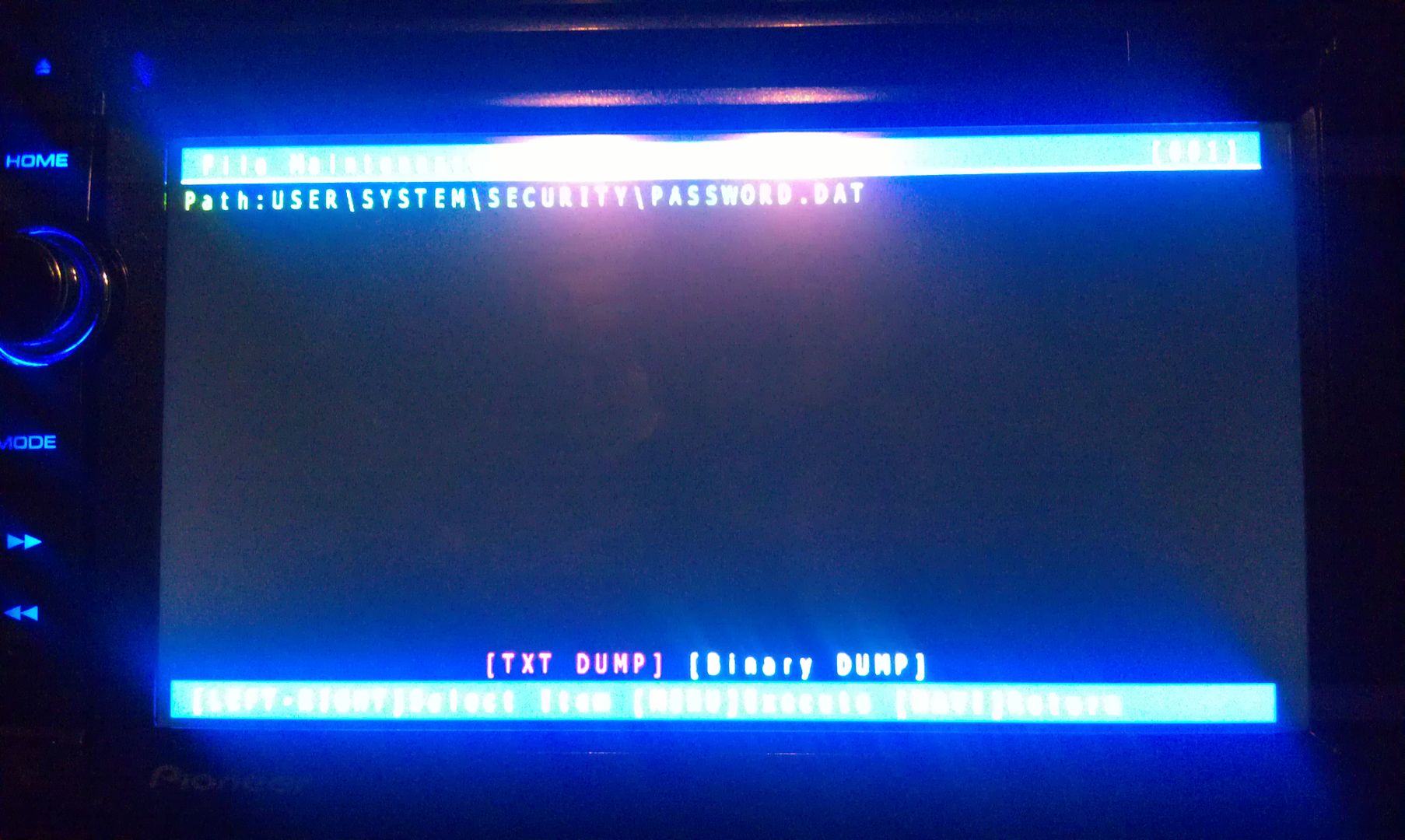
The only thing on the screen at this point is Password, so enter it
 

IMAG1556.jpg


IMAG1557.jpg


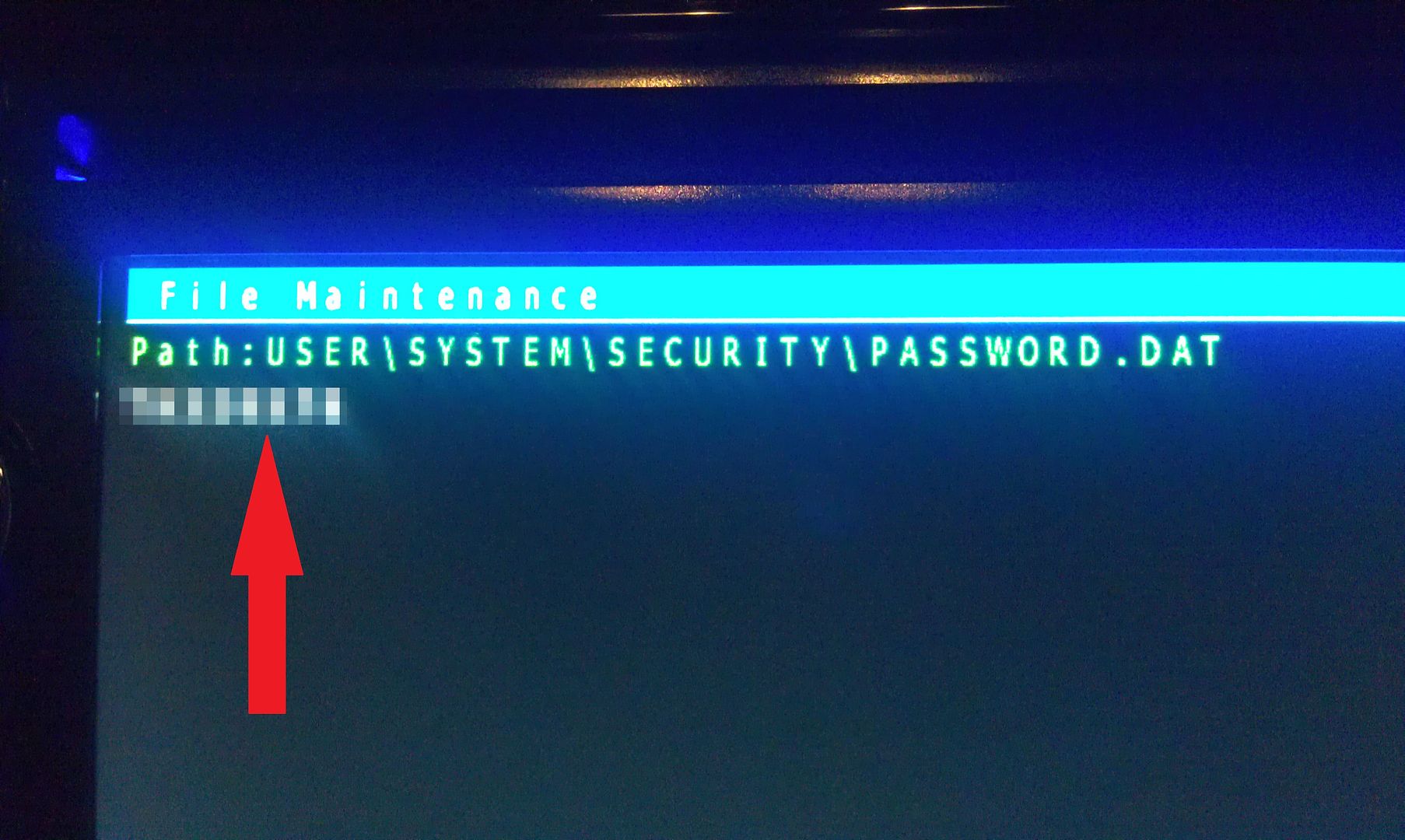
There is only option on this screen that you you are concerned with here, a text dump. You do not have to move the selection around, just press MODE to perform the text dump, and VIOLA, the password that the unit is locked with is displayed near the top left of the screen!


(I've blurred my password out here for obvious reason)
 

IMAG1559.jpg


Write this password down (unless is something you can remember), then just back out of all the menus using the HOME key until you get the the first screen, at which point you can power the unit off and remove the SD card. With the card removed, power the unit back up and enter your recovered password when prompted, and enjoy :)


If you're not going to remember the password you just recovered, I'd suggest changing it. Take a look in the owners manual for those instructions.


Hope that helps everyone a little more!


by the way, I think this thread should become a sticky...

What a LIFE SAVER!!  No BS!  I followed the directions just as explained and ... WOW!  I got my stereo back!!!  To all the doubters... Don't doubt... it works, Just do it!  Seriously, it works. Follow these steps and don't change a thing. The place I was going to was getting ready to charge $140 for pulling the stereo, then it was up to me to send to Pioneer (paying for shipping myself) and then paying Pioneer for "clearing" the password (which, by the way was mine, and I kick myself in the arse for not remembering it or writing it down), THEN getting it back a week or so later and getting it re-installed.  All because I didn't use one of my "old reliable" passwords.  Instead I selected a password that "only I could remember".... which I then forgot a year later when my car needed a new thermostat; only after the car was repaired (the battery having been pulled in the process) did I realized that I'd forgotten the password that "only I could remember".  If it wasn't for this file and a $15 micro SD, I would have been out a few hundred dollars.  good luck to all.. - Happy Camper :)

Posted Nov 30, 2013 · 07:44 UTC#123

The following is the post you have to see in order to unlock you Pioneer X930BT:

" IAmSuperBleeder, on 27 Nov 2012 - 6:54 PM, " ..... download this file as explained on the post..... The one you want is the HACKMODE v1.4 BASE. Click on that link and you will download the .zip file containing the files you need. Once the download is complete, unzip the contents onto your micro SD card. Follow the instructions on " IAmSuperBleeder" s post and Shazzzam!!  -Good luck!
 

Posted Dec 11, 2013 · 00:37 UTC#124

God i am an idiot....Had problems with my vehicle since last Friday, so i tried resetting the PCM that night and the x930bt asked for the password.  It has never done this in unplugging the battery, which i have done about 20 times since owning the head unit.  I remember putting in the password and it had to be one of 2 or 3 that i know i would have used for something like this.  4 days later i follow the instructions here and the password was a continuation of one of the short ones i usually use.  I made a 6 digit password which i use for certain pin numbers here and there, The thought crossed my mind while entering seemingly a 100 password into the damn thing but i never would have though i would have put my 6 digit one into it...well that's the one it was.  


Anyway...great thread, fixed my issued.  Follow the guide about and from start to finish it took me about 2 minutes. 

Posted Dec 12, 2013 · 22:47 UTC#125

Couldn't get this to work (wouldn't extract with password). Reformatted the micro usb, copied it again and it expanded.  Worked great. Will now change it to a password I can remember. I don't think a thief will have the resources to do this. Thankful I have Parallels on a Mac.  Thanks for this.

Page 5 of 14