Search Archive
🔒 Locked

[X930BT] - Password Recovery (obsolete)

By djmixman · Nov 08, 2011in Hacks/Mods💬 326 posts👁️ 449,934 views
Page 7 of 14
Posted Jun 18, 2014 · 02:59 UTC#152

Awesome thread.  Thanks to everyone that has contributed!  Much love to IAmSuperBleeder who put in the detailed instructions with the screenshots!


I can vouch that this still works for the X930BT!


Peace,

Kirk

Posted Jun 23, 2014 · 05:59 UTC#153

@IAmSuperBleeder THANKS FOR THE PICTURES & WRITE UP 

Posted Jul 03, 2014 · 01:09 UTC#154

Okay, let's simplify this a little more; might help some others. Pictures have always helped me out in situations like this, so let's do this.


Working with an X930BT in this how-to. Read all of these instructions all the way through before attempting it.


First off, you'll need a micro SD card; size isn't extremely important, the size of the files you'll be putting on it are less than 14mb, just choose one that your unit can support if it has a size limitation. In this instance I used a 32gb the first time around, but I'll be using a 16gb in the photos below; again, it really doesn't matter as long as it's at least 14mb, and I think the smallest you can get is 2gb now anyway and they're only like $5, lol.


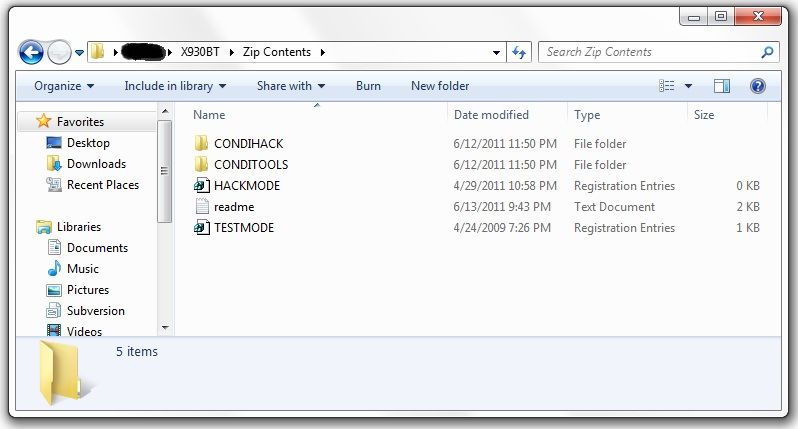
Next, you'll need to download the files required to booth the unit into testmode. In the original post there's a link to another thread which has about 5 different download links in it, and I know that can get confusing... The one you want is the HACKMODE v1.4 BASE. Click on that link and you will download the .zip file containing the files you need. Once the download is complete, unzip the contents onto your micro SD card.


The .zip file is password protected and when you go to extract the files it will prompt you for the password. The password is "avic411" (without the "" obviously...)


The files should be place in the root of the card, not in another folder on the card. I'm not sure if it's required (although it probably is) but have nothing else on the card at the time. The only thing that should be on the micro SD card are the files located in the .zip that you downloaded.
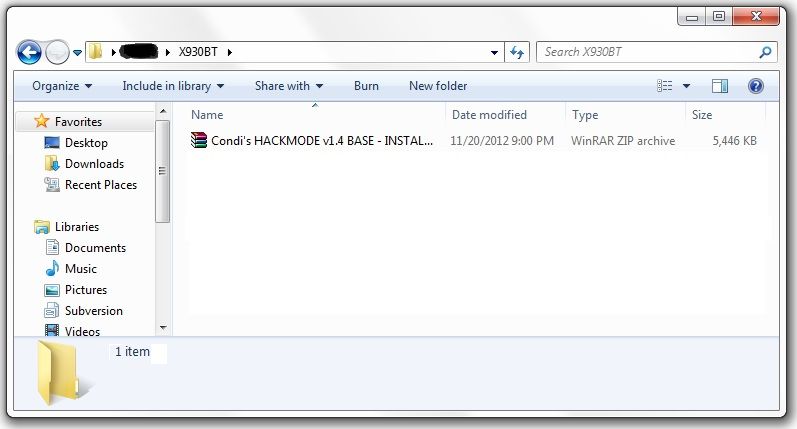
 

ss1.jpg


ss2.jpg


At this point, it's time to make your way to the password protected unit with the micro SD card you just place the files above into.


With the unit powered off (key in the OFF possession, or just no power supplied if your doing this out of the vehicle), load the card into the device. Power the unit on and wait for it to boot, at which point it should boot into testmode.
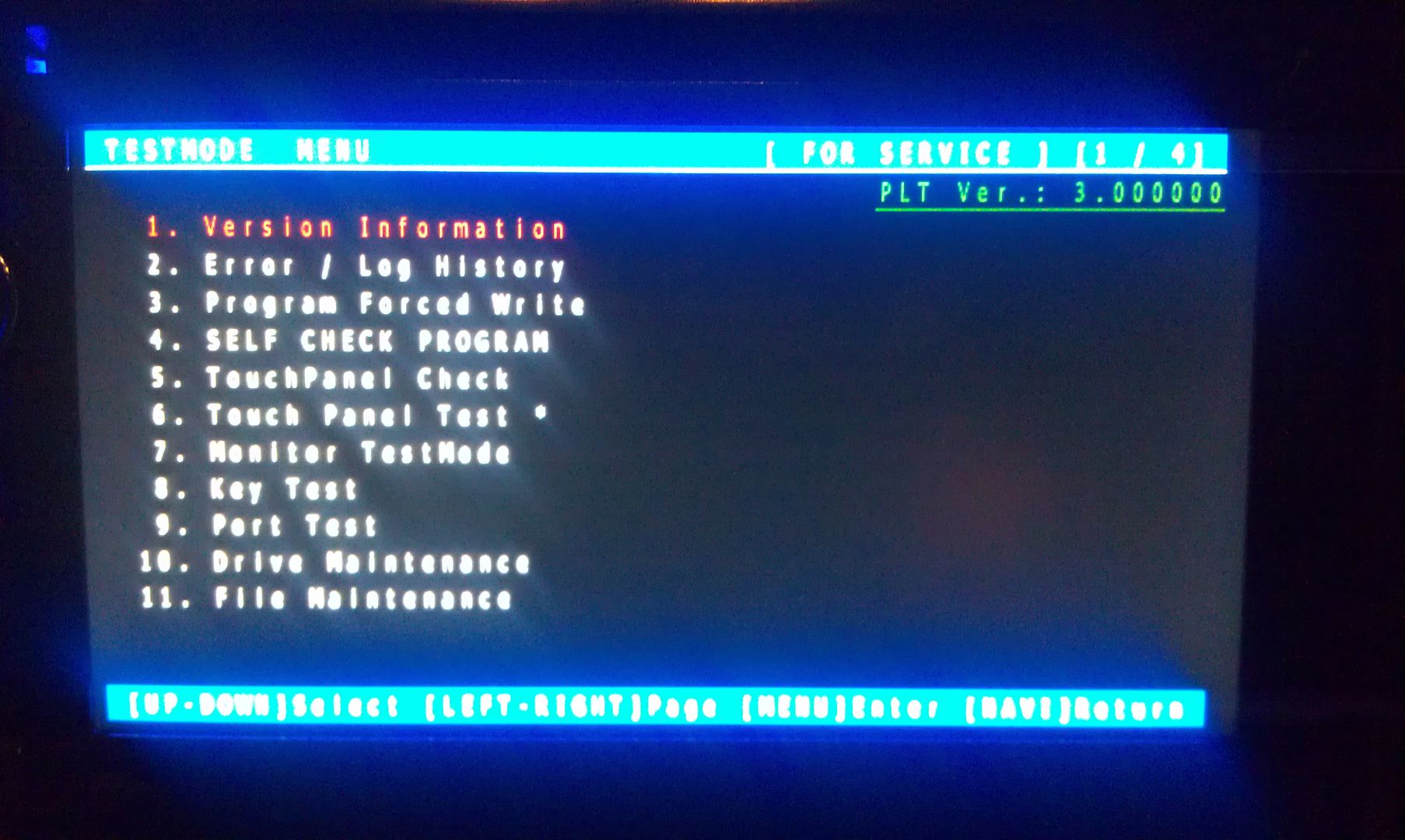
 

IMAG1547.jpg


Once in testmode, on an X930BT, and I would imagine it would be the same for all of the X9X0BT series, the only buttons and actions that will be needed to navigate the screens are the following:


*HOME - escape/cancel/go back

*MODE - enter/select

*Volume down (left) - move selection on screen down

*Volume up (right) - move selection on screen up


I CANNOT STRESS HOW STRONGLY I RECOMMEND THAT YOU DO NOT MESS WITH ANY OTHER FILES IN HERE IF YOU DO NOT KNOW WHAT YOU ARE DOING!!! IT IS VERY EASY TO BRICK YOUR UNIT USING TEST MODE!!! I TAKE NO RESPONSIBILITY IF YOU SCREW THINGS UP; YOU ARE DOING THIS AT YOUR OWN RISK!!!


Move the selection on the screen down to #11, File Maintence
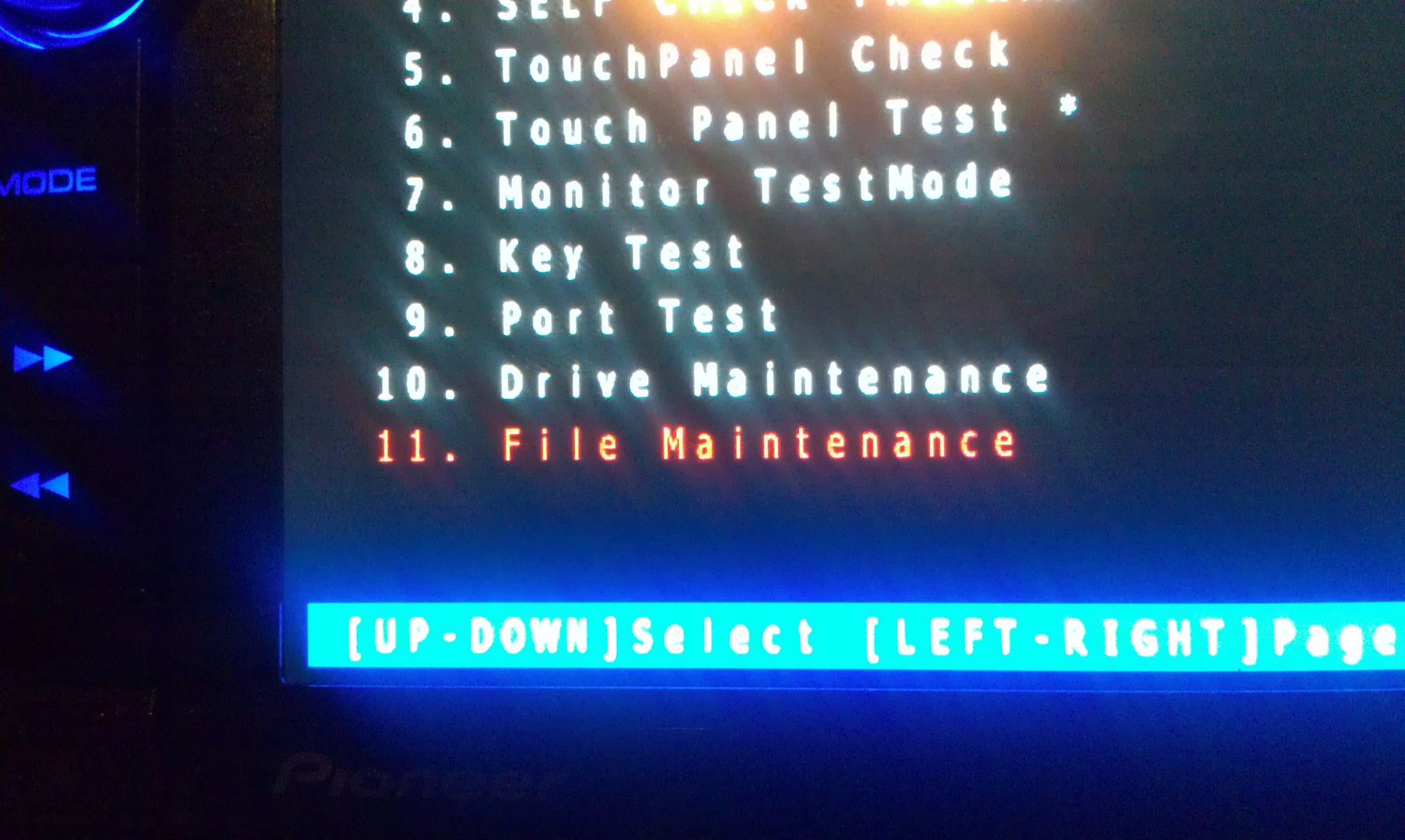
 

IMAG1548.jpg


Press MODE and you will enter the File Maintence screen
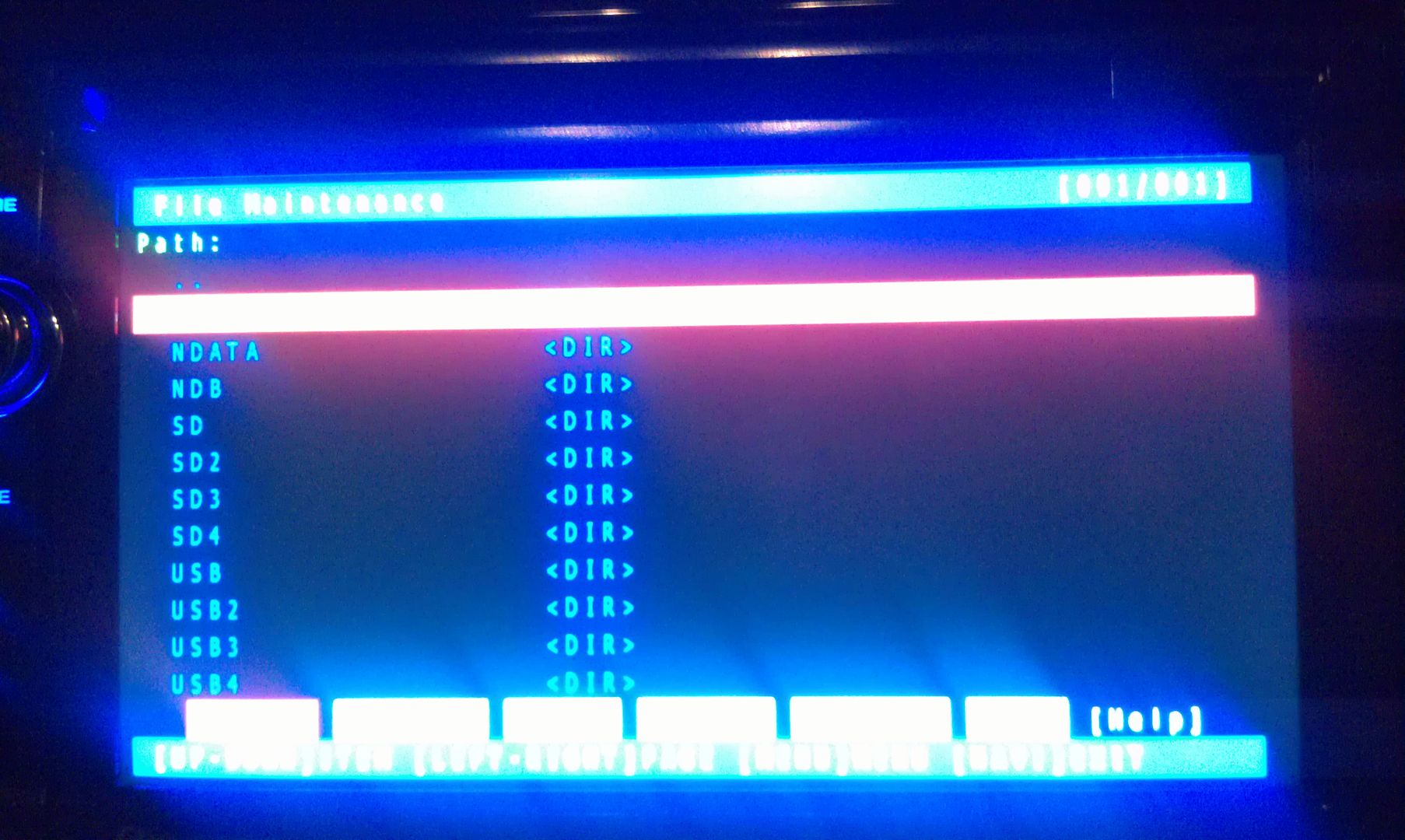
 

IMAG1549.jpg


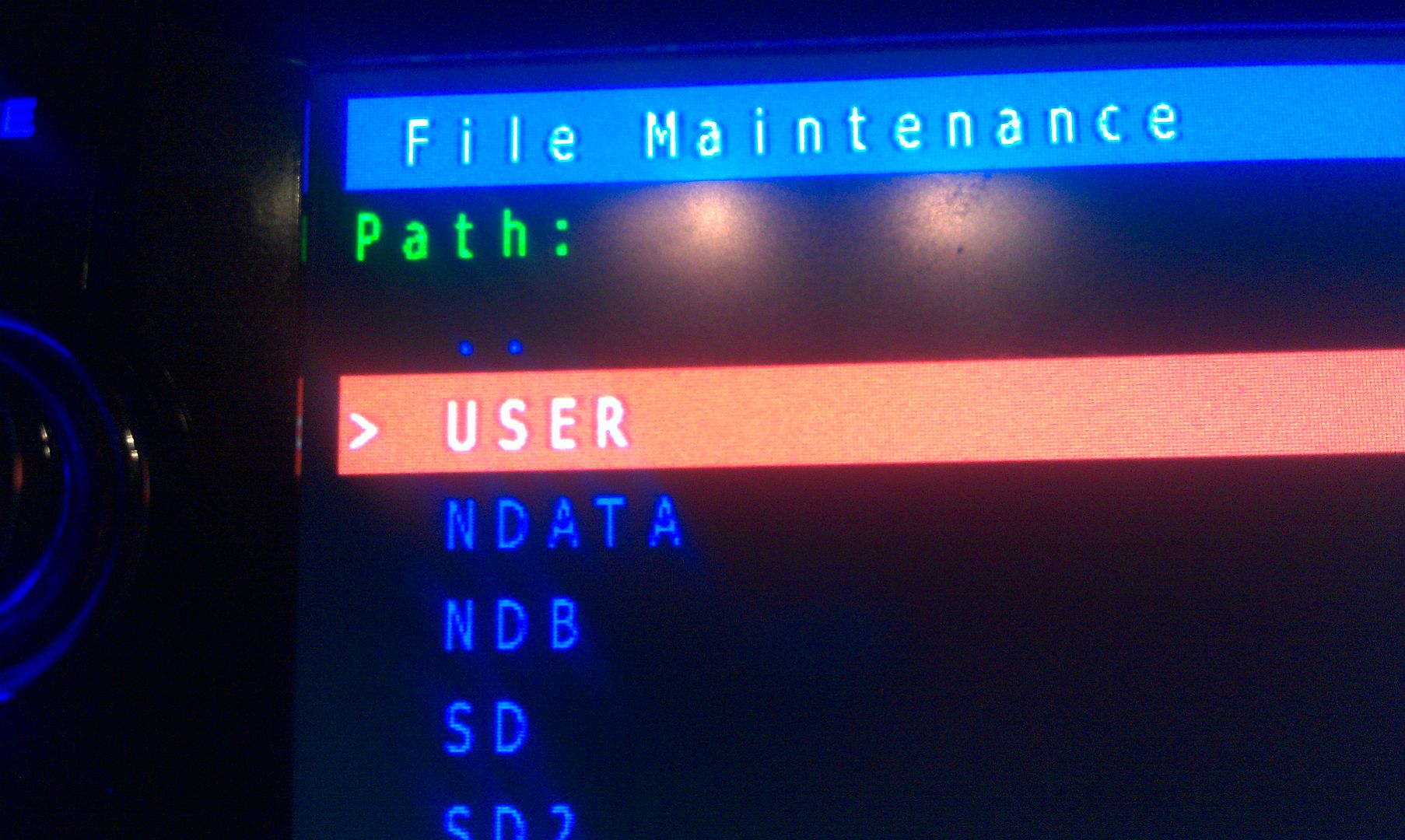
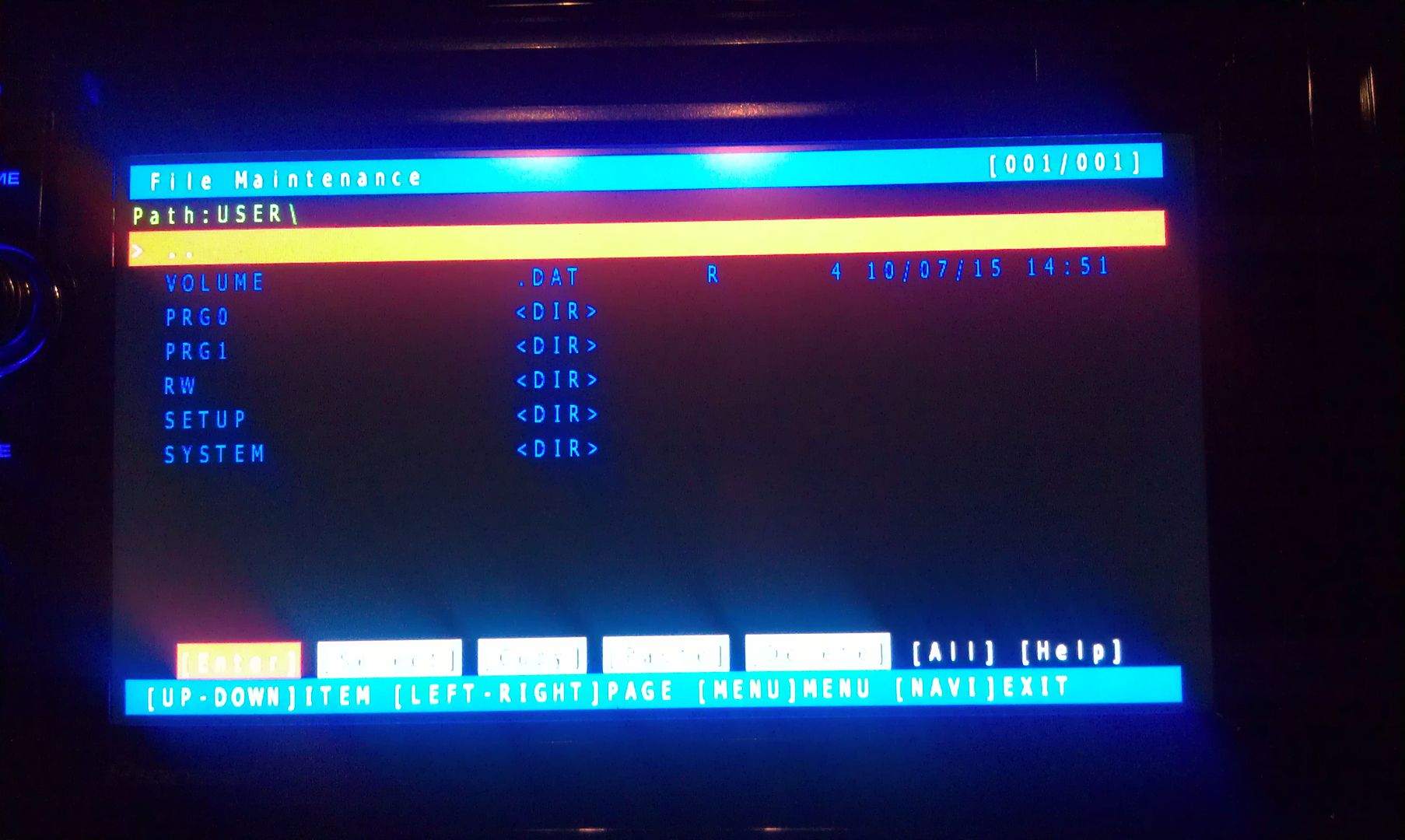
Now select User and open it


IMAG1550.jpg


IMAG1551.jpg


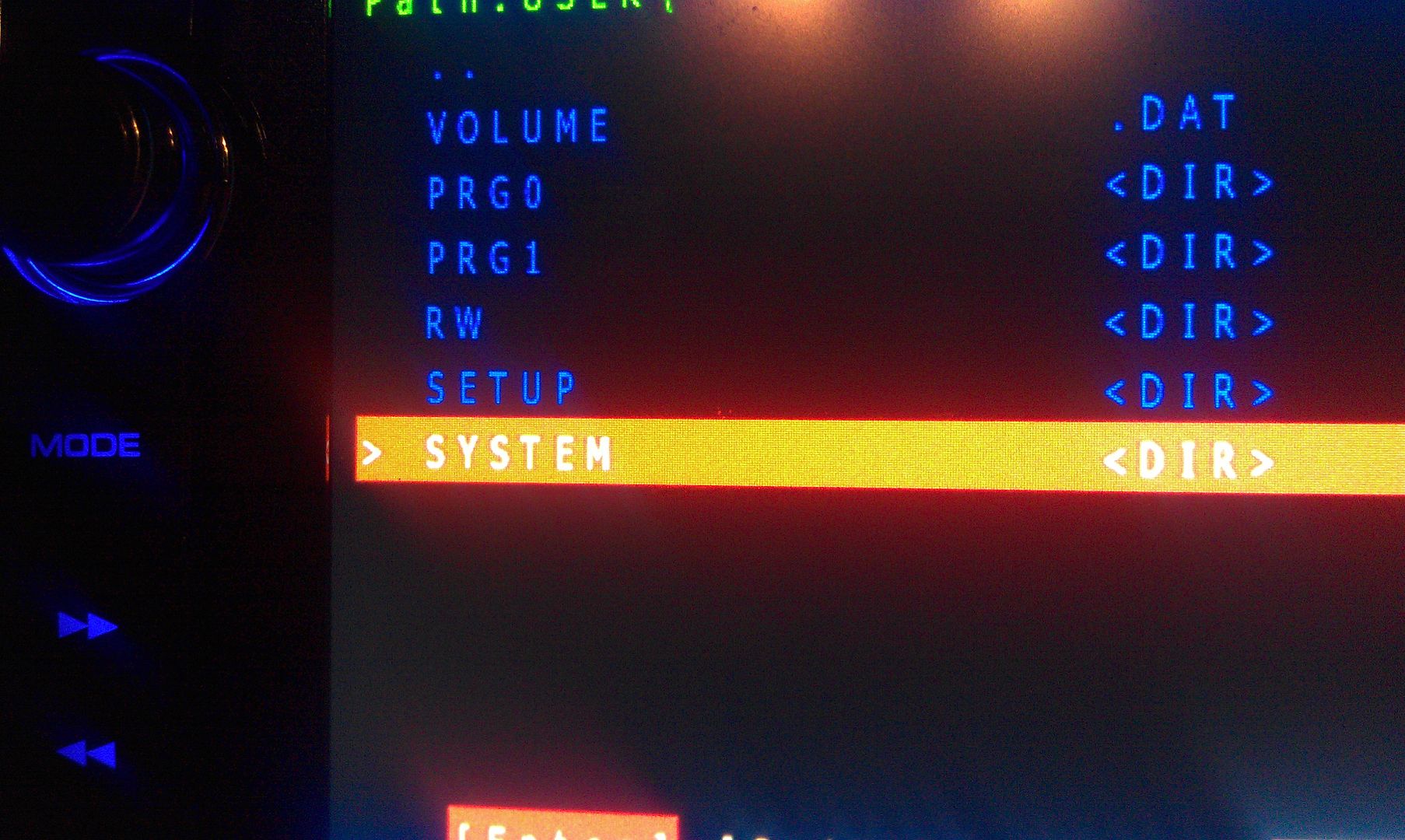
Now select System and enter it


IMAG1552.jpg


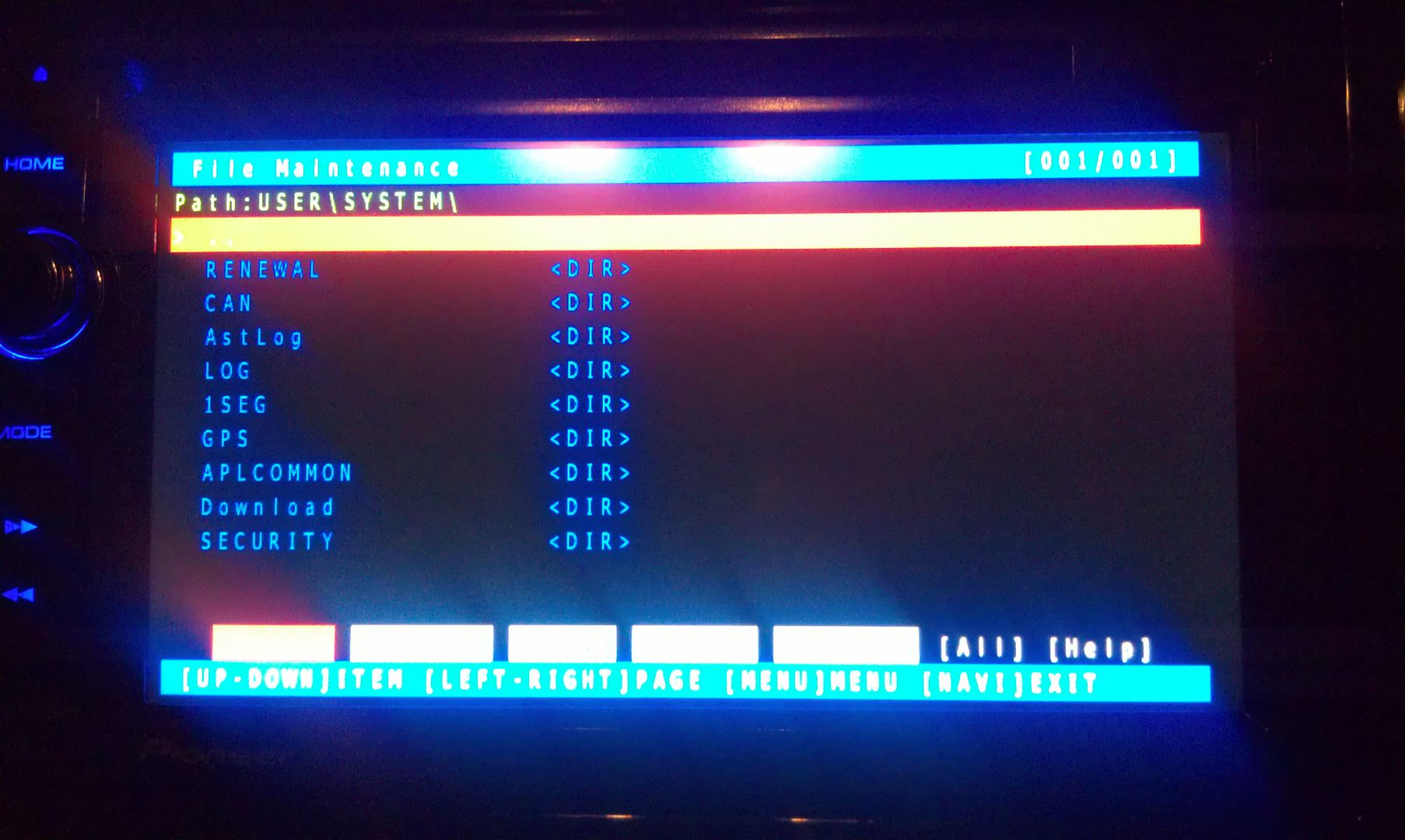
IMAG1553.jpg


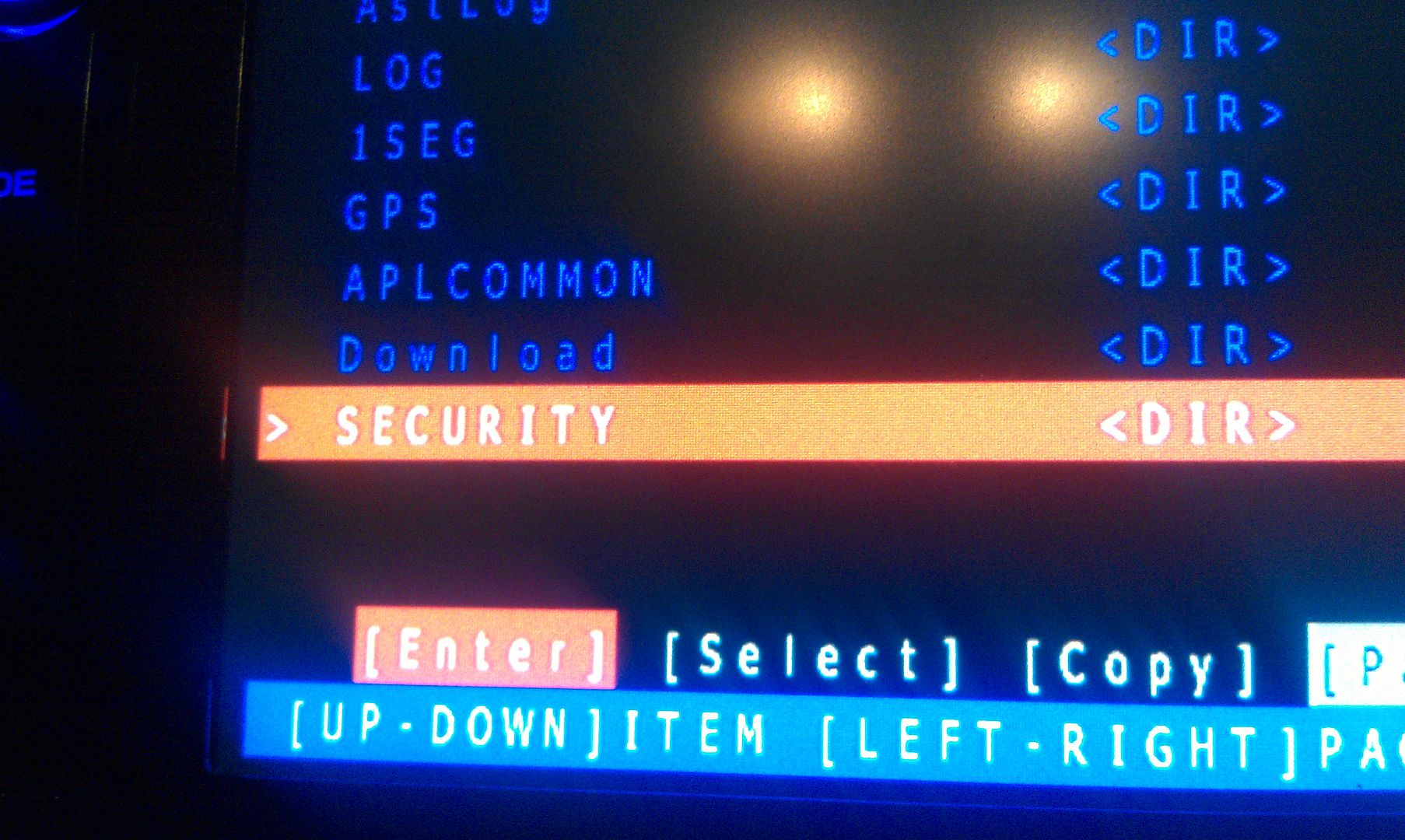
Now go to security and enter it


IMAG1554.jpg


IMAG1555.jpg


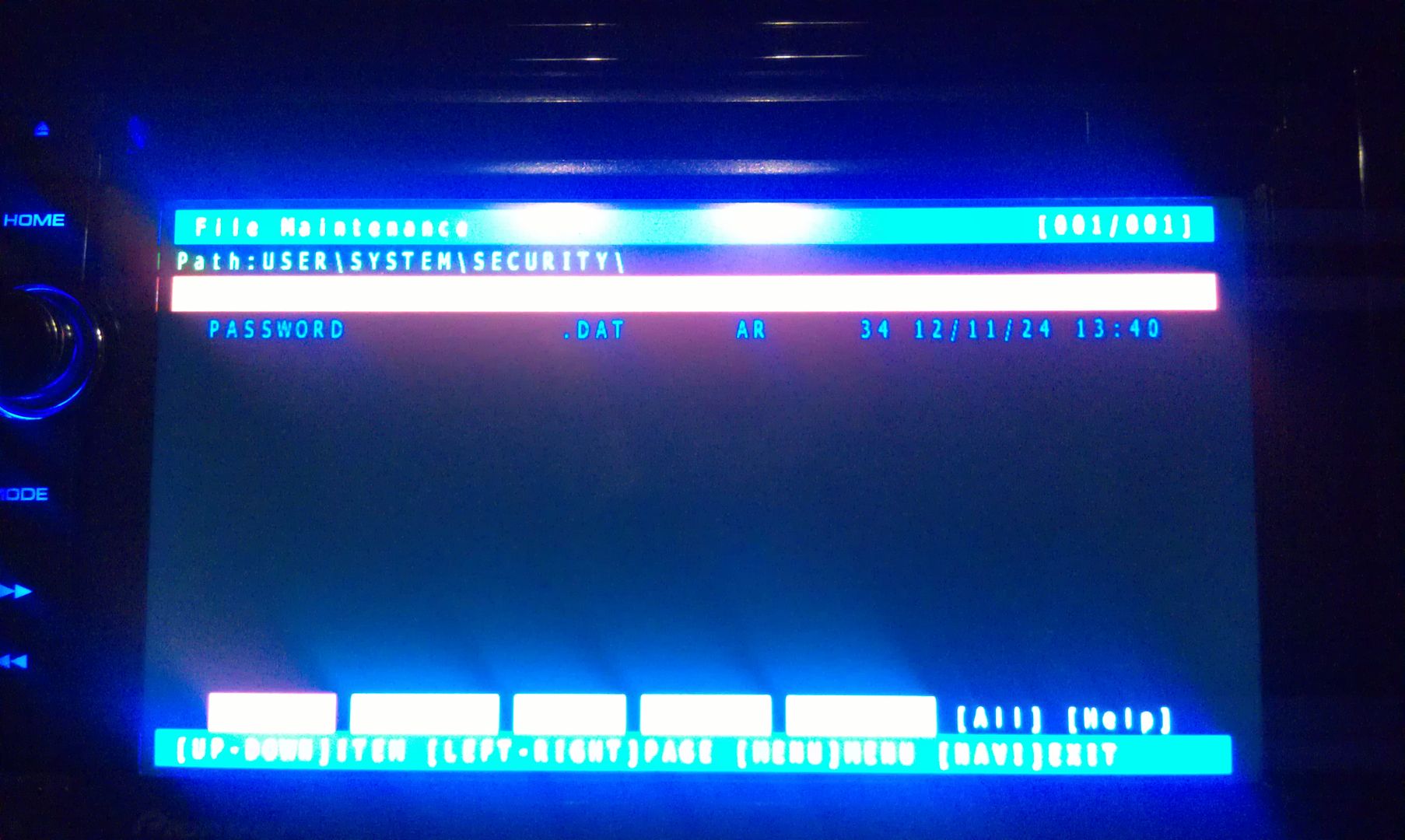
The only thing on the screen at this point is Password, so enter it
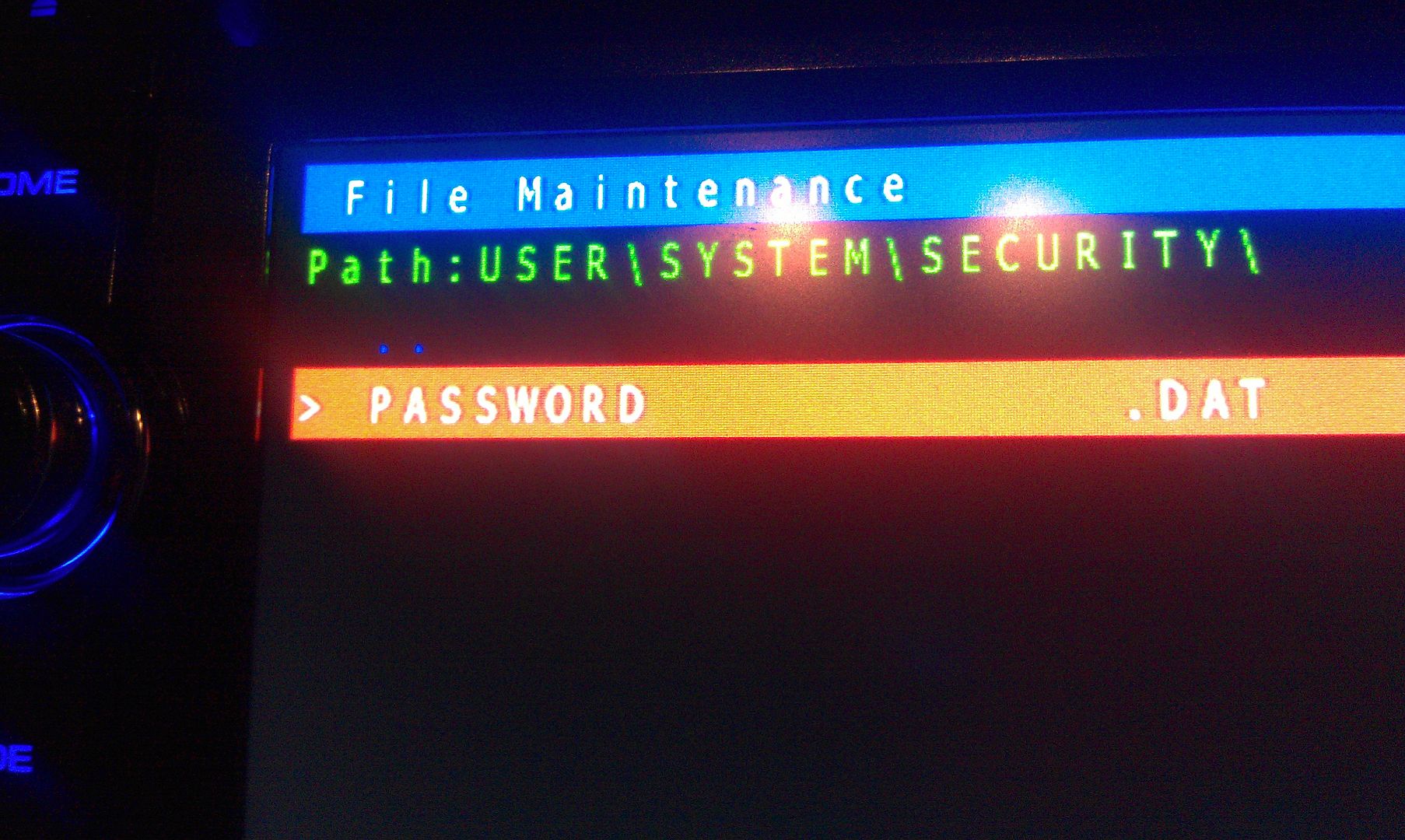
 

IMAG1556.jpg


IMAG1557.jpg


There is only option on this screen that you you are concerned with here, a text dump. You do not have to move the selection around, just press MODE to perform the text dump, and VIOLA, the password that the unit is locked with is displayed near the top left of the screen!


(I've blurred my password out here for obvious reason)


IMAG1559.jpg


Write this password down (unless is something you can remember), then just back out of all the menus using the HOME key until you get the the first screen, at which point you can power the unit off and remove the SD card. With the card removed, power the unit back up and enter your recovered password when prompted, and enjoy :)


If you're not going to remember the password you just recovered, I'd suggest changing it. Take a look in the owners manual for those instructions.


Hope that helps everyone a little more!


by the way, I think this thread should become a sticky...


Thanks for saving my ass!  This was invaluable and your instructions worked perfectly.  Rec x1000!

Posted Jul 03, 2014 · 01:10 UTC#155

Okay, let's simplify this a little more; might help some others. Pictures have always helped me out in situations like this, so let's do this.


Working with an X930BT in this how-to. Read all of these instructions all the way through before attempting it.


First off, you'll need a micro SD card; size isn't extremely important, the size of the files you'll be putting on it are less than 14mb, just choose one that your unit can support if it has a size limitation. In this instance I used a 32gb the first time around, but I'll be using a 16gb in the photos below; again, it really doesn't matter as long as it's at least 14mb, and I think the smallest you can get is 2gb now anyway and they're only like $5, lol.


Next, you'll need to download the files required to booth the unit into testmode. In the original post there's a link to another thread which has about 5 different download links in it, and I know that can get confusing... The one you want is the HACKMODE v1.4 BASE. Click on that link and you will download the .zip file containing the files you need. Once the download is complete, unzip the contents onto your micro SD card.


The .zip file is password protected and when you go to extract the files it will prompt you for the password. The password is "avic411" (without the "" obviously...)


The files should be place in the root of the card, not in another folder on the card. I'm not sure if it's required (although it probably is) but have nothing else on the card at the time. The only thing that should be on the micro SD card are the files located in the .zip that you downloaded.


ss1.jpg


ss2.jpg


At this point, it's time to make your way to the password protected unit with the micro SD card you just place the files above into.


With the unit powered off (key in the OFF possession, or just no power supplied if your doing this out of the vehicle), load the card into the device. Power the unit on and wait for it to boot, at which point it should boot into testmode.


IMAG1547.jpg


Once in testmode, on an X930BT, and I would imagine it would be the same for all of the X9X0BT series, the only buttons and actions that will be needed to navigate the screens are the following:


*HOME - escape/cancel/go back

*MODE - enter/select

*Volume down (left) - move selection on screen down

*Volume up (right) - move selection on screen up


I CANNOT STRESS HOW STRONGLY I RECOMMEND THAT YOU DO NOT MESS WITH ANY OTHER FILES IN HERE IF YOU DO NOT KNOW WHAT YOU ARE DOING!!! IT IS VERY EASY TO BRICK YOUR UNIT USING TEST MODE!!! I TAKE NO RESPONSIBILITY IF YOU SCREW THINGS UP; YOU ARE DOING THIS AT YOUR OWN RISK!!!


Move the selection on the screen down to #11, File Maintence


IMAG1548.jpg


Press MODE and you will enter the File Maintence screen


IMAG1549.jpg


Now select User and open it


IMAG1550.jpg


IMAG1551.jpg


Now select System and enter it


IMAG1552.jpg


IMAG1553.jpg


Now go to security and enter it


IMAG1554.jpg


IMAG1555.jpg


The only thing on the screen at this point is Password, so enter it
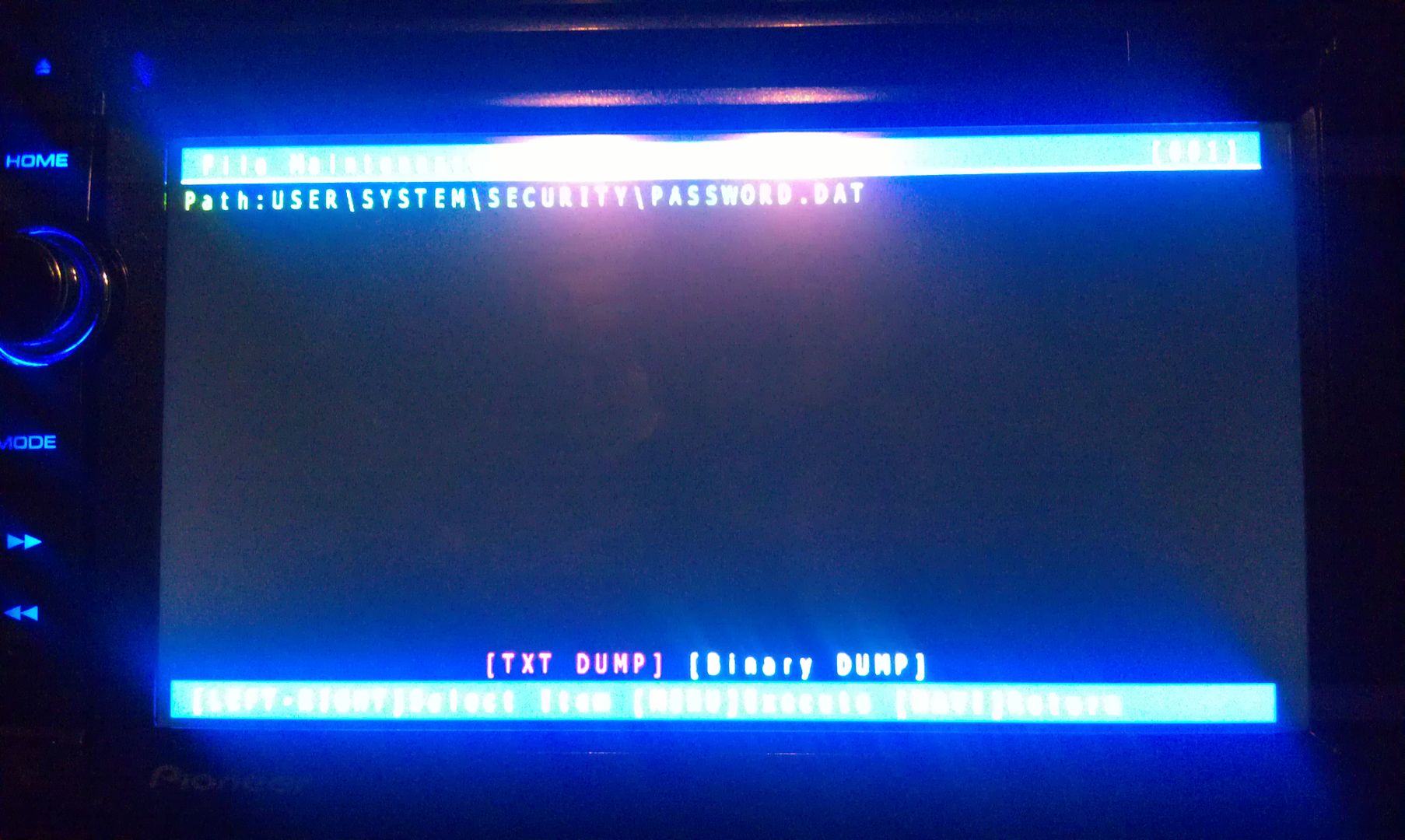
 

IMAG1556.jpg


IMAG1557.jpg


There is only option on this screen that you you are concerned with here, a text dump. You do not have to move the selection around, just press MODE to perform the text dump, and VIOLA, the password that the unit is locked with is displayed near the top left of the screen!


(I've blurred my password out here for obvious reason)
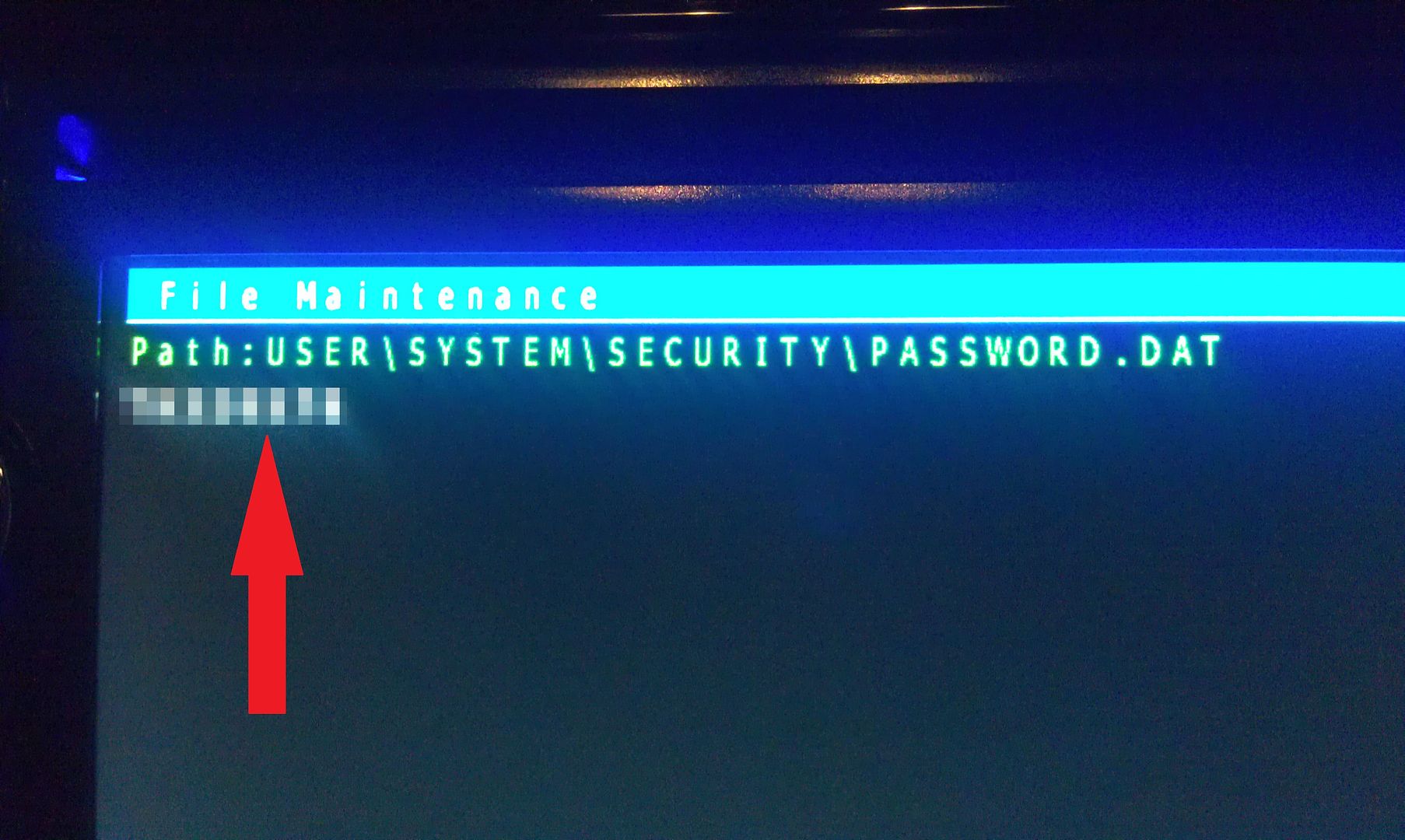
 

IMAG1559.jpg


Write this password down (unless is something you can remember), then just back out of all the menus using the HOME key until you get the the first screen, at which point you can power the unit off and remove the SD card. With the card removed, power the unit back up and enter your recovered password when prompted, and enjoy :)


If you're not going to remember the password you just recovered, I'd suggest changing it. Take a look in the owners manual for those instructions.


Hope that helps everyone a little more!


by the way, I think this thread should become a sticky...


Thanks for saving my ass!  This was invaluable and your instructions worked perfectly.  Rec x1000!

Posted Jul 14, 2014 · 09:55 UTC#156

Hi there, My X930BT locked me out once and it was sent out to Pioneer for reset... Came back and they said it started up without asking for a password!... Anyways, I am not locked out but I want to change my password to something I KNOW so I tried using this hack. When I am in the Security folder, I do not see the "PASSWORD.DAT" file... Why is this?

Posted Jul 14, 2014 · 21:44 UTC#157

Hi there, My X930BT locked me out once and it was sent out to Pioneer for reset... Came back and they said it started up without asking for a password!... Anyways, I am not locked out but I want to change my password to something I KNOW so I tried using this hack. When I am in the Security folder, I do not see the "PASSWORD.DAT" file... Why is this?

You mean that you are NOW locked out or really mean that you are NOT locked out?


If you don't have any password (which would explain the absence of a "password.dat" file) and want to set one, you need to touch the three zones at the top of the configuration screen. If you are locked out and don't find a "password.dat", make sure you are in the right folder. There has to be one.

Posted Jul 14, 2014 · 22:03 UTC#158

You mean that you are NOW locked out or really mean that you are NOT locked out?


If you don't have any password (which would explain the absence of a "password.dat" file) and want to set one, you need to touch the three zones at the top of the configuration screen. If you are locked out and don't find a "password.dat", make sure you are in the right folder. There has to be one.


Hi Lyverbe,


Thank you for your quick response! I am not locked out; everything is working perfectly as it should. I am scared if I disconnect my battery it may lock me out because the first time around when I did this, I was locked out. I had to get my dealership (Subaru)  ship the unit to Pioneer to get it reflashed and when I got it back Subaru said "it didn't ask to input a password" so again, I am stuck not knowing my password. If I disconnect my battery again I may run into the same problem... (Or no? Since there is no PASSWORD.DAT file?) Thanks again!

Edited Jul 14, 2014 by SubaruBRZ
Posted Jul 15, 2014 · 21:45 UTC#159

Hi Lyverbe,


Thank you for your quick response! I am not locked out; everything is working perfectly as it should. I am scared if I disconnect my battery it may lock me out because the first time around when I did this, I was locked out. I had to get my dealership (Subaru)  ship the unit to Pioneer to get it reflashed and when I got it back Subaru said "it didn't ask to input a password" so again, I am stuck not knowing my password. If I disconnect my battery again I may run into the same problem... (Or no? Since there is no PASSWORD.DAT file?) Thanks again!

Nah, you don't have to worry about it. If you become locked out, use TestMode to read the "password.dat" file because it will be there. So many people got out of this situation this way so I don't see why you couldn't.


Although I believe this file is always there no matter what. If you don't have a password, it's only a blank file, but I'm not sure.

Posted Jul 23, 2014 · 21:07 UTC#160

Just saved me a lot of cash :)


bought the unit new and forgot the password i set 2 yeras ago


Thanks

Posted Jul 29, 2014 · 18:21 UTC#161

absolutely superb write up - worked a treat. many thanks :)

Posted Jul 29, 2014 · 19:01 UTC#162

Thank you so much! It only bloody worked and now I have tunes again!

Posted Aug 26, 2014 · 21:17 UTC#163

This work for the AVIC-F930BT too.

Posted Sep 01, 2014 · 19:30 UTC#164

I apologize, I have read though a majority of the posts and can't find the answer.  My wife got her battery replaced and her stereo asked for a password.  I purchased it new and installed if a couple years ago but regular passwords are not working.  I followed the instructions in this post but when I try to unzip the file it asks for a password for Av.exe and I typed in avic411 which worked.  I then am prompted for a password for HACKMODE.KEY.  What is the password for HACKMODE.KEY?

Posted Sep 02, 2014 · 13:46 UTC#165

I apologize, I have read though a majority of the posts and can't find the answer.  My wife got her battery replaced and her stereo asked for a password.  I purchased it new and installed if a couple years ago but regular passwords are not working.  I followed the instructions in this post but when I try to unzip the file it asks for a password for Av.exe and I typed in avic411 which worked.  I then am prompted for a password for HACKMODE.KEY.  What is the password for HACKMODE.KEY?

Read post #151 in this thread

Posted Sep 06, 2014 · 01:29 UTC#166

it works, THANK YOU.  I also had a dead battery.  when I got back in my car, asked for a password.  I was told by the installer to call pioneer, pioneer told me I would have to have it uninstalled, send in with 80.00 for a reset, then pay to get it reinstalled.  thank you for saving me all the money!!!!! I went thru all the steps with my sd micro went thru all the steps my only thing is when I got to security there was no password option???  I ejected the sd card and when I turned it back on it worked!!!!!!  I'm sooo happy!!!!!  thank you, thank you!!!! 

Posted Sep 07, 2014 · 11:06 UTC#167

Hello,


I did all the process til the end in a F930BT and I found the password. Using the HOME key I got to the first screen, powered the unit off and removed the card, but when I power the unit back, it shows me this message: there is not applicable program.


What can I do?


Thanks for your help in advance.

Edited Sep 07, 2014 by kronen033
Posted Sep 07, 2014 · 12:20 UTC#168

Hello,


I did all the process til the end in a F930BT and I found the password. Using the HOME key I got to the first screen, powered the unit off and removed the card, but when I power the unit back, it shows me this message: there is not applicable program.


What can I do?


Thanks for your help in advance.

That's impossible if you haven't changed/removed any file. Dumping the password.dat file is harmless. Did you use HackMode (v2.21) or TestMode (v1.4)?

Posted Sep 07, 2014 · 17:16 UTC#169

I've done it again using hackmode v2.21 and now this message appears on the screen: Installer fliles not found. Is SD/USB still in device?

post-89678-0-42495600-1410110148_thumb.jpg

Edited Sep 07, 2014 by kronen033
Posted Sep 08, 2014 · 22:19 UTC#170

I've done it again using hackmode v2.21 and now this message appears on the screen: Installer fliles not found. Is SD/USB still in device?

Ah, well, you used the almighty unit eater. You should have stayed away from v2.21 like the other 8,472 posts say. If the admins would care about their members, they'd put a HUUUUUUGE warning sign saying that v2.21 is very dangerous, but... meh!

Posted Sep 09, 2014 · 06:20 UTC#171

Well, the damage is done, any idea about how to solve the problem?

Edited Sep 09, 2014 by kronen033
Posted Sep 10, 2014 · 07:25 UTC#173

Thank you very much, I'll try to fix it with all the information provided. 

Posted Oct 06, 2014 · 12:46 UTC#174

omg! thank you, thank you, thank you! I brought my car second hand a few months ago, we got driving lights fitted and what do you know? yep password required.... I tried every bloody thing to get it working again, I rang pioneer and they said if you don't have the password you might as well throw it in the bin and buy a new one....everyone I spoke with had no idea, they all said the same thing, without the password its no good ( this made me so angry!) nothing would work until I was just about to go spend $1500 on a new one! I thought I might just see one more time on the internet if anyone else has been through the same thing, and what do you know I found this site!! :) thank god... I followed all the steeps and when it come up with the password omg I could not wipe the smile from my face! I should have thought of this 3 months ago.......  im so grateful that I found this site, thanks to you I have saved a lot of money! :)

cheers michelle  

Posted Oct 16, 2014 · 03:38 UTC#175

All I have to say is it worked perfectly

Page 7 of 14