Search Archive
📌 Pinned

STEP BY STEP GUIDE TO MAKING CUSTOM BACKGROUNDS

By JasonH · Feb 24, 2006in Hacks/Mods💬 76 posts👁️ 106,564 views
Page 3 of 4
Posted Jul 09, 2008 · 04:02 UTC#51
Iso is actually a compression format like zip or rar, but it is a compression used to make a virtual image of a disk.

As to your problem, are you adding the files before you burn the disk? You must finalize everything before you burn the new disk.
Posted Jul 09, 2008 · 05:03 UTC#52
Phlame217 said:
Iso is actually a compression format like zip or rar, but it is a compression used to make a virtual image of a disk.

As to your problem, are you adding the files before you burn the disk? You must finalize everything before you burn the new disk.


Yes The files were moved before the disk was burned. The burned disk and files actually attempt to load during the loading process on the D2 but they say format error and default background loaded instead .
Posted Jul 09, 2008 · 05:22 UTC#53
It may have to do with the whole jpg-pim errors. Might try making something from scratch?
Posted Jul 09, 2008 · 06:20 UTC#54
Phlame217 said:
It may have to do with the whole jpg-pim errors. Might try making something from scratch?


LOL I dont have those kind of skills. I used a PIM another member load here for the King Ranch F-150 and converted a photo I had. They started as JPGs They converted to .PIM extensions. When I tried to load the D2 with the new ISO disc I could see those PIM files I added but they both would not load. So I guess there is a problem with the PIM converter I used. Maybe someone can send me a known to work PIM of anything to [email protected] and I can add it to my new ISO DVD-RW I created and see if it works. Daryll
Posted Jul 10, 2008 · 04:28 UTC#56
Phlame217 said:
http://www.avic411.com/forum/viewtopic.php?t=2761&sid=4d84e6e8c7599e4946a62bb63b0b2faa

try that


Ok thanks will give this a try. GC :)
Posted Jul 10, 2008 · 05:32 UTC#57
GOLDCYLON said:
Phlame217 said:
http://www.avic411.com/forum/viewtopic.php?t=2761&sid=4d84e6e8c7599e4946a62bb63b0b2faa

try that


Cant his JAVA PIM utility is no longer available. Anybody have it?
Posted Jul 10, 2008 · 13:04 UTC#58
GOLDCYLON said:
GOLDCYLON said:
Phlame217 said:
http://www.avic411.com/forum/viewtopic.php?t=2761&sid=4d84e6e8c7599e4946a62bb63b0b2faa

try that


Cant his JAVA PIM utility is no longer available. Anybody have it?


Update first of all thanks for the help!! Well I finally was able to get the PIM to load. The issue had to be the lack of CAPS and the size of the file. Jerrys PIM manager works but beware it defaults to a Lower case PIM extension which will hose you up.

Now does anybody know in where does the start up screen for the pioneer resides for the D2 and can that be changed? Daryll
Posted Aug 06, 2008 · 21:40 UTC#59
Using the downloaded 70mpt file for my d1, I've successfully used alcohol120% to make a working copy of the software. The problems all start when trying to modify the disk with background pictures.

My first problem has already been mentioned, that using ultraiso and magiciso, certrain files in the bg folder show 0 kb size and there's no subdirectories within the bg folder. As also described previously in the post, using isobuster (and loading the originally download *.mdf file,) you can finally see the files as you'd imagine they would appear.

However, as amazing as isobuster sounds, I can not find a way to modify the *.mdf file and save it containing the new files I want (background *.pim files and the startup *.jpg's) I'm using a registered version. BTW-the "magic" thing that seems to be about this program is that it seems to show two formats-iso and udf, for whatever that's worth.

So now that I've found the magical program to let me see what files are really in this dvd image (and now the 0kb files have a size associated with them), how can I edit the files and save it again? I've wasted 5 dual layer dvd's now trying to do this... (and I know the media should be ok, because the first burned copy of the unaltered program works.)
Posted Aug 07, 2008 · 02:38 UTC#60
edit to my above post:

I've found a program that can see all files as they should appear, and has the ability to save and edit: isoedit.

Yet when I make the changes to the iso file and attempt to save it, I get an error message. I can't win!!

When I create a dummy iso file, I can save, open and resave the iso file. But when I attempt it with the navigation iso file, I get an error message. Am I missing something simple? Or has pioneer made the 70mpt update un-background image-able?
Posted Oct 10, 2008 · 16:27 UTC#61
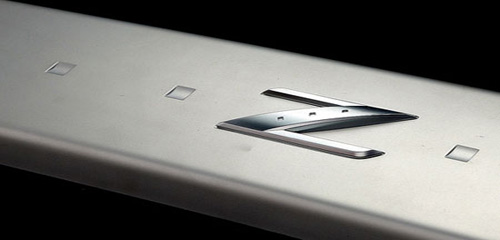
Hey there, I got it to work with other bg I found made by other users but there is one I made myself and it sees it but when I try to apply it, it hangs.

I made sure the res is 500 x 240 with 72dpi. The size of the file is 234kb as are the other files I got on the forum... the only difference I can see is that the original file is a .BMP but once converted with PimMgr it shouldn't make a difference.. I think!

so any clue on what I am doing wrong? I attached the file but had to convert it to .jpg since we can't attach .bmp files..
Attached Files (1)
Z Bar Bgd.jpg
Z Bar Bgd.jpg
Posted Oct 12, 2008 · 00:39 UTC#62
FYI I tried it again with the PimViewer instead and this time it worked.. problem solved!
Posted Nov 15, 2008 · 05:05 UTC#63
so how do you do this for the d3?
Posted Nov 15, 2008 · 05:06 UTC#64
so how do you do this for the d3?
Posted Nov 15, 2008 · 13:25 UTC#65
same thing for D3. It's the same DVD just follow the procedure..
Posted Feb 18, 2009 · 06:24 UTC#66
I know this topic hasn't been touched in a while but maybe someone can help me out. I downloaded and I'm on the step where it says to click the "Big" button on the bottom but when I do so, it gives me a message that says "Unable to create, replace or append to file: C:\CPJ1175_1_A.ISO Reason: Access is denied" Can anyone help.........am I doing something wrong??
Posted Mar 18, 2009 · 06:46 UTC#67
The link for the primmviewer on the first page is dead. Anyone have a new one?
Posted Mar 20, 2009 · 14:58 UTC#68
^^ same thing I was gonna say, does anyone have any jpeg to PIM converter... that works?
Posted Sep 28, 2009 · 18:31 UTC#69
Hello-

I tried downloading the PIMMGR at my windows computer at work today and it said:
The selected attachment does not exist anymore.
The file ./../files/2_f7694acca55b92352bb52e482c67feda does not exist.

Is this file no longer available?

Also, I am a mac user at home, and want to know if I can do this process on a mac.

Finally, is there a place here where I can just download and transfer some backgrounds (ON MY MAC) from this forum that people have made, and install them into my D1?

Thanks!
Posted Dec 29, 2010 · 05:03 UTC#70
Try here
http://avic411.com/index.php?/topic/2423-new-java-pim-converter/page__p__16895#entry16895
Posted Jan 20, 2011 · 00:20 UTC#71
and if I have the DVD nav?
Posted Jan 20, 2011 · 00:24 UTC#72
and if I dont have the DVD nav?
Posted Feb 23, 2011 · 00:21 UTC#73
I hate to ask for help, but it seems after deleting all the POI* files the final ISO is still too large for a single layer DVD. Any suggestions on anything else to delete or do i need to go after some DL disks?
Posted Nov 19, 2012 · 04:28 UTC#74
ok, i know that no one probably reads this post anymore, but im gonna try anyway. i burned a disc 5 or 6 years ago, and it worked perfectly. now, i want to change the pictures and since jims pim manager is no longer available, the other one does not work for me. is there another pim program that may work? is there maybe another solution to this? any help would be greatly appreciated!

:mrgreen:
Posted Nov 19, 2013 · 13:46 UTC#75

ok, i know that no one probably reads this post anymore, but im gonna try anyway. i burned a disc 5 or 6 years ago, and it worked perfectly. now, i want to change the pictures and since jims pim manager is no longer available, the other one does not work for me. is there another pim program that may work? is there maybe another solution to this? any help would be greatly appreciated!

:mrgreen:

I am having the same problem. 

I guess that means we have to purchase a new unit.

Page 3 of 4