Has anyone experience an issue where when the unit boots it goes directly to a screen that states system error.
Posted Jun 03, 2014 · 17:22 UTC#1
Has anyone experience an issue where when the unit boots it goes directly to a screen that states system error.
Has anyone experience an issue where when the unit boots it goes directly to a screen that states system error.
I am sorry I meant to type software error..not system error
NOT AT ALL. MY RADIO RESTARTED ITSELF ONCE WHILE IT WAS IN ACCESSORY WITH THE KEY THEN
NOT AT ALL. MY RADIO RESTARTED ITSELF ONCE WHILE IT WAS IN ACCESSORY WITH THE KEY THEN
Its crazy it booted up initially just fine.then once I got to the eula screen the accept and or disagree button was grayed out..turned the car off turned it back on and viola software error screen popped up..now no matter how many times I reset and restart it goes directly to that screen
There was another post like this, I think it was resolved with grounding it properly so check the wiring
There was another post like this, I think it was resolved with grounding it properly so check the wiring
Ill check the grounding again..thanks
if its grayed out. then the parking brake wire is not properly grounded. if its not hooked up no worries. just hold it to ground area and hit okay, do the by pass and it will not ask you anymore.
Well fellas thanks for the advice and help but it turns out I have to send the unit to pioneer for repairs. Brand new just out the box..just my luck
That sucks, sorry to hear that
Which model? Authorized dealer?
This screen? This means the internal SD card can't be read: 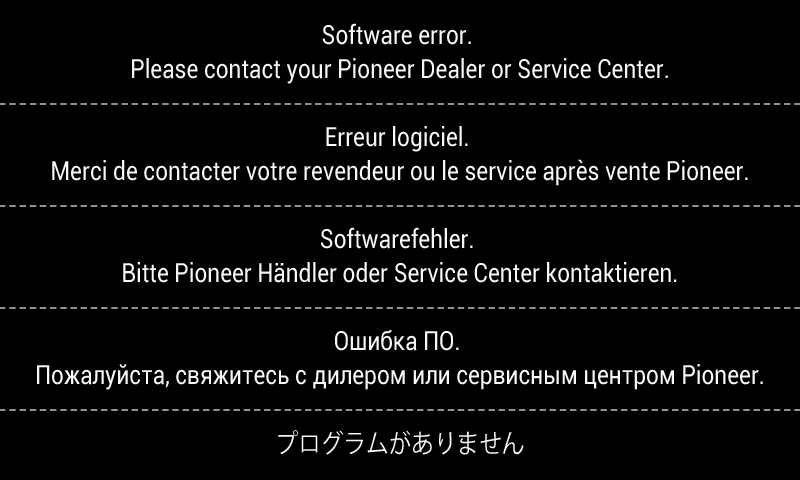
it was an avic8000nex unit i bought the unit thrue savinglots.com brand new in the box. not sure if they are an authorize dealer but i told the rep when she asked me where i bought it that i had no clue because it was given to me as a birthday gift by my father..she said ok gave me an rma number and where to ship it. repairs will be under warrenty.
it was an avic8000nex unit i bought the unit thrue savinglots.com brand new in the box. not sure if they are an authorize dealer but i told the rep when she asked me where i bought it that i had no clue because it was given to me as a birthday gift by my father..she said ok gave me an rma number and where to ship it. repairs will be under warrenty.
Cool, I hope it works out
This screen? This means the internal SD card can't be read:
Yes that very screen..but I didn't have an sd card put in yet..thus screen came up right after I rebooted because it was froze in tge eula accept screen
No, there's an internal SD card in the unit itself.
Well fellas thanks for the advice and help but it turns out I have to send the unit to pioneer for repairs. Brand new just out the box..just my luck
So making sure the parking brake was grounded didn't help?
Did you find a solution???
mine just did the same, it was working fine until I used the truck today
this also happen to me this morning while i was trying to update my firmware.
any solution beside need to sent back to pioneer for repair?
what is your device
what is your device
i have avh-4000NEX
You guys with that error screen. It has to be sent back to Pioneer to be fixed. Hopefully your under warranty.
This just happened to me today. 8000NEX. Attempting a firmware update. Followed Pioneer's instructions exactly.
This is very, very disappointing.
You guys with that error screen. It has to be sent back to Pioneer to be fixed. Hopefully your under warranty.
BigCiX is correct, the unit will have to be sent back to pioneer for service..if under warrenty its covered if not under warrenty its like 100 dollars plus shipping to fix
This is a total racket:
1) send out a software "update" that bricks the device.
2) send device to Pioneer, only to find you're likely out of warranty (I was out of warranty by 2 weeks), many units are falling out of the warranty unit now.
3) Pay $200 to have Pioneer fix.
If it was a random occurrence I could understand it and would be fine paying for the repair but you see instance after instance of people with the exact same issue. Pioneer should at least put a hold on the update until they resolve the issue but, I'm sure they are much happier making $200 off people who are out of warranty.
You can do it yourself. You need to buy a new SD card. 10$