Search Archive

big problem

By fresh · May 02, 2007in Problems/Troubleshooting💬 33 posts👁️ 6,393 views
Page 1 of 2
Posted May 02, 2007 · 23:18 UTC#1

i was about to unlock my harddrive but bailed out. the hardrive is detected by my computer but when i put it back in the z1, when i turn the power on i get a blank screen but the blue lightscome on. some help....


when i start up the screen with no harddrive at all it does the same thing!!

Posted May 02, 2007 · 23:40 UTC#2

Did you put the HDD cover with the two torx screws back on the avic after you reinstalled the HDD?

Posted May 02, 2007 · 23:45 UTC#3

yes i did

Posted May 02, 2007 · 23:55 UTC#4

were you using A-FF HDD safe unlock? at what point did you bail out?

Posted May 03, 2007 · 00:52 UTC#5

bailed right after i connected it. I was reading and realized that unlocking it was pointless for me. then i connected the harddrive back in and blank screen. then took out the harddrive out and connected it into my computer checke dif my computer recognized it. It did, so im prity sure its not the harddrive. I tried reseting it by holding map and also but pressing the little button reset. both dont work. i think the bios needs to be reset but i aint opening up the z1

Posted May 03, 2007 · 04:14 UTC#6

Maybe the circuit that is closed by the HDD door is not actually closing making your Z1 think the door isn't on. Without actually putting the door back on, push on the sensor and see if that does anything. The symptoms you describe are exactly what happens if the door is not put back on, hence my suggestion.

Posted May 03, 2007 · 05:13 UTC#7

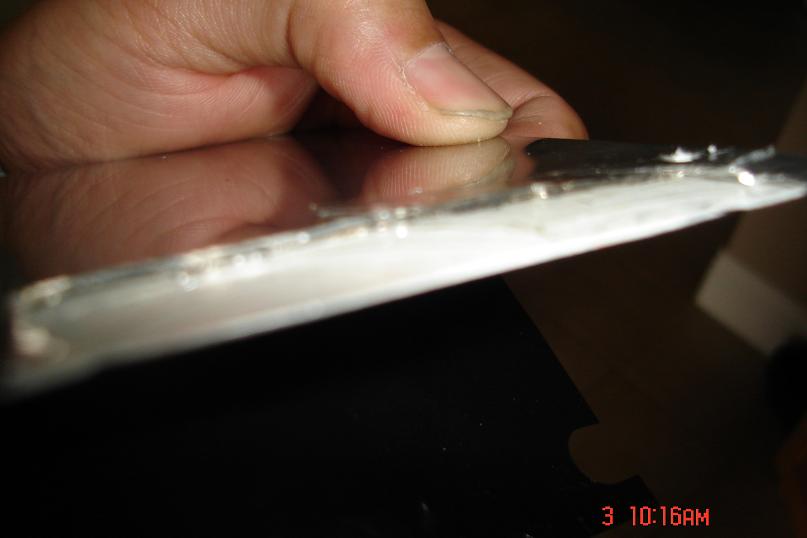
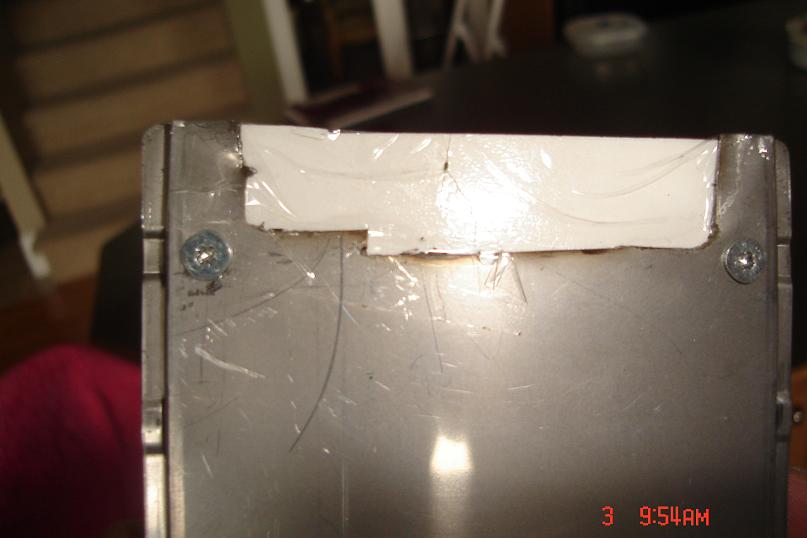
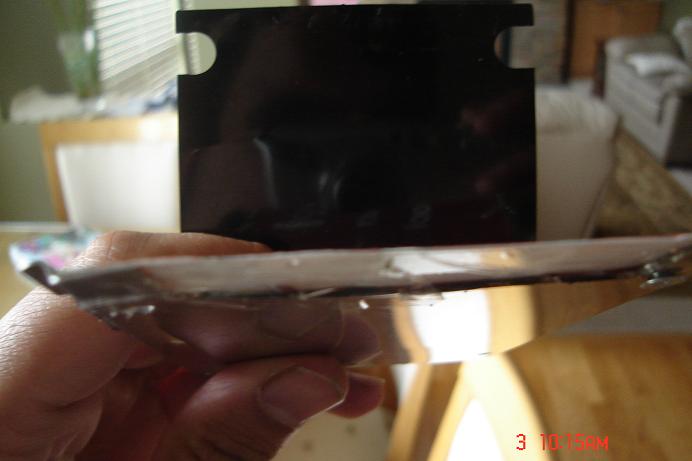
tried it. nothing. i did trim part of the tray thats under the hard drive so i could connect it to my computer but i dont think that has any effect. i know i know im an idiot, i wish i hadnt touched anyything!

Posted May 03, 2007 · 05:44 UTC#8

why didnt u just unscrew the drive from the tray like everybody else?

Posted May 03, 2007 · 05:51 UTC#9

because i didnt have the right bit and im an idiot that cant wait!!! i was just too excited. :(

Posted May 03, 2007 · 10:55 UTC#10

Is it possible that you trimmed more than the tray and took out a functional part of the hard drive by accident?


If you put the drive back into a PC and read it look for files and drive sizes, if something is on there and it's functional and the files are readable, you might want to run checkdisk on it or something.


Weird that you didn't need to unlock it first, but it's possible that someone either unlocked it before you ever got the unit or there is something wrong with this drive and they tried to lock it and didn't check it.


And I didn't need to take mine out of the tray to get it to read and plug into the PC. What kind of adapter did you use?


I would focus on the HDD door, that sounds like what happens when that is not put on all the way. Maybe your switch went bad or something. But if the door is not on, that's what it sounds like what will happen. If you take out the hard drive and then close the door and screw it in with no hard drive in the unit, will the unit boot up?

Posted May 03, 2007 · 14:17 UTC#11

Also, I understand that there is a secondary HDD switch that is deeper in the unit. that switch needs to be activated when the HDD is in the unit. maybe when you cut part of the tray it no longer can touch the secondary switch. Check that out.

Posted May 03, 2007 · 14:29 UTC#12

If there is one, maybe the thing you cut is not pushing on that. I don't remember seeing one, but I didn't look too hard.

Posted May 03, 2007 · 15:15 UTC#13

i know about the 1st switch, im not sure about the secondary 1...

Posted May 03, 2007 · 15:22 UTC#14

maybe you could tape an inex card under the Hdd tray to recreate the original dimension then insert the HDD.

Posted May 03, 2007 · 15:39 UTC#15

im going to try that right now

Posted May 03, 2007 · 16:20 UTC#16

ok well i cut out a piece of flash card and taped it to the tray but i dont see any secondary lock! o well lets see wat happens

Posted May 03, 2007 · 16:33 UTC#17

tried it, didnt work :(

Posted May 03, 2007 · 17:06 UTC#18

when you taped the card to the HDD did you simulate the same position that you removed from the tray? also what did you use to cut the tray? is it possible that metal fragments may have ended up on parts of the HDD circuit board? did you put the HDD in a vice?

Posted May 03, 2007 · 17:16 UTC#19

i did simulate the same position. i used wire cutters to cut the tray then when my friend came ove, he had the proper screwdriver to remove the hard drive. we then took off the hardrive and i used a dremel to fix the bent cuttin caused by the wire cutters.

Posted May 03, 2007 · 17:38 UTC#20

post some pics

Posted May 03, 2007 · 18:30 UTC#21

pics..

post-7647-12872752326711_thumb.jpg

post-7647-12872752327608_thumb.jpg

post-7647-1287275232823_thumb.jpg

post-7647-12872752328741_thumb.jpg

post-7647-1287275232949_thumb.jpg

post-7647-12872752330149_thumb.jpg

post-7647-12872752330878_thumb.jpg

Posted May 03, 2007 · 18:58 UTC#22

If you used a dremel on it you probably killed it with the vibrations...

Posted May 03, 2007 · 19:45 UTC#23

just a suggestion but you should have that card extension on the bottom of the plate as in may need to press a switch down in order to activate it. as it shows in the picture it could be up enough as to not provide the necessary downward pressure.

Posted May 03, 2007 · 20:23 UTC#24

i took off the hardrive when i dremelled it. okay ill try that, but theres no switch, i looked with a flashlight, theres nothing!! i tried adding another layer on the bottom, stil doesnt do anything...

Posted May 04, 2007 · 14:09 UTC#25

when I got home last night I looked into my Z1 and saw that the second trigger switch was very close to the front of the opening, not affected by what you had cut off. it seems as though you must have dammaged something on the HDD.

Page 1 of 2