The forums have been hacked, what a shame...
That said, you can post pictures via links on other sites suck as ImageShack of something like this.
The forums have been hacked, what a shame...
That said, you can post pictures via links on other sites suck as ImageShack of something like this.
But mk809 II works the same with AppRadio Unchained? Costs much less.
I'm now using this 1 month and have to say it works flawlessly, next thing I've to do is get the battery backup wired in so when I stop the car for a couple minutes I don't have to reboot. I bought a cheap battery pack but its switched, so just need to try mod that to charge while in use.
But mk809 II works the same with AppRadio Unchained? Costs much less.
I'm sure there are hundreds of different models that work, I just bought the cheapest one with decent reviews I found, which was the mk809iii and was only €35 inc postage.
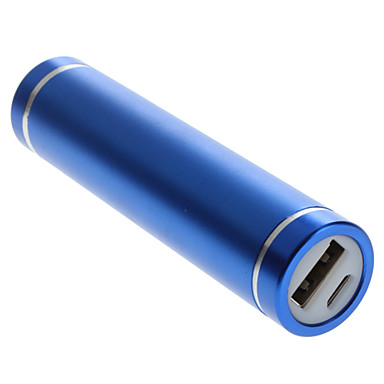
I'm pulling the trigger on this project since I received my IPhone 5S ($47) from Dealdash factory unlocked and found out I won't be able to downgrade To IOS 6.1.4 as I originally hoped...no ApEx for me! Came across this topic and it looks like a great idea. Other than my sons Tabeo, this will be my intro to the Android world, but it seems somewhat similar to the old Windows Phone hacking community with custom cooked ROMS. I've decided to go with this. I'll post my progress as it comes along.From reading some reasearch on various forums the stick draws about 2amps when booting up initially but once booted only requires 500ma to stay on, I was looking at something like this
Now the one thing I'm unsure of is if the unit takes a charge while suppling power to the android stick as in does it act like a UPS or do you need to switch it on when you are tuning off the car which would be unresonable, I'm going to buy a cheap chinese €10 one for testing
Thanks for sharing this idea.
I'm really enjoying my radio since installing it, much faster and smoother interface. GPS injection is good too.
I'm really enjoying my radio since installing it, much faster and smoother interface. GPS injection is good too.
Did you add the backup USB power supply? If so which one did you go with?
Oops...disregard, I just read where your still working on the power supply, but I'm really curious to hear how it turns out.
The only battery that I can find that actually advertises this as a feature is the Romoss Solo series
http://www.romoss.com/powerlist.php?SortID=11
I've ordered one so I'll update how I get on when it arrives
I'm really enjoying my radio since installing it, much faster and smoother interface. GPS injection is good too.
So, now that you've had a chance to play with this, is there anything that you would have done differently; i.e. anything that doesn't quite work the way it should or do you think you have the dream setup? I really want to pursue this because it sounds like it could pass the test longer than a Pioneer unit alone could. Basically HU recommendations, android stick recommendations. Thanks.
So, now that you've had a chance to play with this, is there anything that you would have done differently; i.e. anything that doesn't quite work the way it should or do you think you have the dream setup? I really want to pursue this because it sounds like it could pass the test longer than a Pioneer unit alone could. Basically HU recommendations, android stick recommendations. Thanks.
Everything is great, the battery backup is the last piece I need to get setup/working as it is a pain in the ass if you are making a quick stop at the shop and need to wait the 90seconds for the stick to boot when you return to your car. the wifi wasn't great on the stick I bought but I'm handy with a soldering iron so I soldered on a copper wire antenna which fixed that.
Other than that it's given my AR2 a new lease of life and I'm loving it.
You battery back up is a very easy solution. You can buy 5V voltage regulators all over Amazon. Good ones. Some are designed to supply power to a USB port for charging. I would be shocked if you pay over $10 US. Next, purchase a TR7 relay...also available from Amazon. Simply program it to delay shut down to your voltage regulator for a few minutes and you are good to go. You wire constant battery power to the relay. You then wire an ignition source to the relay. Then program the relay to supply power to the regulator any time it sees ignition voltage, and to delay power shut off after ignition voltage disappears. Piece of cake. I use these things all the time to solve problems like this.
Yea, I've been keeping an eye out for a TR7 but they are about €30-€35 this side of the world which seems a bit pricey.
It's also only up to 4minutes which is an improvement but I'd like backup for say 8-9hours so when I leave work it doesn't have to boot again
Let me think about that one for a bit and see if I can come up with a solution for you. You know, you might be better off just wiring it direct to the battery and using some sort of voltage monitor to cut it off once your voltage falls below a certain point. I need to think about this for a bit.
Hey Cathaldub,
I installed a MK809III on my AR2 using Appradio Unchained Reloaded. Everything works great, just one small issue! None of the navigation apps are able to play the voice navigation, at first I thought it was AUR or even the bluetooth, but I tested it on my TV and I still have the same problem. I tested with Waze and HERE. Did you see this issue before?
Thanks in advance!
the MK809iii hasn't got gps so it won't work when connected to your TV, reloaded has the option to inject the gps from the appradio though, you need to turn this on in the unchained app and turn on mock locations in settings-developer options.
If locatio services is tuened off on your rom you will need to manually enable it
Thanks! Not sure if I explained it correctly. The GPS works perfectly, the problem is that I don't get the voice directions, so I have to take a look at the screen whenever I want to know where to go next.
weird, I think I get them, I'll have to check
I think mine is the same (also 809iii). Also, I don't think OK Google works. I have 4.4.2 installed and get the icons, but I don't think it works over the bluetooth profile.
I can confirm it's not bluetooth, it works the same if I plug it in to my TV. If I'm listening to music whenever the navigation app is supposed to give directions, the volume goes down on the music but I don't get any voice at all. So it seems like it's not able to reproduce the voices. It happens with all the navigations apps, not just waze. Thanks guys!
Have you tried selecting Google Text-to-speech as your preferred output engine. On your Android device, go to: Settings > Language & input > Text-to-speech output.
Have you tried selecting Google Text-to-speech as your preferred output engine. On your Android device, go to: Settings > Language & input > Text-to-speech output.
Yes, I did, but it didn't work either. Did you try any of the navigation apps? Are you experiencing the same issue?
Since extensions has been abandoned I'd considered two things.
1. Buy an android phone and use AppRadio Unchained, I actually did this and bought a HTC One M8 but I didn't like the Android system as a phone and decided to sell it and bought a iPhone 5S.
2. Upgrade my AppRadio 2 to an AppRadio 4, but with mixed reports on the unit/carplay, and the cost envolved.
I decided to try something else before I abandoned my AR2.
I bought a cheap Quad core android HDMI stick for €35 from Amazon. Installed the free version of AppRadio Unchained and paired it with the radio. It gets it's internet through personal hot spot on my iPhone.
I also paired my iPhone 5s with the radio as a special device so I can still make/receive calls through it.
I'll post a video later but it's great, I have all my apps installed on the hdmi stick, spotify, YouTube, Waze, Google maps, etc and I still have the ability to use my iPhone. Its actually easier than using the iPhone with the radio as all I have to do when I get in the car is turn on personal hot spot, I can then leave my phone in my pocket.
Can you explain how you paired your phone as a special device ?
I'm using a nex8100 unit connected to a rkm v5 stick. I started with the mk809iii but was to slow for my likings. I. An pair the phone but can only use one device at a time on BT.
Thanks in advance