Search Archive

Upgrading NEX4000 to NEX4100 - Work in Progress

By Covert_Death · Mar 24, 2015in NEX Series💬 624 posts👁️ 179,956 views
Page 15 of 25
Posted Jul 22, 2015 · 04:45 UTC#351

Ok created a much nicer script here: https://code.casual-dev.com/xCwa


It works for all firmware versions and models. It will open up the android recovery, boot, and system folders; wait for edits, and then it will repackage the rom up into a flushable firmware with the correct checks.

Posted Jul 22, 2015 · 06:19 UTC#352

So sadly, I modified init.rc with a command that fails and now causes my unit to boot loop.  (put a simple touch logs.txt for each storage device, a bit stupidly so when it fails the system reboots) 


However the above script works perfectly to start us in the direction of custom firmware. And if someone has knowledge of bsp and android we can add to the init.rc scripts to dump the sd password.


I am working on an idea I have to hopefully recover my unit. Hopefully will have news soon. 

Posted Jul 22, 2015 · 06:41 UTC#353

Before considering about password, we dont even have proper way to dump SD card with password.

fail0verflow used Novena with custom kernel to get over this problem.


I dont think anybody in this forum has Novena.


So as I mentioned previously, making Raspberry Pi to support CMD42 is necessary to dump SD card

(Not sure it will work or not though)

Posted Jul 22, 2015 · 07:06 UTC#354

Agreed. My plan was to use Novena, but first we must get the password.


Also here is some modifications to AdamOutlers Mapping:


common name - associated ver file - location in update

boot.img -  BOT.VER - BOOT/BOT.PRG

bootloader  - BTL.VER - n/a

UNKNOWN - BT.VER  GPS/GPS.PRG    

userdata - DAT.VER - USERDATA/DAT.PRG 

UNKNOWN - DTV.VER - DTV/DTV.PRG

2nd recovery.img - ERY.VER - RECOVERYEASY/ERY.PRG (runs if the deck cannot read the sdcard and is loaded into some memory)

UNKNOWN - GPS.VER - GPS/GPS.PRG 

UNKNOWN - OPN.VER - PG150OPN/OPN.PRG

system.img - PLT.VER - PLATFORM/PLT.PRG

recovery.img - REC.VER - RECOVERY/REC.PRG

UNKNOWN - WWR.VER - WWR/WWR.PRG

UNKNOWN - SNAPSHOT.VER SNAPSHOT/SNAPSHOT.PRG

HIBENDIR HIBENDIR  (Special partition)


Based on the fail0verflow blog the sd card for a 5000NEX partition should look like this:

Disk /dev/mmcblk1: 8069MB
Sector size (logical/physical): 512B/512B
Partition Table: msdos

Number  Start   End     Size    Type      File system                          MY Findings:
 1      538MB   548MB   10.5MB  primary   android      boot A                  BOOT/BOT.PRG
 2      548MB   559MB   10.5MB  primary   android      boot B            
 3      559MB   1830MB  1271MB  extended
 5      559MB   590MB   31.5MB  logical   android      recovery A              RECOVERY/REC.PRG
 6      590MB   622MB   31.5MB  logical   android      recovery B              RECOVERYEASY/ERY.PRG ?
 7      622MB   1159MB  537MB   logical   ext4         /system                 PLATFORM/PLT.PRG
 8      1159MB  1293MB  134MB   logical   ext4         /cache
 9      1293MB  1830MB  537MB   logical   ext4         /data                   USERDATA/DAT.PRG 
 4      1830MB  7702MB  5872MB  primary   ext4         /extdata

Also, I have modified the code to now also open the USERDATA PRG and the EASYRECOVERY for editing.


https://code.casual-dev.com/5nP3


From what I can tell, the PRGS basically contain images that get flashed to the partitions of the SDCard. So if we can map those partitions to a PRG file we SHOULD be able to basically build sdcards from the update files. At least this is my theory based on what I can tell.


I can not tell what SNAPSHOT or OPN are. They do not appear to be ANDROID images and SNAPSHOT will not mount like a ext partition.  


I think that HIBENDIR is the LineoWARP http://www.lineo.co.jp/modules/products/warp2.htmland it is possible the SNAPSHOT file goes with this. 

Posted Jul 22, 2015 · 12:38 UTC#355

Very good work. that's the entire android system, there. We just need a fool-proof way to recover devices.  If you can figure out how to deodex your SYSTEM.img (/system/framework and /system/app), and test it to verify your device boots up properly,  I can rewrite the code to remove the warning screen. 


@AdamOutler here is an SDCard part on Pioneer's site that is supposed to the the 8100. http://parts.pioneerelectronics.com/part.asp?productNum=CXX7606


If we can get the sdcard password, I could then get image my sdcard (from an 8000 but should work since they can update each other) and hand off.


Did the SDCard from the 5000 not work?

I ordered this SDCard.  it's on back order.  I requested that it come without encryption/sdcard lock in the special requests field.   They obviously need to make new ones anyway, maybe they could just not lock the SDCard before sending it. 

I'd hope I don't have to send my device out for JTAG.  I have something lined up, but it's expensive and I'm not earning money on this. 

Edited Jul 22, 2015 by AdamOutler
Posted Jul 22, 2015 · 13:26 UTC#356

On the SDCard image.  please check these locations "0x250000 (and 0x260000)". When opened with a Hex Editor, you should see " a bunch of zeroes … and a 16-byte ASCIIstring hiding there. This is our password." https://fail0verflow.com/blog/2014/enhancing-the-avic-5000nex.html

Edited Jul 22, 2015 by AdamOutler
Posted Jul 22, 2015 · 14:55 UTC#357

[deleted post]

Edited Aug 05, 2015 by whatisbypass
Posted Jul 22, 2015 · 15:05 UTC#358

He said password stored in flash, not in SD card. How CPU can access SD card to read password without having SD card password?

I thought SDCard was the flash on this device.   There is a second storage? 

Posted Jul 22, 2015 · 15:59 UTC#359

[deleted post]

Edited Aug 05, 2015 by whatisbypass
Posted Jul 22, 2015 · 16:26 UTC#360

I thought SDCard was the flash on this device.   There is a second storage? 


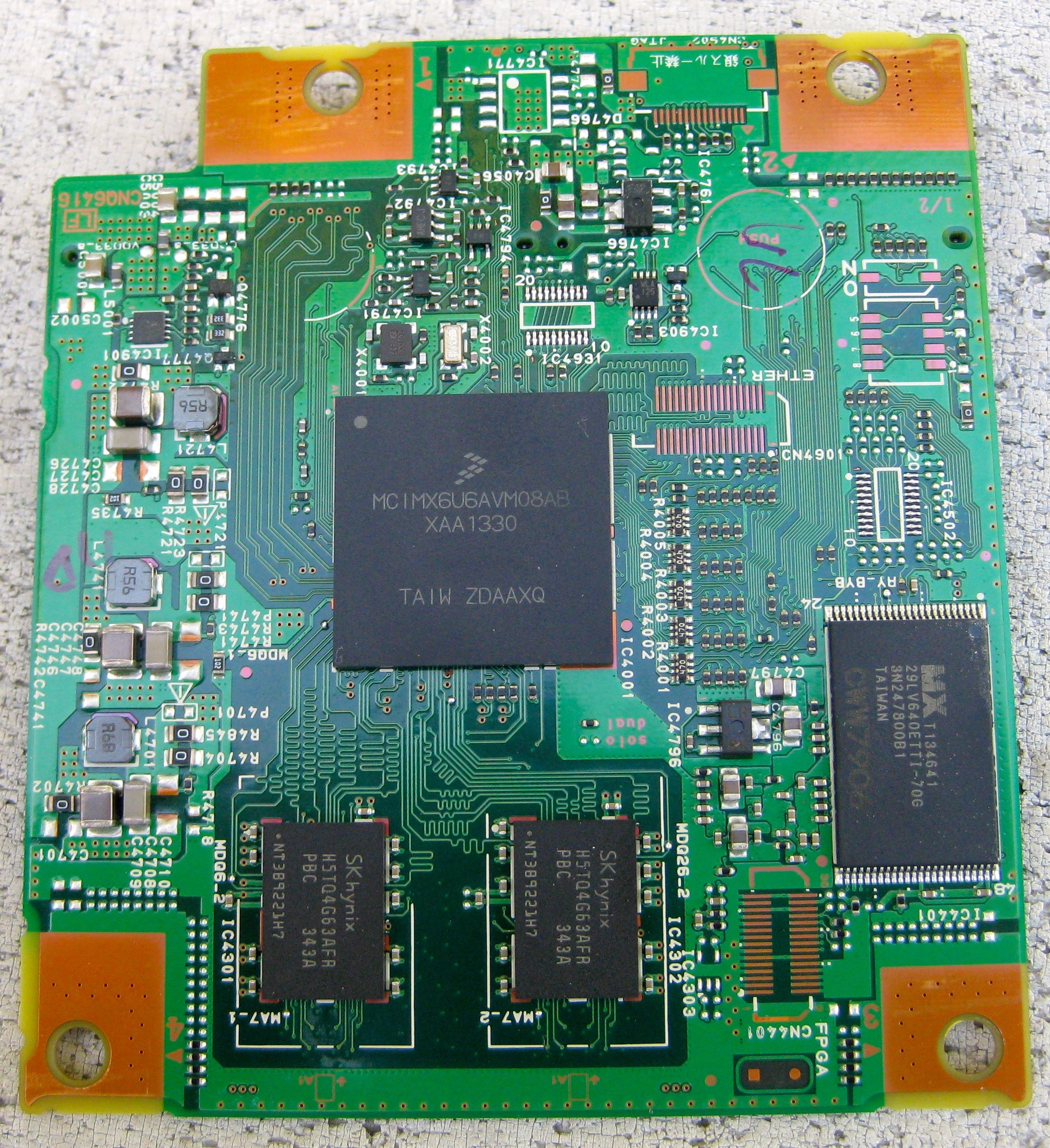
https://fail0verflow.com/media/img/avic/cpu-top-large.jpg


MX29LV640ETTI is 64Mbit NOR flash that contains U-Boot


Very good work. that's the entire android system, there. We just need a fool-proof way to recover devices.  If you can figure out how to deodex your SYSTEM.img (/system/framework and /system/app), and test it to verify your device boots up properly,  I can rewrite the code to remove the warning screen. 


I ordered this SDCard.  it's on back order.  I requested that it come without encryption/sdcard lock in the special requests field.   They obviously need to make new ones anyway, maybe they could just not lock the SDCard before sending it. 

I'd hope I don't have to send my device out for JTAG.  I have something lined up, but it's expensive and I'm not earning money on this. 

 
Not sure if Pioneer going to lock it or not, but make sure to dump before you insert into 8100
 
I remember that reading post that NEX automatically locks SDCard with the password that stored inside flash.
 
So, make sure to try dump first, otherwise you would not be able to dump it anymore (unless you have password) 
Edited Jul 22, 2015 by gotofbi
Posted Jul 22, 2015 · 17:31 UTC#361

[deleted post]

Edited Aug 05, 2015 by whatisbypass
Posted Jul 22, 2015 · 18:23 UTC#363

@AdamOutler did the 5000 SD card image ever work in your deck?

Posted Jul 22, 2015 · 18:33 UTC#364

[deleted post]

Edited Aug 05, 2015 by whatisbypass
Posted Jul 22, 2015 · 18:41 UTC#365


Noone wants to try testmode files? I have contents of testmode files to enter testmodes as described in U-boot:


@AdamOutler you must try, your device is already bricked :)

		printf("##  A Side BSP Information:\n");
		printf("\tMagic Number       :0x%08lx(a55a5aa5:Valid, other:Invalid)\n", sbspinfo.ulSignature);
		printf("\tBoot Mode          :0x%08lx(0:Normal,\n\
\t                               1:Recovery,\n\
\t                               2:EasyRecovery,\n\
\t                               3:Re-EasyRecovery,\n\
\t                               default:Normal)\n", sbspinfo.ulbootmode);
		printf("\tLaunch Mode        :0x%08lx(0:APL,\n\
\t                               1:TestMode.apk,\n\
\t                               2:Slave TestMode,\n\
\t                               3:Boot Error,\n\
\t                               default:APL)\n", sbspinfo.ullaunchmode);
		printf("\tTestMode Sub-Mode  :0x%08lx(0:TextMode_A.key, 1:Serv Mode,        2:Tech Mode,     default:Tech Mode)\n", sbspinfo.ultestsubmode);
		printf("\tBootimage Side     :0x%08lx(0:Side A,         1:Side B,                            default:Side A)\n", sbspinfo.ulbootimageflag);
		printf("\tRecoveryimage Side :0x%08lx(0:Side A,         1:Side B,                            default:Side A)\n", sbspinfo.ulrecoveryimageflag);
		printf("\tDebug Switch       :0x%08lx(0:OFF,            1:ON,                                default:OFF)\n", sbspinfo.uldebugswitch);
		printf("\tUsb OTG Switch     :0x%08lx(0:Host,           1:Device,                            default:Host)\n", sbspinfo.ulusbotgswitch);
		printf("\tMemchk flag        :0x%08lx(0:No,             1:Yes,                               default:No)\n", sbspinfo.ulmemchkflag);
		printf("\tWarp boot          :0x%08lx(0:Side A,         1:Side B,                            default:Side A)\n", sbspinfo.ulwarpboot);
		printf("\tBoot Sub-Mode      :0x%08lx(0:Normal,         1:Catch snapshot,   2:Warp,          default:Normal)\n", sbspinfo.ulsubbootmode);
		printf("\tUpdate flag        :0x%08lx(0:Recovery-Update,\n\
\t                               1:uboot update,\n\
\t                               2:boot.img update,\n\
\t                               3:recovery.img update,\n\
\t                               4:system.img update,\n\ 
\t                               5:opening data update,\n\
\t                               6:UI update,\n\
\t                               7:All image update,\n\
\t                               8:TESTMODE_N.KEY,\n\
\t                               9:easyrecovery copy,\n\
\t                               a:easyrecovery copy&verify,\n\
\t                               b:password key copy&verify,\n\
\t                               c:easyrecovery mode change,\n\
\t                               default:Recovery-Update)\n", sbspinfo.ulupdateflag);
		printf("\tUpdate sub-flag    :0x%08lx(0:SD Card,        1:USB1,             2:USB2           default:SD Card)\n", sbspinfo.ulupdatesubflag);
		printf("\tUI Update  flag    :0x%08lx(0:non-updating,   1:updating,         default:non-updating)\n", sbspinfo.uluiupdateflag);
		printf("\tReserved1  flag    :0x%08lx(default:0xFFFFFFFF)\n", sbspinfo.ulreserved1);
		printf("\tReserved2  flag    :0x%08lx(default:0xFFFFFFFF)\n", sbspinfo.ulreserved2);
#if 0 //#ifdef CONFIG_MMC_LOCK
		printf("\tPasswd is <%s>\n", password);
#endif
#if 0 //#ifdef CONFIG_BSP_CRC32
		printf("\tCRC32: 0x%08lx\n", sbspinfo.ulcrc32);
#endif

I will try it.  But, I can't really get anywhere on my device.  How do I do it?

@AdamOutler did the 5000 SD card image ever work in your deck?

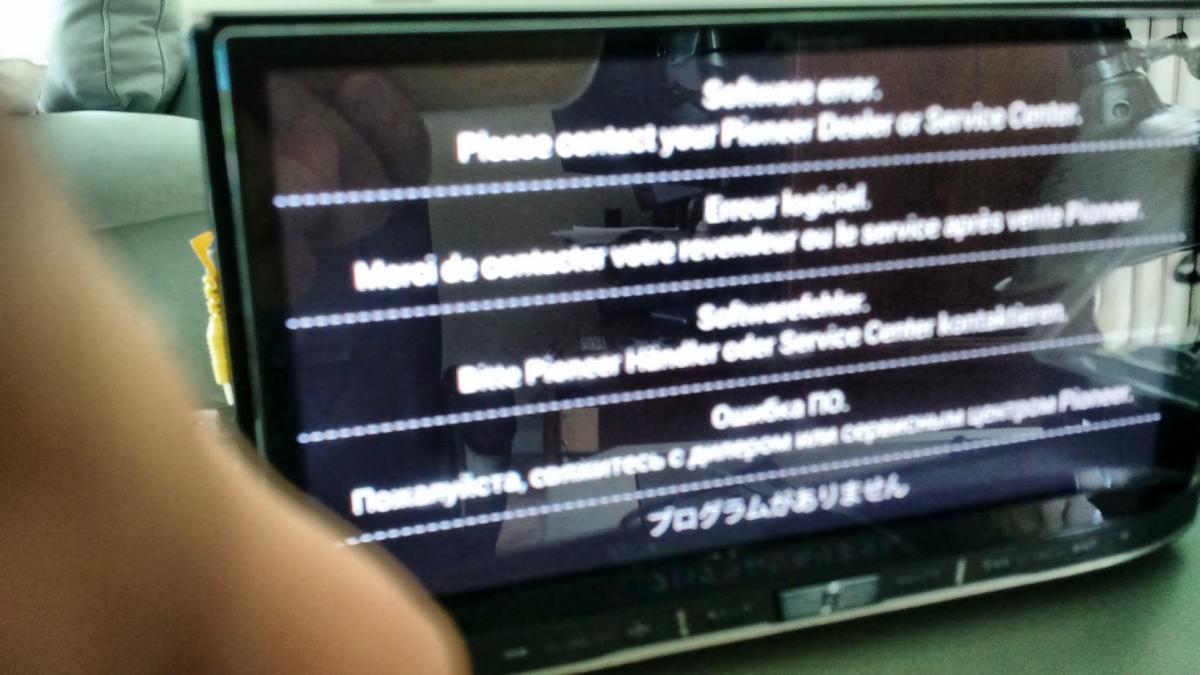
This is all i see when booting that image. 

post-131243-0-81308200-1437590458_thumb.jpgpost-131243-0-07785100-1437590465_thumb.jpgpost-131243-0-87447700-1437590468_thumb.jpg

Posted Jul 22, 2015 · 19:01 UTC#366

So my understanding based on fail0verflow is that the error screen you see is UBoot with recovery options hidden somewhere to install/flash from usb

Posted Jul 22, 2015 · 19:04 UTC#367

[deleted post]

Edited Aug 05, 2015 by whatisbypass
Posted Jul 22, 2015 · 19:06 UTC#368

@AdamOutler testmode keys is in your PM.


This keys may help to recovery device.


How can you boot the test mode of the device is either in a boot loop or gets stuck on a loading screen?


Will test mode work from the error screen he has?

Posted Jul 22, 2015 · 19:10 UTC#369

@AdamOutler testmode keys is in your PM.


This keys may help to recovery device.

Will attempt this weekend.
Posted Jul 22, 2015 · 19:10 UTC#370

[deleted post]

Edited Aug 05, 2015 by whatisbypass
Posted Jul 22, 2015 · 19:52 UTC#371

@AdamOutler


http://lifehacker.com/how-to-clone-your-raspberry-pi-sd-card-for-super-easy-r-1261113524

This is super easy way to restore 8gb img file to sdcard.

If you are on mac or linux, use dd to restore.


Just grab random 8gb sdcard and follow instruction.

after restoring is done, insert this newly created sdcard into your 8100

Remember, you have to put this sdcard inside of unit, not front panel (not even sure 8100 has sd slot on front tho)

Posted Jul 22, 2015 · 21:11 UTC#372

@AdamOutler


http://lifehacker.com/how-to-clone-your-raspberry-pi-sd-card-for-super-easy-r-1261113524

This is super easy way to restore 8gb img file to sdcard.

If you are on mac or linux, use dd to restore.


Just grab random 8gb sdcard and follow instruction.

after restoring is done, insert this newly created sdcard into your 8100

Remember, you have to put this sdcard inside of unit, not front panel (not even sure 8100 has sd slot on front tho)

We don't have an 8100 image. I'm well aware of how to make an SDCard.
Posted Jul 22, 2015 · 21:27 UTC#373

[deleted post]

Edited Aug 05, 2015 by whatisbypass
Posted Jul 22, 2015 · 21:59 UTC#374

That's how I got where I'm at. I flashed and then flashed back.


I can't boot 5000. It errors out.

Edited Jul 22, 2015 by AdamOutler
Posted Jul 22, 2015 · 23:03 UTC#375

That's how I got where I'm at. I flashed and then flashed back.


I can't boot 5000. It errors out.


Since mine is in a loop as well. I plan to try and get the error you do with the 5000 sd card and try to get it to boot recovery, via the test mode key which should allow a force update via a usb.


Will let you know how it goes tonight.

Page 15 of 25